




.jpeg.328c78bce7ef11d21f15e2e844eba711.jpeg)
D0wk1ng
Members
-
Joined
-
Last visited
-
Same. Was indeed updating the plugins.
-
Same error. So probably not specific to our installs but a mess up of the unraid team. Guess I'll wait for the 7.2.1, should've known better.
-
I checked the directory where the disk was saved, but it's not there. Can't find it on google or documentation. My goal is to make automatic snapshots and back it up to a different disk. Thank you for advice!
-
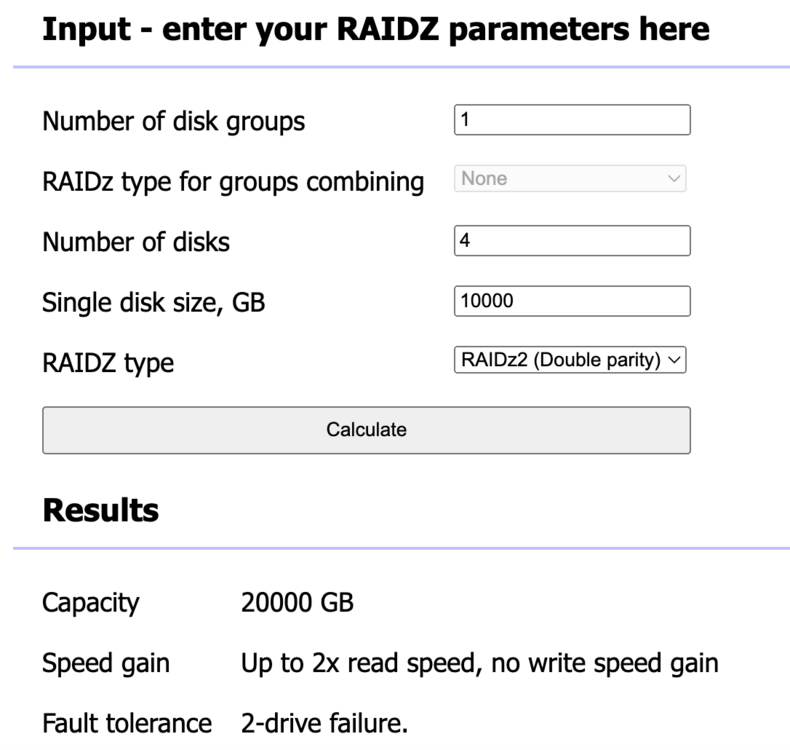
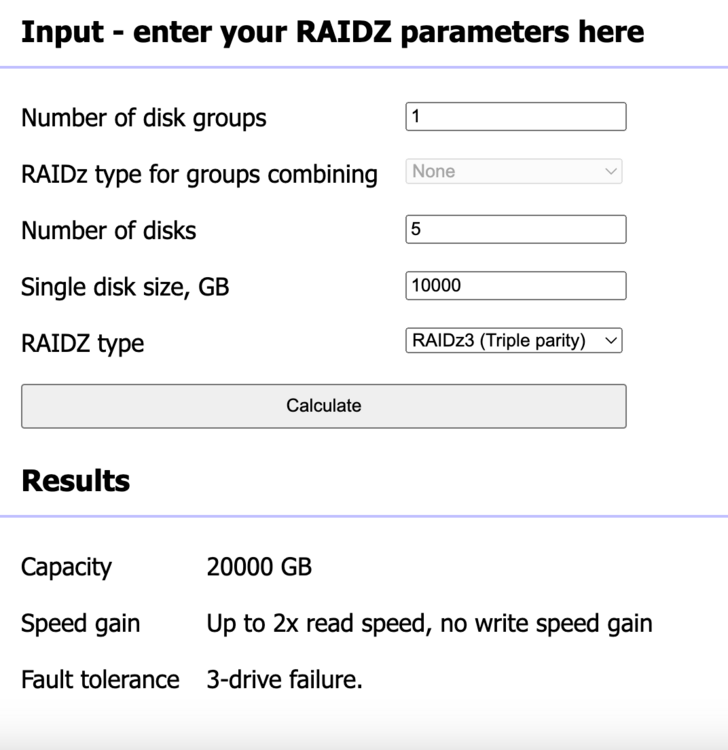
Hello 👋, I was wondering if it's possible in Unraid to change the filesystem type so I can downgrade from Raidz3 to Raidz2 and 1 disk less. The data settings is showing a non-editable dropdown box of my current configuration. In theory I could just remove 1 disk (maximum failing disks in Raidz3 is 3) and ignore the OS complaining, but I don't know if that's the best approach here. The data size would be the same as you can see in Raidz calculators so from my naive point of view there shouldn't be an issue: I couldn't find a similar topic, so I created this topic. Thank you!


-
Please share how, I'm facing the same issue
-
During a stupid mistake I accidentely removed /mnt/user/system/docker/docker.img. What should I do know to fix this? Can I download this somewhere?
-
Solution is to unmount it after copying the files: umount /mnt/disk1/appdata
-
So the shares "system", "appdata",... which are used by the VM's, docker and system are all by default on the array. I created a ZFS pool which is way bigger and redundant, and I want to use that to store those shares. So I went into the UI and changed this to the correct storage location: secondary is set to none Next I issued this command to copy the share to the correct storage location: cp -avr /mnt/disk1/appdata /mnt/data/appdata disk1 is my array (default location), data is my pool (desired location). Then remove the data from the disk1 (array): rm -rf /mnt/disk1/appdata Unfortunately this gives: root@Tower:~# rm -rf /mnt/disk1/appdata rm: cannot remove '/mnt/disk1/appdata': Device or resource busy I checked if any files are open/used by using: lsof +D /mnt/disk1/appdata But it shows none. At this point I'm stuck, can anybody throw a bone? Many many thanks!

-
Thanks @JorgeB!
-
Thank you! Do you know if it's mature enough to use?
-
Currently, the main version allows the creation of ZFS-encrypted. However, I see so many posts about people struggling with it in release candidates, it makes me wonder if it's actually safe to use or is actually discouraged. Is it using ZFS own encryption or LUKS? Another question: will Unraid ask for the password after a reboot? Thank you very much!
.thumb.jpeg.0d5c437c5fb6652f9e26a4a3fd874cb3.jpeg)


