





PR3M4X
Members
-
Joined
-
Last visited
-
How to reproduce: - Open Terminal and type docker login - Login using any credentials that work. Personally i used login name + personal access token (read-only, not public repo read-only) - Use the UI to pull the image and run the container It will show the version as being not available. Switching the repo to public then deleting the container + image and pulling + run again switches the version to up-to-date. Switching to private again makes it not available anymore as well. tower-diagnostics-20250116-1557.zip
-
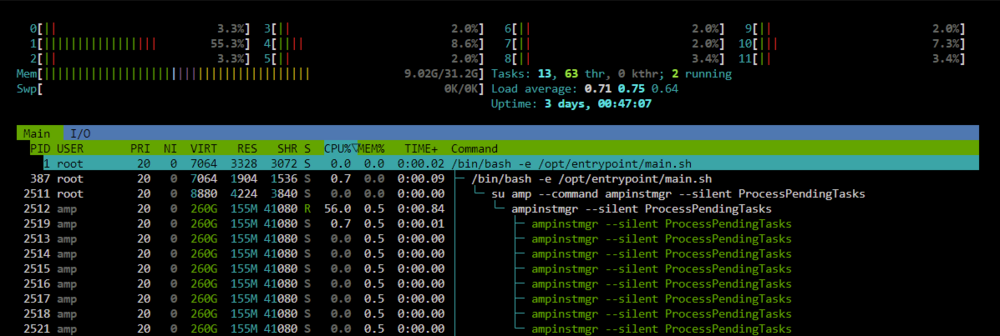
Im having CPU spikes with only a Minecraft Java Instance created but sleeping. htop shows it being the command "ampinstmgr --silent ProcessPendingTasks" I cannot find any Info anywhere to why this would be spiking the CPU usage every few seconds. Does anybody have any Ideas? Edit:
-
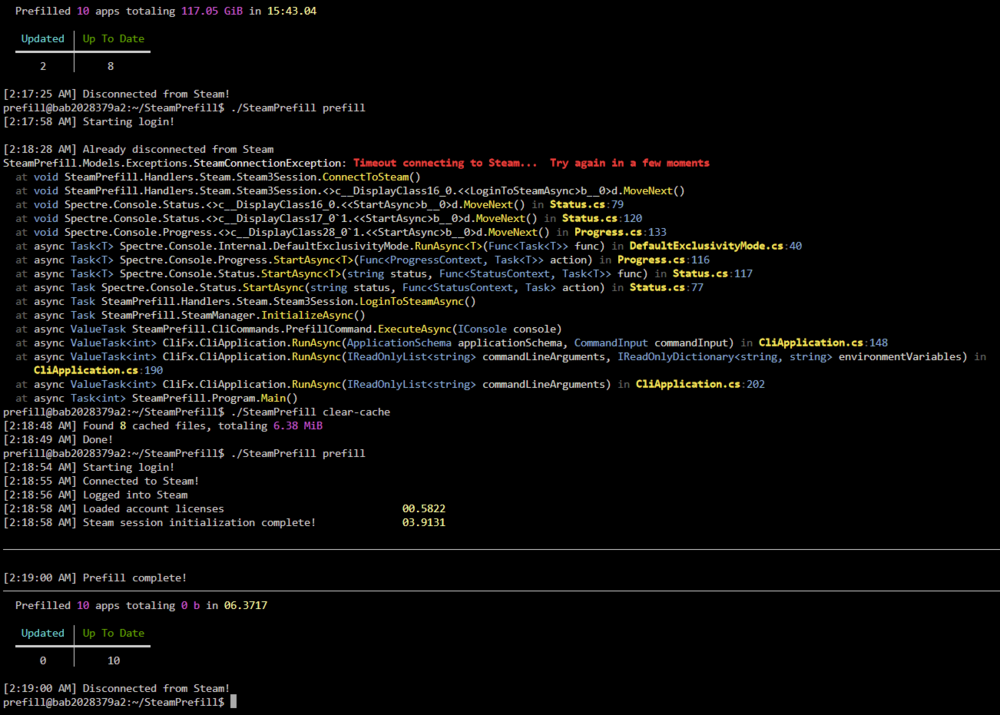
Im having to clear-cache every time between prefills since yesterday or Steam will not connect. Completely wiped the corresponding appdata folder and template then setup again but to no avail. All 3 Lancache Containers are running on br0 with the correct IP's. If anybody has some idea of whats going on, do let me know.
-

