





Olivilo
Members
-
Joined
-
Last visited
Everything posted by Olivilo
-
Default username: pyload Default password: pyload
-
https://www.google.com/search?q=pyload+web+login+pw&sca_esv=f358e67545492018&sca_upv=1&sxsrf=ACQVn08-aZJxKrq9bWkB7xCoRpphtu64lA%3A1712944409383&source=hp&ei=GXUZZumoFbirkdUPj7KQCA&iflsig=ANes7DEAAAAAZhmDKaUfu1tPMcWSSGkT4ys66uWr-3Xn&ved=0ahUKEwipmaiYn72FAxW4VaQEHQ8ZBAEQ4dUDCBU&uact=5&oq=pyload+web+login+pw&gs_lp=Egdnd3Mtd2l6IhNweWxvYWQgd2ViIGxvZ2luIHB3MgUQIRigATIFECEYoAEyBRAhGKABSJg3UOkHWPQ0cAF4AJABAJgBqAKgAeIWqgEGMC4xOC4xuAEDyAEA-AEBmAIUoAKLF6gCCsICBxAjGOoCGCfCAgUQABiABMICCxAuGIAEGMcBGNEDwgIKECMYgAQYigUYJ8ICCxAuGIAEGMcBGK8BwgIFEC4YgATCAggQABiABBjLAcICChAuGIAEGMsBGArCAgYQABgWGB7CAggQABgWGB4YD8ICChAAGBYYHhgPGArCAgQQIRgVmAMFkgcGMS4xOC4xoAewUQ&sclient=gws-wiz
-
Found the manual moving and forcing now the move from cache to array directory thx
-
I changed the Primary directory away from one of my cache Pool drives, so all media Files will be at the array. My system tells me the mover is working (cant Stop array button greyed out) but i dont see any changes in the Used/Free GB numbers neither at my Pool sdd nor at my Array HDD is there a way to see if he is still working? I turned all dockers off meanwhile. But the numbers dont change after some tiem i would copied it by hand allready. What now ? Thx for advise
-
In My Unraid i dont see any dockers under Appdata they are still ok noone can help me and i dont liek to waioit few dazs on a possible solution, i will make now a IMG docker and see if that works more stable. I would really liek to know why this happens
-
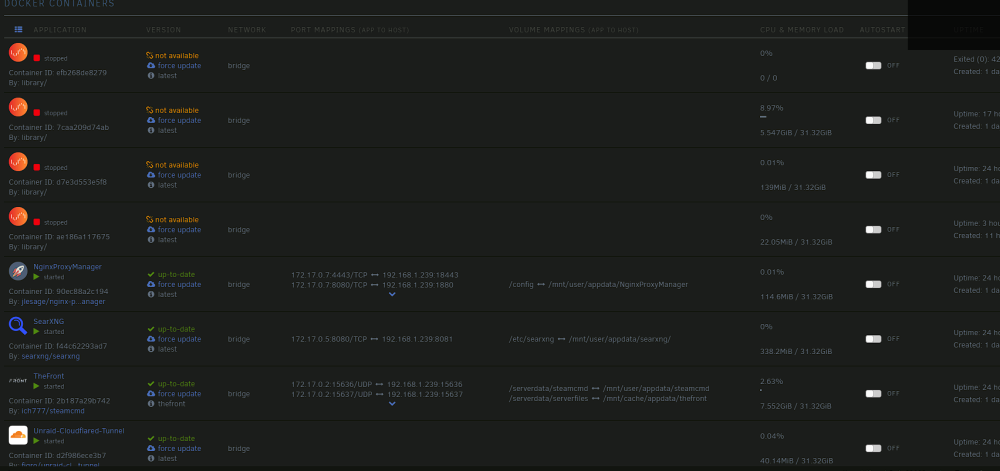
I restarted all Docker an dnow all Dockerts are gone ... lol ?!?
-
The containers are not there anymore but still working in the CPU ?!? lol
-
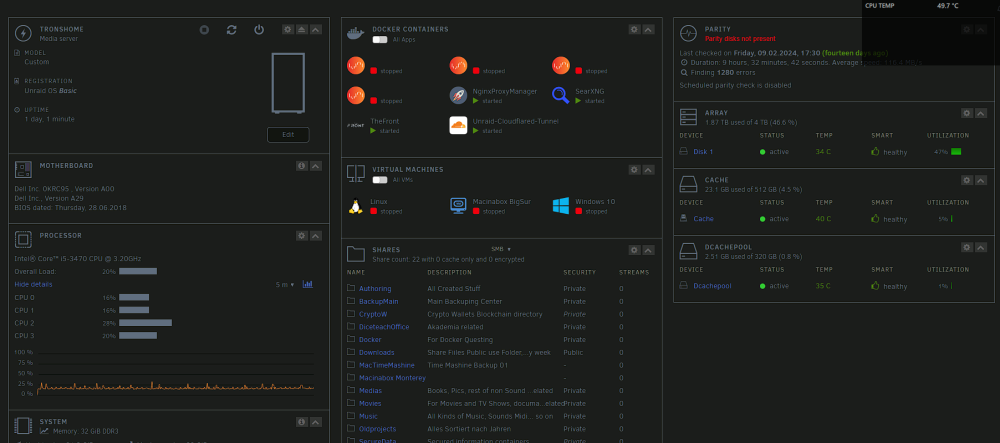
I was happy cause my server with all dockers worked like 2 days without any error, now in last Minutes out of a sudden dockers are lost and off and i dont know what happend or what to do now is there a possibility to get the system back as it was or do i need to deinstall all dockers again and install them again? Anyboy a Idea what hits my server config still that i have docker problems ? Thx tronshome-diagnostics-20240223-1441.zip
-
I got a NIGNX Docker on Unraid running and i wanted to go over SMB Shares to the directory appdata/nginx/www and change its content the User i am connected with has write and read access on appdata and can delete or make directoys in appdata but on NGINX directory and subdirectorys he cand do anything and i ask me why If i just wanna delete the index.html in the directory it asks me for root i say ok and it tells me i have no access. how do i connect with a dev tool over Local network (SMB) and change HTML content in that directory ? Thx for help
-
yes over this day i had no issues, after i changed the SDD cache with errors and formated both every in its own pool it works. it seems something happend last morning again i had to hardreset my unraid system and it needet quite a few minutes to come up, but with suprise i hade to see all dockers and VM<s were there and up and running. Actual i run Dockers: SearXNG NGinxProxyManager Unraid Cloudfalre Tunnel Scrunity Nginx Conan Exiles The Front i will add nextcould soon and wanna try the multistream ability of unmraid also soon when evereything works more than 5 days i start to host different websides but therfore i need more top learn about doickes if i need to clone them how virtualisation networks work and so on so next 2 week i have enough to play with.
-
Sorry i didnt find it in your List of answers, where does for conan exiles docker stores the file for Servername and Password?
-
To use Docker not as a Img was a advise from a German Youtube Streamner that does mutch Unraid content So what shall i do now, i just dont understand till now why this server hag up sometimes it it cause i choose docker as a directory so i have to change this, or is it cause Unraiud uses Ram alike a HDD and when its full it gets a overload and my Server freezes in the night and i have to change ram configuration or run less dockes at once >?
-
thx for clearifying it and i am still a nuub in Unraid but started with commodore 64 some time ago
-
ok this RAm bar is not related to Ram this morning just the server didnt respond i had to hardreset it to get it work again and i like the docker as directory so i am able to handle files better over SMB tronshome-diagnostics-20240222-1453.zip
-
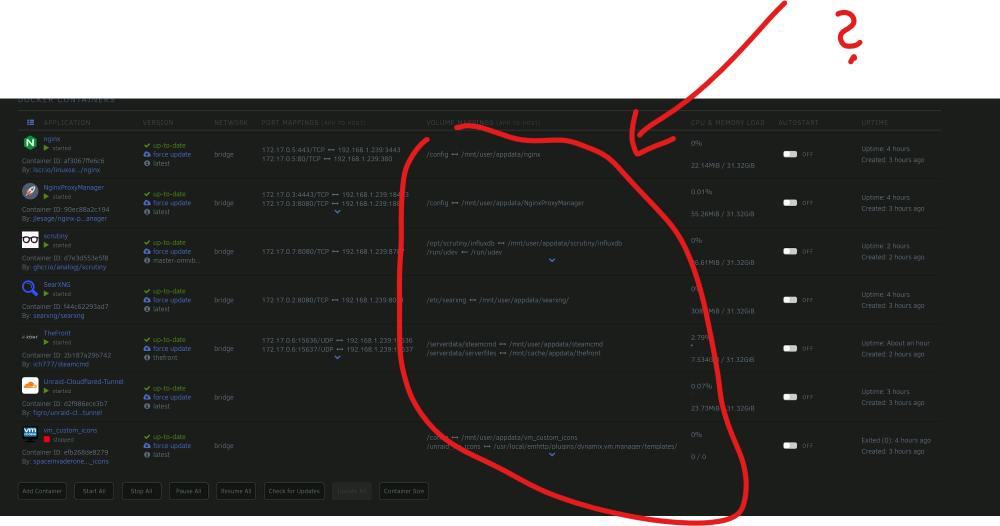
Here is the Picture of my acual working dockers The Volume Mappings i dont really Get with App to host where is definition thats not in Ram thats in cache ?
-
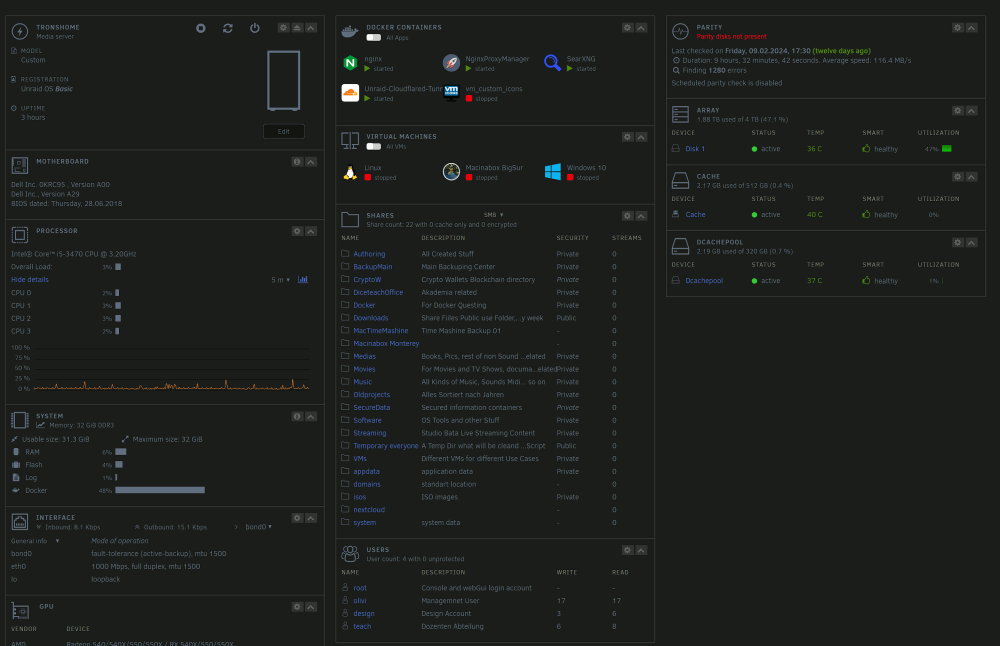
yes this info i mean i got 32 Gig Ram and docker uses all time 48% of it. Also cause my dockers were only in Ram i lost them after Ram was full and i had a reboot. When i got to the PV morning back there were no dockers anymore I dont wanna reinstall dockers every 2 days therefor i ask hwo to hhold them in SSD cache and not in Ram like you say teh docker image ' btw i installed docker as a Directory not as a image
-
Here is the Diagnostics file tronshome-diagnostics-20240222-0007.zip
-
I tought no make it as sloved cause it were few things to solve so i enterd a new theme here ok will keem questioning in one theme than
-
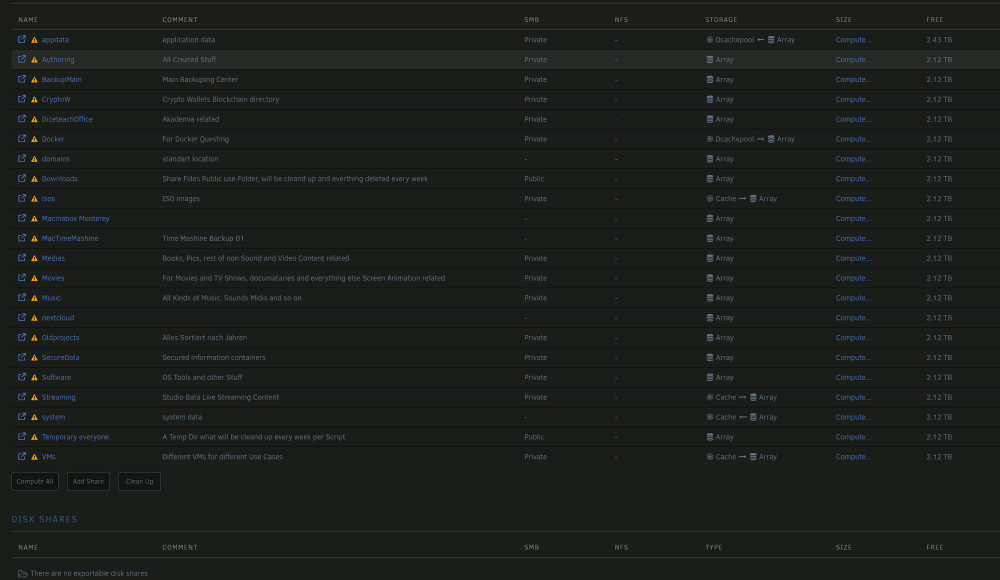
Hello everybody, thx for reading i am new to the community and working myself throu Unraid had with trial and error to learn but its working more and more and i am happy, thx to the Mods helping me so fast out. After a new organisation of my Array and caches pools with replacing SDD with Smart eroor i have a easy configuration: one 4 TB Main Array Dis with no Parity 2 SSDs a 512 GB and a 320 GS everyone in its own pool. I Installed some dockers but as you can see in my Picture they use Ram and not the pool Disc i adjusted under shares how do i get the Dockers into the cache what have i false configured ? Thx for help.
-
i would liek to have docker on this 300Gig ssd and the VMs on the 500Gig SDD
-
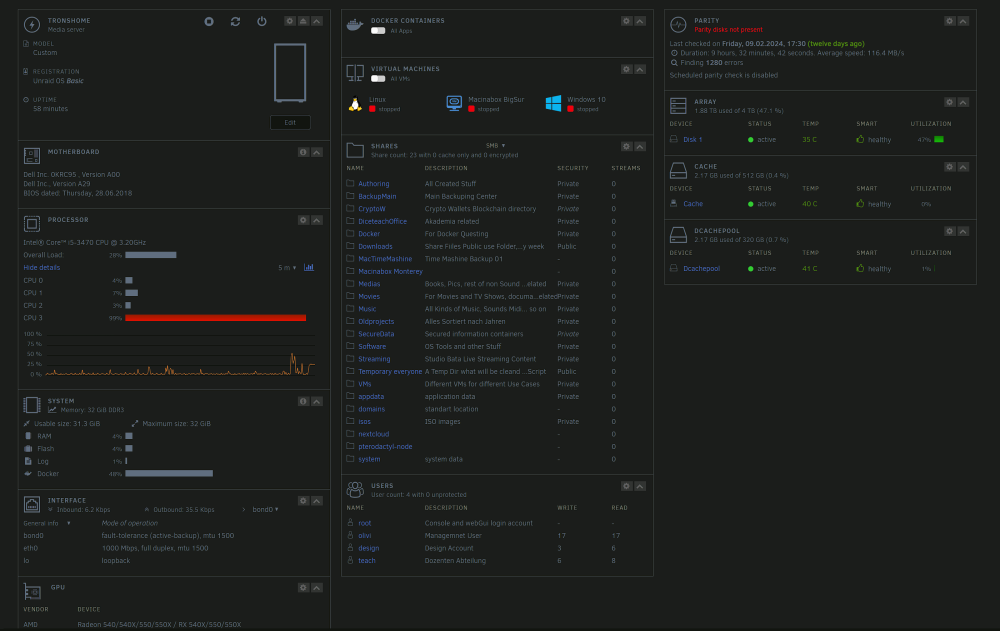
Now i need only to find out how to move docker on to cache again so it does not use Ram
-
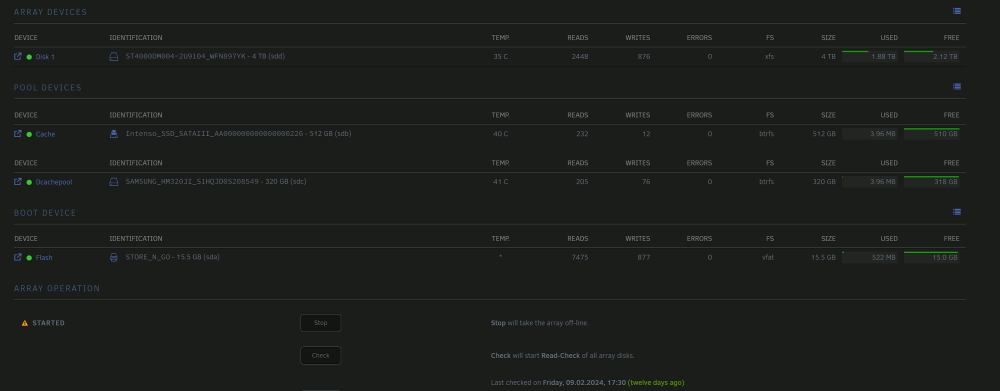
Ok i changed the one SSD that seemed to have errors and splited every ssd in a own cache pool
-
ok i run diagnostics again it seems that smart only tells that the drives dont work tronshome-diagnostics-20240221-1623.zip tronshome-smart-20240221-0706.zip tronshome-smart-20240221-0654.zip
-
and will download teh smart reports and upload here afterwards
-
i do neo w exended self test on both discs


