





Olivilo
Members
-
Joined
-
Last visited
Everything posted by Olivilo
-
after second formating it keeps same picture
-
first got a file systrem but it doint format both and both are not useabel still
-
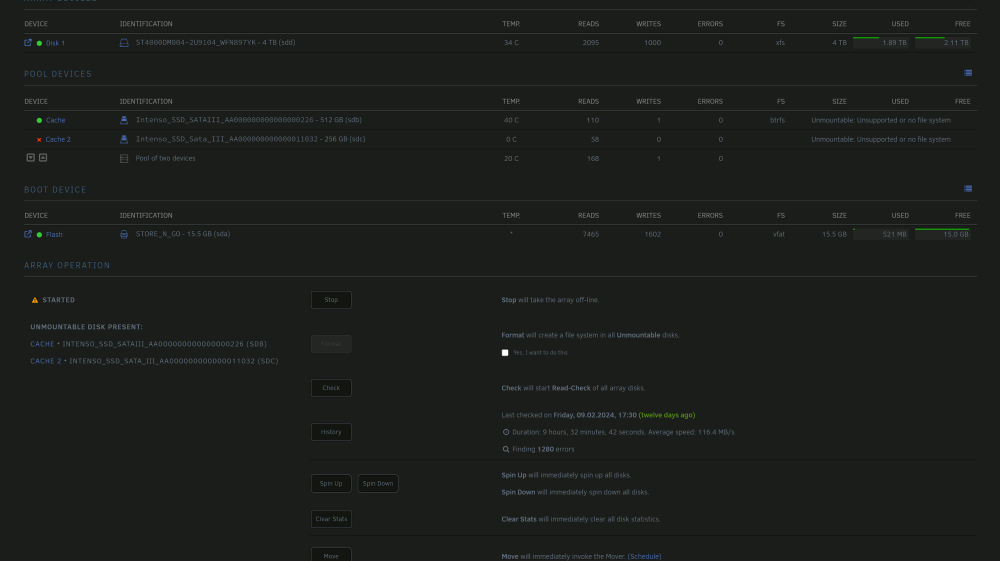
Ok after first formatting it looks like this
-
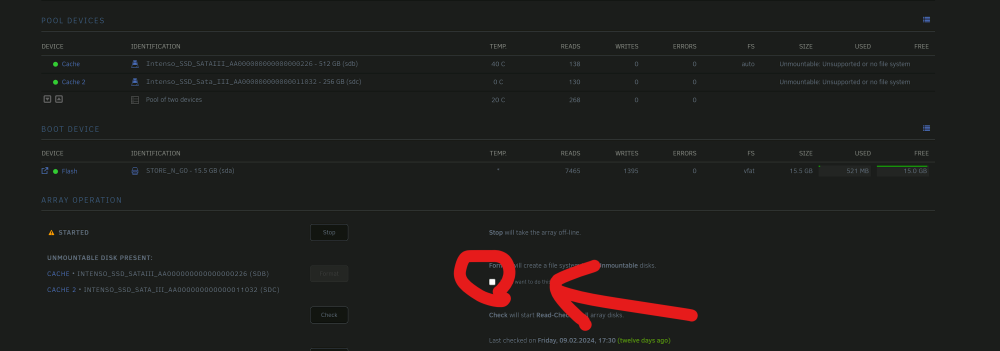
So if i understadn right i have to format the cache drives (SSDs) i got as Pool so they can work Proper. If i Format with this choise it will only format the SSDs and not tha HDD with the Files on it ? When i Start the formatting process do i have to choose a special file system to work as cache propper?
-
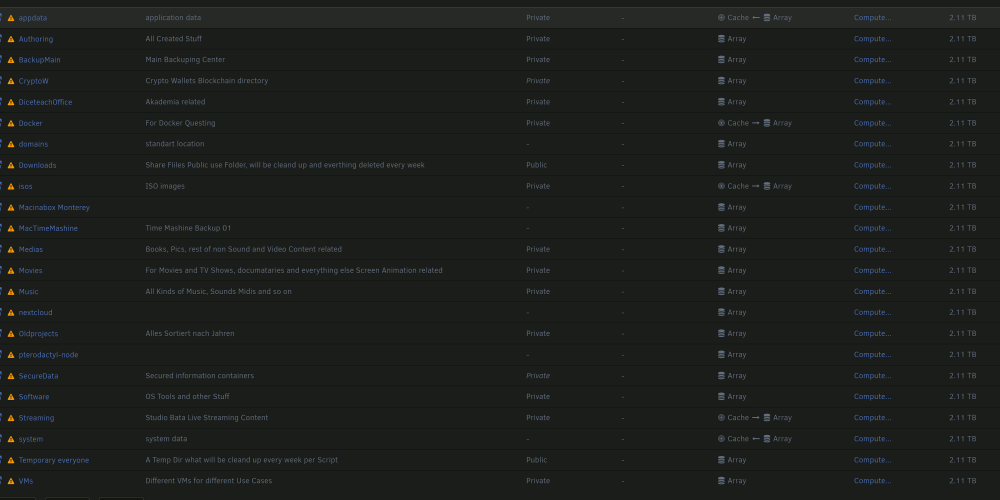
Is my configuration ok?
-
so when i undersatand you inicialy my cash drives were not addet and were not used, when i installed the dockers teh server had the soft only in Ram and after a failuer reboot they are gone ? Did i get you right? Ok so can i workaround and tell docker to use now my array untiul my cache problem is solved or can we slove the cache probloem fast and i jsut install teh dockkers new?
-
you mean this ? I thought as cahs they are allways not mountable so my cache drives were not formatted in teh beginning or what dfid i do wrong that they are unmountable?

-
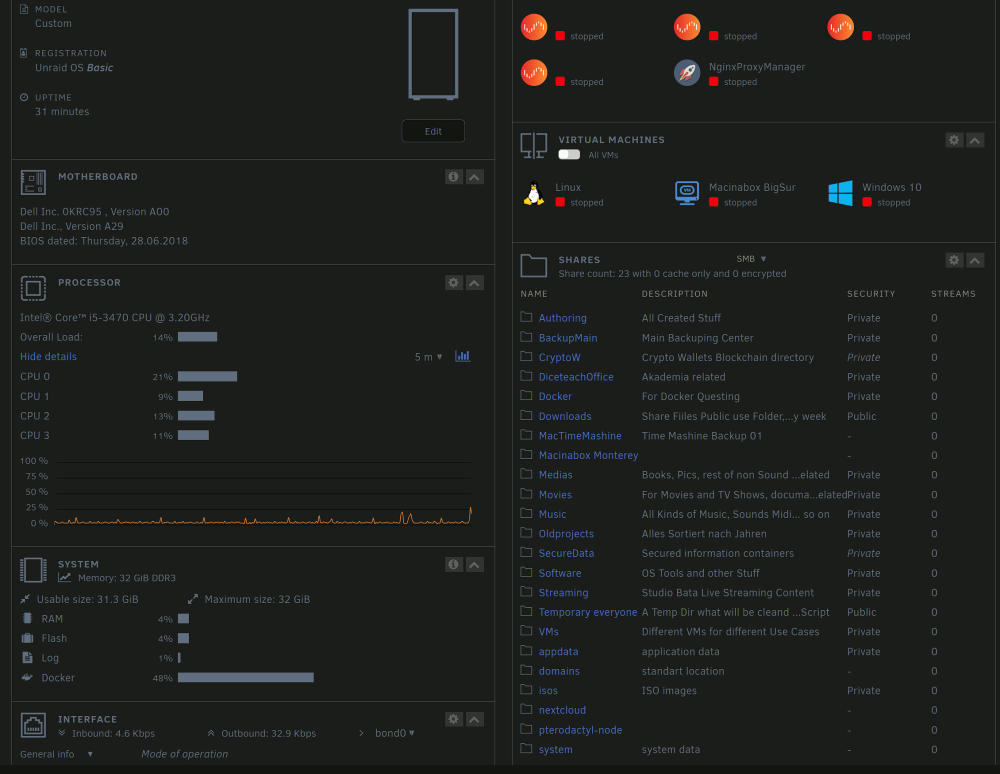
Also i dont understand why docker uses so mutch Memory in my server even now when all dockers dont work
-
This are my cache Drives can you tell me whicht made teh faulire so i can take her out ? or is it a driver problem ? Sometimes when i log in my Unraid i dont see any shares any VMs and no Docker until few seconds and then they start to appear. I think you are l;opoking teh wrong failuer yesterday night was 20.Feb on 21 Feb here in Europe so it sould be on that date the failure that appeared
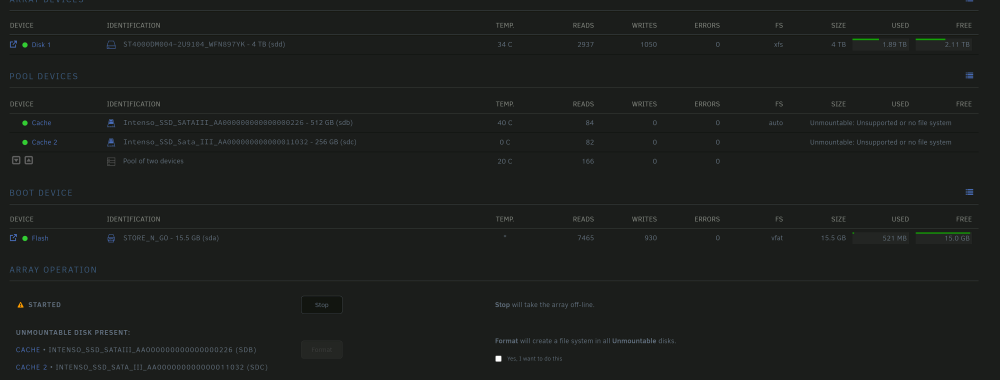
-
i see now in connect tha failure no 137 after google serach i found on a forum how to fix code 137 (Exit Code 137 errors happen when a container or pod was terminated due to high memory usage. Your container or Kubernetes pod will be stopped to prevent the excessive memory consumption from affecting your host’s reliability.)
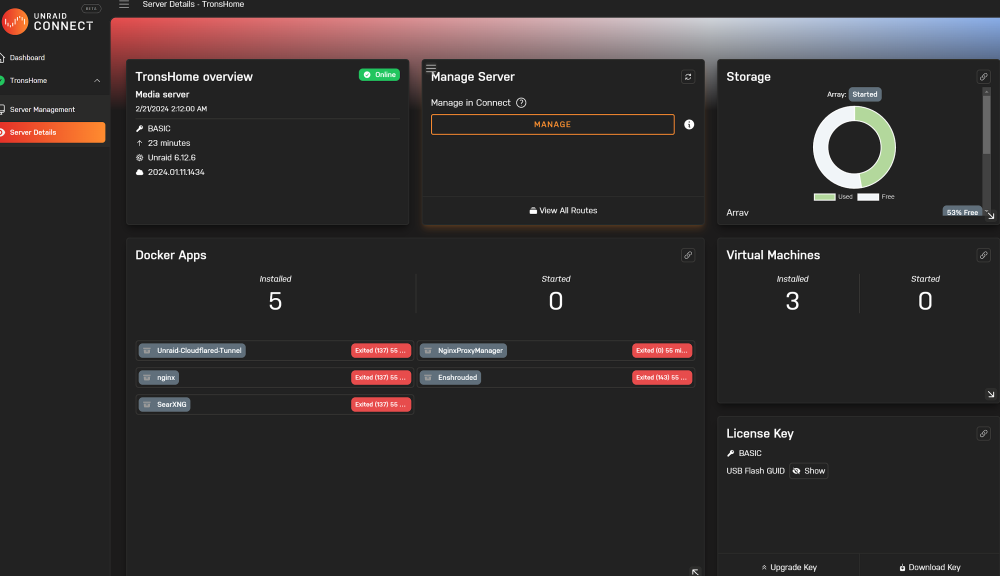
-
only the Ngix Manager seems as it woudl work
-
After restarting the server and starting the array it seems all dockers are destroyed ?
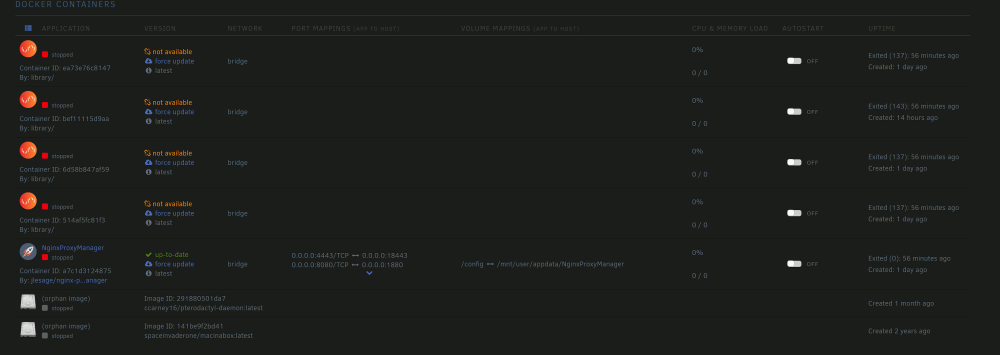
-
Good day great peoples, this day i came to my mashine it was again that all dockerts were down and I would like to get help to read and understand what happend. I addet the Diagnostics. On my router i have enabled Port forwarding to my mashine with the ports 80 and 433 for cloudflare and i have for my game server enshroudet port 15636-15638 open. I have Cloudflare installed learning reverse proxies last days and it works fine with stuff going over TCP but game servers need UDP sometimes and therefor the enshroudet port was directly open. My Ngix webserver side or my searching container worked well over cloudflare tunnel So can somebody tell me what this night happend and show me how to read this errors ? Thx for help guys and Girls and Thams tronshome-diagnostics-20240221-1356.zip
-
Is there a way to use this with a Radeon GFX ? i Got a RX 550 with 4 Gig on it and it has nothing to do so i coudl use it. I tried to install your Docker but in the settings at the beginning theres a place to write in a GFX ID or whasoever and its asked only about NVidia Number so i sopped installing was seeking for this answer in the net didnt find anytrhing and now i ask here. Thx for your time
-
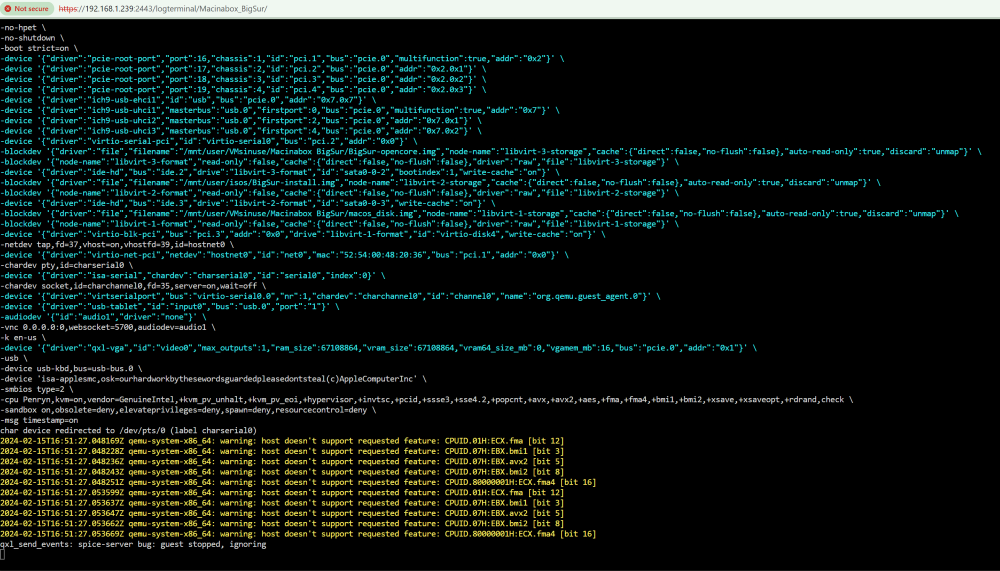
after a hardrest the server came up, i deleted all VMs and Docker itself, its img and reinstalled it today i tried to install a Working Mac VM with Macinabox and twice with Big Sure i came to following Screen when the system first time installs itself and stop working at a point it has a "paused" icon in Unraid Menue i cant start it go on and have to ForceStop it and delete it by hand again.
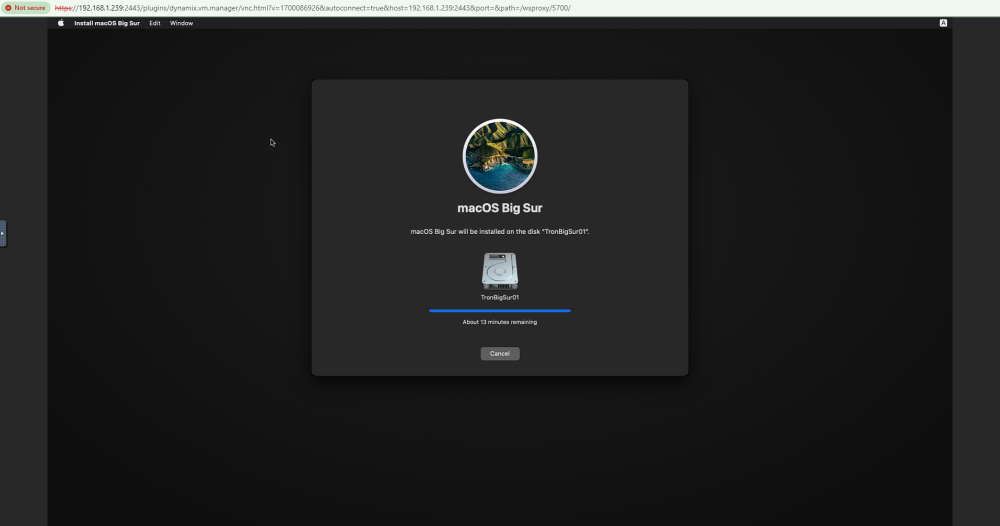
-
I cant connect over Web Gui anymore with my Unraid server😂 SO i do now to make a Hardshuttoff take the UBS out and install another USB stick ?
-
Do i need to maualy delet fiorst the docer IMG befor i reinstall unraid with a other docer configuration?
-
ok now my Sever is not connacable anymore over Web gui I will try a Better USB Stick and will need a Clean Install with docker as Directory and not img. i made over Unraid connect a Flash backup shall i download it and install it on a New UBS ? and then change the key to this new USB ? Do i use Unraid Installer for The USB or something else to malka a bootable stick from that Iso ?
-
Cause i Had a attack i was unsecure why all my Dockers and VMS didnt work anymore and i Still dont know if the Main Unraid system is compromidet. Than i thought ppbly it solves my Problems if i Reinstall Unraid totaly but i dont wanna Loose mu Shares and Users or at least not the data i transfered to the discs allready. After i couldnt find a solution i was looking about Forward and reverse Proxy and still learning to have a secure layer over DuckDNS with reverse proxy to my Game Server Dockers or later nextcloud and others. Frustration is still there but less high cause somehow all is still working and you try to help very helpfull. am, i able with this reverse Proxies to handle multiple Dedicated server instances of a game on same Port ? Is this somehow a Virtualisation of the network on the backend side or just a kind of Port rederiction ?
-
Link seems does not work anymore
-
Ok i got it running needet to open the Ports UPD uses and then i could see it. Thx for help. Now next Question if i want more of same so 2 or 3 Enshorudtet server with different config filed do i install it again or clone it or how does this work in Docker ?
-
Ok i could mange to edit this file with the help of Krusader App i just needet time to find the right directory and to open and change this jason was easy thx for help sry tat i take so log i am a bit ill today
-
the server Jason is nothing like pw or name in it
-
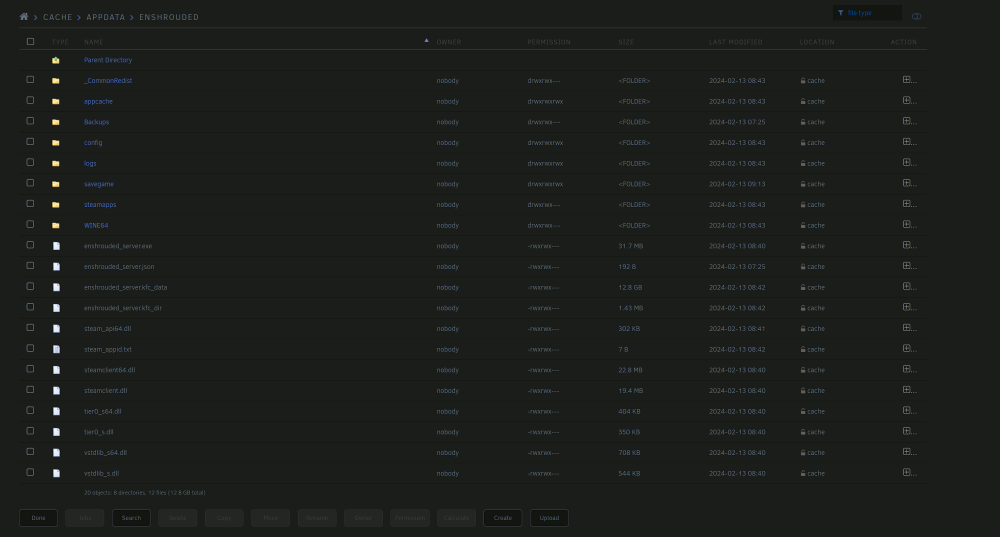
which

-
ok i can download a file look at local Editor att it and upload the new one thats ok but where is thsi confiog for the servername and Logincreds ?


