





kilasin
Members
-
Joined
-
Last visited
-
Here is the situation guys! For some reason my whole docker was corrupted from power outage and i could not restore my backup. With that said i tried reinstalling SpaceInvaders AIO NextCloud (i never had an issue installin g it the first time) Now, however, I am getting this message: Could not open input file: /var/www/html/occ Could not open input file: /var/www/html/occ Connection to nextcloud-aio-database (172.21.0.7) 5432 port [tcp/postgresql] succeeded! + '[' -f /dev-dri-group-was-added ']' ++ find /dev -maxdepth 1 -mindepth 1 -name dri + '[' -n '' ']' + set +x Connection to nextcloud-aio-redis (172.21.0.8) 6379 port [tcp/redis] succeeded! Could not open input file: /var/www/html/occ Could not open input file: /var/www/html/occ Connection to nextcloud-aio-database (172.21.0.7) 5432 port [tcp/postgresql] succeeded! So only 2 containers do not start. One being the Nextcloud one and the other the Apache because it cannot connect to the Nextcloud. Can someone please help me!!!
-
Thank you soo much !!! I am much obliged!!!
-
Here is my diagnostic tower-diagnostics-20251202-1454.zip
-
I have never had a problem before and my server has ran awesome for the past 3 years but this last week for some reason my docker service has been acting up and now today latest instance i get error on my docker containers with the 403 error. I have checked other post with same error but confused on how to go about it. Can someone please help?When i check on the logs i get something like this: (Error response from daemon: open /var/lib/docker/containers/fe07a5e0c8fd3650467a759eb935b483c34a3db41d88ffb87c4cb347aa6cd3af/fe07a5e0c8fd3650467a759eb935b483c34a3db41d88ffb87c4cb347aa6cd3af-json.log: read-only file system) So my guess is i need to change from read only to read and write. How do i do that?
-
rules have been set i can post them up as well but its what i have shown on top
-
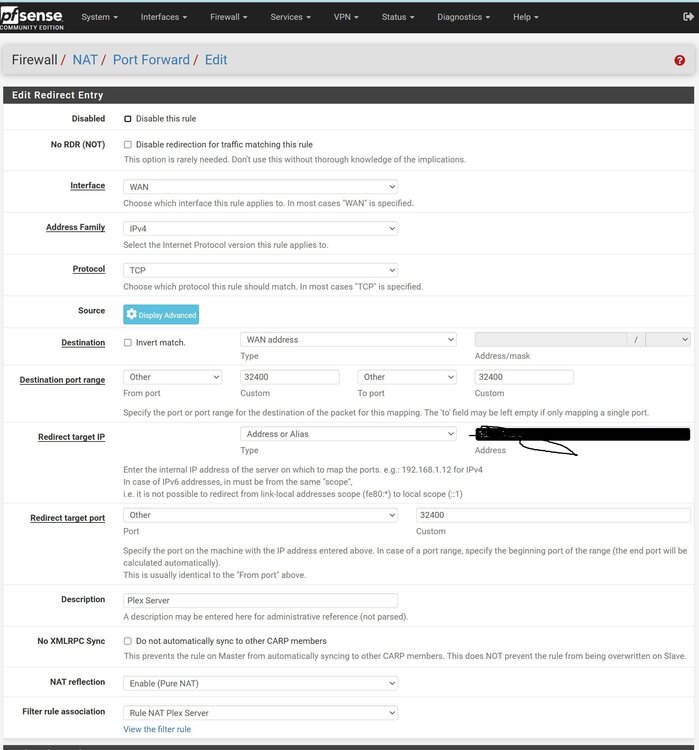
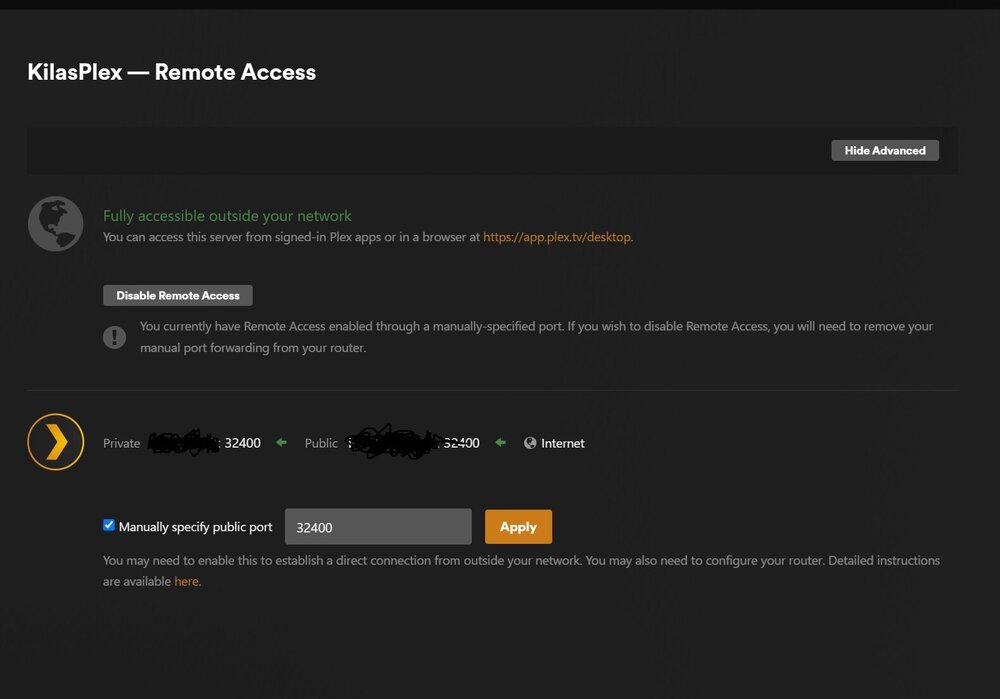
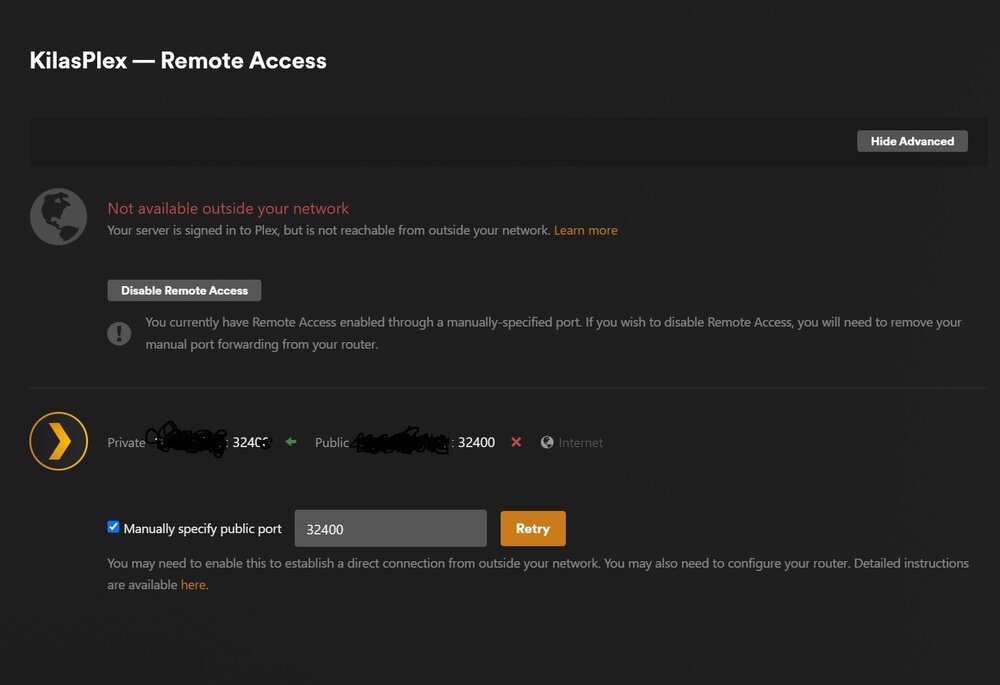
So not sure if i should post here but I have a problem with my ports. I am using unraid with pfSense (VM) i used to host my plex server fine no problem i could open ports and everything not a problem. I know i have configured pfSense correctly, however now my ports are blocked. I have checked pfSense extensively and nothing. I have disabled pfBlocker then took it a step further and just reinstalled pfSense and my port is still blocked. Also, not sure if this helps but when I manually specify which port i want to use in Plex for the server and press retry it works for like a second or two and then goes back to red and port is blocked. Any help would be greatly appreciate it
-
well i tried a few things and i believe i got it to work thank goodness wow a whole day and a half with system down pretty much ... So for anyone else having this trouble i will explain my steps on how to fix it. 1)unbind all nics from network settings 2)go to settings/vm manager 3)pci e aces override: multifunction only (you may try down frist then multi function then both) 4)vfio allow unsafe interrupts: Yes (no idea exactly what it does but it split my iommu up 5)go to Tools/System Devices and check mark the pcis that you want to passthrough 6)click on bind selected to vfio 7)reboot Voila that is all ! thanks Simon for trying to help you pointed me in the right direction then i just tested stuff out myself until it worked not sure this is the most optimal solution but it worked for me. Please let me know what unsafe interrupt does if you dont mind. Thank !!! Best Regards Art
-
i know that part but i tried using the pci e acs override using downstream (no avail) , Multi (no avail) , Both (no avail) ... it should have it own iommu group since both cards the rtl and the 225 are seperate
-
Also found this in the log but do not understand it

-
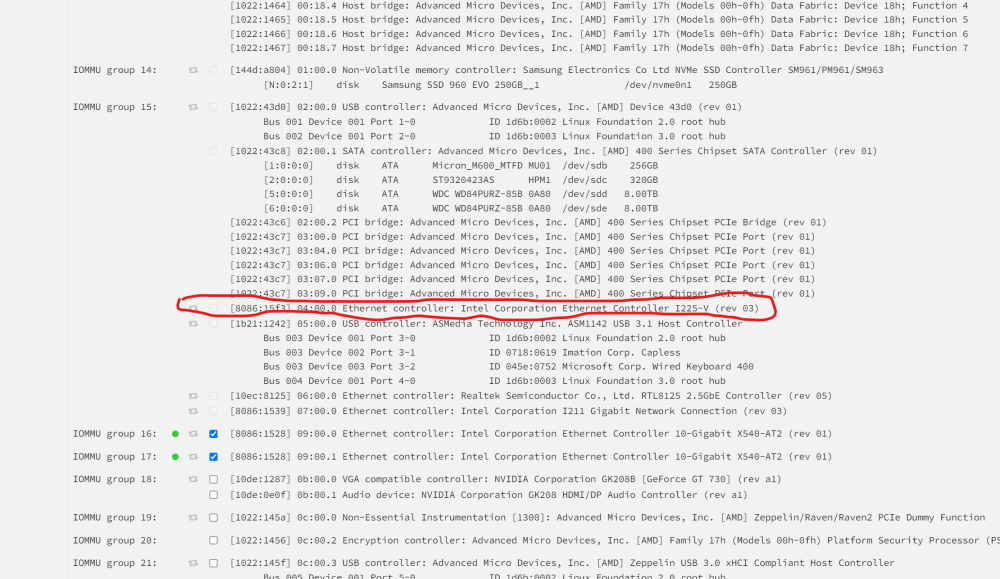
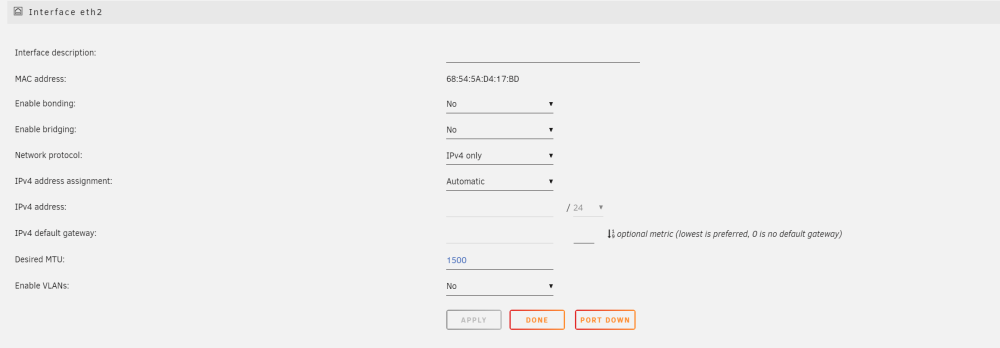
i turend off the bonding on all my nics it worked for the dual card but the other ones i cant click check below in picture and il post my new diagnostics kilasnasrouter-diagnostics-20240219-1808.zip

-
So when you see the file i put its a dual card but for some reason unraid is keeping it it is only passthrough 1 of the ports in the dual card kilasnasrouter-diagnostics-20240219-1448.zip
-
Here is the diag kilasnasrouter-diagnostics-20240219-1307.zip.crdownload
-
So Everything was working dandy until i installed a new nic for my VM Since then I coudlnt even log into my Unraid server so i pretty much wiped the whole thing clean in my flash and installed unraid lord and behold all my old configs are there. So after creating new usb to start from scratch as soon as i put my basic key all my stuff reappears which is great if it made my vfio work but it doesnt So I am trying to passthrough a couple nics to my VM but i get an error with no pci available. One thing I see in my immou my dual 540 card is seperated which is weird it never did that before take a look at the pic below: that never happened before and when i go use vfio-pci-ids:8086:1528 to pass through it doesnt same with my other nics it still says no available pci. I have tried using downstream, multi, and both and i cannot pass anything through nothing. i dont even have a vfio.cfg file anymore. Please PLEASE HELP




