





toolowforu
Members
-
Joined
-
Last visited
-
sonarr keeps deleting my tv folder after downloading and moving shows - also puts the shows in the wrong folders sometimes. what is going on? How do I troubleshoot this?
-
I understand this. I’m more so asking if there’s an app that can monitor file deletion closer to catch the culprit. Clearly it’s a sonar setting or task causing it randomly
-
i followed the folder structure from the Trash guides. Everything worked flawless until a couple months ago. Both Sonarr and Radarr hardlinks move the media to the proper folders. The issue is randomly the TV folder deletes after files transferred to right TV show folder. I cant ever find the exact log of seeing this happen. Even looking at Sonarr trace logs. Ive tried File Activity and Files don't go missing.
-
it is very strange. it doesnt do it all the time. only some times. sonarr docker
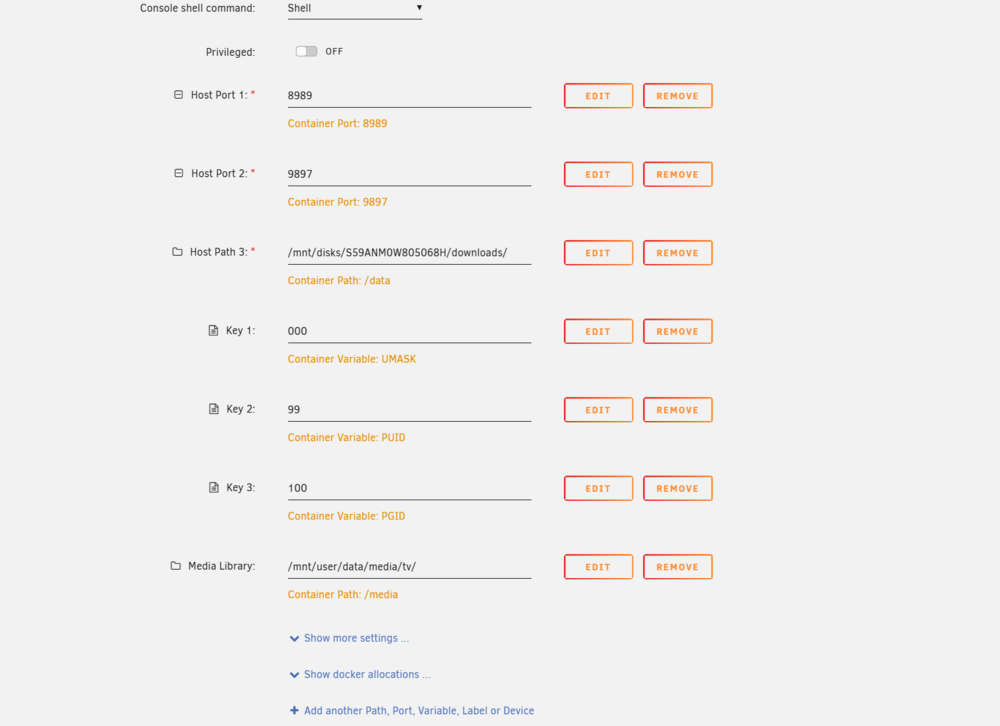
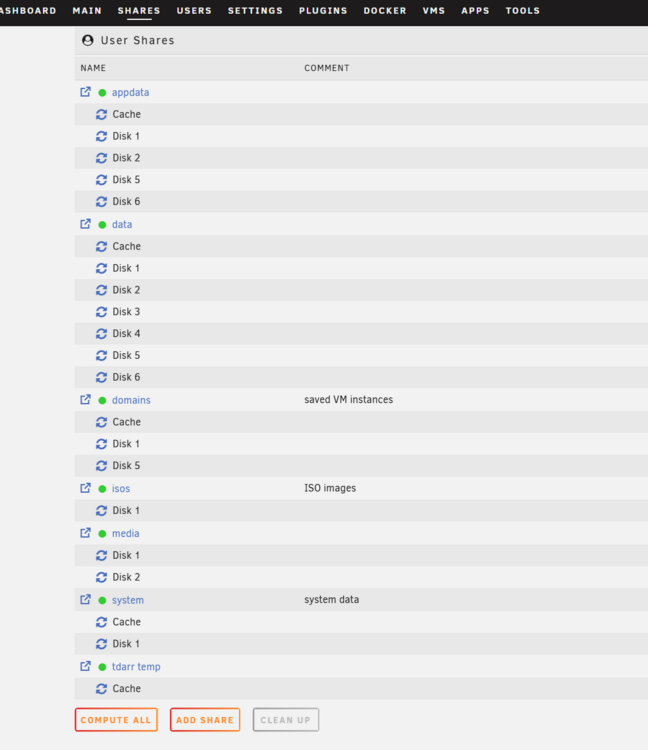
-
sonarr trace log after folder deleted sonarr.trace.txt
-
Here you go. The TV folder deleted literally 2 minutes ago again while downloading new content mediapc-diagnostics-20250614-0934.zip
-
I have my sonarr and radarr setup and for some reason the TV media folder keeps getting deleted after content is downloaded and placed in the correct media folder. It used to work perfectly fine and now it deletes randomly. The movies folder never does this. I cannot figure out why. It’s always just the Usenet TV folder. Not sure if an Sonarr update tweaked a setting I cannot find. Any ideas?

