jackcurry
Members
-
Joined
-
Last visited
-
Hi - Crash happened sometime this morning. Again - unable to access via the GUI and if I connect directly to comp with a monitor and keyboard I just get a blank screen and it's is completely unresponsive to any keystrokes. syslog-192.168.0.113.log
-
Okay I'll try try that. Thanks for your continued help.
-
Yeah it doesn't seem to be working that way. It crashed again this morning, so I pulled the drive and popped it into a separate windows computer. Attached are the only logs available and they are both not capturing anything from the clean reboot I did on the 9th to when it crashed today. When I try to go to the manual about these settings the URL links are broken. syslog-previous syslog
-
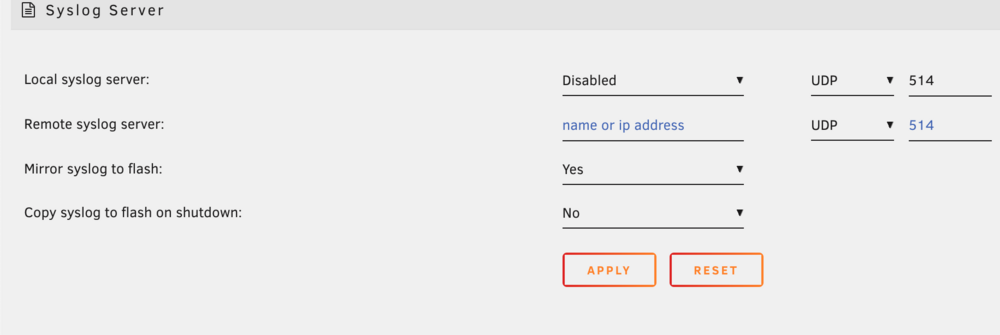
Here are my current syslog settings. The way I read the user manual it sounded like mirror syslog to flash and local syslog server were separate settings so I currently only have "Mirror syslog to flash" Enabled. Do I need to enable Local Syslog Server as well?
-
I'm not sure why the syslog previous isn't capturing the data you're looking for. It was crashed on July 8 I think around 9-10:30pm PST. When I logged in today I also received an error stating: "Your flash drive is corrupted or offline."
-
Okay it failed again, syslog (1) Here is the most recent syslog and the syslog-previous. syslog-previous (2)
-
Huh, well now I can't connect to the web gui. The dockers are still running but I can't sign into the server to grab the file. If I reboot it now is it going to overwrite my previous syslog?
-
Took a long while for the server to crash again, but here is the most recent system logs. syslog
-
Got it, updated the syslog settings. I will provide the syslog after the next server crash.
-
Nevermind. I found it! I had the option to copy to flash on shutdown. I don't know if the file is rewritten on every reboot but hopefully this captures what's causing the crash. syslog-previous
-
Hi! It crashed again. I rebooted (twice actually) but it doesn't look like the syslog file was stored anywhere? It should be on the root of the appdata folder where I assigned it but there are no files there. Is there a reason why the log wouldn't have saved?
-
Okay, I have enabled the local syslog server on my cache drive, being that it can be days or weeks before the crash occurs again. Should I create a new thread at that time?
-
Hi, My server has randomly frozen a few times now (I think 3 times in total) over the last few months. When it happens I'm unable to access the GUI and I have force shutdown by pressing the power button. I haven't been able to identify what is causing the crash - attached are the diagnostics. plex-diagnostics-20240528-1942.zip
-
Well I misread my manual and it turns out the USB ports on the back of this mini pc are 2.0. Connected to DAS to the 3.2 USB in the front and started the parity process all over. Now it’s quoting a day which seems to be expected. Thanks for helping me isolate the root cause!
-
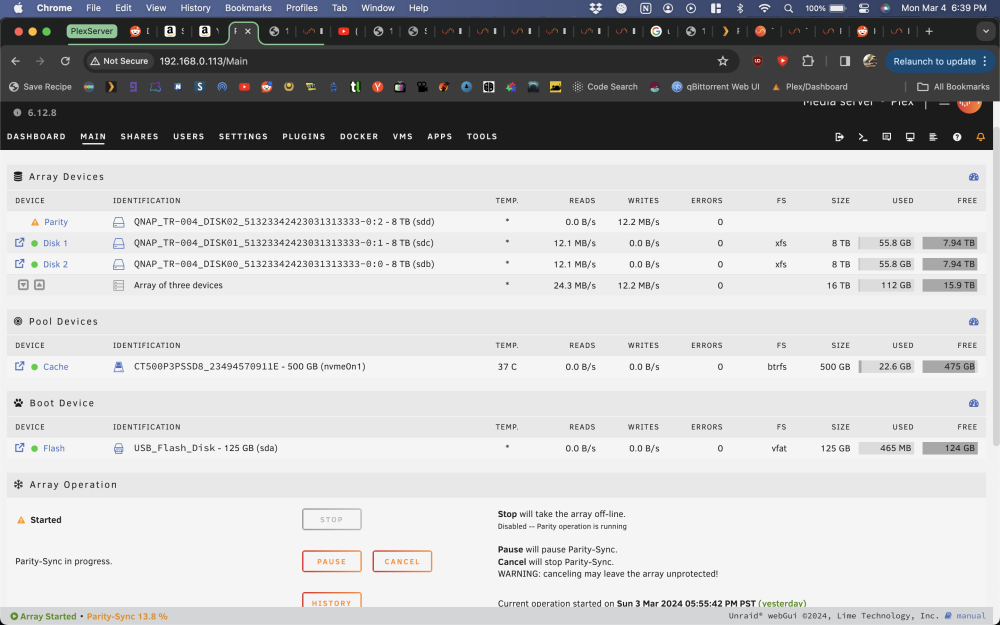
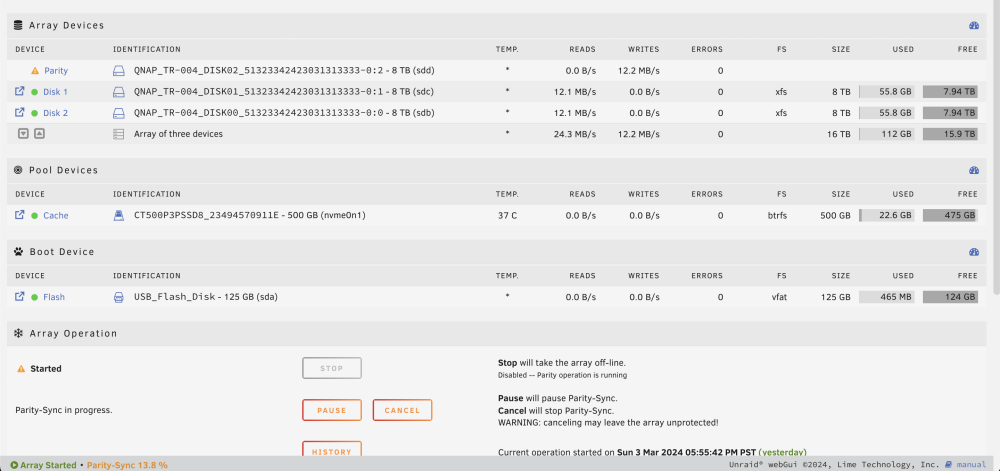
Yeah it's still very slow: Reattaching my diagnostics as of today in case it can provide more info. I found another post in the forums for someone with a similar issue and reseating the power cables seemed to fix it for them so I tried that. It didn't seem to have any effect. plex-diagnostics-20240304-1845.zip