





Khadaji
Members
-
Joined
-
Last visited
-
Actually I found my issue about an hour or so ago. My router was giving me a hard time. However, I will enable. I have another issue that I am going to post.
-
Hello all. Thank you in advance for the support. I am having a repeat issue. After a time, I am no longer to log into the ip address of my server. Both the server and the device that is trying to access the server are running tailscale. I have plex set up and I can access plex with no problem. But when go to the ip address. I get address not found. I have four devices that I can try this on and all are connected via tailscale and none can pull up the ip address. I can restart the server via the button on the front, and I will be able to log in once it is up. But over time, I will lose that ability. I am not even sure where to start looking. So I am out and asking for help so I do not screw anything up that is already hanging on by a thread. ceresstation-diagnostics-20250228-1625.zip
-
I do not. But I can keep my eyes open and try to track it in the future. Thank you for taking a look!
-
Thank you all for the earlier assistance. I was not able to get back on line, but I was able to save my config file and restore it on a new install of unraid. Now I need to address the base issue that started all of this. I am losing connectivity access. I say it this way, because I am able to access certain dockers via the web, but I am not able to see my server because it is being reported offline. I am including my diag with this post. I can reboot and gain access but it disappears over time. ceresstation-diagnostics-20240714-0901.zip
-
Thank you. Is there documentation that I can follow to recreate and copy settings?
-
tower-diagnostics-20240708-1807.zipEdit - Attaching Syslog. syslog.txt
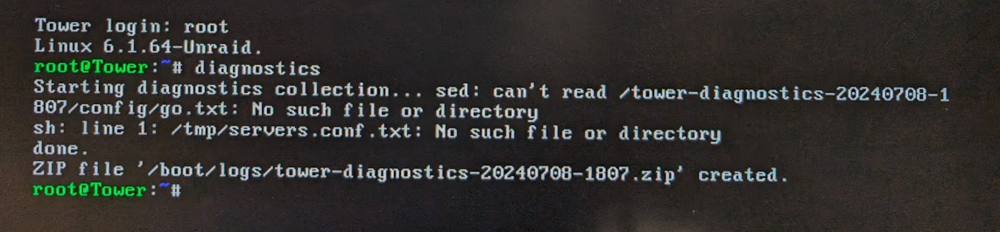 Ok....I found a command line... Tower Login. OS Version 6.12.6
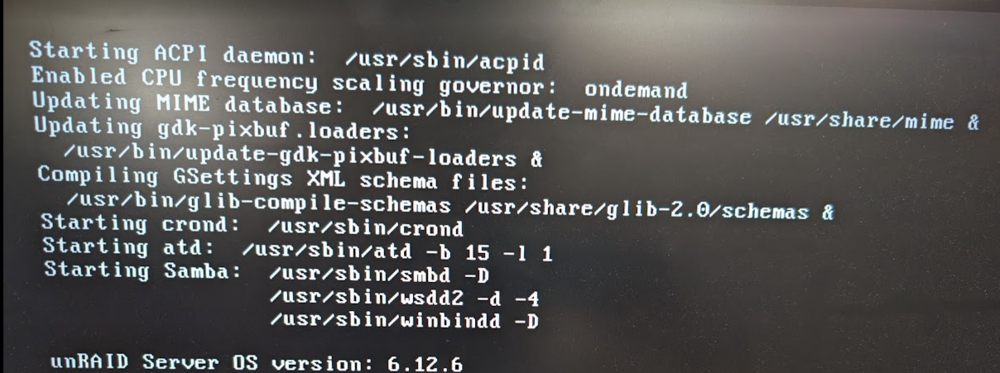 I can attach a keyboard. I have a monitor attached, but I have yet to see an interface.I have an unraid server that was updated to the latest build. I went on vacation.. and not I can not access it via any IP address. I am using tailscale. And it is not seeing the server coming on line. I downloaded and reflashed my USB with an earlier backup, no change. I am not sure what else there is to do other than reinstalled a new unmodified build and move forward. Any suggestions? I am not able to log in and dl any diagnostics or log files to show.


