DippyDolittle
Members
-
Joined
-
Last visited
-
So to close this topic / thread with a response from APC "Thank you for the update. There are no reports of issues with the Linux OS, but this model is not offered for IT-grade server equipment but instead offers a Smart-UPS for these types of devices." So as @Vr2Io says in the other thread and APC, avoid the BX models for Unraid and either buy a 'Smart-UPS' or as @Vr2Io says in the other thread, an Eaton or Cyberpower.
-
As you mention in the other post, it's true it never does appear to reach 100% I will raise this with APC and see if they are aware of any solutions (which i doubt) but thank's for the link to the other post, although a shame there wasn't a fix :-(
-
This isn't a new battery, this is an entirely new UPS. so I am not sure that will fix this?
-
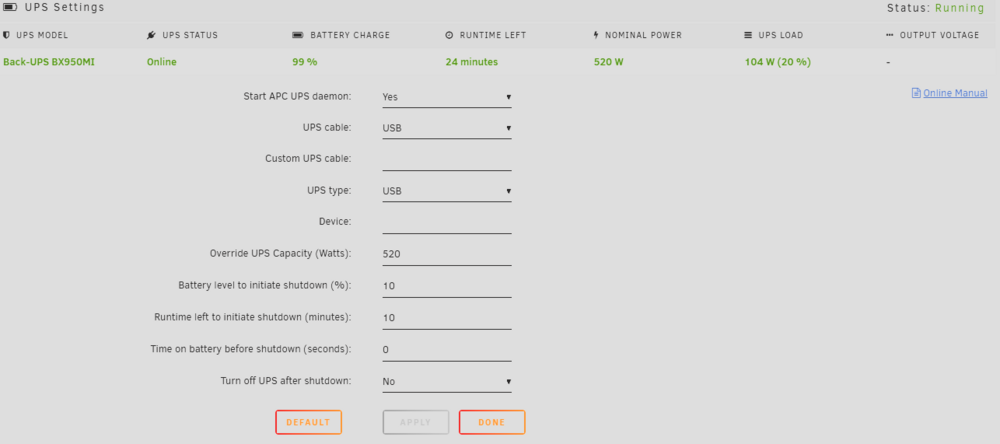
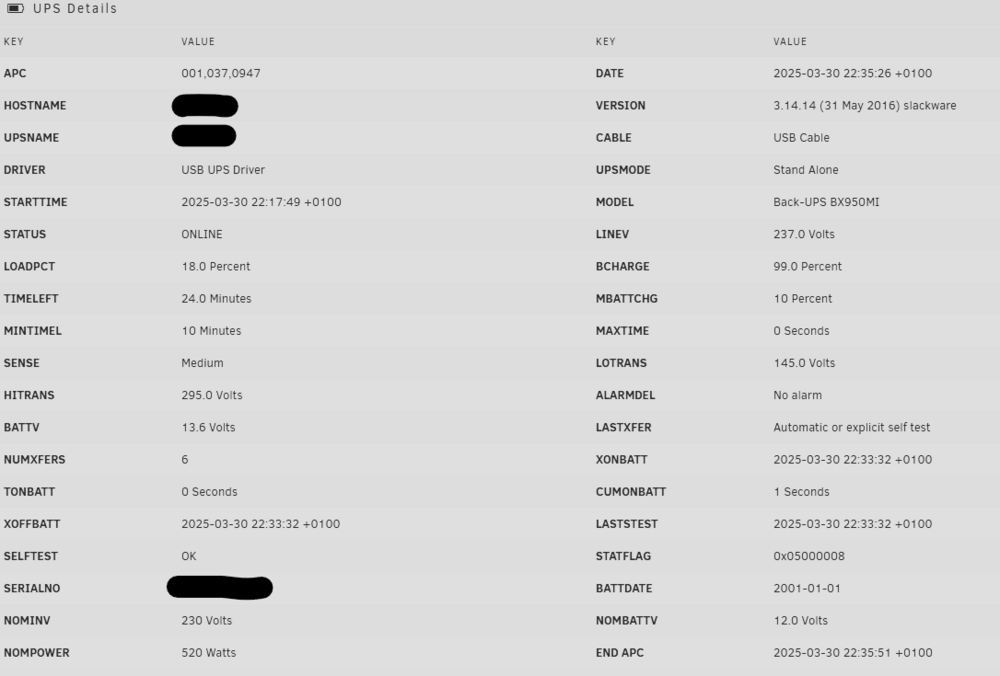
Hi I have searched for all the variables and permutations of this issue, but I haven't been able to find anything about this error I brought a APC Back-UPS BX950MI, which is connected via USB (supplied via APC) I have plugged everything and am running the UPS pluggin which is displaying the error "Emergency! Batteries have failed on UPS NameOfNAS. Change them NOW" seeing this, I had swapped it out and still I am getting the same error message. I have tried the various options to switch to Smart / APC Smart, but this displays a communication lost message. Does any one have any suggestions for this? Below are my settings, I have tried entering the actual Watts, but this didn't make any difference. Any suggestions appreciated
-
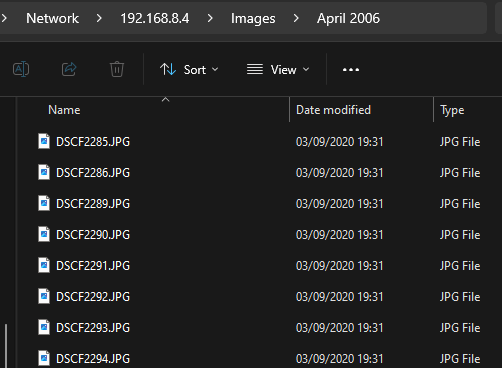
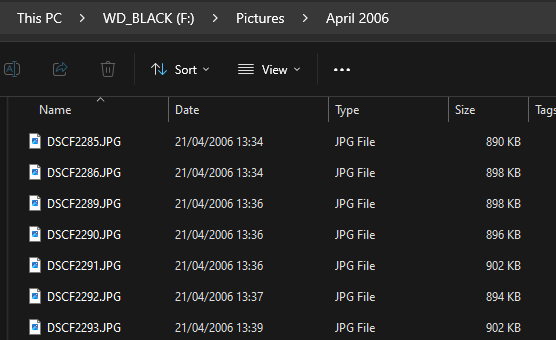
I am not sure what is going on, but I have a USB drive with a few photo's and videos on it. when I copy these files to another USB drive or another hard drive on my Windows Device, the file retains the correct date stamp. But when I copy the same file to a share on my unraid server, it changes the date to 3 September 2020. Not even today's date or anything related to the folder or my machine's date. (See attached) I have tried using Robocopy and Windows File Copy, same result. I have checked the time and date in the server and tried manual and NTP servers, still changes the date. I have looked at the created date inside the file and that is correct, so it's not modifying the meta data. It's probably something daft I have enabled or maybe haven't enabled in the settings, but this is driving my a little stir-crazy. Any suggestions would be appreciated.