LightSeeker
Members
-
Joined
-
Last visited
-
As of now, unraid still cannot detect my disk.
-
I have managed to enter the system to check on my disk. The system shows my disk is un-raid, is that correct?
-
Thank you so much for your reply. I saw the following in the diagnostic file: Found 1 remapped NVMe devices. Switch your BIOS from RAID to AHCI mode to use them. controller can't do SNTF, turning off CAP_SNTF But I can't find any option to change my system BIOS from RAID to AHCI mode. I have been searching high and low for some guides on google, youtube, reddit, HP forum.. But still can't find any answer to how I can change my setting in my BIOS. My system is HP Elitedesk 800 G4 NVME drive Lexar 620 2TB Appreciate your help. Thank you so much!
-
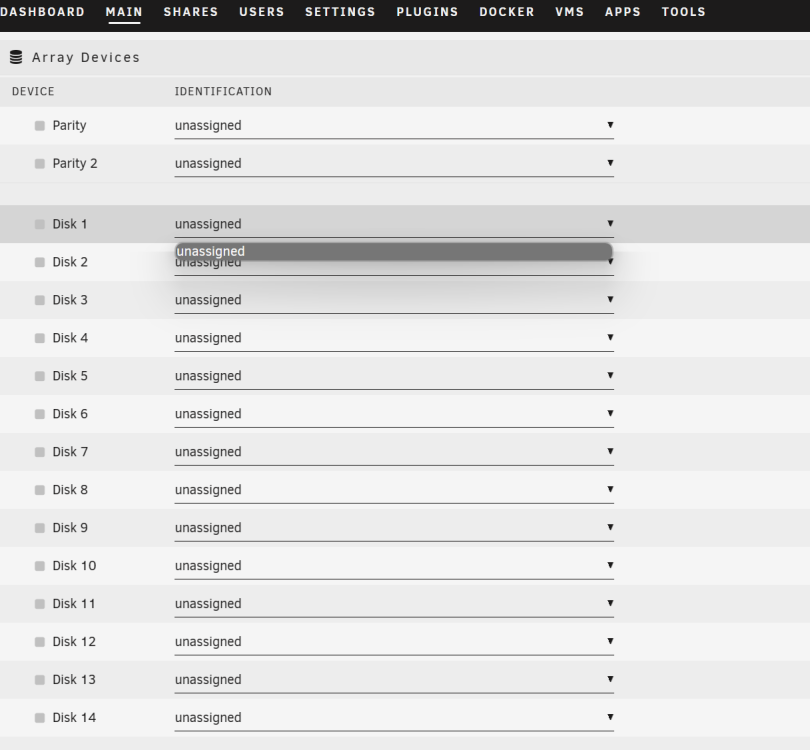
Hi all, I am new to unraid. Manage to get it install on my HP Elitedesk 800. Upon logging to my local server to assign my disk, I could not see any disk. Anyone can advise what should I do?