





aysonohbata
Members
-
Joined
-
Last visited
Everything posted by aysonohbata
-
Thanks. I have done that and will report back if the issue reoccurs but at least for now I am in a better place than I started. Edit: I appreciate your patience with me on this one. This was clearly a more hardware issue than an unraid issue.
-
Here you go~ themyscira-diagnostics-20260209-1208.zip
-
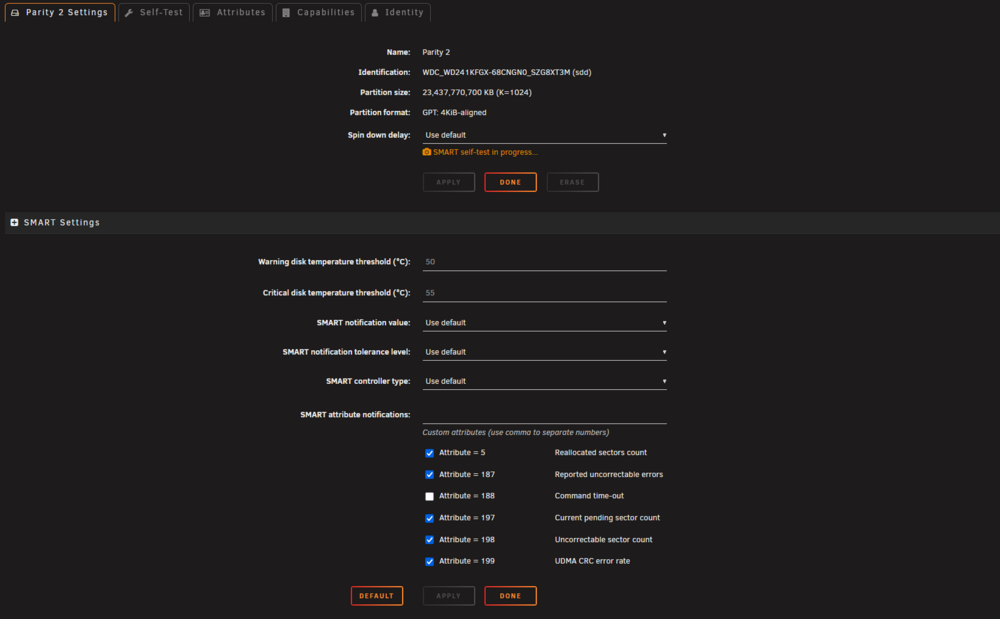
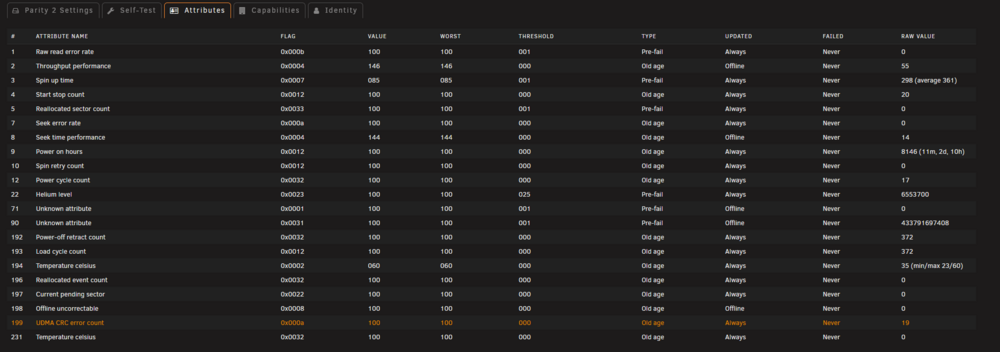
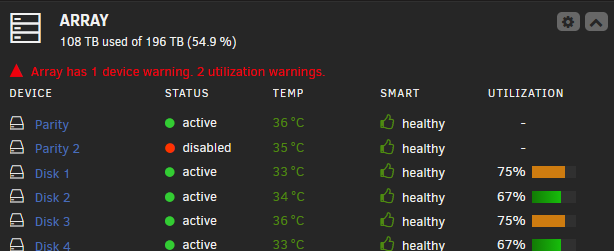
Yes, it is being picked up but it is showing as disabled.
-
Sorry for the late reply but I finally did it. I have 2 drives per PSU cables, I had fans using the last connection which I moved to a separate cable. However, that drive is still failing even after I moved its location to a different cable. I think it has accrued to many errors and is refusing to spin at this point but if I were to wipe it on a different PC and put it back, I am fairly sure I could get it to work. Is there any way I can wipe it from unraid instead?
-
I am going to check this. I thought that's what I did already a maximum of 3 but I think that the last one is also daisy chained with a couple of fans.
-
Hello, I need some help figuring out why one of my drive is disabled. This is the second time this has happened after a reboot after I swapped the case. I added 4 more drive and I thought my 850w PSU would be able to keep up. These 4 drives are directly connected to my motherboard while the existing ones connect via an HBA. For the second time I reboot, at least one of my drives would go under the status 'drive is disabled'. I tried swapping the connection between the drives but the device is still disabled. Last time was one drive, this time it is a parity drive and another drive. I am rebuilding it. I would appreciate any help. I attached the log of for the SMART report for the last drive that was disabled. WDC_WD241KFGX-68CNGN0_SZG8XT3M-20260112-1103.txt themyscira-diagnostics-20260112-1110.zip
-
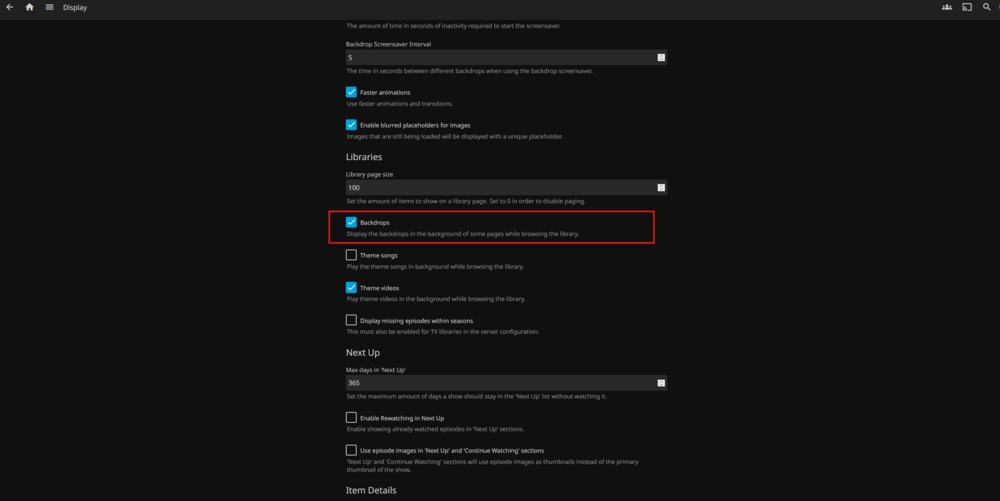
I think it is this
-
Hello, I am hoping someone can help me with this. I want some dockers to utilize a network card and others to use the one located on the motherboard. My goal is to isolate my Plex from my downloads so that they are on different VLANs. Has anyone done that? Is it possible?
-
I swapped drived but it did not work. I ended replacing the drive. The funny thing is that I put that disabled drive into my 2nd unraid and it does not have any issues there. So... I am not sure what was wrong
-
Thanks, I was trying to do it from the apps tab.
-
Hello, Can anyone provide me with some instructions on how to remove the old one?
-
Thanks, I will try swapping it with another drive maybe and check the cabling.
-
Here you go ayson-unraid-diagnostics-20250502-0835.zip
-
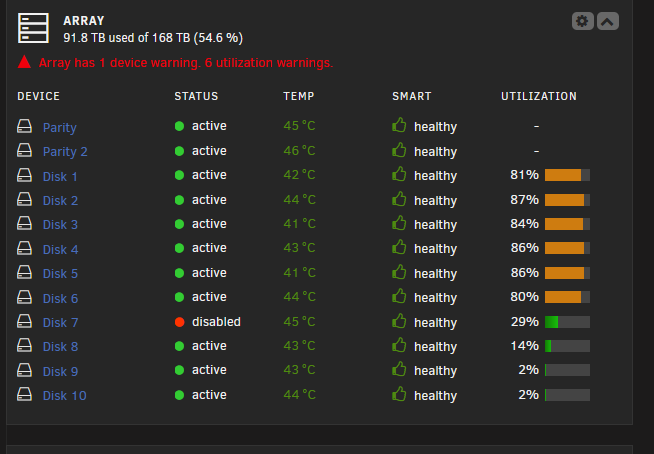
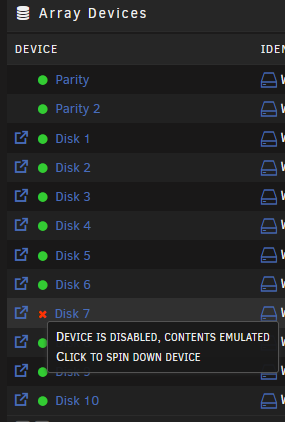
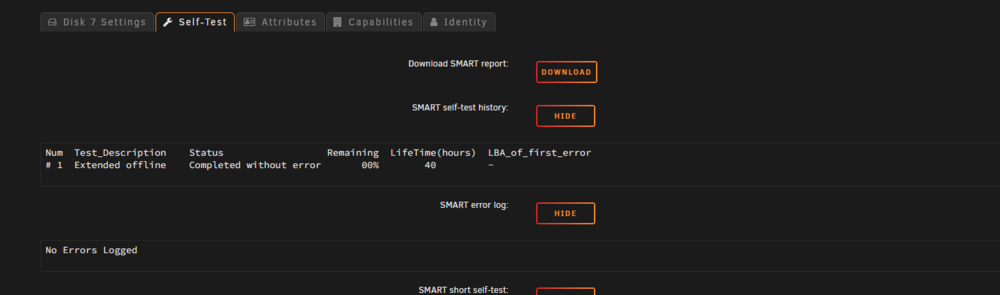
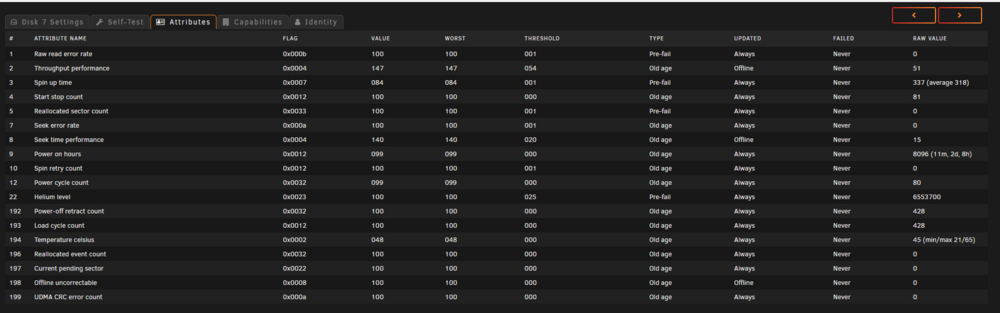
So I found out that one of my drive was disabled I am not sure if there is something wrong with the drive. I ran a self-test and it said that there was no errors. Can anyone help me check what needs to be done next? Should I hook it up to my windows machine perhaps?
-
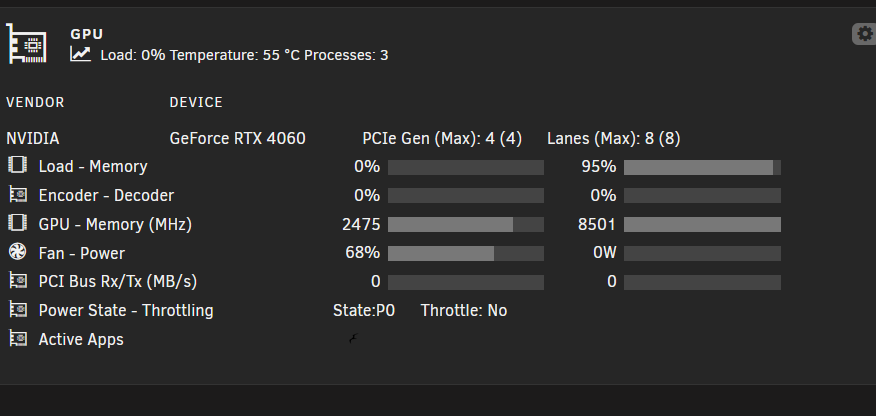
Hello, How can I tell which process is currently using my GPU?
-
I tried switching back the motherboard but the parity drives still wont show up. At this point, I think it is a hardware problem. It is odd because it is only the two 20 TB drives.
-
To preface, I am not sure if it is an issue with unraid or my configurations but I tried to connect the partity drive via the HBA card and directly via the motherboard. It is the same RAM, HBA card, and everything else. The only thing that changed is the motherboard. ASUS Prime Z790M-Plus LGA 1700 microATX motherboard to ASUS Prime Z790-P WiFi LGA 1700 ATX motherboard. Any help would be greatly appreciated. ayson-unraid-diagnostics-20250302-1909.zip
-
Does anyone know how can I whitelist my Gluetun-VPN docker from Adguard? 2024-09-27T17:10:16Z INFO [dns] downloading hostnames and IP block lists 2024-09-27T17:10:31Z WARN [dns] cannot update filter block lists: context deadline exceeded (Client.Timeout or context cancellation while reading body) 2024-09-27T17:10:31Z INFO [dns] attempting restart in 5m20s 2024-09-27T17:15:51Z INFO [dns] downloading hostnames and IP block lists 2024-09-27T17:16:06Z WARN [dns] cannot update filter block lists: context deadline exceeded (Client.Timeout or context cancellation while reading body) 2024-09-27T17:16:06Z INFO [dns] attempting restart in 10m40s
-
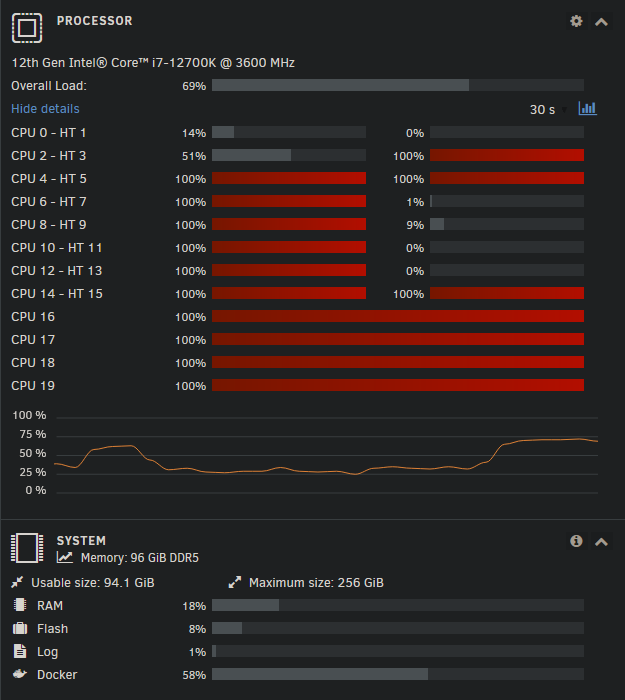
I guess not. I started more dockers and the UI became unresponsive then I got the usual message. The server at 192.168.86.251 is taking too long to respond. I managed to grab a screenshot before it kicked me out and hopefully the syslog is correct now. I had to manually turn it off to grab it. syslog
-
I think I have found out the problem before it happens and was able to prevent it. Lidarr has been grabbing a lot of files lately so Plex has been consuming a lot of RAM running Sonic Analysis. The RAM has been sitting at 99% and the UI started not responding. I was somehow able to stop Plex and the UI was then more accessible and I was able to navigate through it smoothly. The RAM being filled would explain why the UNRAID is the only one inaccessible despite the router change. I guess a coincidence? It also explains why it is pingable. If it was a problem at the router level, it shouldnt be pingable. I am going to plug back in my second UNRAID to see what's going on there. Is there a way to set up a limit on how much RAM a docker can use? Or should I let the problem happen again?
-
I see, I thought I had the correct Syslog Setup. Thank you for the screenshot. That is the problem but with Syslog Setup from your screenshot it should save on the USB right?
-
I did but its just that there is so much logs. The folder names there do not to match the date I enabled it. logs.zip
-
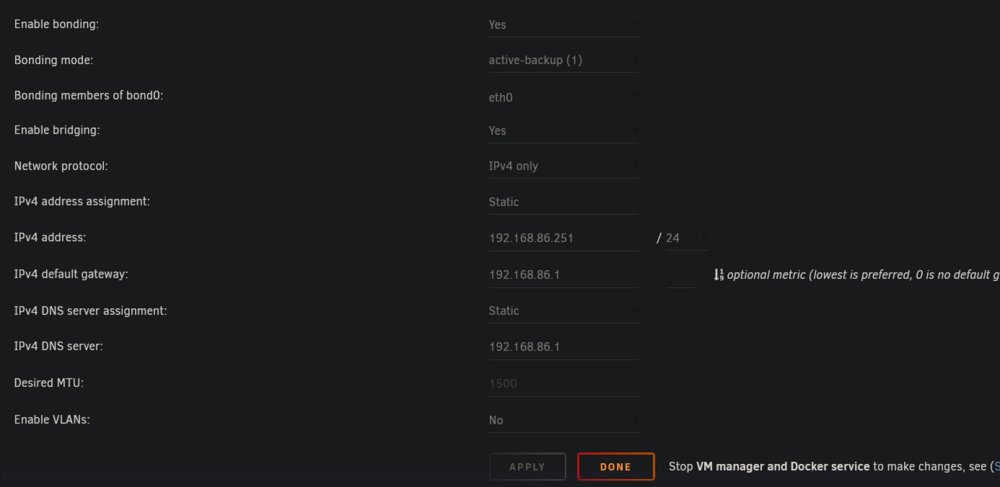
UNRAID: Asus Router Edit: I also compared MAC Addresses to make sure I was not misidentifying the UNRAID server with the second UNRAID server.

-
The IP address is static on both ends - from UNRAID and the Asus Router. I am not sure if I can share the local IP here.
-
Hello, Since August 2nd, I have been having an on-off issue since I have replaced my Google Router with an Asus Router (ASUS RT-AX58U). This does not happen to another other device but it has happened once with my 2nd UNRAID server. I hope the Asus router is not the culprit, I had hoped that UNRAID would be more resilient at the network level. My 2nd UNRAID server has been offline since the issues started happening. I also added an additional NIC in case it was the motherboard. The UNRAID GUI would be unreachable but I would still be able to ping the server, my PLEX and other dockers are also unreachable via webpages. I have initially stopped all the dockers except for Plex, Cloudflare Tunnel, and Vaultwarden which is when it lasted over 24 hours. I started more dockers and was finally able to reproduce it after I started more dockers. Since UNRAID is unreachable, I had to restart the server and the logs would be wiped on the reboot. I enabled 'Local syslog server' under 'Syslog Server' but there is so much logs. Would anyone be able to tell me which log to upload from there and possibly help me understand what is happening?




