





juledev
Members
-
Joined
-
Last visited
Everything posted by juledev
-
Hmm weird, I can try again but a default on my machine opened the internal port on 80 instead of 8080. I now executed the docker command manually via SSH and it works.
-
Is it possible that the internal port should be set to 80 and not 8080? I get a lot of connection refused issues when I try to connect. Running the openproject container manually with forwarding to 80 (as in the docs) works fine.
-
Ok turns out its an issue of my windows device (surprise), my other windows machine can copy to both array and pool at 100mb/s... Rebooting solved the issue, thanks for everyones patience...
-
So SCP seems pretty slow too, on both the pool and the array. Iperf is fine and local copy within the NAS is fast, pretty confused at this point. I also used dd to write to the pool and I'm getting: dd if=/dev/zero of=/mnt/data/zfstest/test.img bs=10G count=10 oflag=dsync dd: warning: partial read (2147479552 bytes); suggest iflag=fullblock 0+10 records in 0+10 records out 21474795520 bytes (21 GB, 20 GiB) copied, 18.3623 s, 1.2 GB/s Downloading a file from the internet also gives above 80mb/s (using wget, I have gigabit)
-
I did a basic pv copy test using ssh from the array to the pool and it was well above 300mb/s in both directions. I will try an SCP copy so we can know if it's an SMB issue.
-
Heres the newest version including the zfs pool. The original version can be found in the op. Thank you! jnas-diagnostics-20240331-1308.zip
-
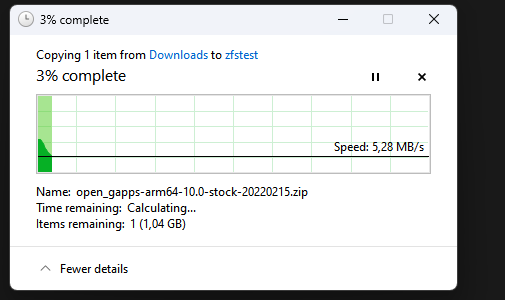
Hmm so I created a zfs pool with 3 drives and raidz1, however my samba copy speeds are still extremly slow... Connecting to host 192.168.178.156, port 5201 [ 5] local 192.168.178.22 port 53088 connected to 192.168.178.156 port 5201 [ ID] Interval Transfer Bitrate Retr Cwnd [ 5] 0.00-1.00 sec 114 MBytes 958 Mbits/sec 0 354 KBytes [ 5] 1.00-2.00 sec 113 MBytes 947 Mbits/sec 0 354 KBytes [ 5] 2.00-3.00 sec 111 MBytes 933 Mbits/sec 0 348 KBytes [ 5] 3.00-4.00 sec 112 MBytes 944 Mbits/sec 0 359 KBytes [ 5] 4.00-5.00 sec 111 MBytes 933 Mbits/sec 0 402 KBytes [ 5] 5.00-6.00 sec 112 MBytes 944 Mbits/sec 0 356 KBytes [ 5] 6.00-7.00 sec 111 MBytes 933 Mbits/sec 0 339 KBytes [ 5] 7.00-8.00 sec 112 MBytes 944 Mbits/sec 0 334 KBytes [ 5] 8.00-9.00 sec 112 MBytes 944 Mbits/sec 0 339 KBytes [ 5] 9.00-10.00 sec 111 MBytes 933 Mbits/sec 0 337 KBytes - - - - - - - - - - - - - - - - - - - - - - - - - [ ID] Interval Transfer Bitrate Retr [ 5] 0.00-10.00 sec 1.10 GBytes 941 Mbits/sec 0 sender [ 5] 0.00-10.00 sec 1.09 GBytes 939 Mbits/sec receiver iperf testing seems to be fine though...
-
Understood thanks. Would I then run the usb drive without a parity drive? Unraid doesnt seem to be happy about that. I guess i could also just use one disk for non important data and run 3 drives with raidz.
-
Hi, I have a Asrock J3455 connected to 4x SATA WD Green 1TB SSDs. I moved over from truenas and now am pulling down my zfs array and adding devices to the unraid array. So I added one drive as an array drive, copied all data over and them destroyed the array and added one drive as a parity drive. That all seems to work fine. However now the parity-sync starts at 300mb/s and then slows down to an abysmal 4mb/s over the course of 2hrs. At that rate the 1TB would take over a day to sync. Does anybody have an idea on what to do here? Things I've already tried: - Added a fan to the system (max temp of the parity ssd is now 35-38 degrees. System is at 30 degrees (C) - Disabled C States in the Bios and set the Power Saving to "Sport" - Tried a different ssd from the pool as the write device - Tested disks with diskspeed, mixed results here, the full test wasnt run (some bug) - Tested a usb drive, that seemed to be a lot faster (was originally running a backup to there) Thanks! jnas-diagnostics-20240330-1314.zip

