





letthatsinkin
Members
-
Joined
-
Last visited
-
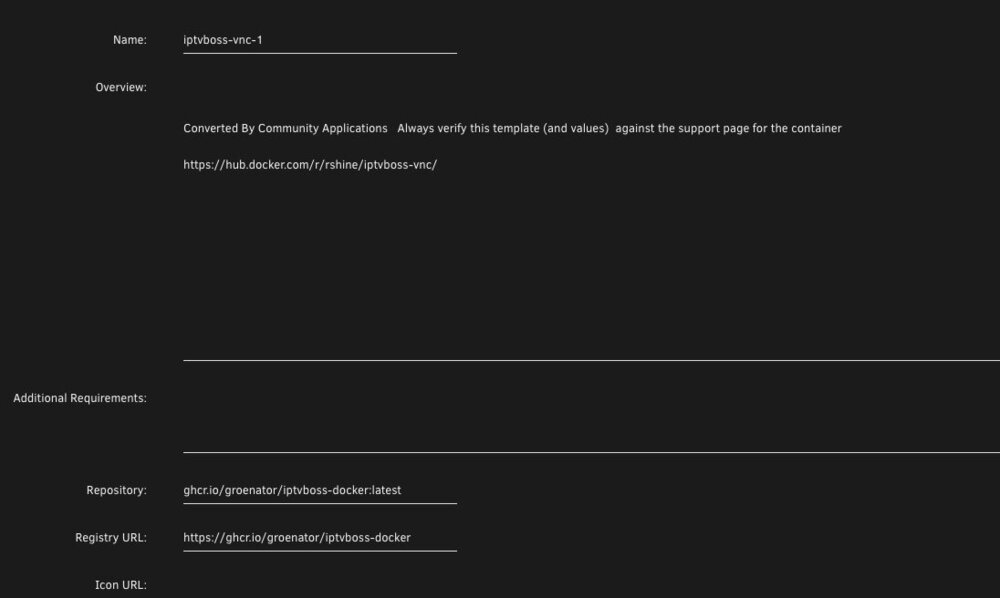
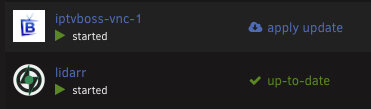
If you (or anyone else who subsequently comes across this thread) still need help with this, this is how I got it working in a way that didn't require docker compose. Go to the Apps tab and search for "iptvboss". Nothing will show up, click on the link to search on docker hub. When the results come up, choose iptvboss-vnc and click install, and allow it to try and automatically determine the configuration. Most of the settings will be left the same, only a few things need to be changed. Once it downloads everything and comes up with the template, the first thing you want to change is the repository and registry url: Repository: ghcr.io/groenator/iptvboss-docker:latest Registry URL: https://ghcr.io/groenator/iptvboss-docker I put mine on a custom IP address, not sure if this is critical to it working or not but for simplicity that's what I did. Leave everything else that auto populated alone, scroll to the bottom and click the link to add a new path/variable. There are a few things you should add: The first one is pretty important, map the host path to something in your appdata share. The second one is optional, I also have the Apache-PHP container running. This allows me to export the M3U and XML files within iptvboss to the /tv folder in the container, and then those files are accessible at http://ipaddressofApachePHPcontainer/whatever.m3u This way, I don't really need to mess with the dropbox drama since all my clients are within my LAN. You can omit this and go the traditional route with dropbox depending on your use case. The third and fourth ones are permissions entries. You can open the CLI from within the Unraid GUI and type "id yourusername" (not the root user, an individual user that has read/write permissions on your appdata folder). It will probably be the same, PUID=1000 and PGID=100. The last one is a cron schedule, in my example, it runs twice a day (every 12 hours). This results in the app installing like any other docker container, and you can apply updates and auto-start preferences normally: Works great for me. Word of caution, though, this is not an official template - I just frankensteined something together that works (currently). So you will need to exercise some due diligence in applying updates. It would be a good idea to review the repo to see if there are any major changes in the future that would require you to change things around before applying any updates. So just keep that in mind if you go down this path.

-
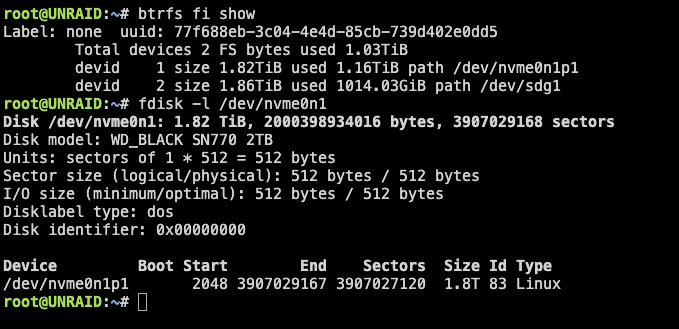
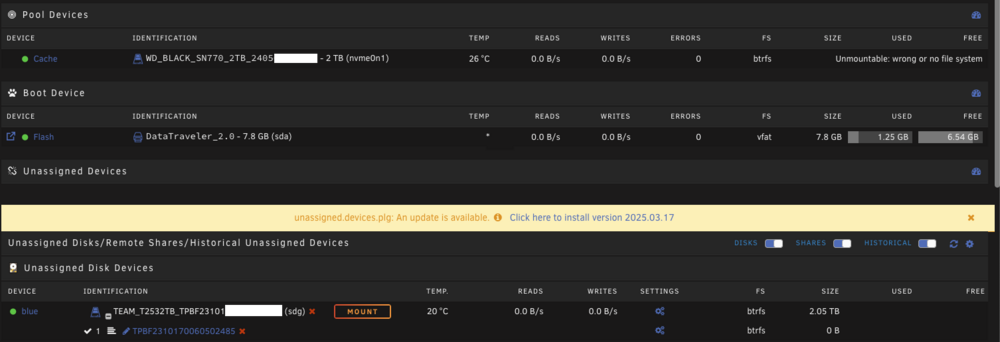
Can anyone help me figure out how to fix my cache drive? Previously I had two drive in a cache pool, an nvme drive and a sata SSD - i removed the sata SSD. It's still there and connected, just unassigned. The GUI wants me to just format the nvme drive but ideally I'd like to avoid that if possible. Can anyone help me find my way out this blunder?
-
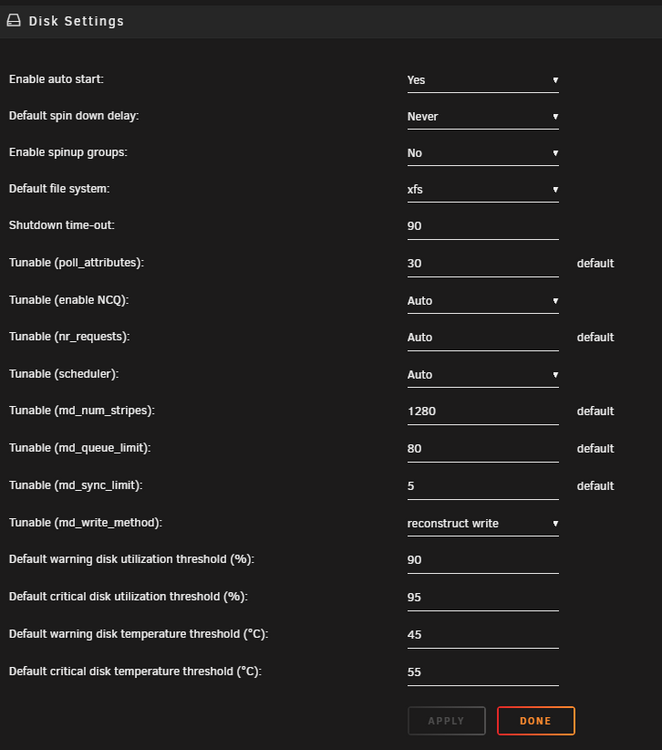
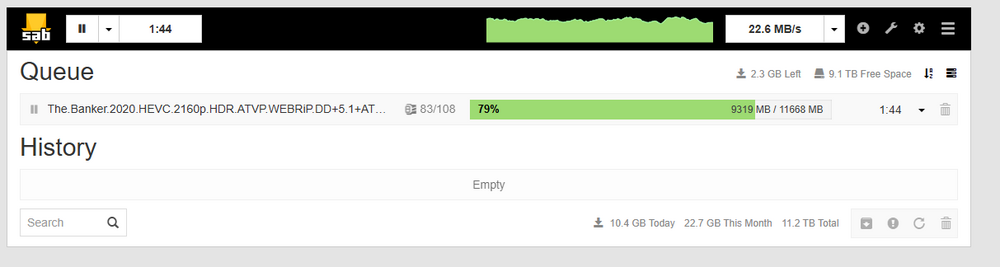
Direct unpack was not previously enabled in Sab, so I enabled it and downloaded a random movie. During the download I checked to see where the file was being written to, and it was /data/usenet/incomplete on the cache drive. Once the download completed, it ended up in /data/usenet/complete for a few moments (still on the cache drive). Now it's where I'd expect it to be: So it looks like the files are being written to the cache drive as intended, and will eventually end up on the array when the mover runs. But why sab is still writing so slow, I can't figure out.

-
Well, we might be getting somewhere now. Downloading a file off the Unraid server to the W10 PC was mega quick: Writing that file back to the server (to a share that is set up as Cache -> Array) was a little slower, but still in line with the speeds I'd expect to see when downloading files. But this is still the best it will do: Shouldn't be a bandwidth issue, I have 4Gbps up and down service and the Unraid server has a 2.5Gbps NIC. So not really sure where that leads us.
.png.84a8af9ab0b51651b73be6ececd9d46a.png)
.png.835558d4c80ac7170906d89c862811d5.png)
-
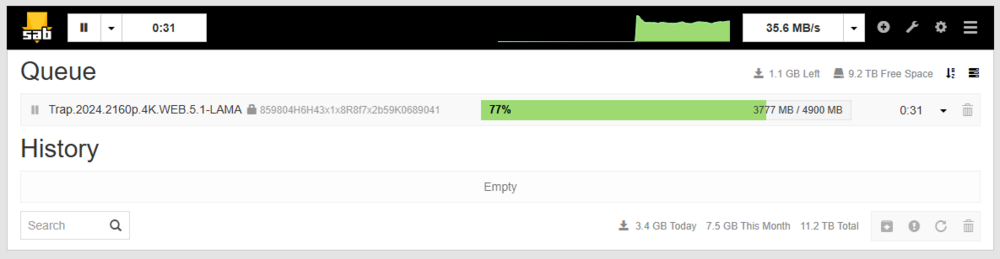
Not sure if you wanted me to just do another iperf test on the W10 machine or something else, so I did that (above) but I will leave it hooked up for now incase there's something else I need to do from the W10 machine.
-
Okay, Win10 PC as client to Unraid server: c:\iperf3>iperf3 -c 192.168.88.100 Connecting to host 192.168.88.100, port 5201 [ 4] local 192.168.100.250 port 50911 connected to 192.168.88.100 port 5201 [ ID] Interval Transfer Bandwidth [ 4] 0.00-1.00 sec 96.5 MBytes 809 Mbits/sec [ 4] 1.00-2.00 sec 98.7 MBytes 829 Mbits/sec [ 4] 2.00-3.00 sec 100 MBytes 840 Mbits/sec [ 4] 3.00-4.00 sec 91.2 MBytes 765 Mbits/sec [ 4] 4.00-5.00 sec 106 MBytes 893 Mbits/sec [ 4] 5.00-6.00 sec 95.6 MBytes 802 Mbits/sec [ 4] 6.00-7.00 sec 91.1 MBytes 765 Mbits/sec [ 4] 7.00-8.00 sec 93.2 MBytes 782 Mbits/sec [ 4] 8.00-9.00 sec 98.1 MBytes 823 Mbits/sec [ 4] 9.00-10.00 sec 94.5 MBytes 793 Mbits/sec - - - - - - - - - - - - - - - - - - - - - - - - - [ ID] Interval Transfer Bandwidth [ 4] 0.00-10.00 sec 966 MBytes 810 Mbits/sec sender [ 4] 0.00-10.00 sec 966 MBytes 810 Mbits/sec receiver iperf Done. Unraid server testing as a client to the Win10 PC as server: root@UNRAID:~# iperf3 -c 192.168.100.250 Connecting to host 192.168.100.250, port 5201 [ 5] local 192.168.88.100 port 46808 connected to 192.168.100.250 port 5201 [ ID] Interval Transfer Bitrate Retr Cwnd [ 5] 0.00-1.00 sec 106 MBytes 889 Mbits/sec 0 302 KBytes [ 5] 1.00-2.00 sec 105 MBytes 879 Mbits/sec 1 311 KBytes [ 5] 2.00-3.00 sec 106 MBytes 885 Mbits/sec 0 311 KBytes [ 5] 3.00-4.00 sec 105 MBytes 883 Mbits/sec 2 291 KBytes [ 5] 4.00-5.00 sec 106 MBytes 885 Mbits/sec 1 282 KBytes [ 5] 5.00-6.00 sec 105 MBytes 885 Mbits/sec 1 297 KBytes [ 5] 6.00-7.00 sec 105 MBytes 879 Mbits/sec 1 291 KBytes [ 5] 7.00-8.00 sec 106 MBytes 886 Mbits/sec 0 282 KBytes [ 5] 8.00-9.00 sec 107 MBytes 895 Mbits/sec 0 279 KBytes [ 5] 9.00-10.00 sec 107 MBytes 898 Mbits/sec 0 291 KBytes - - - - - - - - - - - - - - - - - - - - - - - - - [ ID] Interval Transfer Bitrate Retr [ 5] 0.00-10.00 sec 1.03 GBytes 886 Mbits/sec 6 sender [ 5] 0.00-10.00 sec 1.03 GBytes 884 Mbits/sec receiver iperf Done. root@UNRAID:~#
-
The MBP was connected to the network through a usb-c dock, that seemed somewhat better than Wifi for testing purposes. That could have something to do with the janky results. I think I have a Win10 PC that still hasn't been unpacked with a 10G SFP card in it out in the garage, let me go see if I can get that up and running here real quick.
-
Macbook Pro as client to the Unraid Server: thomas@Thomass-MBP ~ % iperf3 -c 192.168.88.100 Connecting to host 192.168.88.100, port 5201 [ 5] local 192.168.100.240 port 53963 connected to 192.168.88.100 port 5201 [ ID] Interval Transfer Bitrate [ 5] 0.00-1.00 sec 115 MBytes 964 Mbits/sec [ 5] 1.00-2.00 sec 250 MBytes 2.09 Gbits/sec [ 5] 2.00-3.01 sec 114 MBytes 949 Mbits/sec [ 5] 3.01-4.00 sec 116 MBytes 975 Mbits/sec [ 5] 4.00-5.00 sec 250 MBytes 2.10 Gbits/sec [ 5] 5.00-6.01 sec 120 MBytes 1.01 Gbits/sec [ 5] 6.01-7.00 sec 107 MBytes 901 Mbits/sec [ 5] 7.00-8.01 sec 235 MBytes 1.96 Gbits/sec [ 5] 8.01-9.00 sec 163 MBytes 1.37 Gbits/sec [ 5] 9.00-10.00 sec 113 MBytes 951 Mbits/sec - - - - - - - - - - - - - - - - - - - - - - - - - [ ID] Interval Transfer Bitrate [ 5] 0.00-10.00 sec 1.55 GBytes 1.33 Gbits/sec sender [ 5] 0.00-10.00 sec 1.55 GBytes 1.33 Gbits/sec receiver iperf Done. thomas@Thomass-MBP ~ % Unraid as the client testing the MBP as a server: root@UNRAID:~# iperf3 -c 192.168.100.240 Connecting to host 192.168.100.240, port 5201 [ 5] local 192.168.88.100 port 37600 connected to 192.168.100.240 port 5201 [ ID] Interval Transfer Bitrate Retr Cwnd [ 5] 0.00-1.00 sec 228 MBytes 1.91 Gbits/sec 150 469 KBytes [ 5] 1.00-2.00 sec 246 MBytes 2.07 Gbits/sec 0 387 KBytes [ 5] 2.00-3.00 sec 264 MBytes 2.21 Gbits/sec 186 452 KBytes [ 5] 3.00-4.00 sec 222 MBytes 1.87 Gbits/sec 93 478 KBytes [ 5] 4.00-5.00 sec 225 MBytes 1.89 Gbits/sec 94 472 KBytes [ 5] 5.00-6.00 sec 271 MBytes 2.28 Gbits/sec 0 450 KBytes [ 5] 6.00-7.00 sec 259 MBytes 2.17 Gbits/sec 98 447 KBytes [ 5] 7.00-8.00 sec 225 MBytes 1.89 Gbits/sec 415 461 KBytes [ 5] 8.00-9.00 sec 252 MBytes 2.12 Gbits/sec 347 458 KBytes [ 5] 9.00-10.00 sec 252 MBytes 2.12 Gbits/sec 331 438 KBytes - - - - - - - - - - - - - - - - - - - - - - - - - [ ID] Interval Transfer Bitrate Retr [ 5] 0.00-10.00 sec 2.39 GBytes 2.05 Gbits/sec 1714 sender [ 5] 0.00-10.00 sec 2.38 GBytes 2.04 Gbits/sec receiver iperf Done. root@UNRAID:~#
-
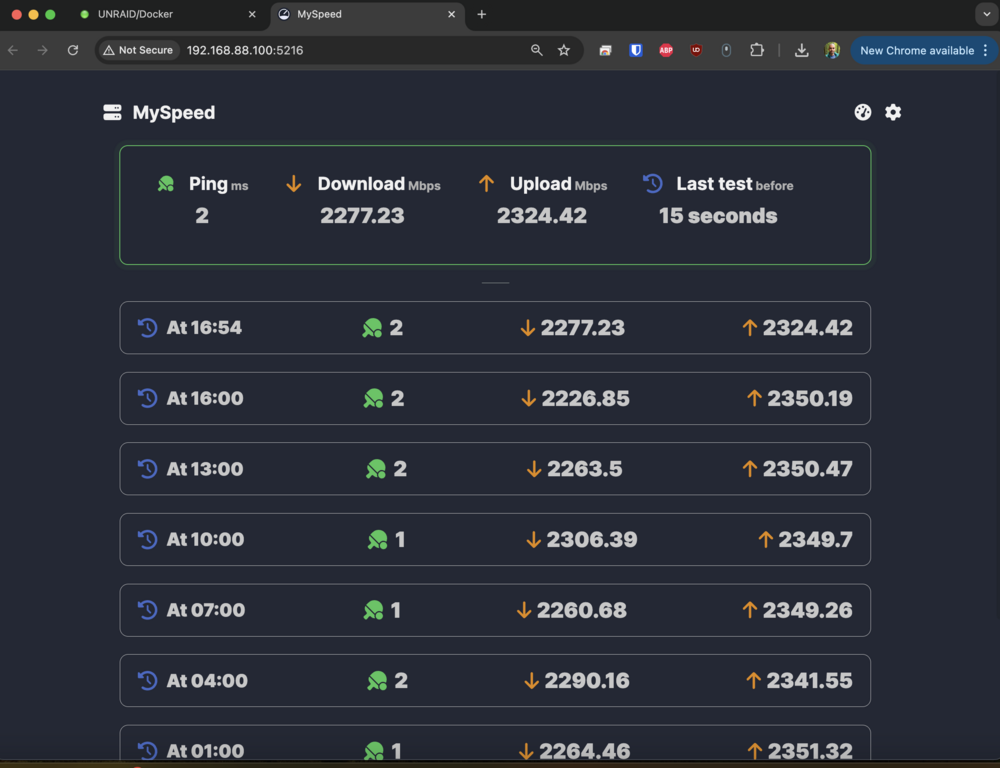
Just getting settled in after a cross-country move and can't seem to wrap my head around why all the sudden my read/write speeds will not seem to go above 40-ish MB/s. This is whether I am writing to cache by downloading something in Sabnzbd or trying to move files from another PC somewhere else in the network. I'm fairly confident that it's not a network issue because speedtests from an Unraid app are consistently solid: I had the NVME drive as the only drive in the cache pool and it was still doing this, I had another SSD that was just unassigned so I tried adding that to the cache pool to see if that would help things. Doesn't seem to have made any difference at all. Really hoping the movers didn't man handle the box that this server was in or something like that, the box appeared fine so hopefully it's nothing like that. Would really appreciate any help or suggestions. Diag file attached to post. Thanks! unraid-diagnostics-20240901-1650.zip
-
letthatsinkin changed their profile photo
-
I hate replying to old threads - but thank you! My vm is running, and I was not keen on shutting it down until I knew exactly what my plan was to do what I needed to do so I could minimize the amount of time that it was down. Without reading this thread, I would have had absolutely no idea that the menu option that I needed would only reveal itself with the machine off. Really appreciate the assist from the past!


.png.84a8af9ab0b51651b73be6ececd9d46a.png)

.png.835558d4c80ac7170906d89c862811d5.png)
