





dstr
Members
-
Joined
-
Last visited
Everything posted by dstr
-
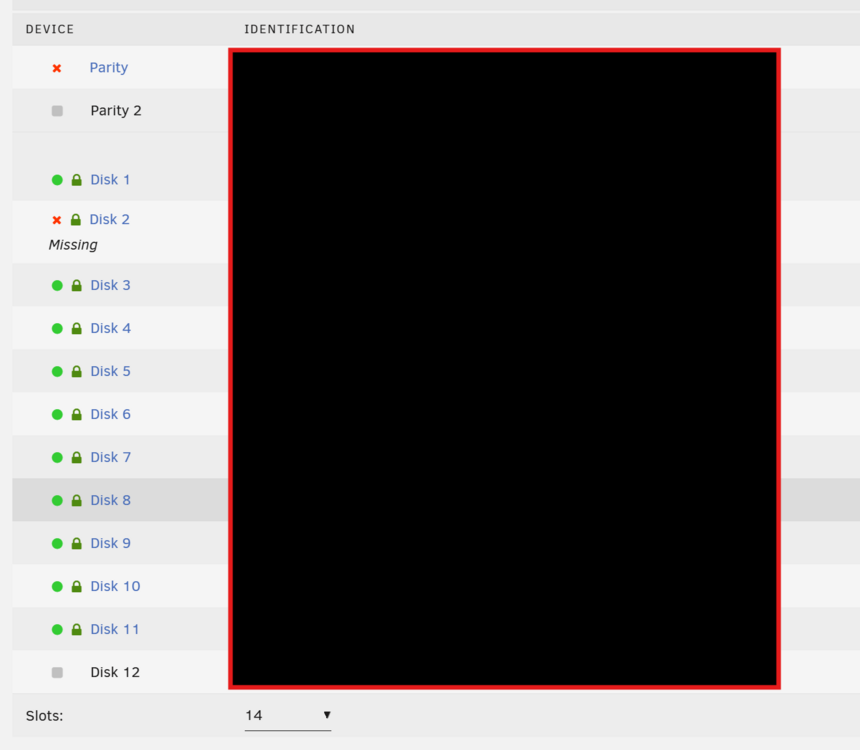
"-Tools -> New Config -> Retain current configuration: All -> Apply" I couldnt do that, because the parity drive was disabled. I created a new array config, added all drives and it I had this option: Check both "parity is already valid" and "maintenance mode". I started the array in maintenance, but the dead disc was not found or emulated, possibly because of the new config and not deassignment. I stopped maintencance, started the array and also the drive wasnt there anymore. So it was all done before I uploaded the diagnostics file.
-
Thanks but did not help
-
today almost at the same time. I suspect power issues because I just added two more drives earlier this week. I fixed the power issue editserv02-diagnostics-20241213-1755.zip: added diagnostics with the drive connected
-
tried literally everything already, I see this weird "Read SMART Data failed: scsi error badly formed scsi parameters" I got the parity back, but after a "new config" I see no option to emulate the missing drive. Can I recover a backup of the old disk config?
-
I ran into this: I did a new config and started in maintance mode with "parity still valid" but the disk isnt emulated because it is not appearing in the new config. Is the data gone?
-
Hi, I have a problem starting debian-bookworm docker container, it error loops with following message: ---Starting Desktop--- xfce4-session: Cannot open display: . Type 'xfce4-session --help' for usage. ---Ensuring UID: 99 matches user--- this is a complete new install. I tried to set variable NoDisplay=true, but doesnt work
