





Andible
Members
-
Joined
-
Last visited
-
In Chrome, I have edited site permissions to allow popups, I have enabled 3rd-party cookies, and I have tried Brave browser and done the same. I have also installed FCP, and it identified no issues relevant to this, as far as I can tell. No matter what, the log windows keep closing instantly. Fucking annoying.
-
I'm unable to access my webUI while connected to a VPN. I can however access the webui when I set VPN_ENABLED to "no" in the container settings. With VPN enabled, I keep getting a "gateway does not support nat-pmp" error in my qbit log, even when I enable NAT-PMP and select a P2P-enabled Proton server in the config. Sorry for not attaching Supervisor log! I followed your instructions, but I found no supervisord.log file in Qbittorrent's /config. Not sure what to do about that, so I attached the qbittorrentvpn debug log instead. Posted this back in September and never got a reply. If I could get some insights on this, that'd be much appreciated! Thank you. Qbit debug log (1).docx Command execution (1).docx
-
Bumping this, as I never got a response on it. Thanks!
-
I'm sorry for not attaching Supervisor log! I followed your instructions but there is no supervisord.log file in Qbittorrent's /config. Not sure what to do about that, so I attached the qbittorrentvpn debug log instead. The issue I'm having is being unable to access my webUI while connected to a VPN. I can however access the webui when I set VPN_ENABLED to "no." With VPN enabled, I keep getting a "gateway does not support nat-pmp" error in my qbit log, even when I enable NAT-PMP and select a P2P-enabled Proton server in the config. Command execution.docx Qbit debug log.docx
-
Ok, I changed DNS #1 back to my router IP (as it was before) and changed the DNS #2 to 0.0.0.0, and now my results are: --- google.com ping statistics --- 50 packets transmitted, 50 received, 0% packet loss, time 49080ms rtt min/avg/max/mdev = 7.340/8.291/15.356/1.101 ms Server now appears on my network client list, and the Community Apps plugin installed. I guess I just needed to fill in DNS #2.
-
Ok, did that. Still getting "Network failure" on Community Apps install, and same result on pinging Google. And now I have a redtext along the bottom of my webGUI saying "Interface Ethernet Port 1 is down. Check cable!"
-
"ping: google.com: Name or service not known"
-
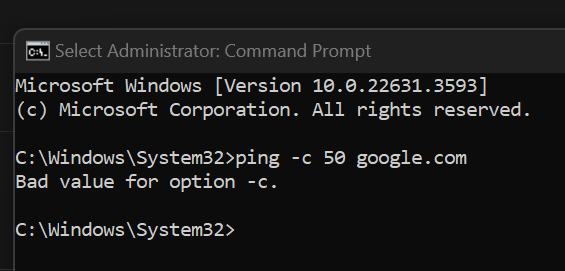
"Bad value for option -c"
-
This is a multi-parter. When I try to install the Community Apps plugin, I get the error "network failure." Not sure what this means. My server is obviously connected to the network, because I'm operating it from my Windows laptop using the browser GUI. However, the server does not show up in the network client list in my router settings, and I'm not entirely sure my server is connected to the internet. So I guess my questions are: How do I identify/troubleshoot this vague "network failure?" How do I check to see if the server is connected to the internet in the browser GUI? If the server is NOT connected to Internet, how do I connect it? How do I make sure my server appears in my network client list? trashgravitron-diagnostics-20240612-1319.zip
-
Ok, I reformatted and recreated the flash drive. It seems to be working properly and shows as registered as Starter OS. Thank you!
-
Sorry. Attached the diagnostics zip file!
-
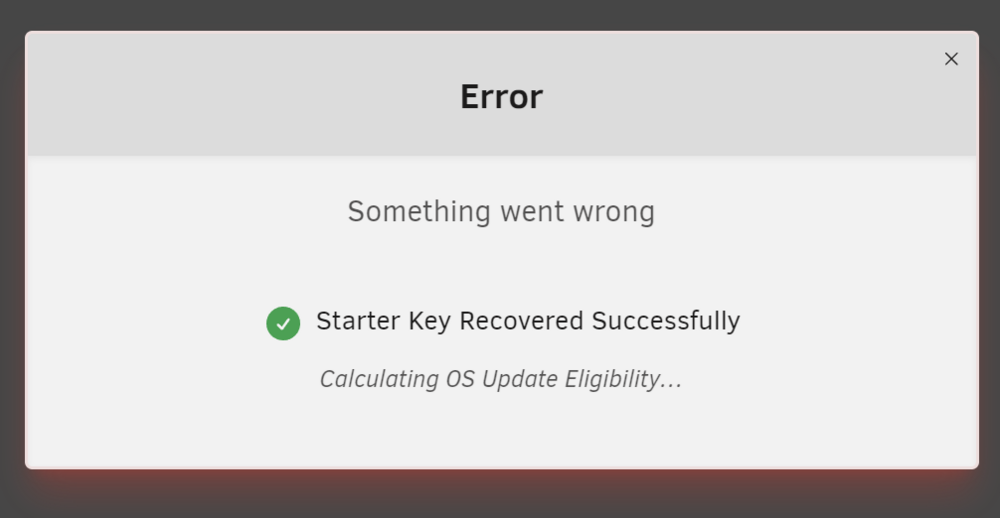
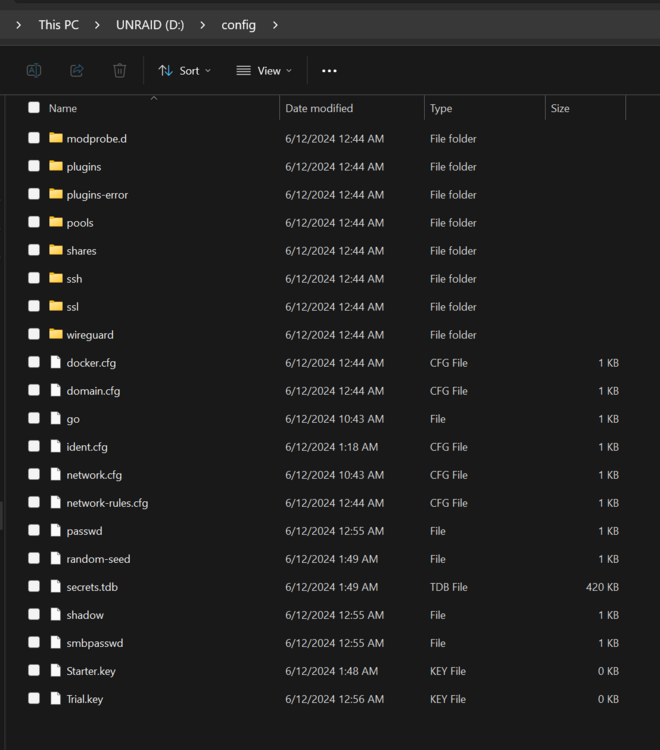
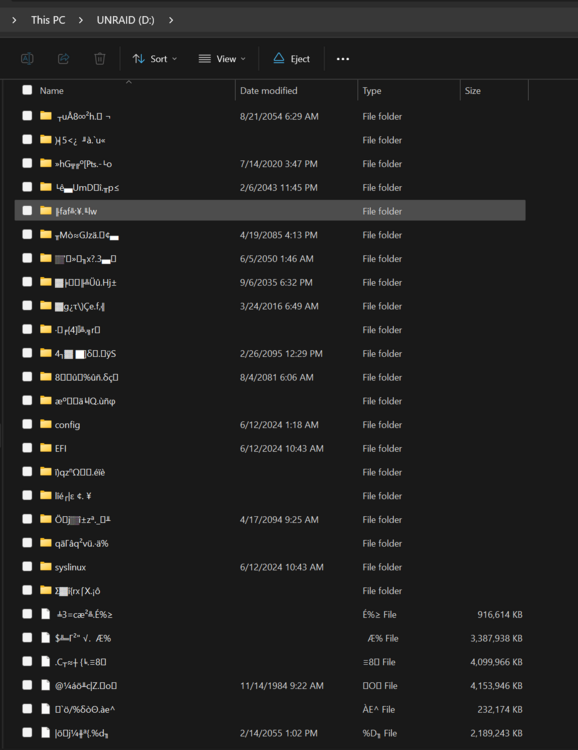
Just booted up my server for the first time. Purchased Starter key. Got this error message while trying to install, and my server remained "unregistered" on the dashboard. So, I tried looking it up, saw some people recommending a reboot for a similar issue. So I rebooted. No change. Recovered the key. Got the same error message, dashboard still says "unregistered," so I rebooted again. Tried to recover the key again. Same error. Rebooted again. Still unregistered. Amidst all this. I also got an alert saying "USB drive failed - USB drive is not read/write," but it went away. I shut down the server, popped the USB drive into my Windows PC. See link for image of what the file folders look like. Top level is utter gibberish (which is not how it looked before booting), but config folder looks fine. I've found a few threads like this and all the answers just kind of imply you need to get a new drive, but don't really offer any insight into what's going on, how to fix it, or how to prevent it in the future. Is it really just a crapshoot, and the only option is to buy a new drive? This was a brand new drive, and one of the most highly recommended ones I saw in here and on Reddit (Samsung Fit Plus). Am I just going to have to keep buying drives until one works? trashgravitron-diagnostics-20240612-1219.zip
-
Andible joined the community
-
I bought a Minisforum MS-01 to build my unRAID server with. I used the unRAID USB Creator on my Windows laptop to create the USB boot drive. I plugged it in to my MS-01 and turned it on. Hit DEL repeatedly to bring up BIOS settings, and configured the USB drive as the primary boot option. However, when I try to boot, I get a red error screen saying "invalid signature detected check secure boot." I tried changing Secure Boot to custom but honestly I'm not sure if that actually accomplished anything. Still getting the red error screen. Really hoping someone will see this who has done this exact setup on this machine.



