hallamnet
Members
-
Joined
-
Last visited
Everything posted by hallamnet
-
Hi there. How did you get these? When I look at System temp, I have no drivers detected.
-
Reviving an old post but wondered if anyone managed to make a breakthroughs with getting CPU stats/temps for the AMD Ryzen 5 7600 running on B650 chipset. My mainboard is: - Asus Prime B650M Link to Asus mainboard Been running now for almost a year with no temps and running fans a bit higher that I should due to not being able to see the dashboard. If anyone has any insights, that would be ace! Thanks, Hal
-
Evening all. Had a bit of recent unfortunate happenings with 2 USB sticks failing on me (both bought brand new but thank god for backups!) and want to know if I can use one of these to boot from with an nvme drive: - Link to Amazon nvme caddy Following on from some upgrades to laptops, I have a load of NVME drives spare and want to use one for the unraid boot device. For anyone who doesn't like clicking on links, it is a UGREEN M.2 NVMe SSD Enclosure that connects via usbc port and allows for nvme drive to be installed. I think this will be a bit more reliable that a USB stick and wanted to find out if anyone has ever managed to use one like this. Thanks, Hal
-
Unfortunately have to wait AFAIK. I have looked in to it and there’s nothing we can do until the kernel is updated. Let’s hope unRAID 7 brings it in when it gets released.
-
Guessing there is no fix for this then? I really don't understand how one docker can't be assigned a single nic. As previously state, I have tried with another docker image and this gives me the same networking options.
-
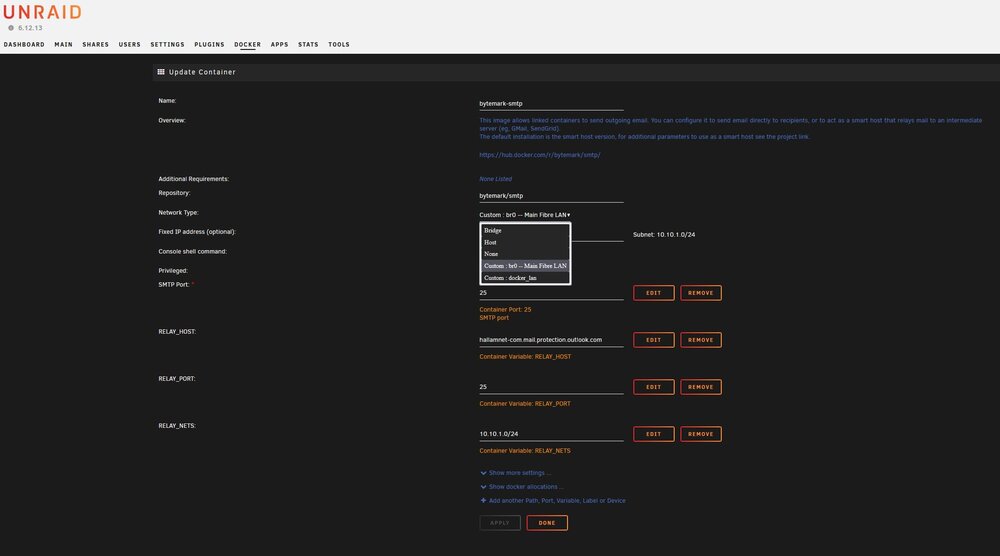
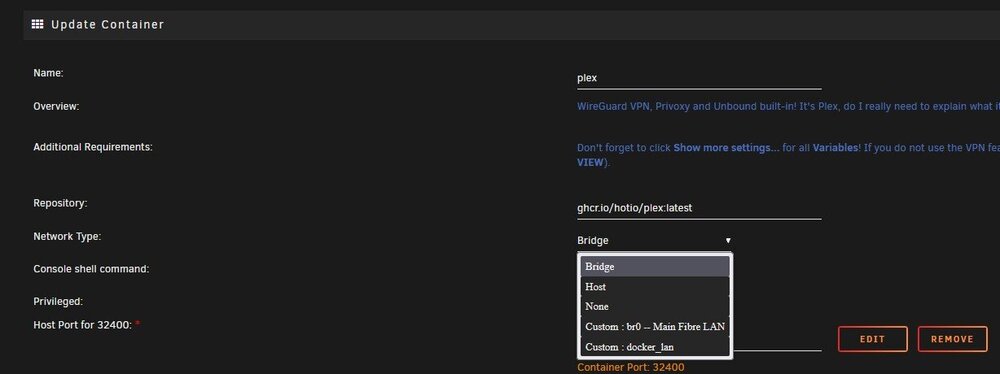
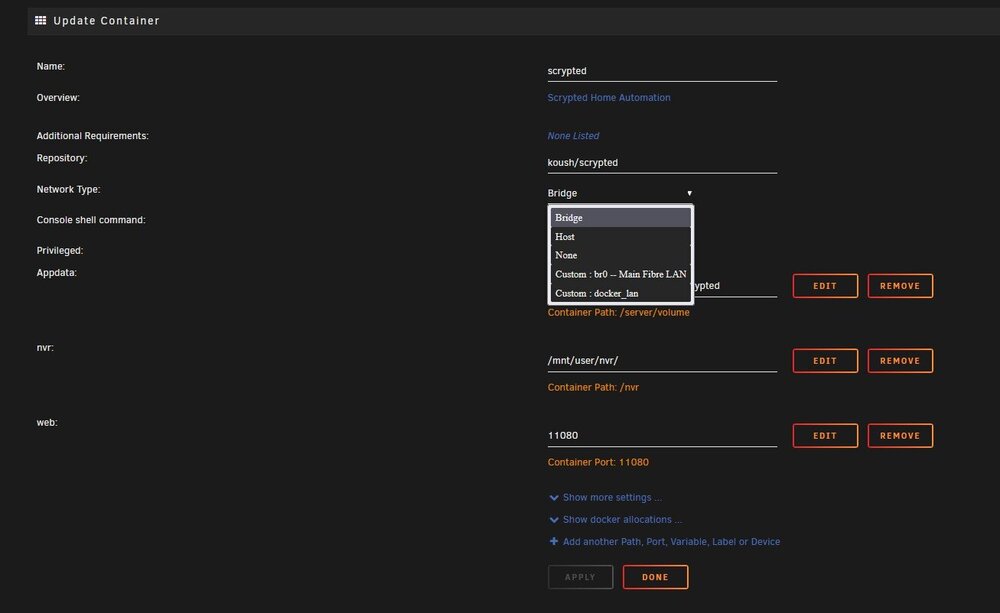
Hi there. I have checked with trying to install another docker image (iCloud) and this is not giving me the network options I require so guessing I am either doing something wrong or this is a limitation of unRAID. I have also setup the ip to be none and still it is not showing in a new docker image commission. I know this is not Synology but when I was using a 1515+, It did allow for a single docker to use a specified nic and was quite easy to setup. Just Wish I knew how to do this with unRaid.
-
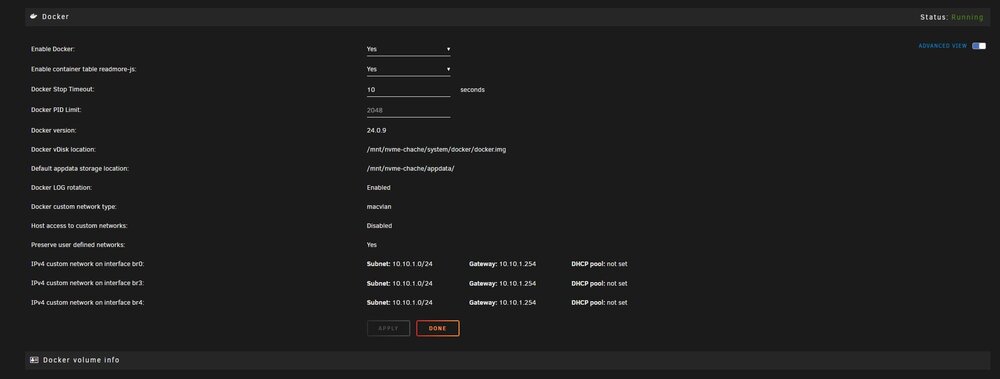
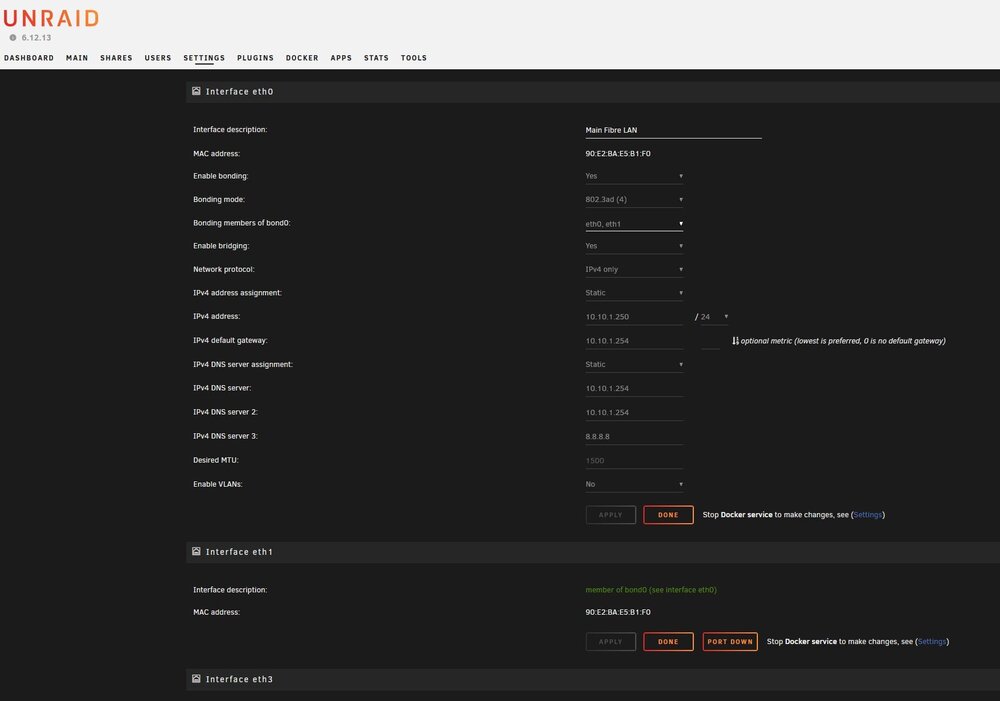
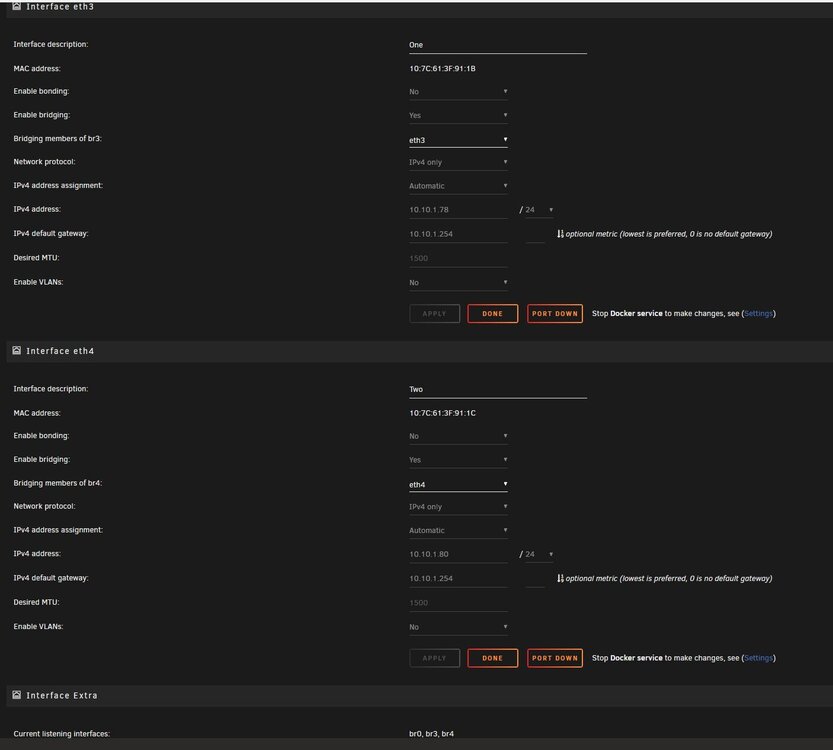
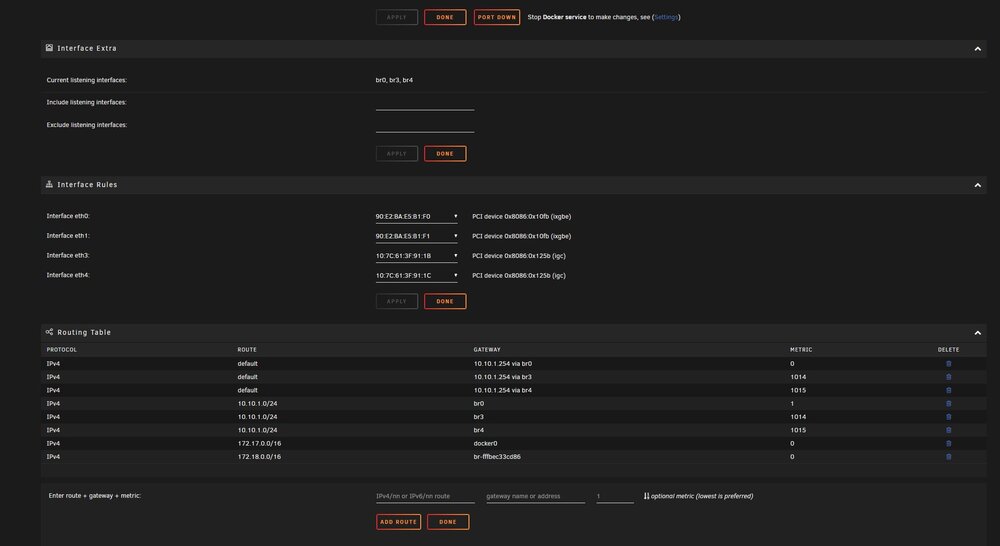
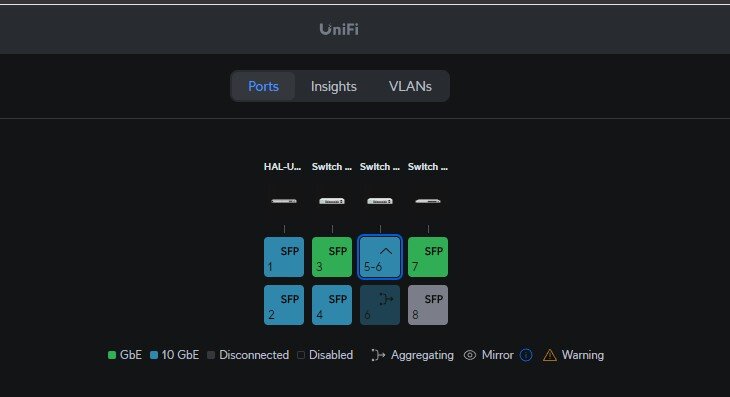
Hey guys, hope you're all well. Got an issue that is driving me mad with Docker networking and hope you can help. First, my config: - Networking: - Running 10.10.1.0/24 subnet Intel(R) Ethernet Server Adapter X520 with x2 10GBE SFP's connected to a Unifi USW-AGG switch in 802.3ad mode (eth0 + eth1). This has been config'd correctly on the unifi switch and working well showing 20GB connection. This is named Main Fibre LAN. 2x 2.5GBE built in to my mainboard (eth3 + eth4) These are named One and Two I did test with an external USB3 1GB nic but did not carry on with this and guessing the OS still has this reserved as eth2 hence the jump. Issue relevant dockers: - Scrypted NVR Plex SMTP server What I want to Achieve: - Scrypted NVR docker to run on one 2.5GBE port servicing 9 cameras smtp server to run on other 2.5GBE port unRAID management, LAN file operation and plex and all other dockers to run over the bonded 20GB link (Intel(R) Ethernet Server Adapter X520) I have read up on loads of tutorials how to do this for the dockers to be assigned there own nic and from what I have read, it needs to be setup this way: - All network interfaces to be in br mode to allow for dockers to use the networking, static ip to be setup on each network interface in network settings and then in docker, dhcp to be enabled point to the same subnet to pool ip's NOT used on my network outside of my LANN's dhcp pool. I have tried this and loads of other ways but when i go to networking in the docker settings, I only see my bonded main fibre Lan connection. I have also tried with no static IP on the interface in network settings, this gets assigned an ip but still nothing in docker networking. Please can someone help me through this and tell me where i am going wrong and how to configure this. I have been used to synology for the last 13 years or more and could just select the nic from list in docker settings i wanted to assign. I have attached a load of screen shots so you can see my tinkering and unRAID diag. Thanks guys, Hal hal-unraid-diagnostics-20240907-2336.zip
-
Sorted! Thanks for the help on this. As you can understand, I was a little nervous doing this for the first time being a new user and all but my parity is now syncing through. Going to take a while to do 18TB. But thanks very much for the support! The response time for the replies and support have been better than other paid for support offerings. What more can we ask for!
-
Hi JorgeB. I have now managed to move all of the files to other drives that I need to keep and have stopped the Array. I have clicked on to Settings>New Config and I have options to Preserve current assignments: and have the option for Array Slots and Pool slots. I am assuming I need these all ticked. Could you please confirm this before I continue?
-
Awesome Stuff. Thanks for the quick support! I will give this ago at some point today!
-
Hi there. I have replaced one 8 year old 6tb drive with a 18tb drive and parity has been rebuilt with this change. I now want to retire/remove from the array some of my older smaller drives and move the data that was located on these drives to the 18TB drive and then permanently remove the older drives. So I will be essentially going from 11 drives to 8 drives if I can. I do have a backup. My setup consists of 2 unRAID hosts with exact replicas of data on both but I don't really want to have to start from scratch if I can help it. I hope this is clear and I will await you reply. Thanks, Hal
-
Just to update this thread. I have bought some Intel X520-DA2 Dual port 10GB SFP+ PCIe Adapter's and they seem o be working AOK. Just had 2GB internet installed and I can run a speed test to it's ull potential so happy about that. Only limiting factor now is my Spinning Rust. I am doing away with a lot of my older drives and updating to Seagate Exos x18 18TB drives. i know I am not going to be getting a massive speed difference over my older 8 year old WD Red's but it will help a bit. Both NAS's have these cards installed along with my 3 active workstations and all terminate back to my Unifi USW Aggregation. All in all, not too bad on a bit of a budget.
-
This is perfect! Thanks a million! Do you think you could do one for it's smaller brother?
-
Also, for moving the files from one disk to another, will I be ok just using Krusader to move folder from left to right. Do I need to do anything more once these are moved or will the array 'just know' they have been moved and will be accessible once again. I know I will have to action the new config from what you advise and will still wait for your reply regarding that. Thanks again, Hal
-
Hi @JorgeB and thanks for the reply. Before I requested this on the forum, I had already installed the new 18TB drive to replace the oldest one in the array and the Parity rebuilt. Now want to move files from other disks to my new larger drive. Still quite new to unRAID and don't want to loose my data. I do have a backup but don't want to have to initiate it. Could you list what steps I would need to complete to keep all of my files intact. Reading the info message, sounds like there is a fair bit that could go wrong with the New Config tool. Thanks, Hal
-
Hi All. I have recently bought a new 18TB drive to replace an aged (8 year old) 6TB drive and looking to consolidate the amount of disks I have (Currently 11 drives). My question is this: - So looking to move files from older drives to new 18TB drive. What what be the best way to accomplish this. I am sorry if this has been answered before but having a bit of a search in General support, I could not find what I was looking for. Thanks, Hal.
-
Awesomeness! Thanks very much for that. I will cancel my parity check as this should be valid from the re-build/disk change. Guessing this bug will be squashed in a future update. Thanks for the support! Hal
-
Morning all. So my Array has finished rebuilding but in my error log, I am getting the below but I did not cancel my array rebuild and the drive is showing green in the main tab: - 11-08-2024 09:19 Unraid Data-Rebuild Notice [HAL-UNRAID] - Data-Rebuild finished (0 errors) Canceled I will attach my logs and would ask if this has rebuilt ok or do I need to action anything? I have kicked off a parity check and will let you all know the outcome of this when it has completed. Thanks, Hal hal-unraid-diagnostics-20240811-1001.zip
-
Thanks very much. I will get one setup today when I’m back. So far so good though with no lock ups. Let’s hope it was a one off!
-
Hey all, I hope you can help. Had an 8 year old 6TB WD RED drive that I have now replaced with an 18TB Seagate Exos x18 drive (about 11AM this morning) and all was running through totally fine with no issues. This is a plex server as well. Was watching a film from the server on Plex and all of a sudden got an error connecting. Checked my server and found the whole thing had locked up and no disk activity at all. Plugged in a monitor and just had a black screen. Had to button the server to reboot and this has now come back up and as expected, the raid is now re-building from the start. I have attached logs for you to check and would ask what happened and if there is anything I can do to stop this from happening in the future. Current installed version: - 6.12.11. hal-unraid-diagnostics-20240809-2031.zip
-
Hey all and thanks for the replies. @JonathanM - I have bought some external grade fibre to run from my comms cupboard out the side of the building in a cable channel, down in to some underground ducting and in to outbuilding. Bit of a palaver but currently having some ground work done so included it in that. @MAM59 - I know these aren't the best options but when I have the chance to sort the switches out, will be going for Unifi switches but for the time being, these will kind of be ok. @_cjd_ - I know the disks are going to be a limiting factor but good to have the core cabling installed ready for when (if I do it) I upgrade the HDD's to SSD's/NVME's. Funds are a bit tight present but just want to find out what is known working so I can then carry out my own research on compatible chipsets and cards.
-
Afternoon all. Recently got in to the unRAID realm and have 2 unRAID servers (replacing my very old Synology setup) currently with a 2.5GB link between them both. Main server running all docker containers and VM's and replica server purely for file backup. Both WILL be located in different buildings (Currently sit next to each other connected to a new Yuanley 5 port switch for initial testing and config) but want to upgrade the link between the 2 unRAID servers for 10GB networking and later on down the line my workstations. My Gateway is a Dream Machine Special Edition with a 1GB up and down internet connection but next week will be upgraded to 2GB up and down so now looking to upgrade my home lab networking that has not really been touched for over 7 years other than a few Unifi WiFi 6AP's. I have invested in Unifi over the years and just put an order in for a USW-AGGREGATION switch and will be using this as a centre point to connect switches and my 2 unRAID hosts. Due to initial spend for the 2 new hosts and HDD's, can't afford the top tier switches Unifi offer so got some temp 2.5GB switches to help me along. So main USW-AGG connecting via 10GTek SFP to - 10GB SFP YuanLey 9 Port 2.5G PoE Switch - 10GB SFP 6 Port 2.5G Umanaged Ethernet Switch - 10GB SFP Unifi UDM SE - - 1GB SFP connection to existing 8 port Unifi PoE switch Office - - 1GB SFP connection to existing 8 port Unifi PoE switch Garage Now getting to my main question, what would be a good SFP nic run in my 2 hosts that will be compatible with unRAID. I have a spare PCIe slot in both of the hosts and just need some recommendations on known working/reliable cards I could use. If anyone can help out with some recommendations, that would be great. Thanks, Hal
-
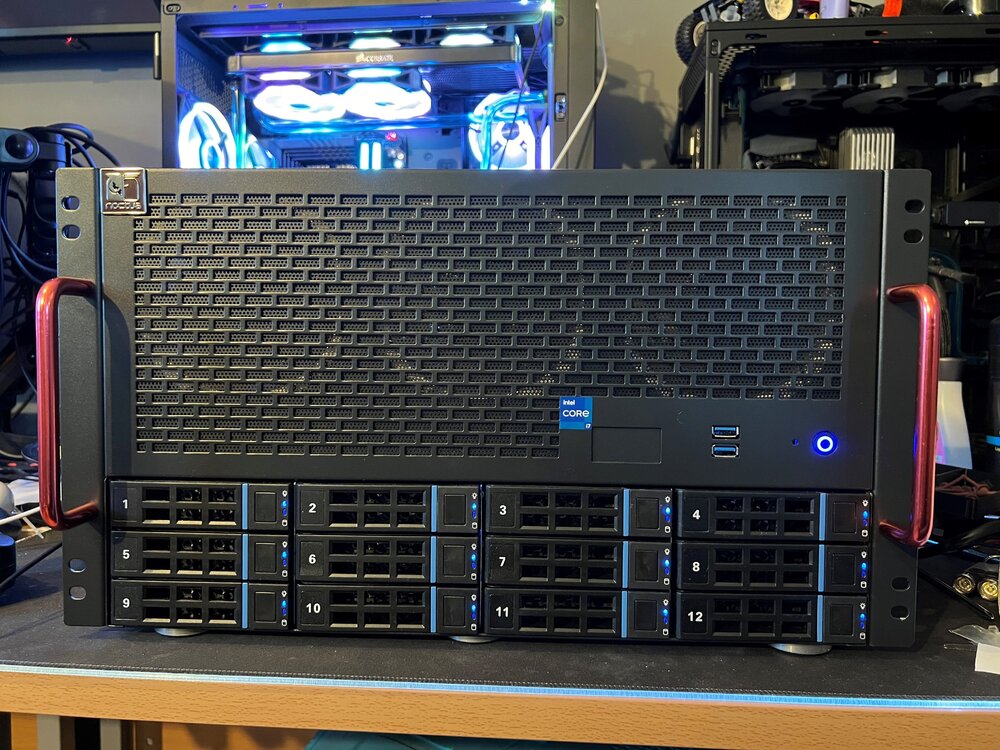
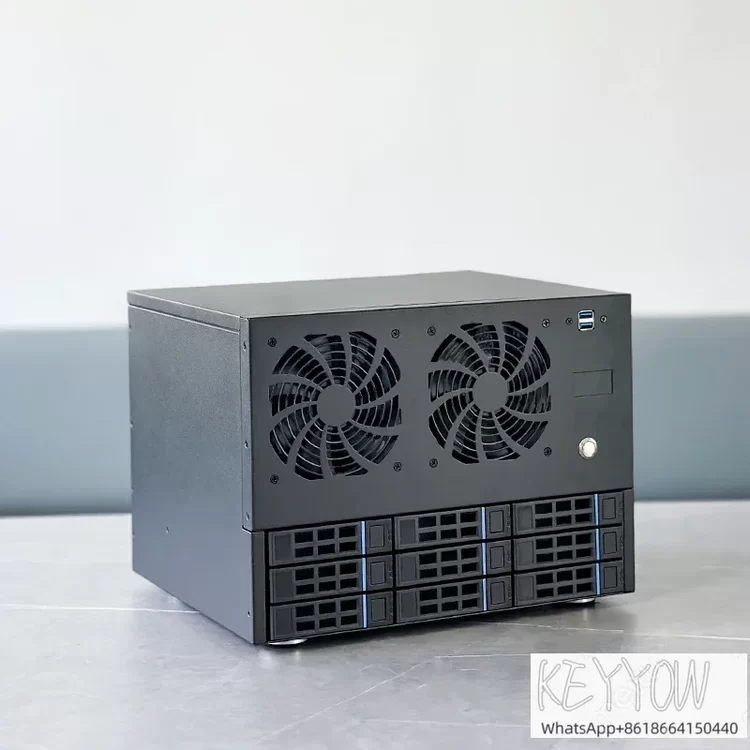
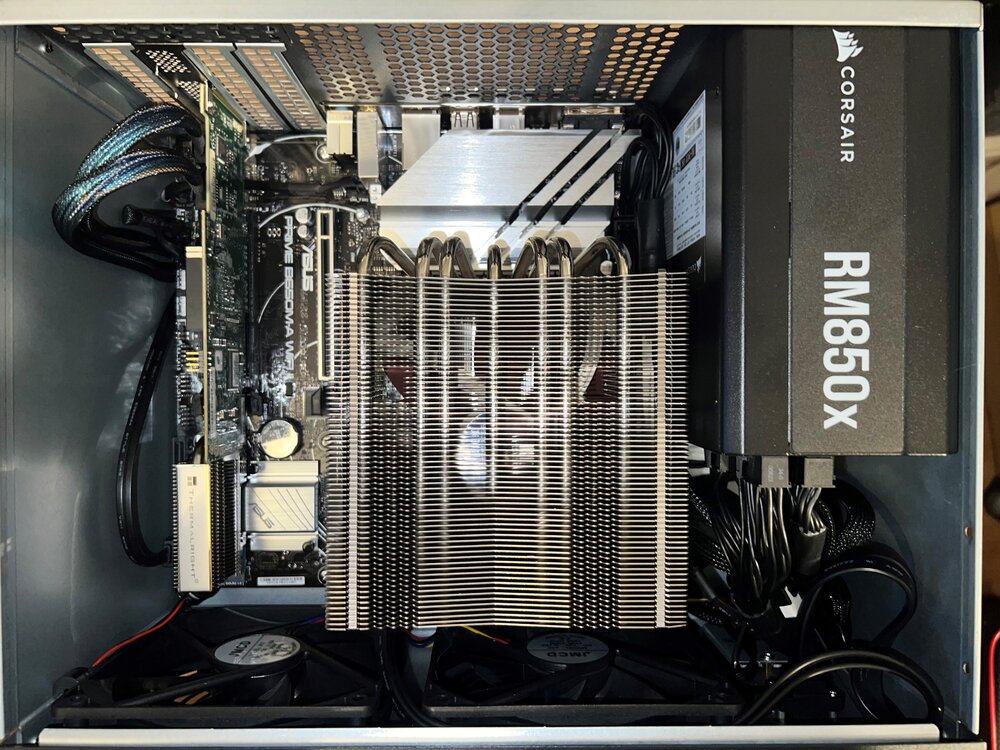
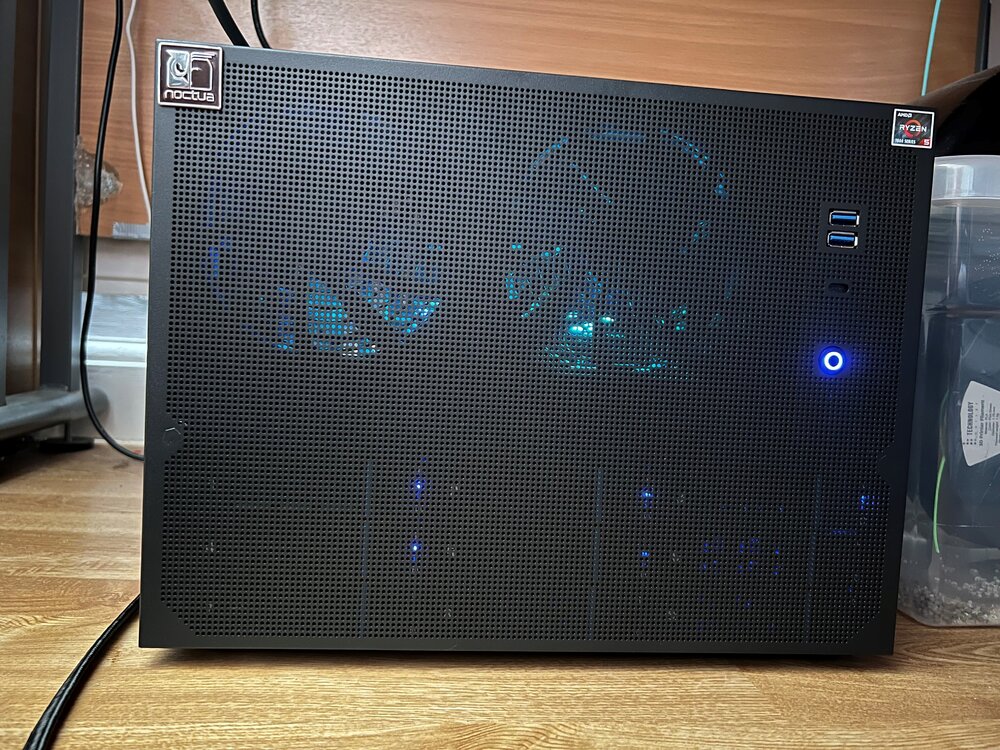
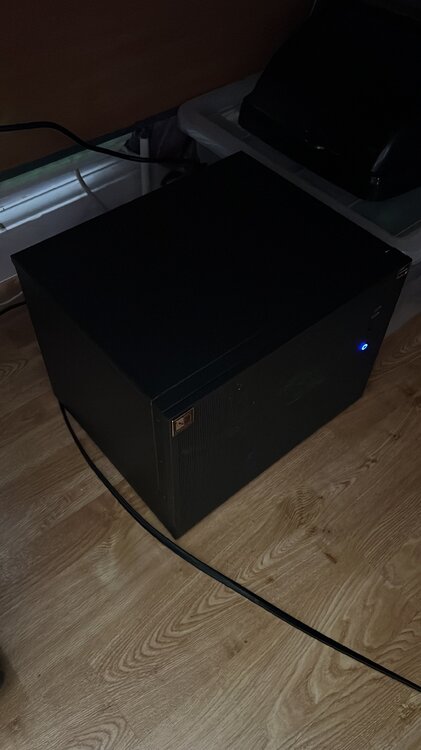
Finally got the case. Please can someone work their magic?
-
Hi there. Link appears to be dead. Any chance of updating? Thanks, Hal
-
I have just bought one of these too and also it's smaller brother (still on order). Any chance of these Ali Express cases being created.