molasses2
Members
-
Joined
-
Last visited
-
@kurai Thank you SO MUCH for this suggestion! I guess I was under the impression that Backblaze64 was geared toward B2 storage rather than the personal backup. That's my fault for not reading carefully. In any case, I was successful in performing an inherit backup state. I didn't have to do anything special to make it work - didn't even have to change the default UID/GID or set the container to privileged. I read foz' post that discussed timeout concerns, but couldn't figure out how to adjust that in B_P_B. I am likewise grateful to @TessyPowder and @foz for their work!!!
-
I'm at a loss. My Backblaze_Personal_Backup broke a few days ago. I'm not exactly sure of the timing; I think it was between the latest update and the one just prior. None of my Docker settings were changed, but suddenly I was back in a trial. My hostname ("Online name for this computer") had changed (I did NOT reinstall!), and I was unable to do anything about it. I tried using sed to update /config/wine/system.reg, but the change wouldn't stick. That's where I am now. I have just updated the container to the latest 2.0.1 release - version shows 10.0.1.1037 (20260325214016) - but nothing has changed. I'm still in a trial, still on a different and unchangeable hostname. I think the correct path forward would be to perform an "inherit backup state," and I've tried, but can't complete it. The issue seems to be that I simply can't enter my email/password into the GUI. I am open to any and all ideas.
-
I just discovered this post in 2025, and have FINALLY managed to avoid unclean shutdowns. I was definitely not clear on the fact of the shutdown timers being independent, so thank you very much!
-
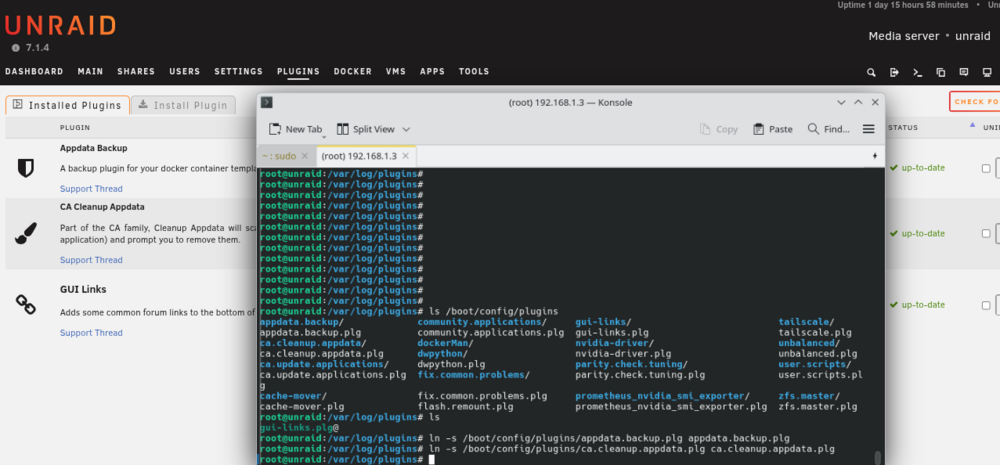
RESOLVED!!! 😄 After a LOT of effort and research, I finally learned that /var/log/plugins has to exist, and has to contain symlinks to each plugin located in /boot/config/plugins I had to create the symlinks manually (see screenshot), but after doing that, I'm good to go. Thank you, JorgeB, for your assistance!
-
I'm pressing the pause button for a while. The issue with the plugins page still isn't resolved, but I am still experimenting as I have time.
-
Thanks. I tried this yesterday evening with partial success. Libvirt works again, and I've built two VMs! No change with the plugins - they still show until the array begins to start, then disappear. I also checked the syslogs, and I still have 3 files - syslog, syslog1, and syslog2 - and the dates have changed, so they're definitely fresh, not just leftovers. I think I created the new /boot/config correctly, but possible I made a mistake. I will re-attempt tonight/tomorrow with a freshly created flash drive. I appreciate your help thus far!
-
I don't have any scripts, at least none that I wrote. I don't think any of my plugins are doing anything weird, but I don't really know how to check. Thank you for the suggestion. I've already recreated the flash drive with a full format, so I don't think it's corrupted. Can I just move everything in /boot/config to /boot/config-OLD, then create a new /boot/config and populate it with the bare minimum as you suggested, or is it a requirement that I actually reimage?
-
root@unraid:/boot/logs# ls -l /var/log/sys* -rw-r----- 1 root root 165482 Aug 14 11:33 /var/log/syslog -rw-r----- 1 root root 7185224 Aug 14 04:40 /var/log/syslog.1 -rw-r----- 1 root root 2568418 Aug 13 04:40 /var/log/syslog.2 root@unraid:/boot/logs#
-
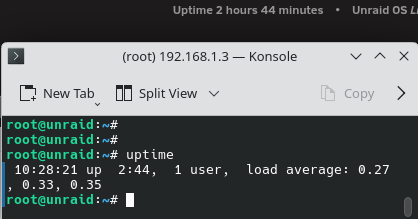
Maybe you've found something new that's also broken. As I mentioned, I have both rebooted and power cycled this server. Current uptime is 2h44m.
-
I don't see what you're seeing. I see Aug 12 in the syslog2.txt file, but syslog.txt shows Aug 14. I opened syslog.txt and attached it separately. I don't know what else to try. syslog2.txt syslog.txt syslog.txt
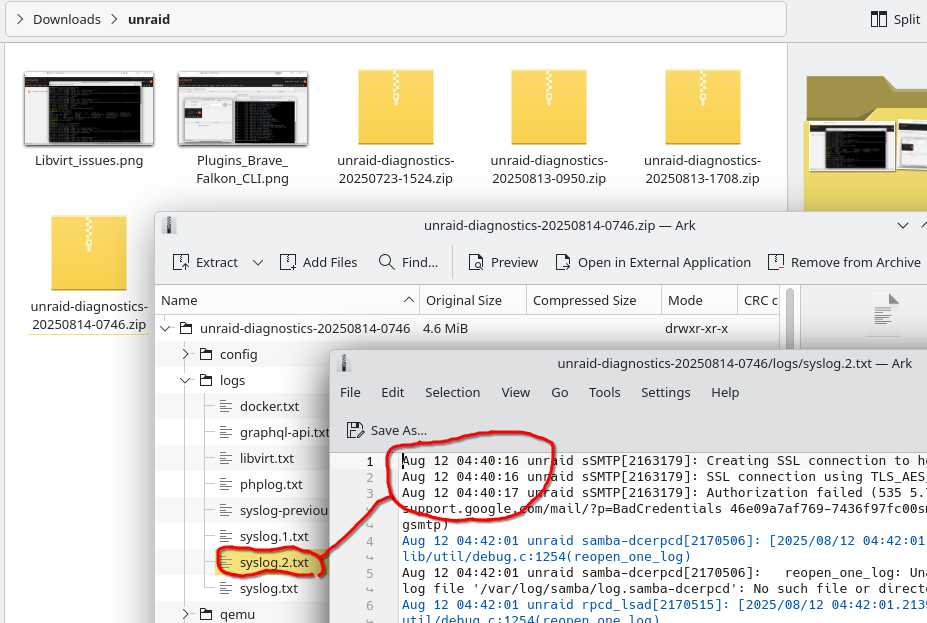
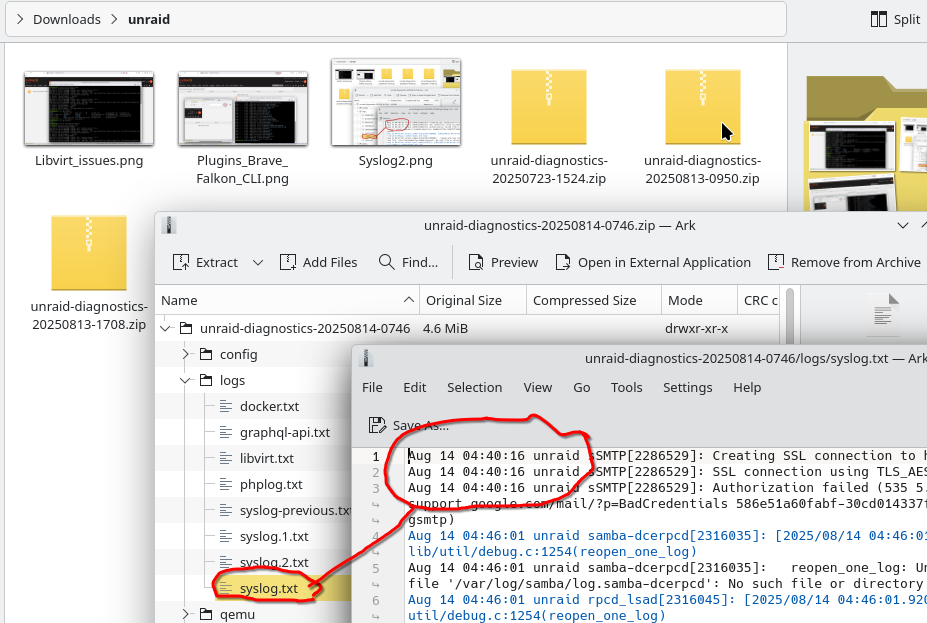
-
Here's another diag, post reboot, just after array starts.unraid-diagnostics-20250814-0746.zip
-
They are, though. After a full power cycle, in fact.
-
Fresh diags attached. unraid-diagnostics-20250813-1708.zip
-
molasses2 changed their profile photo
-
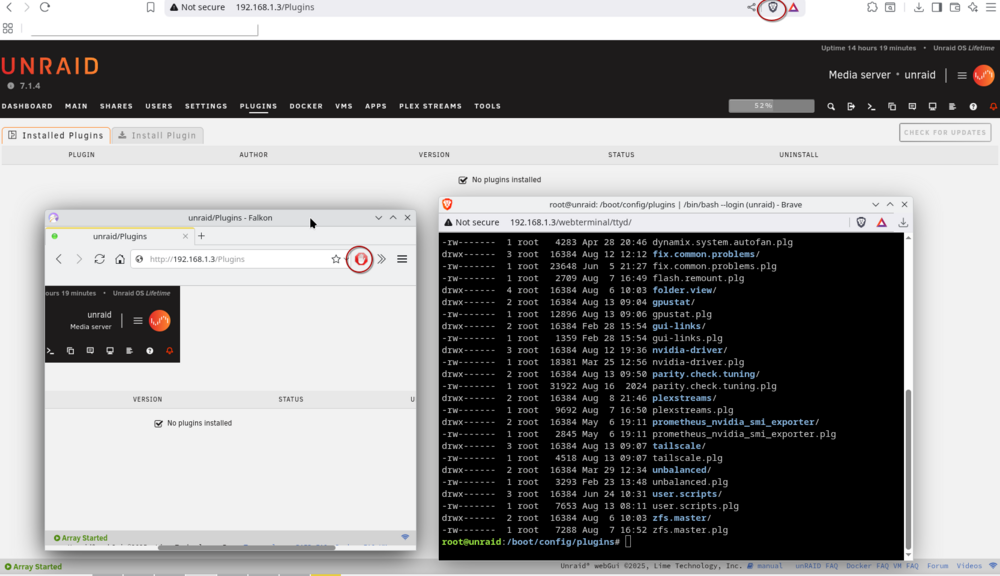
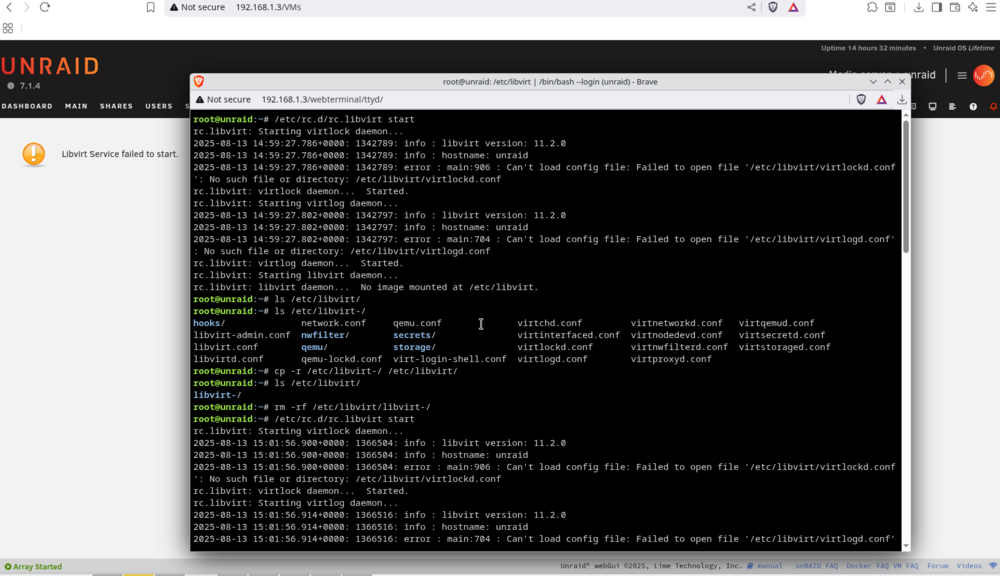
If there's a better place to post this, please advise. Here's the backstory... ...to answer as many "why did/didn't you do ___?" type questions. I was a encountering a lot of random freezing overnight, every night, and figured it was hardware related. Over a period of several weeks, I cleaned the server with compressed air checked/reseated all cables reseated RAM ran Memtest (passed) fsck'd my flash drive reformatted and rebuilt my flash drive with a backup replaced my M.2 SATA port multiplier (9 drives, only 4 on-mobo SATA ports) ran SMART tests (all drives passed on the quick test, I'd get random freezing on most of the longer tests, so they would never complete) replaced two of the older spinning HDs (data drives) with new (refurb) larger ones, and replaced my year-old SSD cache. All of the random freezing meant quite a lot of forced power cycles and unclean shutdowns. Parity check could not complete. Data rebuild after I replaced my two HDs could not complete. I finally just accepted that there would be some data loss, and had to go the New Config route. Again, this is while I was still searching for the true smoking gun; at this point I believed it was my two oldest HDs. Ultimately, replacing the SSD seems to have settled things down with regard to the freezing, so it could have been entirely the SSD, or the SSD + M.2 SATA port multiplier that was/were the culprit(s). In case it's relevant, of my HDs, disks 1 and 3 are original from before the trouble began; disks 2 and 4 are new. At this point, I have a partially working system (more details farther down): All my docker containers seem good to go. 😀👍 The Plugins page doesn't display anything except "No plugins installed." ☹️👎 The VM manager won't even start. ☹️👎 Diagnostics are attached. Any and all help is solicited and appreciated! I would really like my VMs back, and to be able to see my plugins. Plugins They're there! I can see them in the CLI in /boot/config/plugins. In fact, on a fresh reboot, they show up on the Plugins page until the array starts; after that poof, they disappear. Plugins that are embedded into the Settings page are visible and function fine. If I go to Apps, some of them show as "installed," others don't. Reinstalling does nothing. I've included a screenshot that shows two web browsers displaying the blank page (Brave - shields down, and Falkon - ad-blocker disabled), and the CLI showing everything in its place. Libvirt I've looked around the forums and the web for help here, and none of the solutions have worked for me. I've rebooted more times than I can count, tried deleting the libvirt.img, starting the service manually (included in screenshot), and probably some other things I've since forgotten. My /etc/libvirt folder exists, but is empty. I also have /etc/libvirt- and have experimented with copying the contents of that folder to /etc/libvirt, but it didn't change anything. I also noticed some odd things with /var/log/libvirt/virtlogd.log and /var/log/libvirt/virtlockd.log - they didn't exist. I created them, tried to restart the service again, and got "No image mounted at /etc/libvirt." It feels like maybe there's a link that's missing, and my actual libvirt.img is set at /mnt/user/system/libvirt/libvirt.img Libvirt experimenting root@unraid:~# /etc/rc.d/rc.libvirt start rc.libvirt: Starting virtlock daemon... 2025-08-13 14:59:27.786+0000: 1342789: info : libvirt version: 11.2.0 2025-08-13 14:59:27.786+0000: 1342789: info : hostname: unraid 2025-08-13 14:59:27.786+0000: 1342789: error : main:906 : Can't load config file: Failed to open file '/etc/libvirt/virtlockd.conf': No such file or directory: /etc/libvirt/virtlockd.conf rc.libvirt: virtlock daemon... Started. rc.libvirt: Starting virtlog daemon... 2025-08-13 14:59:27.802+0000: 1342797: info : libvirt version: 11.2.0 2025-08-13 14:59:27.802+0000: 1342797: info : hostname: unraid 2025-08-13 14:59:27.802+0000: 1342797: error : main:704 : Can't load config file: Failed to open file '/etc/libvirt/virtlogd.conf': No such file or directory: /etc/libvirt/virtlogd.conf rc.libvirt: virtlog daemon... Started. rc.libvirt: Starting libvirt daemon... rc.libvirt: libvirt daemon... No image mounted at /etc/libvirt. root@unraid:~# ls /etc/libvirt/ root@unraid:~# ls /etc/libvirt-/ hooks/ network.conf qemu.conf virtchd.conf virtnetworkd.conf virtqemud.conf libvirt-admin.conf nwfilter/ secrets/ virtinterfaced.conf virtnodedevd.conf virtsecretd.conf libvirt.conf qemu/ storage/ virtlockd.conf virtnwfilterd.conf virtstoraged.conf libvirtd.conf qemu-lockd.conf virt-login-shell.conf virtlogd.conf virtproxyd.conf root@unraid:~# cp -r /etc/libvirt-/ /etc/libvirt/ root@unraid:~# ls /etc/libvirt/ libvirt-/ root@unraid:~# rm -rf /etc/libvirt/libvirt-/ root@unraid:~# /etc/rc.d/rc.libvirt start rc.libvirt: Starting virtlock daemon... 2025-08-13 15:01:56.900+0000: 1366504: info : libvirt version: 11.2.0 2025-08-13 15:01:56.900+0000: 1366504: info : hostname: unraid 2025-08-13 15:01:56.900+0000: 1366504: error : main:906 : Can't load config file: Failed to open file '/etc/libvirt/virtlockd.conf': No such file or directory: /etc/libvirt/virtlockd.conf rc.libvirt: virtlock daemon... Started. rc.libvirt: Starting virtlog daemon... 2025-08-13 15:01:56.914+0000: 1366516: info : libvirt version: 11.2.0 2025-08-13 15:01:56.914+0000: 1366516: info : hostname: unraid 2025-08-13 15:01:56.914+0000: 1366516: error : main:704 : Can't load config file: Failed to open file '/etc/libvirt/virtlogd.conf': No such file or directory: /etc/libvirt/virtlogd.conf rc.libvirt: virtlog daemon... Started. rc.libvirt: Starting libvirt daemon... rc.libvirt: libvirt daemon... No image mounted at /etc/libvirt. root@unraid:~# ls /etc/libvirt/ root@unraid:~# ls /etc/libvirt-/ hooks/ network.conf qemu.conf virtchd.conf virtnetworkd.conf virtqemud.conf libvirt-admin.conf nwfilter/ secrets/ virtinterfaced.conf virtnodedevd.conf virtsecretd.conf libvirt.conf qemu/ storage/ virtlockd.conf virtnwfilterd.conf virtstoraged.conf libvirtd.conf qemu-lockd.conf virt-login-shell.conf virtlogd.conf virtproxyd.conf root@unraid:~# cp -r /etc/libvirt-/* /etc/libvirt/ root@unraid:~# ls /etc/libvirt/ hooks/ network.conf qemu.conf virtchd.conf virtnetworkd.conf virtqemud.conf libvirt-admin.conf nwfilter/ secrets/ virtinterfaced.conf virtnodedevd.conf virtsecretd.conf libvirt.conf qemu/ storage/ virtlockd.conf virtnwfilterd.conf virtstoraged.conf libvirtd.conf qemu-lockd.conf virt-login-shell.conf virtlogd.conf virtproxyd.conf root@unraid:~# /etc/rc.d/rc.libvirt start rc.libvirt: Starting virtlock daemon... libvirt: error : failed to open /var/log/libvirt/virtlockd.log: No such file or directory rc.libvirt: virtlock daemon... Started. rc.libvirt: Starting virtlog daemon... libvirt: error : failed to open /var/log/libvirt/virtlogd.log: No such file or directory rc.libvirt: virtlog daemon... Started. rc.libvirt: Starting libvirt daemon... rc.libvirt: libvirt daemon... No image mounted at /etc/libvirt. root@unraid:~# root@unraid:~# cd /etc/libvirt/ root@unraid:/etc/libvirt# ls hooks/ network.conf qemu.conf virtchd.conf virtnetworkd.conf virtqemud.conf libvirt-admin.conf nwfilter/ secrets/ virtinterfaced.conf virtnodedevd.conf virtsecretd.conf libvirt.conf qemu/ storage/ virtlockd.conf virtnwfilterd.conf virtstoraged.conf libvirtd.conf qemu-lockd.conf virt-login-shell.conf virtlogd.conf virtproxyd.conf root@unraid:/etc/libvirt# rm -rf * root@unraid:/etc/libvirt# ls root@unraid:/etc/libvirt# /etc/rc.d/rc.libvirt start rc.libvirt: Starting virtlock daemon... 2025-08-13 15:04:36.271+0000: 1383507: info : libvirt version: 11.2.0 2025-08-13 15:04:36.271+0000: 1383507: info : hostname: unraid 2025-08-13 15:04:36.271+0000: 1383507: error : main:906 : Can't load config file: Failed to open file '/etc/libvirt/virtlockd.conf': No such file or directory: /etc/libvirt/virtlockd.conf rc.libvirt: virtlock daemon... Started. rc.libvirt: Starting virtlog daemon... 2025-08-13 15:04:36.288+0000: 1383514: info : libvirt version: 11.2.0 2025-08-13 15:04:36.288+0000: 1383514: info : hostname: unraid 2025-08-13 15:04:36.288+0000: 1383514: error : main:704 : Can't load config file: Failed to open file '/etc/libvirt/virtlogd.conf': No such file or directory: /etc/libvirt/virtlogd.conf rc.libvirt: virtlog daemon... Started. rc.libvirt: Starting libvirt daemon... rc.libvirt: libvirt daemon... No image mounted at /etc/libvirt. root@unraid:/etc/libvirt# ls /etc/libvirt/ root@unraid:/etc/libvirt# ls /etc/libvirt-/ hooks/ network.conf qemu.conf virtchd.conf virtnetworkd.conf virtqemud.conf libvirt-admin.conf nwfilter/ secrets/ virtinterfaced.conf virtnodedevd.conf virtsecretd.conf libvirt.conf qemu/ storage/ virtlockd.conf virtnwfilterd.conf virtstoraged.conf libvirtd.conf qemu-lockd.conf virt-login-shell.conf virtlogd.conf virtproxyd.conf root@unraid:/etc/libvirt# cp -r /etc/libvirt-/* /etc/libvirt/ root@unraid:/etc/libvirt# /etc/rc.d/rc.libvirt start rc.libvirt: Starting virtlock daemon... libvirt: error : failed to open /var/log/libvirt/virtlockd.log: No such file or directory rc.libvirt: virtlock daemon... Started. rc.libvirt: Starting virtlog daemon... libvirt: error : failed to open /var/log/libvirt/virtlogd.log: No such file or directory rc.libvirt: virtlog daemon... Started. rc.libvirt: Starting libvirt daemon... rc.libvirt: libvirt daemon... No image mounted at /etc/libvirt. root@unraid:/etc/libvirt# touch /var/log/libvirt/virtlockd.log touch: cannot touch '/var/log/libvirt/virtlockd.log': No such file or directory root@unraid:/etc/libvirt# mkdir /var/log/libvirt root@unraid:/etc/libvirt# touch /var/log/libvirt/virtlockd.log root@unraid:/etc/libvirt# touch /var/log/libvirt/virtlogd.log root@unraid:/etc/libvirt# /etc/rc.d/rc.libvirt start rc.libvirt: Starting virtlock daemon... rc.libvirt: virtlock daemon... Started. rc.libvirt: Starting virtlog daemon... rc.libvirt: virtlog daemon... Started. rc.libvirt: Starting libvirt daemon... rc.libvirt: libvirt daemon... No image mounted at /etc/libvirt. root@unraid:/etc/libvirt# ls /etc/libvirt-/libvirt libvirt-admin.conf libvirt.conf libvirtd.conf root@unraid:/etc/libvirt# unraid-diagnostics-20250813-0950.zip