pippystone
Members
-
Joined
-
Last visited
-
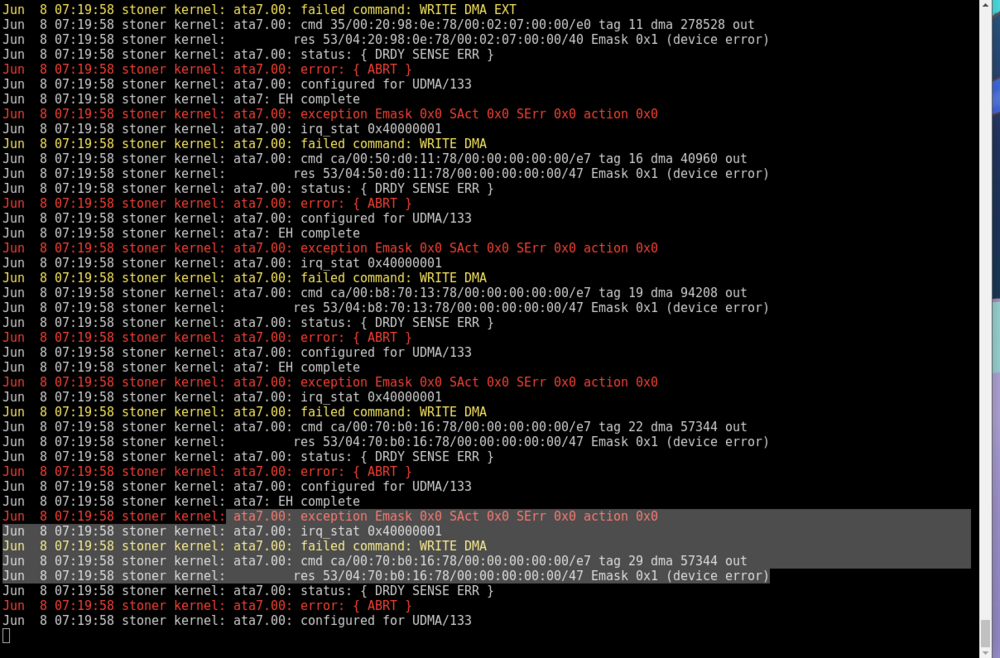
i can see the device in preclear it just wont let me do anything it errors out when i try to format it or anything
-
also i cant diagnostic with this drive connected anymore it gets stuck
-
i've changed both mutiple times still not wanting to connect to the array and when i try to check the disk for errors halts my unraid and cant shutdown or reboot
-
sorry about that didnt realize stoner.local-diagnostics-20240607-2212.zip
-
Recently changed my mobo and cpu and when i booted i couldnt attach my HGST_HUH721010ALE600 plugins.txt lspci.txt btrfs-usage.txt meminfo.txt vars.txt unraid-api.txt lscpu.txt urls.txt cmdline.txt ifconfig.txt lsusb.txt iommu_groups.txt sshd.txt lsmod.txt motherboard.txt loads.txt top.txt memory.txt df.txt folders.txt testparm.txt ps.txt ntp.txt ethtool.txt lsof.txt lsscsi.txt drm.txt servers.conf.txt ST4000DM000-1F2168_Z302B1HM-20240607-2212 disk2 (sdd).txt Samsung_SSD_970_EVO_Plus_2TB_S6S2NS0T924451M-20240607-2212 cache2 (nvme0).txt ST5000LM000-2AN170_WCJ4B5L4-20240607-2212 disk4 (sdb).txt eui.002538592140dcfc-20240607-2212 cache2 (nvme0).txt HGST_HUH721010ALE600_7JG38URC-20240607-2212 (sdf).txt Samsung_SSD_860_EVO_500GB_S598NJ0N122316Y-20240607-2212 cache (sde).txt SanDisk_Cruzer_Glide_03021614103123184001-0-0-20240607-2212 flash (sda).txt ST4000DM000-1F2168_Z302AJ4A-20240607-2212 disk3 (sdc).txt dhcplog.txt syslog-previous.txt syslog.txt super.dat network.cfg disk.cfg editor.cfg go.txt listen.txt docker.cfg cache.cfg share.cfg ident.cfg domain.cfg unraid-6.12.10.txt S--------e.cfg domains.cfg system.cfg shareDisks.txt m---a.cfg e------r.cfg isos.cfg appdata.cfg