curiouseradmin
Members
-
Joined
-
Last visited
Everything posted by curiouseradmin
-
This was the solution, thank you very much.
-
My apologies. Here it is. diagnostics-20240613-1358.zip
-
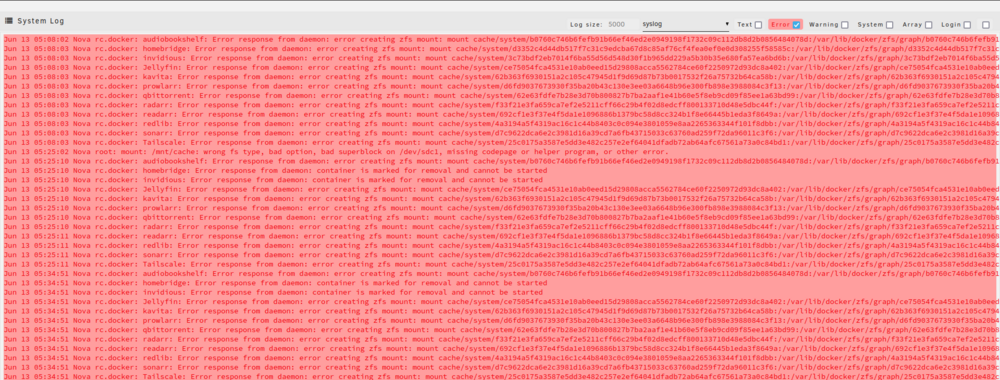
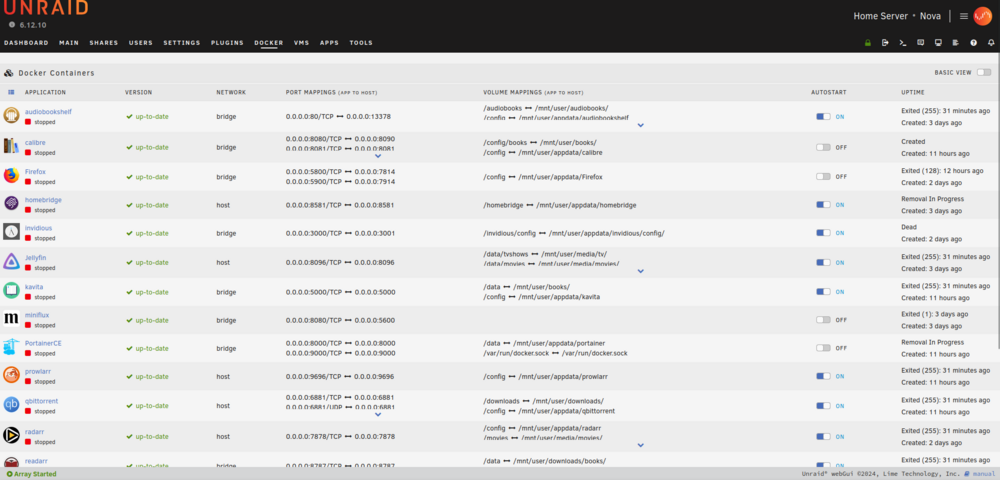
Hey all, New Unraid user here, still on the trial key. I have had several Docker containers setup and working for a few days until yesterday, when I decided to add a cache drive. Things worked immediately after the drive was marked as cache. I think the problem may have started once the scheduled mover task happened somewhere around 3am. When I went to check on things this morning, I noticed all containers were stopped, despite them being set to auto start. I do have a screenshot of the system log and a couple more of the containers and errors I get when trying to start them. Im hoping someone here understands what might have gone wrong and can help me figure out how to restore things back to normal.