PST
Members
-
Joined
Everything posted by PST
-
such a pity that support for Thunderbolt doesn't get more atention.
-
Hi guys I'm running Unraid 7 Beta 4 on an Ugreen 6800 Pro and would like to connect an external NVMe case using a Thunderbolt 4 port . The case itself uses an ASM2464PD chipset supporting TB3/TB4 @ 40gbps and inside is a Samsung 990 Pro NVMe. When connected the drive is discovered and usuable but the write performance is absymal... goes below 100mbps. Under Unraid 6.12 the drive wasn't even discovered. Using the same case and drive with other devices/laptops everything works fine and I get aprox. 3000MB/s read/write performance. Even connected to the Ugreen 6800 Pro but under UGOS (default OS of the NAS) the NVMe case performs as expected. Is Unraid unable to handle such TB3/4 cases? Does it need new drivers? Can I install them manually? Thanks
-
Yes, I can understand and could wait. It's nothing urgent :). I was just wondering why it's not beeing detected.
-
Still in Beta...not risking it. maybe once 7.1 is out :).
-
I'm using v6.12. If I however connect the same case to one of the USBA USB3.2 Gen2 port it works fine but the speeds would be limited to 10gbps instead of 40gbps.
-
Hi guys I`m running Unraid on a Ugreen DX6800 PRO and trying to connect an NVME drive to the Thunderbolt 4 port. I have various Thunderbolt 3 / USB4 40Gbps NVMe cases with a Samsung 990 PRO inside but none of them work when connected. They do work when connected to other devices using Thunderbolt (Macbook, Windows PC). MAIWO 40Gbps NVMe M.2 SSD Enclosure https://www.aliexpress.us/item/3256806707415430.html?utparam-url=scene%3Asearch|query_from%3A UGREEN 40Gbps M.2 NVMe Enclosure https://eu.ugreen.com/en-ch/products/ugreen-40gbps-nvme-enclosure-cooling-fan ZikeDrive USB4 NVMe SSD Enclosure Z666 https://ziketech.com/products/zikedrive-usb4-40gbps-nvme-m-2-ssd-enclosure-z666?variant=42809341608097 ORICO Case SSD M.2 NVMe 40Gbps OWC Express 1M2 https://www.owc.com/solutions/express-1m2 Running dmesg I get the following, any ideas? thunderbolt 0-0:1.1: new retimer found, vendor=0x8087 device=0x15ee [ 130.867844] thunderbolt 0-1: new device found, vendor=0xb8 device=0x2463 [ 130.867848] thunderbolt 0-1: ASMedia 246x [ 130.973954] thunderbolt 0000:00:0d.2: 0:1: timeout enabling lane bonding [ 130.974292] thunderbolt 0000:00:0d.2: 1: failed to enable CL0s/CL1 on upstream port [ 130.974617] thunderbolt 0000:00:0d.2: 1: failed to enable TMU [ 130.974817] thunderbolt 0-0:1.1: retimer disconnected [ 130.976264] thunderbolt 0-1: device disconnected [ 133.780946] thunderbolt 0-0:1.1: new retimer found, vendor=0x8087 device=0x15ee [ 133.803033] thunderbolt 0-1: new device found, vendor=0xb8 device=0x2463 [ 133.803036] thunderbolt 0-1: ASMedia 246x
-
amazing! thanks a lot.
-
cool. can't wait for this!
-
Hi guys I'm quite new to Unraid and installd the DiskSpeed app but for whatever reason I am unable to run the benchmarks. Unable to benchmark for the following reason * Docker volume mount not detected Any help would be appreciated. Thanks
-
+1 for the LED plugin :). Running Unraid on my DX6800 Pro. Would the IT87 driver plugin also be valid for the DX6800 Pro?
-
Thanks again! Amazing work!
-
Would you be so kind to create the same for the 6-bay one? :). Thanks
-
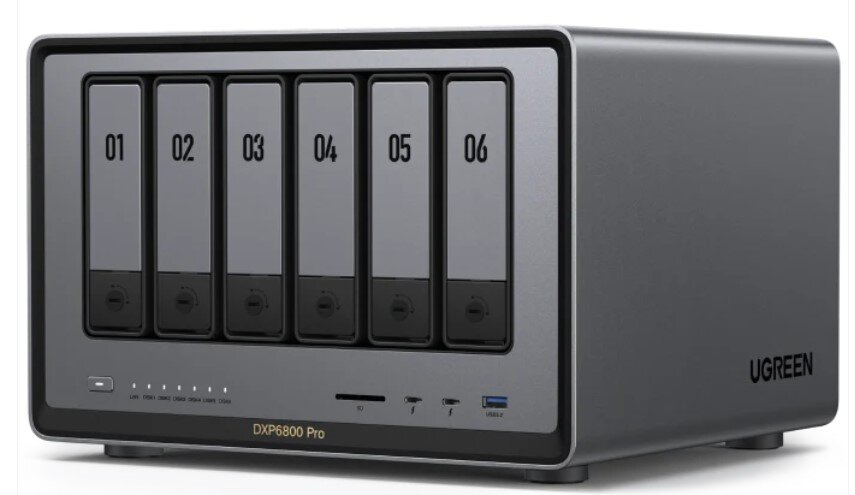
I would love if someone is able to create an icon for the Ugreen DXP6800 Pro which is what I will be running Unraid from Thanks a lot!