ShadohStorm
Members
-
Joined
-
Last visited
Everything posted by ShadohStorm
-
Just to add to this, I tried stopping the array and rebooting the server and kept getting "Retry unmounting disk share(s)"
-
The body of the email says: /etc/cron.hourly/user.script.start.hourly.sh: line 2: 499624 Bus error /usr/local/emhttp/plugins/user.scripts/startSchedule.php hourly I checked user scripts and I only have two items that have schedules, and both are set to start of array. I have nothing that is scheduled to run hourly. Any ideas how I can track down what this is for?
-
Sorry, I've never done this before. Am I modifying it here? default menu.c32 menu title Lime Technology, Inc. prompt 0 timeout 50 label Unraid OS menu default kernel /bzimage append modprobe.blacklist=btusb,btintel,btrtl,btbcm initrd=/bzroot label Unraid OS GUI Mode kernel /bzimage append initrd=/bzroot,/bzroot-gui label Unraid OS Safe Mode (no plugins, no GUI) kernel /bzimage append initrd=/bzroot unraidsafemode label Unraid OS GUI Safe Mode (no plugins) kernel /bzimage append initrd=/bzroot,/bzroot-gui unraidsafemode label Memtest86+ kernel /memtest If not, are there instructions somewhere on how to add it?
-
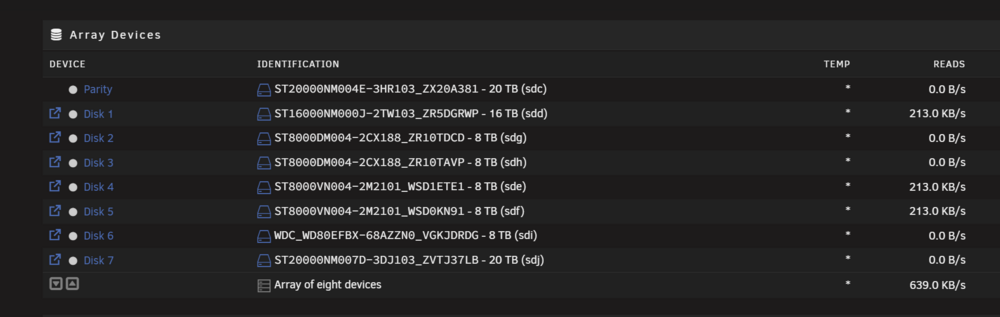
I'm at a loss. Over the last couple of weeks something keeps causing my drives to all spin up, and stay up. I've had file activity on, and unless someone is actually watching a file, nothing is showing up. I've checked everything I can think of. I've even stopped all dockers and VM's, and it still gets spun back up in just a few seconds. The amount of data being pulled is usually very small. 200kb or less, with the occasional 1MB. It also appears to pull the same amount for multiple drives at the same time, not all of the drives, but maybe 3/4 out of 7. This screenshot was taken a few seconds after I manually spun down all discs. I've also added diagnostics. Thanks in advance for your help! joshflix-diagnostics-20250915-1545.zip
-
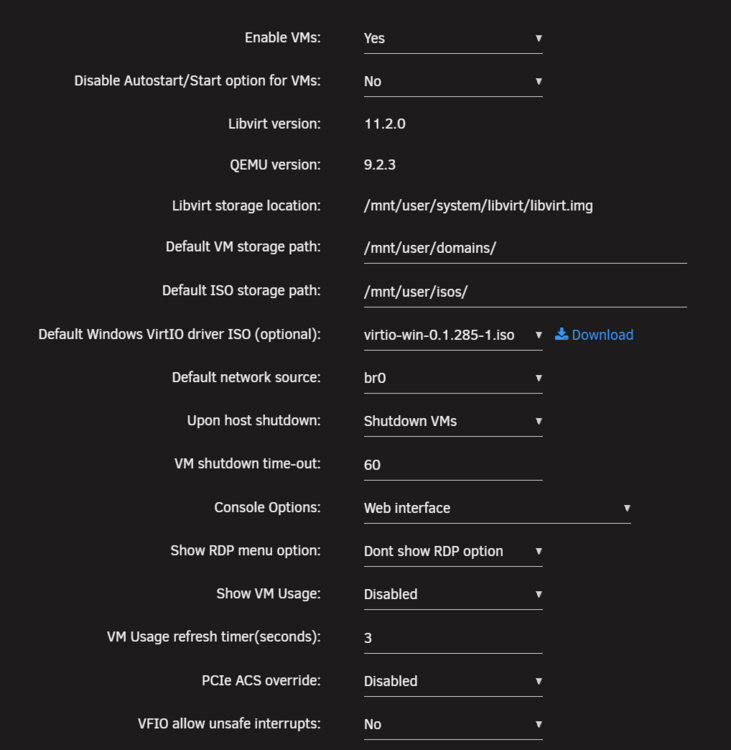
Here are my VM settings. I've also power cycled a few times and nothing changes. As for the user script, just to make sure I'm not missing something, I just need to add that as a script, reboot and see if that fixes it? Do I need to modify it in any way? Also, do you think this could be what is causing my disks to stay spun up? That's the real thing I'm trying solve for.
-
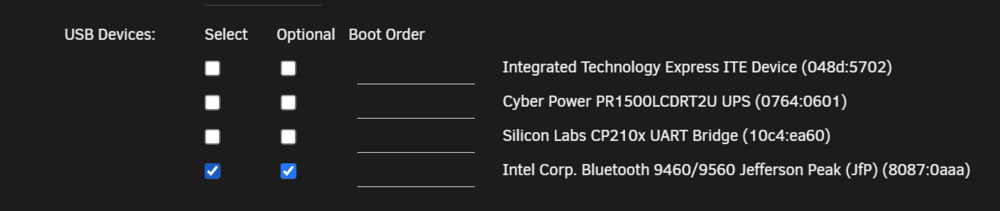
I am running it in a VM already. I used the HA in a box docker from spaceinvader that sets it up as a VM. You can see I've checked the bluetooth device in my screenshot. I've really have two problems, one the bluetooth error, which I can ignore if it's not what's causing my other issue, which is my drives will not stay spun down. They keep getting pinged every few seconds even though file activity shows nothing is being accessed. I thought the two might be related.
-
For the last couple of weeks I've noticed my drives are not spinning down. They've been working fine for months so I'm rather confused on what has changed. I started with file activity logs, and saw nothing is running 24/7, so that should rule that out. I think checked my system logs and found a constant Bluetooth: hci0: Hardware error 0x0a being sent every second. I only use BT for home assistant. The handful of BT devices I have from switchbot are all showing in HA, and appear to be working as expected. I've attached my diagnostics. Anyone have any idea what could be causing this? joshflix-diagnostics-20250915-1545.zip
-
I'm trying to upgrade my 1260H mini PC to 2.5Gb eth. My USB adapter is RTL8156B chipset. I've installed the RTL8156B chipset (although in plugins it shows as 8152). I've rebooted and it is working as a dongle, but I'm still only getting Gb speed instead of 2.5. I saw a reference to a "go" file but I'm not sure which file that is, nor where I should actually put the line if I can find the file. Any help on what I can do to enable full 2.5Gb would be great appreciated. diagnostics-20241013-1035.zip
-
This is a mini PC. Is there any way around this or something I can do to boost performance?
-
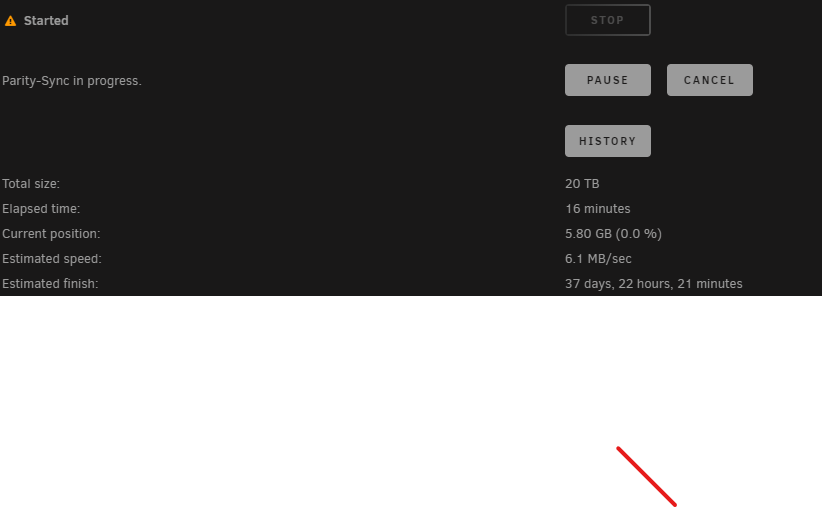
I just added a parity drive to my setup and I'm only getting 6MB write speeds. I'm not understanding why it's slow. I've even tried turning off docker completely, which does nothing to boost the performance. I am reseated all drives and confirmed all plugs were solid. My setup is a 1260H mini PC with a sabrent DAS attached. All running on USB 3.1. Here's a screenshot of my speeds and I've attached my diagnostics. Thanks in advance for your help! jcplex-diagnostics-20240614-1646.zip