





Gekko
Members
-
Joined
-
Last visited
Everything posted by Gekko
-
Setup: Unraid 7.2.5 on Unraid Server A (Terramaster F4-242) Docker custom network type: macvlan on br0 Nginx Proxy Manager (jc21/nginx-proxy-manager) on br0 with static IP 192.168.178.5 ISP: Vodafone Germany, DS-Lite (IPv6-only external connectivity) Fritzbox 7530 AX with IPv6 port forwarding to NPM's GUA address Everything worked perfectly on 7.2.4 and all previous versions for years What happened: After upgrading to 7.2.5 and rebooting, all externally exposed services became unreachable immediately. No other changes were made. Root symptom: Cloudflare (acting as reverse proxy) returns 522 (Connection Timed Out) for all domains. Diagnosis via tcpdump on br0: Cloudflare → NPM: Flags [S] (SYN arrives correctly) NPM → Cloudflare: Flags [S.] (SYN-ACK sent, hlim 255) Cloudflare → NPM: Flags [S] (SYN repeated — ACK never arrives)The SYN-ACK leaves the Nginx Proxy Manager (on unraid server A) (hlim 255 confirms: it exits the host) but never reaches Cloudflare. The TCP handshake never completes. Notable: cksum incorrect on all outgoing SYN-ACK packets from the macvlan container. What was tried: Fixed MAC address for NPM container (new Docker 29 requirement) ✓ Confirmed Fritzbox port forwarding points to correct IPv6 GUA (2a00:...) ✓ Fritzbox rebooted multiple times ✓ NPM container recreated, database restored ✓ Downgrade to 7.2.4 — problem persists (MAC remains fixed, IPv6 unchanged) ethtool tx/rx checksumming disabled on br0 and eth0 — no change iptables/ip6tables checked — no blocks on port 443 Key observation: The cksum incorrect on SYN-ACK packets from the macvlan container suggests a checksum offloading issue introduced with Docker 29 / kernel 6.12.85-Unraid on macvlan over br0. This may cause intermediate routers or Vodafone's DS-Lite AFTR gateway to silently drop the packets. System: Unraid 7.2.5 (downgraded to 7.2.4 again, problem remains) Docker 29.3.1 Kernel 6.12.85-Unraid Network: macvlan on br0 ISP: Vodafone DE, DS-Lite, AFTR: 2a00:0:cff:34a0::1
-
For me, not a single exposed service/domain is working after updating to 7.2.5: all domains are not reachable externally resulting in an error code 522. Downgrading to 7.2.4 again did not resolve the issue. I depend on my services being reachable, so this is a serious issue for me. Setup: Unraid 7.2.5 on Unraid Server A (Terramaster F4-242) Docker custom network type: macvlan on br0 Nginx Proxy Manager (jc21/nginx-proxy-manager) on br0 with static IP 192.168.178.5 ISP: Vodafone Germany, DS-Lite (IPv6-only external connectivity) Fritzbox 7530 AX with IPv6 port forwarding to NPM's GUA address Everything worked perfectly on 7.2.4 and all previous versions for years What happened: After upgrading to 7.2.5 and rebooting, all externally exposed services became unreachable immediately. No other changes were made. Root symptom: Cloudflare (acting as reverse proxy) returns 522 (Connection Timed Out) for all domains. Diagnosis via tcpdump on br0: Cloudflare → NPM: Flags [S] (SYN arrives correctly) NPM → Cloudflare: Flags [S.] (SYN-ACK sent, hlim 255) Cloudflare → NPM: Flags [S] (SYN repeated — ACK never arrives)The SYN-ACK leaves the Nginx Proxy Manager (on unraid server A) (hlim 255 confirms: it exits the host) but never reaches Cloudflare. The TCP handshake never completes. Notable: cksum incorrect on all outgoing SYN-ACK packets from the macvlan container. What was tried: Fixed MAC address for NPM container (new Docker 29 requirement) ✓ Confirmed Fritzbox port forwarding points to correct IPv6 GUA (2a00:...) ✓ Fritzbox rebooted multiple times ✓ NPM container recreated, database restored ✓ Downgrade to 7.2.4 — problem persists (MAC remains fixed, IPv6 unchanged) ethtool tx/rx checksumming disabled on br0 and eth0 — no change iptables/ip6tables checked — no blocks on port 443 Key observation: The cksum incorrect on SYN-ACK packets from the macvlan container suggests a checksum offloading issue introduced with Docker 29 / kernel 6.12.85-Unraid on macvlan over br0. This may cause intermediate routers or Vodafone's DS-Lite AFTR gateway to silently drop the packets. System: Unraid 7.2.5 (downgraded to 7.2.4 again, problem remains) Docker 29.3.1 Kernel 6.12.85-Unraid Network: macvlan on br0 ISP: Vodafone DE, DS-Lite, AFTR: 2a00:0:cff:34a0::1
-
Temporaly fix: In Unraid, go to DOCKER, click the browserless-v2 text link and change the repository to "ghcr.io/browserless/chromium:v2.44.0", this way the Karakeep deployment will work again untill an official fix is out!
-
Have the absolute same issue, Karakeep stopped working for me after 2 years of flawless use. The dev's decision to make such a breaking change makes me just speechless, it renders the use of browserless absolutely useless, cause the playwright dependencies of Karakeep/browserless can't match. The project gets flooded by weird design decisions lately and here we are: i don't understand how someone could make such a stupid decision once again.
-
Could you give at least some advice on how to handle this situation if people are using this plugin right now? Can we just uninstall the old version? How is the transition process? Please add some helpful instructions here, not just an "oopsi, it's over".
-
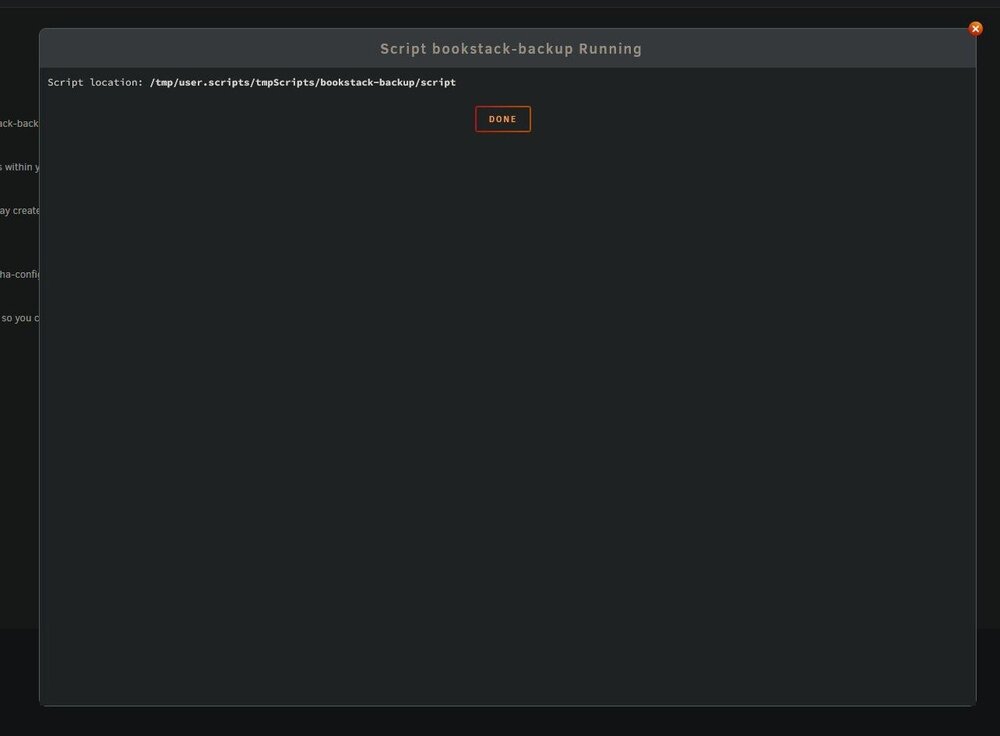
No output in the scipt window, no echos are visible:
-
I successfully installed linuxserver's fail2ban unraid container and i absolutely disagree with the idea that fail2ban needs privileged mode, nor do i understand how people can choose this mode for a container to "protect" their enivironment.
-
The matrix template is a mess, all A75G repos seem to be abandoned, the user A75G hasn't returned to this forum for almost a year.
-
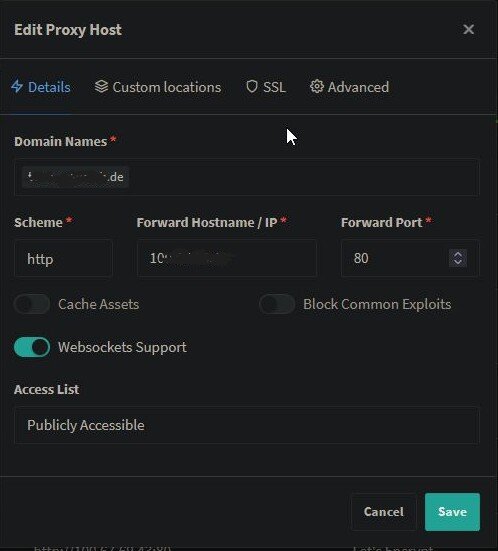
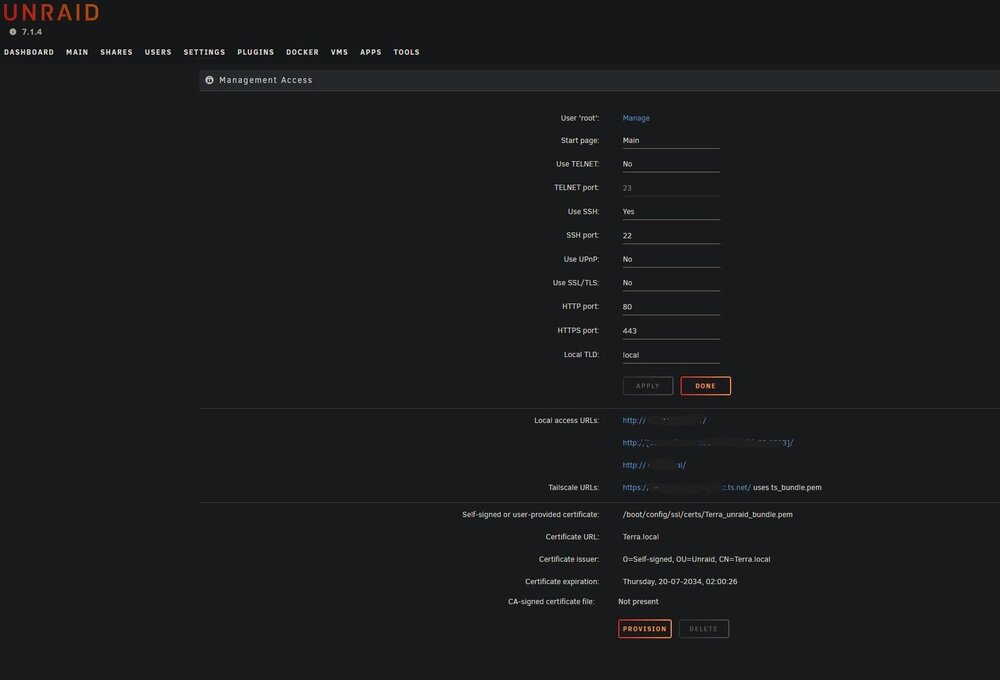
Hey, i'm getting really desperate here. I can't get a previous tailscale HTTPS/SSL config out of my system. What i've done before i had trouble: i activated tailscale i added the machine in the pool of machines in the config site of tailscale i activated HTTPS there in SETTINGS/MANAGEMENT ACCESS the tailscale cert appeared and the 'tailscale url' on this page went 'https'. This is what i wanted, everything went fine. Then i decided to change the approach: After watching the clip from Spaceinvader One i decided to better go the subdomain/tailcale-IP route, which he described as a 3rd option in this clip: https://www.youtube.com/watch?v=OTK4OwpxFek So i created the subdomains as DNS only at Cloudflare configured Nginx (with custom IP to prevent port jazz) to 'force SSL' and 'use a DNS challenge' for the Cloudflare API token successfully created the SLL certs restarted Nginx, restarted unraid My problem: After deactivating HTTPS on the tailscale config site, the certs on my unraid machine did not disappear. Even after deleting them manually, the unraid server is still in full tailscale https mode. I can't remove the only https link in the MANGAMENT ACCESS tab that's still there from my tailscale era. The subdomains at cloudflare (I'm using two unraid servers having the same issue) are correctly configured as DNS only, Nginx is configured properly, the SSL certificates are valid, but the browser says the subdomain connection is insecure/no SSL. When using the old tailscale domain, the connection is valid, although the cert was manually deleted and the tailscale config has https disabled. I hard refreshed the browser, the issue persists. I'm out of ideas. How can i get rid of the old tailscale https and move to the correctly configured subdomain/tailscale IP path with the browser accepting the correctly created Nginx certificate and showing no validation issues? I can't see any mistake here. Thanks for your help! terra-diagnostics-20250906-0406.zip

-
Could someone please give me a clue if this is normal? And if not, what i can do about it? I'm not very solid on docker grounds and i'm very concerned i might damage anything. Could someone please help me?
-
I'm looking for the right way to clean all the unused docker volumes. When going into the docker tab -> advanced view, there is not a single orphan image in the list. When entering docker volume ls in the console, i'm getting a list containing 80 entries (attachment) I have 15 active dockers, not a single other is needed. How do i solve this? When going into inspection, there are just cryptic IDs and i have not a single clue, what those images contain. Please provide a way how to get rid of all that unnecessary images without putting the active ones into danger. Thank you so much.

-
Could someone please give an update on how things work in 2025? This tutorial is TEN YEARS old. Reading all the comments, i'm still not able to say if deleting the docker.img is still recommended or not, we're missing a full update on this very important procedure. I can not proceed cleaning up my dockers without knowing the functional, recommended way in 2025.
-
Frankly, things go off with this container. Just checked it's size after a fresh installation of the browserlessv2 docker and it has a size of 3.79 GIGABYTES! There is something terribly wrong with this app.
-
I run Ollama in my local network and would like to give AI the task to tag and to summarize my bookmarks. Tagging works without flaws, but when initializing summaries, my config is full with the message that Karakeep skips this, cause it's "disabled in the config": 2025-07-27T16:25:04.586Z info: [inference][51955] Skipping summarization job for bookmark with id "lmjmui92kycaozckqzxkjyjd" because it's disabled in the config. 2025-07-27T16:25:04.586Z info: [inference][51955] Completed successfullyI don't have any clue, where and how this is disabled, as there is not any option anywhere. It's not in the docker parameters, it's not anywhere in the backend, i really don't know how to turn ON summarization. Can anyone help me?
-
Having read this forum thread completely to find the best way to install n8n, just to learn the whole documentation around it is the best possible mess i ever witnessed in all my time using unraid. Can someone please explain if the installation works with the version out of unraid's app repository or if it needs to be installed from inside the Docker app? Thank you
-
I had those problems, too and for me it's working when browserless-v2 is running the port 3012, but in the Karakeep docker, i needed this port to point at 3000 in the Karakeep browser address you need to specify everything like this: ws://x.x.x.x:3000/chromium/playwright?token=XXX Hope, it helps
-
Hi, i'm getting constant errors regarding Meilisearch (inside the Karakeep logs): 2025-07-23T08:43:32.883Z error: [search][36634] search job failed: MeiliSearchTimeOutError: timeout of 5000ms has exceeded on process 16983 when waiting a task to be resolved. Meilisearch is properly configured with a br0 adress (no conflicts) on port 7700 and properly configured in Karakeep pointing at the same spot using the correct Meili Master Key. Meilisearch is working properly inside the Karakeep webUI, parsing correct content hits. I'm out of ideas getting rid of that error appearing constantly.
-
Community Applications appear as "blacklisted" for me, too
-
When reading the "rebuliding a drive onto itself", i miss the "All existing data on this device will be OVERWRITTEN when array is Started". Cause i never had any situation like this, i need to be absolutely sure how to perform this correctly. I'm about to: stop the array and reassign DISK6 tick "MAINTENANCE MODE" click START What will happen next? Should the drive be formatted? Will the process of recreating DISK6 start by itself? Please don't mind me asking, i just need to be sure. Thank you soo much for your help!
-
Ok, i unassigned Dsik6 and started the array, then downloaded the new diagnositcs. terra-diagnostics-20250626-1549.zip
-
But what about the data on it? I am in full panic that this will destroy the array's integrity. Are you really sure i should do this? Sorry, i'm really panicking right now.
-
Hi! I'm in a bit of a trouble. I had a short power disconnection in my house, leaving my unraid system without power. It consists of a TerraMaster F-4 with 4 HDDs (1x12TB parity, 2x12TB plus 1x8TB data) and a TerraMaster D4-320 with 3x8TB data disks. When booting up, one of the D4 disks got the alert "All existing data on this device will be OVERWRITTEN when array is Started" I booted up several times, but the error persists. Can someone please give me support to get this array online again? I really have no idea what to do in this situation. I attached my diagnostics. Thank you soo much for helping out! :( EDIT: When clicking the disks in the MAIN tab, all drives have the info "GPT: 4KiB-aligned", the one that gets the warning has "GPT: custom"! terra-diagnostics-20250626-1521.zip
-
Hoarder/Karakeep was working like a charme for me, now since about a week ago, links added don't get fetched anymore. My Karakeep dashboard is full of white/emtpy previews with the pasted URL as title - performing a 'refresh' on every item does not get the content either. When restarting the docker, Karakeep sometimes refreshes the empty content itself, but it has worked for many months and i'm not understanding what's happening here. I'm on 0.24.1 btw and never skipped any update.
-
I did exactly this, entered a new path the way you described. When hitting APPLY the docker image disappeared completely. It is not visible over the DOCKER view in unraid, nor over the DASHBOARD view. Calling the /manage adress leads to errors. The docker image was working perfectly fine. How do i recover it? Using the ADD option and entering a new media path is all i changed. I don't have any idea how to undo the change and make the docker work again. Any help would be kindly appreciated. Thank you. EDIT: In the DOCKER view i hit ADD CONTAINER and on the following page i selected my binhex-plexpass docker image and i was able to remove the new path setting. This way plex is working again, but there seems to be no way to add an additional media path to plex with the information provided. There should be at least a working example provided to prevent misinterpretations.
-
How can i get this giant thread to display STUN/TURN SERVER issues only? I'm trying to get into this, but there is no way to proceed this amount of pages to look for a single issue - is this intended?



