





pete748
Members
-
Joined
-
Great news mate :) glad I could help.
-
Morning Siiire, I did, after removing all my plugins and scrips, and still having the issue it led me to the method of transcoding I was using. As far as I understand unraid runs in ram and so do the notifications which made me think it was my ram disk. I changed the location of jellyfins transcode to use /dev/shm instead of this extra parameters in the docker container --mount type=tmpfs,destination=/tempdl,tmpfs-size=1000000
-
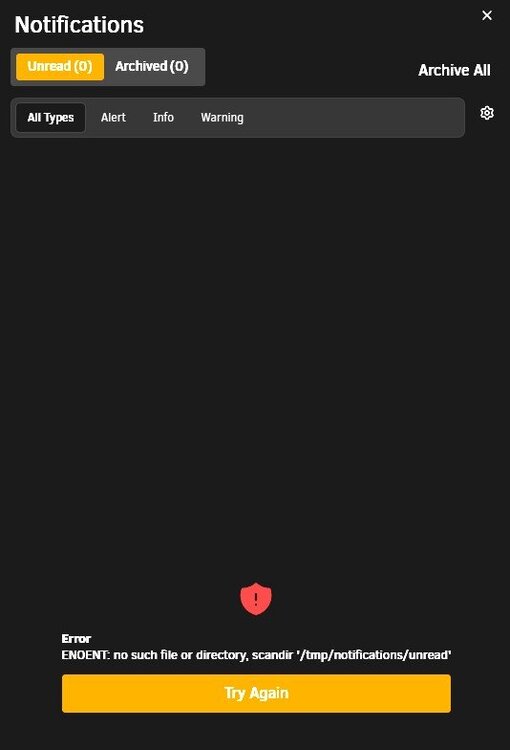
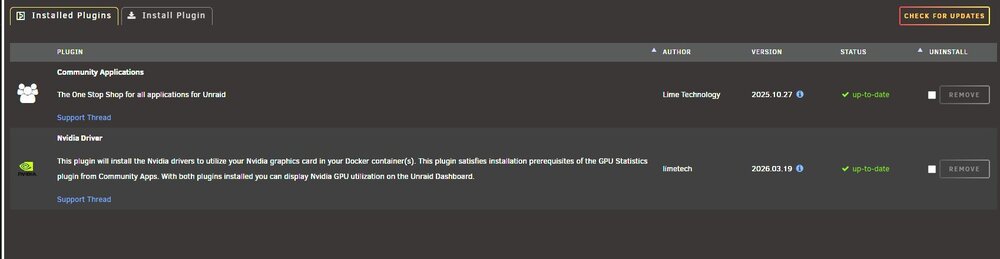
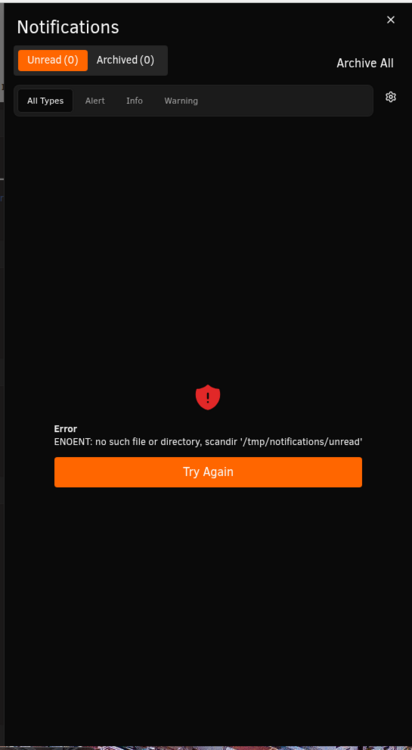
Hey Team, I've been having an issue with my notifications for a while. ENOENT: no such file or directory, scandir '/tmp/notifications/unread' I booted into Safe Mode, and the issue went away. I have been slowly removing plugins to identify which one is breaking my notifications, and I think it's the Nvidia driver plugin. It was the last one removed because I wanted my Jellyfin Docker to stay up. Once I removed it, the issue didn't happen. When I reinstalled it, the notifications issue came back. Thank you homeserver-diagnostics-20260320-1216.zip
-
I think I spoke too soon.
-
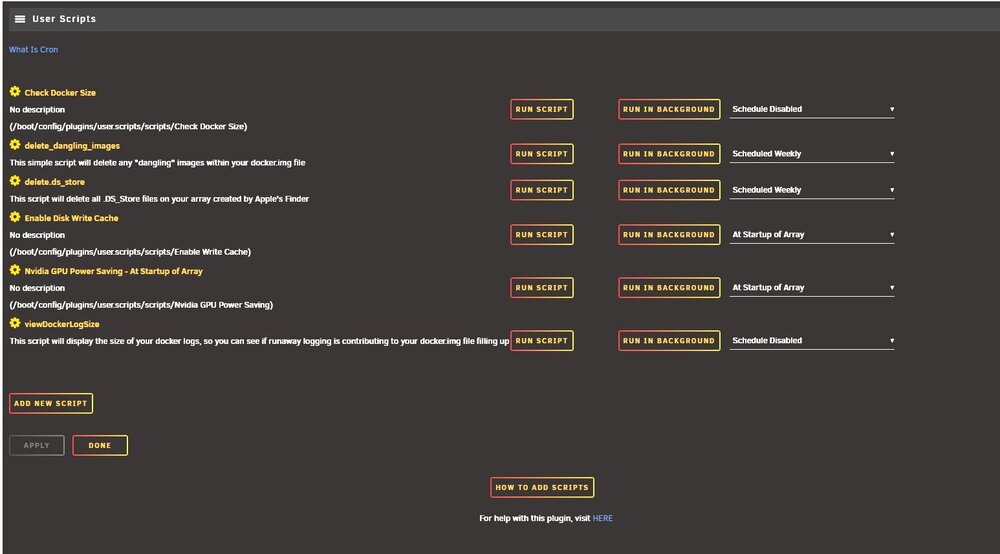
Hey trurl, I don't think so. Attached are my user scripts. I haven't touched them in a while. I do pipe out notifications to Discord. Thank you Peter
-
Hey JorgeB, I've just checked the notifications on my server and they seem to be normal. If a plugin is causing this issue would you be able to narrow it down from the diagnostics? Thank you Peter
-
Hey JorgeB, I've just booted the server into safe mode so will check tomorrow, it normally takes a while to go from working to not working. Thank you P
-
Hey All, I get the following error when checking notifications: ENOENT: no such file or directory, scandir '/tmp/notifications/unread' I did google the error and someone mentioned try uninstalling the unraid connect plugin which I have done. When rebooting the server everything seem fine for a 'while' and then I get the error. Thank you for your help in advance. homeserver-diagnostics-20260305-2036.zip
-
Hey mate, Your suggestion seems to have worked. It's been a few hours since following your instructions, and everything looks normal. Thank you for your help and support.
-
Thank you, I'll give this a go tomorrow and report back.
-
Hey buddy, Please see attached for the debug file. Thank you disklocation-2026-03-01.log
-
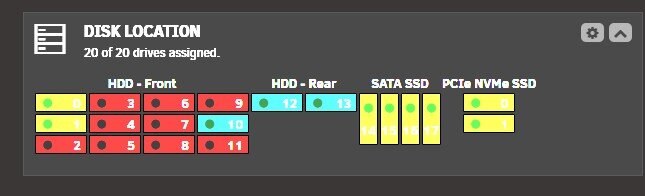
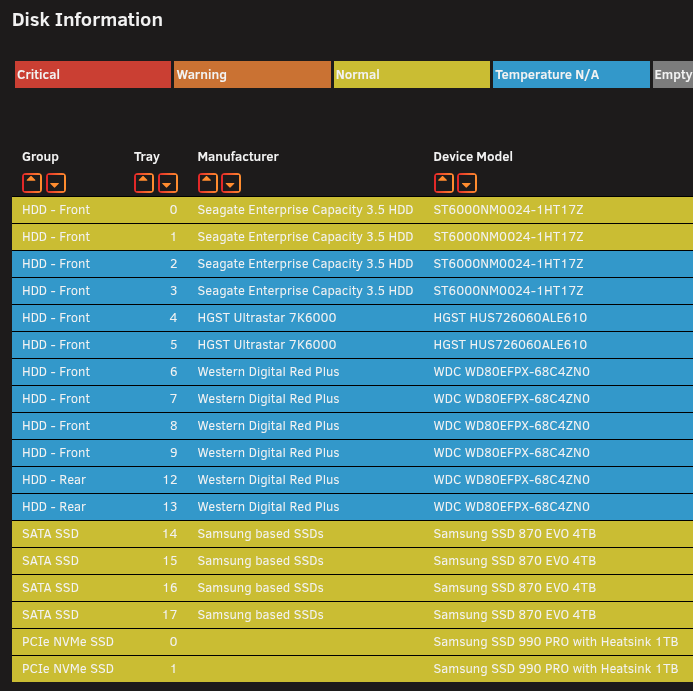
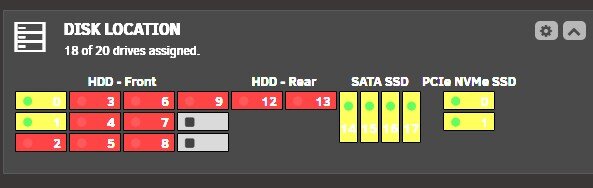
Hey mate. If I hover over the top LED is states disk spun down, the middle LED states SMART failed, the bottom LED says temperature unavailable. Hey mate. If I hover over the top LED is states disk spun down, the middle LED states SMART failed, the bottom LED says temperature unavailable.
-
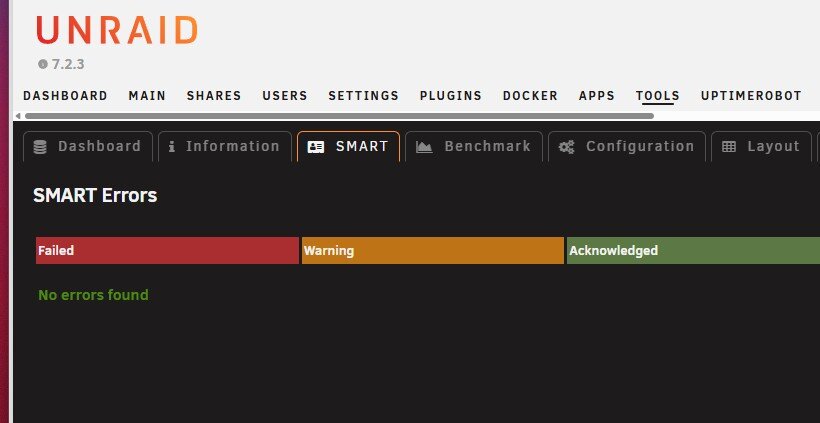
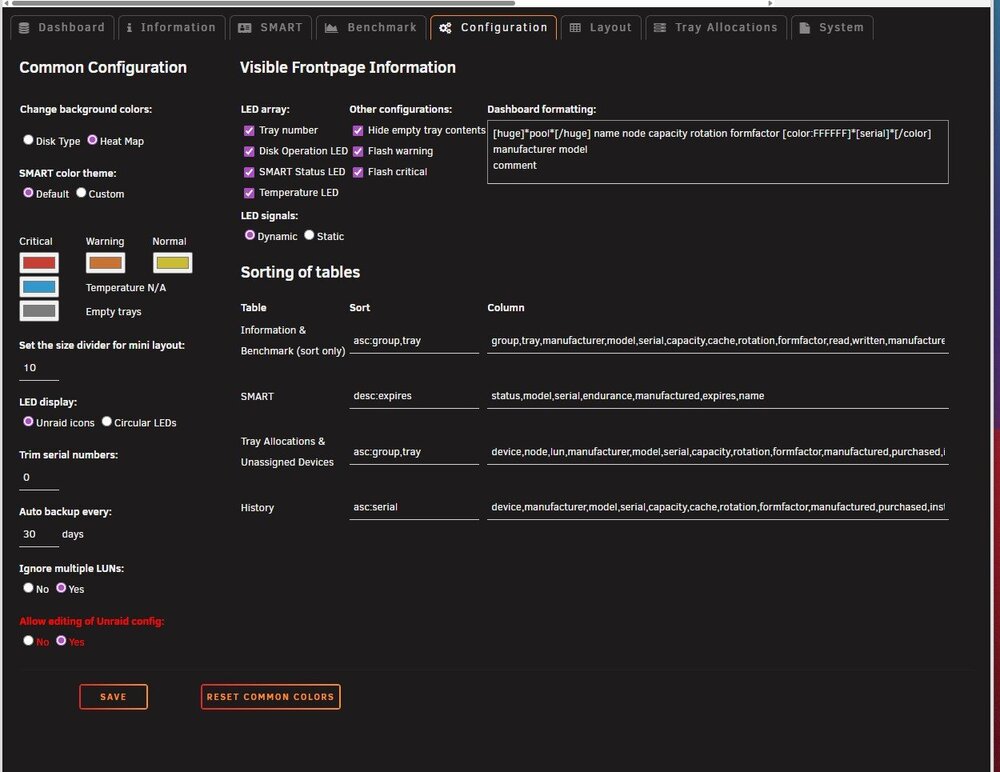
Hey mate, Apologies for the late reply. Please see the requested information below.

-
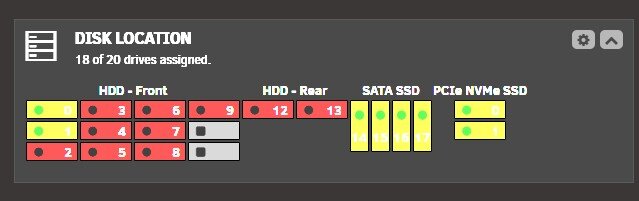
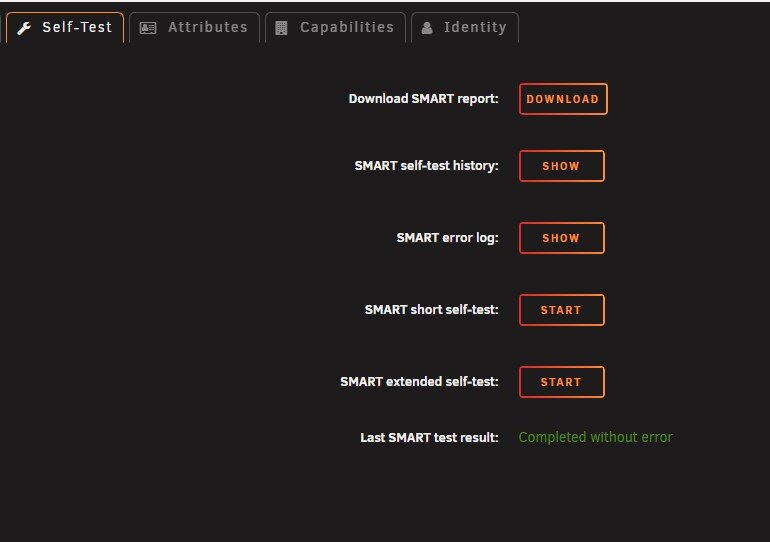
Hi team, Is anyone else seeing an issue where most of their disks are marked as a SMART fail (Red in the dashboard), but when they go into the SMART detail,s it says passed?
-
Hey Everyone, Hopefully, this is a really easy question to answer, or a setting that I can't find. How do I reset the external link warning dialogue, for example, if I clicked always allow, but now I want to revoke that? Thank you Peter



