Dr4g3r
Members
-
Joined
-
Last visited
-
The people that will "click" on link, are old, and don't have any knowledge of exploit vulnerability. Is for work, not for fun. If people do something during the day and don't have too much free time, i think this will be better world. Btw, thanks for advice. I already have all stuff work properly. Cheers!
-
Can you paste here some images from VM configuration. I already tried this, but without success, and i think something i missing from my side. Thanks in advanced.
-
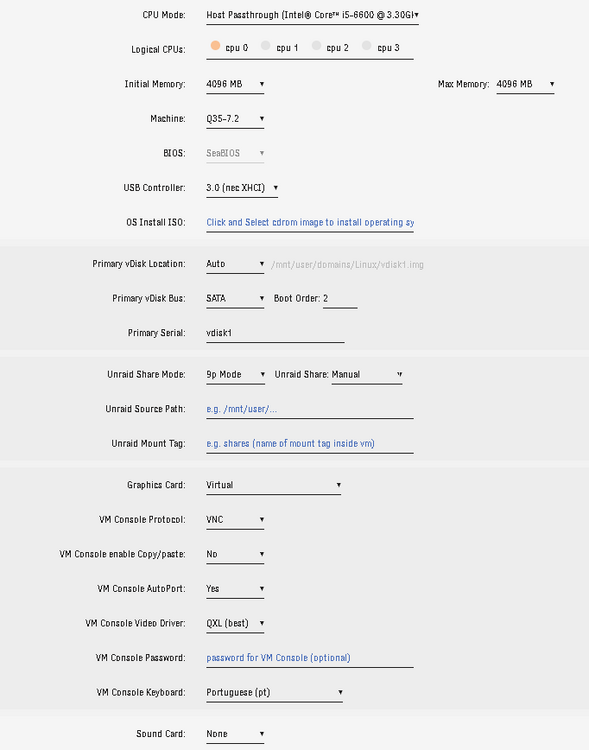
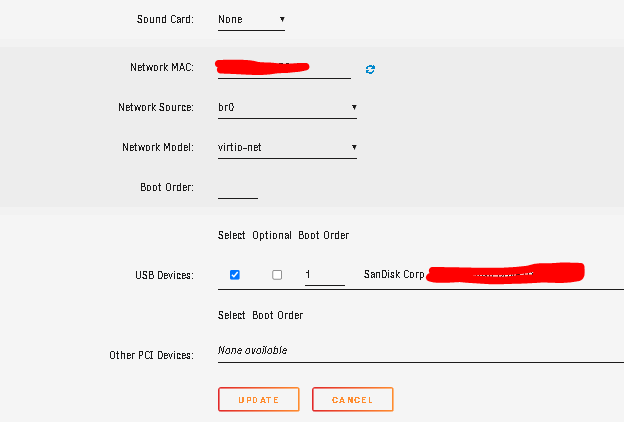
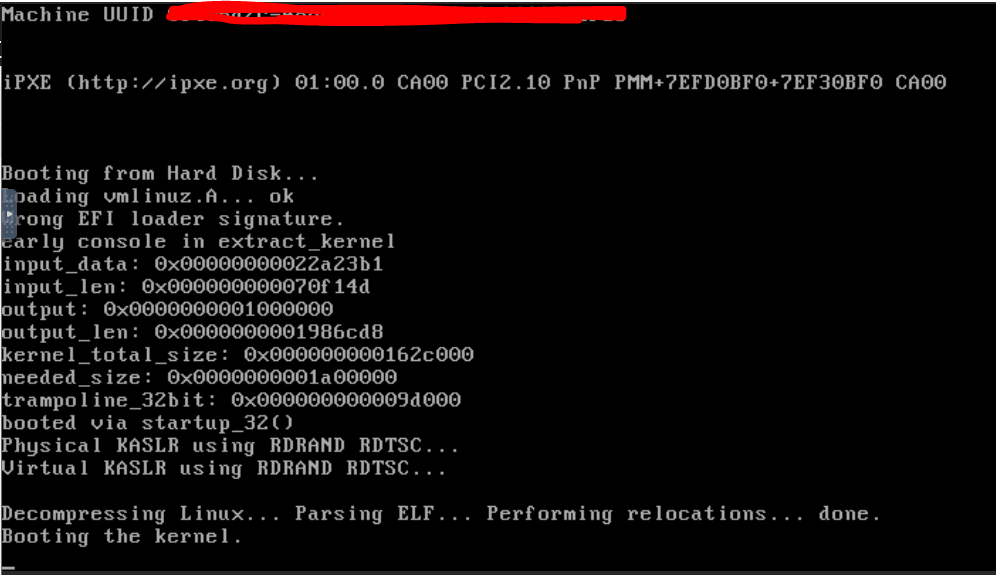
Hello! Sorry to reach this grave topic, but i need one help. I want to install chromeOS flex or fydeOS, but i'm struggling to boot with this. I don't understand why is so complicated to boot something on VM's with Unraid. I have this configuration above on my VM: When i boot from that USB that i created with Balena, i'm stuck on with this image: I already tried ChromeOS, and changed all the possible configs and the result os always the same. I already changed Machine from Q to i, Bios type, usb controller primary vdisk bus etc. I just want to boot FydeOS from my USB and install it on a 10GB partition. After this remove usb drive, and boot from disk and start using. What's the problem with this?! P.S.- If i removed the usb drive and connect to my laptop, i can boot without any problems. Thanks in advanced!
-
Don't get it yet, how i can share more that one folder?!
-
How i can install this on unraid? I'm not very experienced guy in linux or even on unraid
-
Can you make a tutorial, or something like that. I can tell you what i need and i think for most of people that use unraid it's a must (i use qnap, but change to unraid, but the change is dificult). I have some VM's with 100GB that i need to share with two or three persons. That people don't want any logins or password to download it, because we already have our private secure thing. Is just to make "click" on a link like a protocol, or something and choose in two folders, what they need to download. That's it Thanks a lot for this help
-
I have both scenarios. Right now, i'm using folders with files, but in the future i want to add some files to shared folders without any passwords or logins. Just a dns that redirect to my shared folder.
-
I always use this protocol without any problems. I'm not use with browsers, but with explorer.exe and work very fine. Btw.... if you need to give access to someone without any password to two shared folder, what's protocol is the "easiest" to use?
-
Any advice with some app that can do what i want? Thanks in advanced;
-
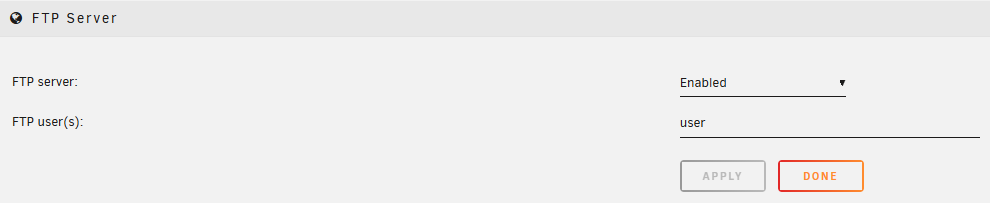
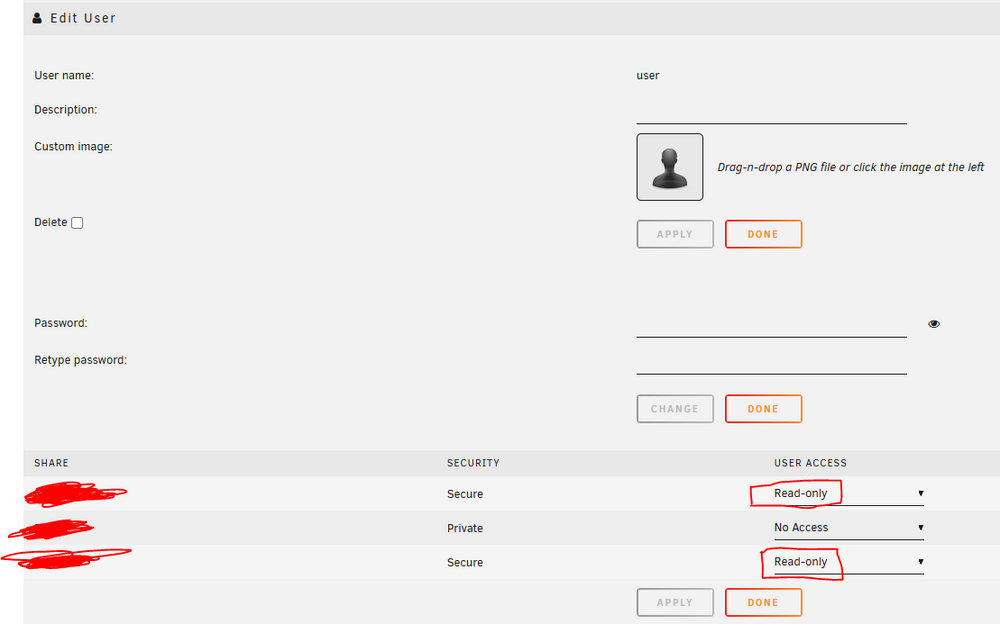
Hello! Sorry for bring this topic again, but i need one information. Actually i need a ftp or a secure ftp, because is the fastest way to share files online with people that don't understand nothing about computers. I just send the link, and people can download whatever they want like ftp://domain_name/shared_folder I enable the build in ftp server and on ftp user(s) i insert the user name that i have (without any password) just for read two folders like the image below: On shares i have this user with this permissions: when i tried to use ftp server, i can't. Ask me for a password, that i don't have, and when i insert anonymous login, just appear one windows that said "i don't have permission to access folder". I need access to these two folders that i have only with read-only permission and without any password. Just login anonymously Thanks in advanced