gega777
Members
-
Joined
-
Last visited
-
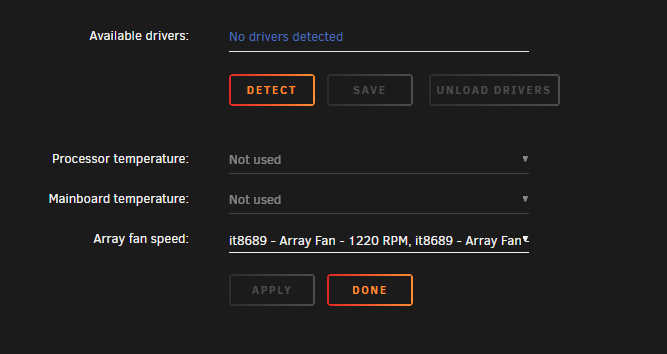
Here an screenshot of my settings page: When i enter the "k10temp it87" into the Available drivers i can not press the Save or Load/Unload driver buttons, there are always greyed out. And when i enter the k10temp it87 and click Detect nothing happens. I tried to reinstall the plugin but there was no change in the behavior.
-
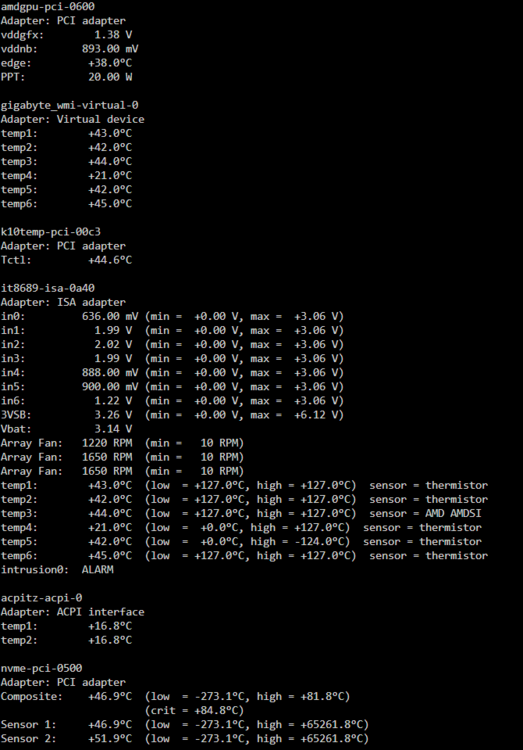
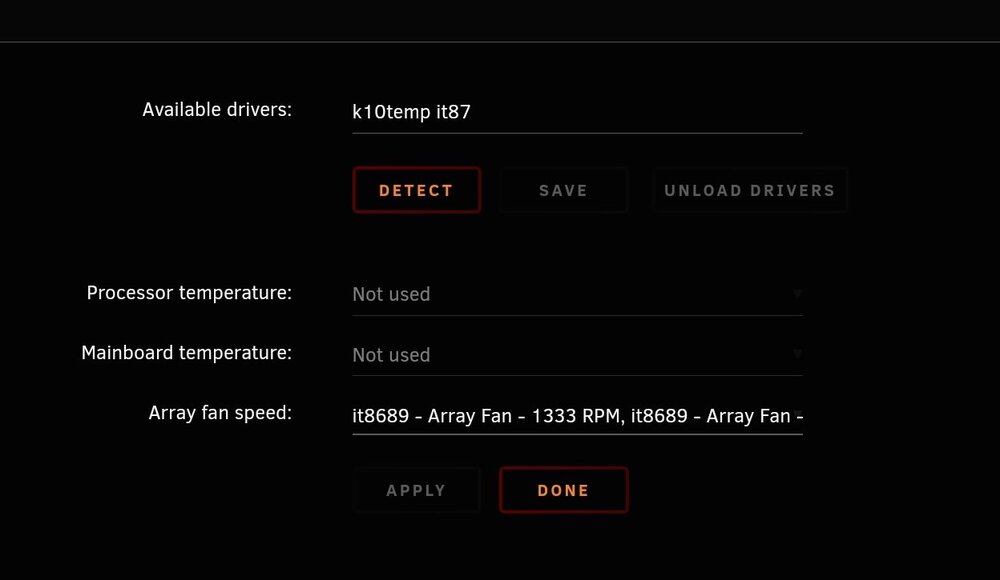
Hello everyone, I'm reaching out for some help with a problem I'm having with Dynamix System Temp. I’m not seeing the CPU and motherboard temperatures displayed. Here are my system specs: Motherboard (MBO): B550I AORUS PRO AX CPU: AMD Ryzen 7 PRO 5750G RAM: 32GB Samsung Multi-bit ECC (Unbuffered) UNRAID Version: 7.0.0-beta.2 I’ve managed to get the fan readings working using the ITE IT87 Driver from ich777 available in the App store. However, when I run the sensors command in the Terminal, I get the following output: And here is what the System Temp page looks like: Has anyone encountered this issue before or have any tips on how to fix it? I’d really appreciate any help or suggestions!