





maximinimal
Members
-
Joined
-
Last visited
Everything posted by maximinimal
-
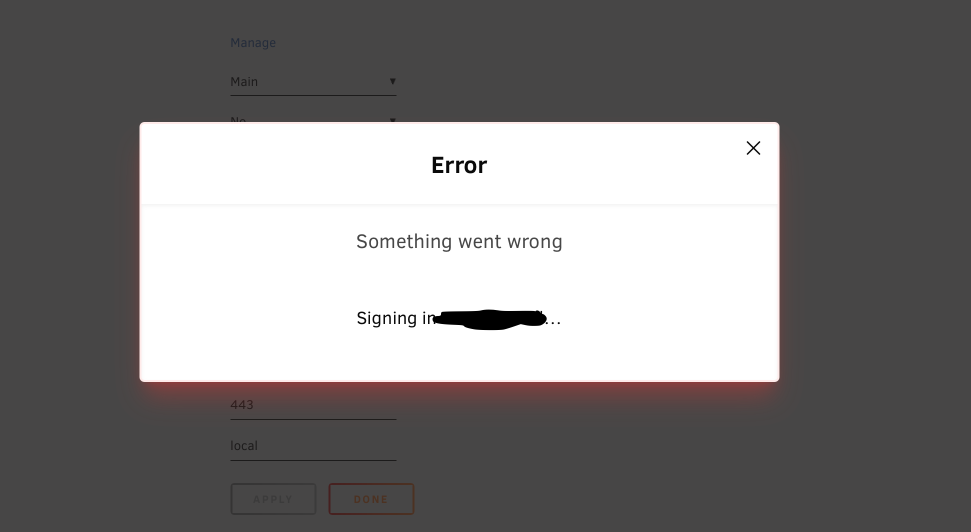
Here's the error message I constantly see.
-
Hi all, I'm having incredibly frustrating issues with Unraid Connect on two different servers in two different locations. The issue is identical on both servers: After enabling remote management and signing into Unraid Connect, all was good. After a week or two, neither server was reachable remotely, a problem for one server as it's offsite. I discovered that both servers had been logged out of Unraid Connect. I signed in again on both, and the problem resolved. A week or two later, same thing- both inaccessible remotely, both logged out of Unraid Connect. I uninstalled and then reinstalled the Unraid Connect plugin on one server. However, the login button was now MISSING from the plugin settings. I rebooted the server. Now, I cannot login to Unraid Connect at all. I am sent to the site to login, then when I get back to the server UI, I see a modal that reads "ERROR, Something went wrong" then "Signing in [my username]...", which after a long time switches to an error about being unable to sign in. After this, my server is visible on the Unraid Connect web app, despite not ever logging in successfully. I have attempted to delete the server from the web app multiple times, and this fixes nothing. I've also tried restarting the Unraid API multiple times, to no avail. This is incredibly frustrating and a huge time waste, as I have to travel between sites to deal with this. Has anybody experienced this? Any troubleshooting tips? I'm on 6.12.10.
-
Bueller?
-
Giving this one last bump in hopes that there's a solution to this!
-
Bump again? Any thoughts?
-
Hi all, sorry to dig this post back up, but my post with the same question is not getting any responses so hoping to get your advice here. I'm facing issues where my public WAN IP will change courtesy of my ISP. I'm guessing the SSL cert gets invalidated, as it makes it impossible to remotely access my server unless I physically travel to the server (which is offsite), connect locally, and delete the cert and provision a new one. Does the ability to delete and re-provision the certs programmatically exist for such a use case?
-
Welp, this occurred again this weekend for me after the power utility cut power to the whole block, including the fiber distribution system for the block. I once again had to travel to he building and reissue an SSL cert as remote access became unavailable. Surely there must be a way to call the API routes associated with the buttons in the UI, no?
-
Bump. Any thoughts on how I might be able to provision new SSL certs via script or SSH?
-
Hi all, I currently operate two Unraid servers, one of which is offsite backup for the other. Due to internet speed availability, the "offsite" actually lives in my home, while the main server (which hosts a variety of services) lives in another building I own in another physical location. My ISP offers only dynamic IPs, but I've worked around that effectively by running a user script to automatically update DNS records if and when my public IP changes. This works very well! Except, when this happens, I am no longer able to access the server remotely using Connect. The only solution I've found is to physically travel to the other location, connect to the server locally, and delete the SSL cert and provision a new one. I am then able to connect remotely. I suppose my question is, is there a way to programmatically delete and provision a new cert? I'd like to add this to my user script for my home-grown dynamic DNS, or at the very least be able to do this via SSH so that I can regain access without traveling to the other location.
-
This solution is great and all when you can access the machine locally, but what about when you, you know, need remote access? I'm honestly getting somewhat sick of Unraid randomly losing connection to Connect. I have two Unraid machines in different locations, with one serving as an offsite backup for the other. It's very frustrating when the remote machine spontaneously just stops being remotely accessible, as I'm not physically present on the network to remove and reinstall the plugin. If I could do that, then it would defeat the purpose of remote access altogether. Is there a way to do this via SSH?
