





korefuji
Members
-
Joined
-
Last visited
-
Plugin is great. Using it on 2 servers. I like the s3 feature, very useful. having an issue with 2 things to do with VM: 1) Editing a VM backup it always defaults to Snapshot and never to cold backup. 2) Backup always fails for VM No log errors that I can see, if there are logs. Just seeing a message of failed. It takes forever to backup too, gets to about 70% then fails. There is enough space for staging (2tb) but still fails. S3 bucket is valid and has space
-
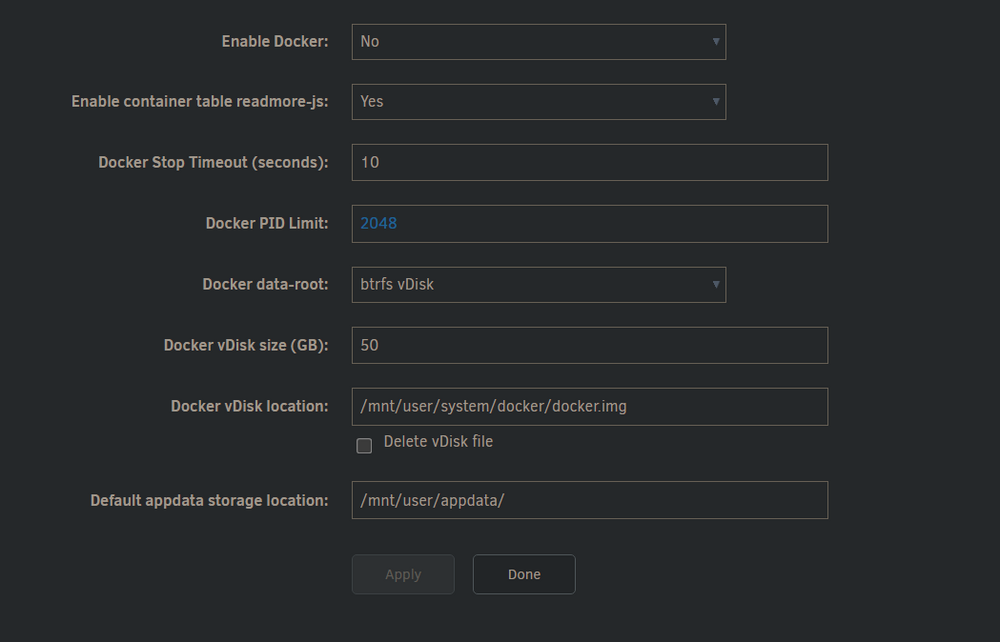
Had some help with this in Unraid Discord. Continuing here for convenience. I have moved my appdata using Mover to the pool - it was originally on the array, and I was told this was not the right way to set up. My current shares look like this. Cache is the cache drive where I move downloads to the data folder on the array. Main is the pool, I didnt' know what else to call it. I am not sure on the next steps. I was told NOT to change the following as everything gets mapped to the same path so it shouldn't change: so my question is what are the next steps, as the domains, isos, and system shares did not get moved by Mover over to the pool. Do i manually move the files over using file manager? Or do something else? Thanks

-
I tried Windows and CachyOS neither would install, the latter causing a kernel panic. So it's definitely hardware, Thanks
-
I suspected as much, after so many attempts. I would like to try to narrow down the problem. Are there any tests that can be done on the CPU? I believe RAM and Nvme and USB are fine, I feel it's the SoC/motherboard that has gone haywire
-
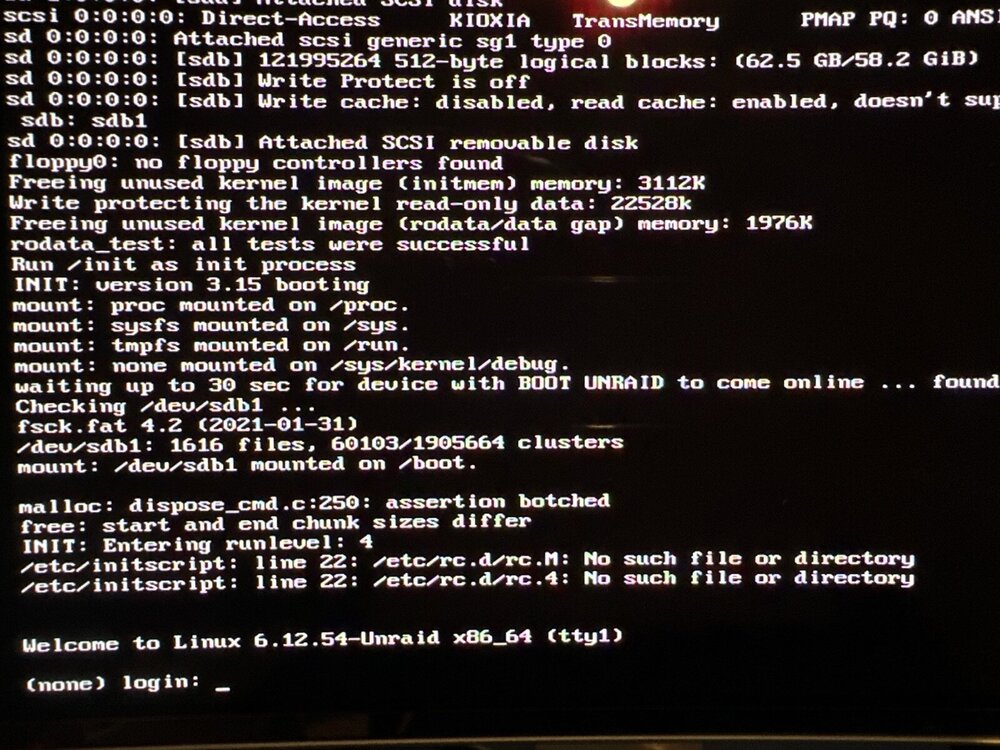
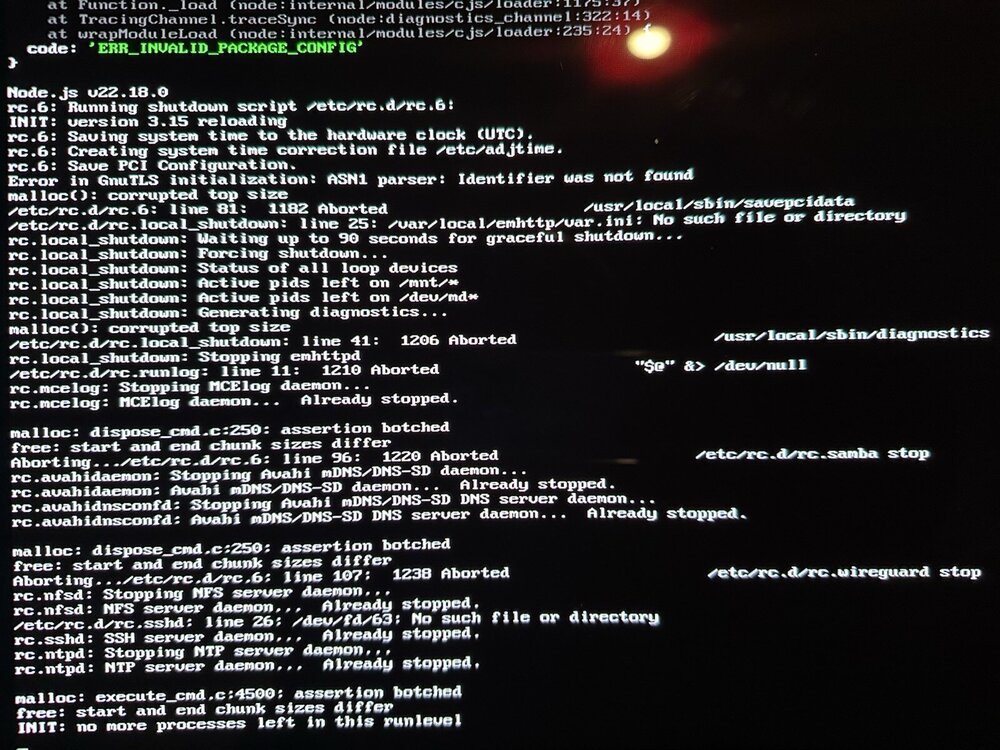
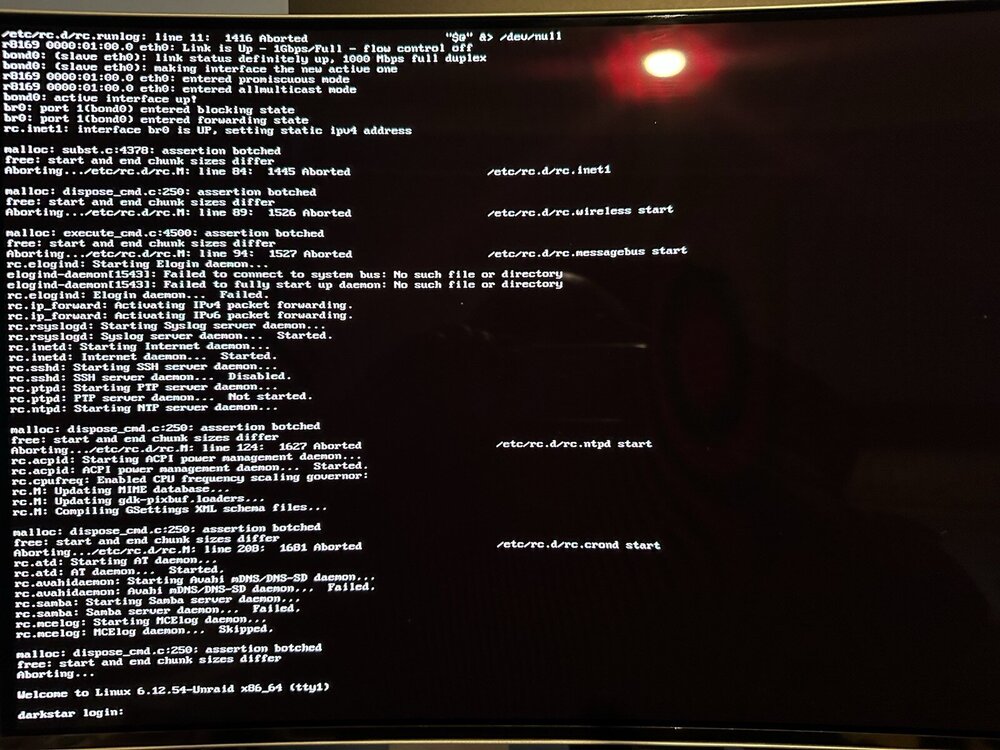
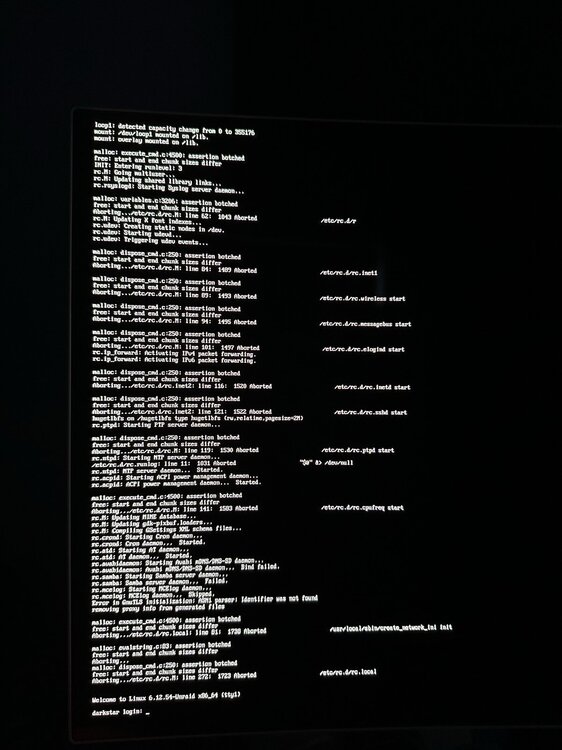
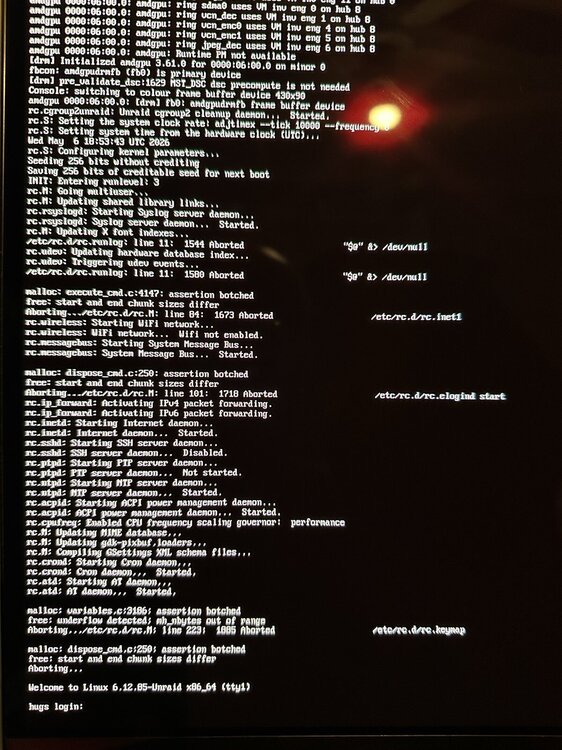
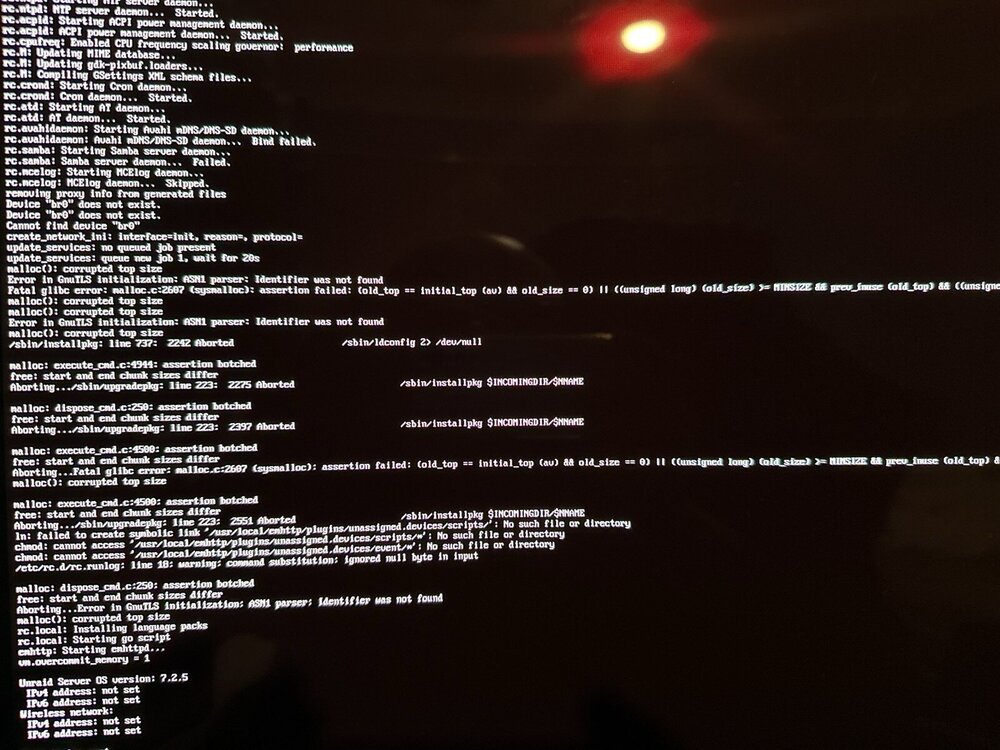
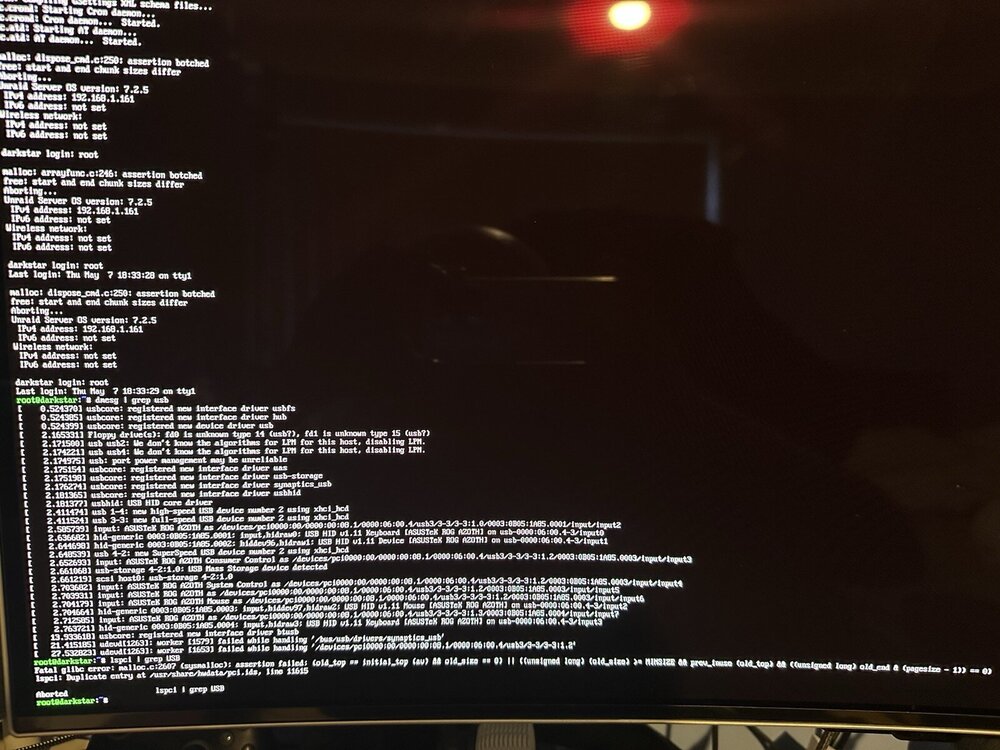
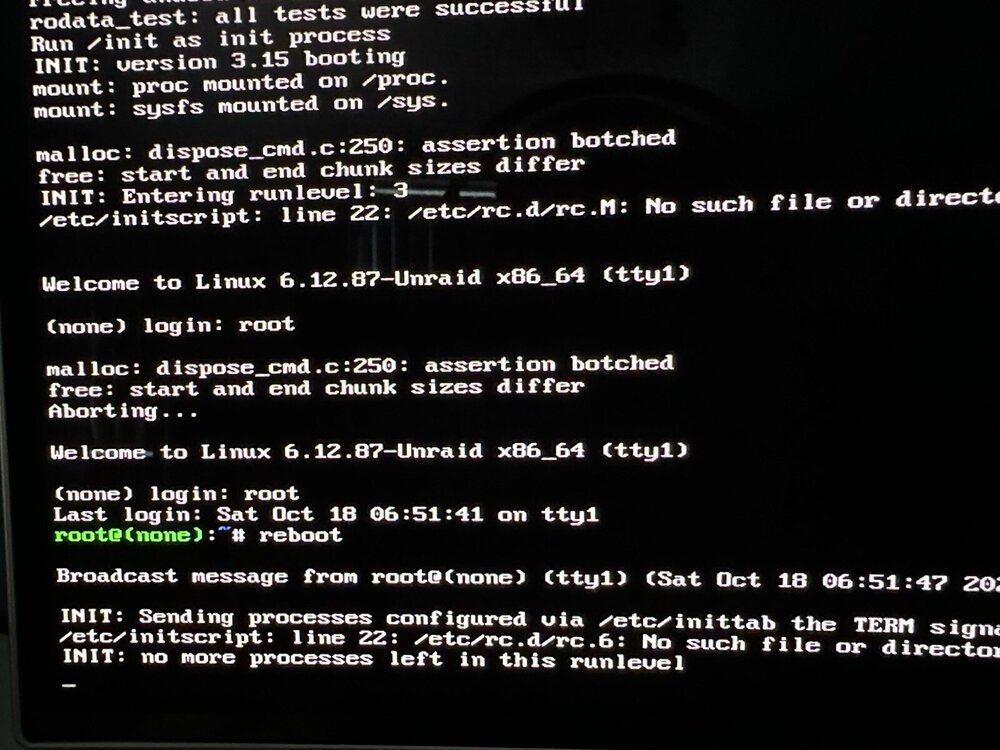
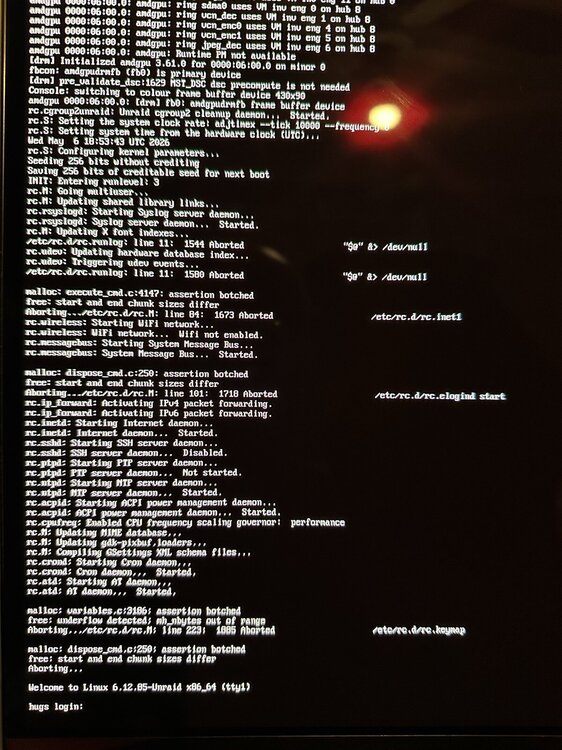
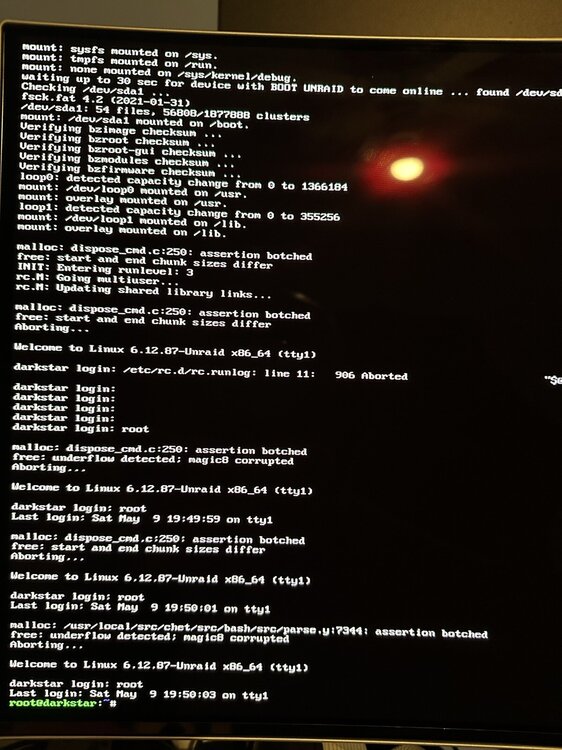
Test the RAM (2 x 32GB 3200MHz) for 24 hours no errors all passed. Tried another set of RAM (2x 8GB 2400MHz) Tried 3 USB: Brands: Kingston, Kioxia, Sandisk Did a sanity check, tested formatted 4 Nvme (2 x 1TB and 2 x 256GB) no problems. Hardware is: GMKTec M5 Plus Amd Ryzen 7 5825U 1GBPS Eth (Realtek) Nvme: Fangxiang 1TB, 256GB Samsung Pro 960 I had to take screenshots as the "diagnostics" option does not work. Tried several fresh installs with 7.2.4, 7.2.5, 7.2.6 on each stick. Not quite sure where to go from here. I cannot generate logs, or more accurately not sure how. "Diagnostics" option does not work. nomodeset does not make a difference
-
Abiotic Factor requires an update. I have restarted the server and it does not update, still on 1.2 game is on 1.3
-
this is great news. I have tested it and it works great. The only thing is, I understand that the latest proton now supports Encryption so the value of adding [SystemSettings] net.AllowEncryption=False is now considered legacy as of Proton 9-10. I don't know if that is your experience. However, I do still have to use the value above even on Windows to connect to the server
-
After doing it a few times it eventually pulled. Thanks
-
I have no issues with Abiotic Factor since I played it in October 2025. I loaded it today and 1) can no longer see the server in the server browser list by friends 2) I can see it but cannot connect to it 3) it no longer shows in steam server browser either I think the latest update possibly did something? Things I have tried: Deleted SteamApps folder. Deleted the entire folder after backing up. Installed a new fresh copy and still get the same output except a new world is generated. Here is the output of the log file after starting it seems shorter than normal LogIoDispatcher: Display: Reading toc: ../../../AbioticFactor/Content/Paks/global.utoc LogIoDispatcher: Display: Toc signature hash: 0000000000000000000000000000000000000000 LogIoDispatcher: Display: Mounting container '../../../AbioticFactor/Content/Paks/global.utoc' in location slot 0 LogPakFile: Display: Initialized I/O dispatcher file backend. Mounted the global container: ../../../AbioticFactor/Content/Paks/global.utoc LogPakFile: Display: Found Pak file ../../../AbioticFactor/Content/Paks/pakchunk0-WindowsServer.pak attempting to mount. LogPakFile: Display: Mounting pak file ../../../AbioticFactor/Content/Paks/pakchunk0-WindowsServer.pak. LogIoDispatcher: Display: Reading toc: ../../../AbioticFactor/Content/Paks/pakchunk0-WindowsServer.utoc LogIoDispatcher: Display: Toc signature hash: 0000000000000000000000000000000000000000 LogIoDispatcher: Display: Mounting container '../../../AbioticFactor/Content/Paks/pakchunk0-WindowsServer.utoc' in location slot 0 LogPakFile: Display: Mounted IoStore container "../../../AbioticFactor/Content/Paks/pakchunk0-WindowsServer.utoc" LogPakFile: Display: Mounted Pak file '../../../AbioticFactor/Content/Paks/pakchunk0-WindowsServer.pak', mount point: '../../../' LogSteamShared: Display: Loading Steam SDK 1.57 LogOnline: Warning: OSS: [FOnlineUserEOSPlus::Initialize] BaseUserInterface delegates not bound. Base interface not valid LogOnline: Warning: OSS: [FOnlineStoreEOSPlus::Initialize] BaseStoreInterface delegates not bound. Base interface not valid LogOnline: Warning: OSS: [FOnlineStoreEOSPlus::Initialize] BasePurchaseInterface delegates not bound. Base interface not valid LogOnline: Warning: OSS: [FOnlineExternalUIEOSPlus::Initialize] BaseExternalUIInterface delegates not bound. Base interface not valid LogOnline: Warning: OSS: [FOnlineVoiceEOSPlus::Initialize] BaseVoiceInterface delegates not bound. Base interface not valid LogOnline: Warning: OSS: [FOnlineUserCloudEOSPlus::Initialize] BaseUserCloudInterface delegates not bound. Base interface not valid LogHAL: Display: Platform has ~ 63 GB [66806472704 / 68719476736 / 63], which maps to Largest [LargestMinGB=32, LargerMinGB=12, DefaultMinGB=8, SmallerMinGB=6, SmallestMinGB=0) LogTextureEncodingSettings: Display: Texture Encode Speed: Final (cook). LogTextureEncodingSettings: Display: Oodle Texture Encode Speed settings: Fast: RDO Off Lambda=0, Effort=Normal Final: RDO Off Lambda=0, Effort=Normal LogTextureEncodingSettings: Display: Shared linear texture encoding: Disabled LogAudioCaptureCore: Display: No Audio Capture implementations found. Audio input will be silent. LogAudioCaptureCore: Display: No Audio Capture implementations found. Audio input will be silent. LogGameAnalyticsAnalytics: Display: FAnalyticsGameAnalytics Constructor LogAudio: Display: Registering Engine Module Parameter Interfaces... LogAssetManager: Display: Ignoring PrimaryAssetType PlayerCharacterVoice - Conflicts with PlayerCharacterVoiceDataAsset - Asset: PlayerCharacterVoice_FemaleA LogAbiotic: Display: Game version is 1.2.0.23023 LogAbioticRemoteConsole: Warning: Remote console through HTTPS is explicitly disabled. LogAbiotic: Display: WorldSaveName set from param: HamHouse LogInit: Display: Game Engine Initialized. LogInit: Display: Starting Game. LogGameMode: Display: Match State Changed from EnteringMap to WaitingToStart LogAbiotic: Display: Steam Sockets Initialized! LogAbiotic: Display: Dedicated Server entered ServerEntry, checking world save for corruption LogAbiotic: Display: World save: HamHouse LogAbiotic: Display: World save Integrity State: Playable LogAbiotic: Display: Dedicated Server is now loading the main map LogInit: Display: Engine is initialized. Leaving FEngineLoop::Init() LogGameMode: Display: Match State Changed from WaitingToStart to LeavingMap PacketHandlerLog: Warning: PacketHandler encryption component is configured as DTLSHandlerComponent, but it won't be used because the cvar net.AllowEncryption is false. LogAbiotic: Warning: Session short code: WA35S LogGameMode: Display: Match State Changed from EnteringMap to WaitingToStart AdvancedSessionsLog: Warning: GetLocalPlayerNameFromController Bad Player Controller! LogOnlineSession: Warning: EOS: FOnlineSessionSettings::bUsesPresence is set to false, bAllowJoinViaPresence and bAllowJoinViaPresenceFriendsOnly will be automatically set to false as well LogStreaming: Error: CreateExport: /Game/Blueprints/DeployedObjects/Furniture/Deployed_CraftedChargingStation (0x87894D47E1FC2906) /Game/Blueprints/DeployedObjects/Furniture/Deployed_CraftedChargingStation (0x87894D47E1FC2906) - Could not find template object for NiagaraDataInterfaceSkeletalMesh_1 LogStreaming: Error: CreateExport: /Game/Blueprints/DeployedObjects/Furniture/Deployed_CraftedChargingStation (0x87894D47E1FC2906) /Game/Blueprints/DeployedObjects/Furniture/Deployed_CraftedChargingStation (0x87894D47E1FC2906) - Could not find template object for NiagaraDataInterfaceStaticMesh_1 LogOnline: Warning: OSS: [FOnlineVoiceEOSPlus::GetNumLocalTalkers] Unable to call method in base interface. Base interface not valid LogOnline: Warning: OSS: [FOnlineVoiceEOSPlus::ClearVoicePackets] Unable to call method in base interface. Base interface not valid LogEOSSDK: Warning: LogEOSSessions: Invites Allowed was enabled on a session which is not the presence session. Only the presence session will advertise that invites are allowed. LogEOSSDK: Warning: LogEOSSessions: Invites Allowed was enabled on a session which is not the presence session. Only the presence session will advertise that invites are allowed. LogEOSSDK: Warning: LogEOSRTC: TickTracker Tick is delayed. TimePeriod=[10.006323s] TickIntervalThreshold=[0.100000s] MaxTickInterval=[0.106456s] MaxExecutionTime=[0.000017s] TicksCount=[6140] ExpectedTicksCount=[1000] LogOnline: Warning: OSS: Async task 'FOnlineAsyncTaskSteamCreateServer bWasSuccessful: 0' failed in 15.001502 seconds
-
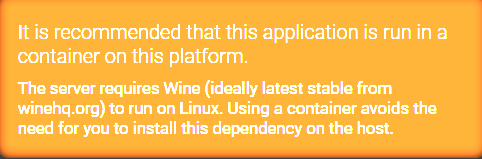
Understood, but i can't even get a non containerised version working of Astroneer. And Abiotic Factor is recommended as a Container, so Im just sharing my experience. If they work that'd be enough but I'm facing issues right now as above.
-
Getting the following error when trying to install via docker containers. I don't know if this is intended behaviour. Create Instance Failed: This instance either requires or has been configured to use containers, but Podman was not found on the system. vbnet Changing setting ADSModule.Defaults.PropogateRepos to True Changing setting ADSModule.Defaults.ContainerManager to 0 Create Instance Failed: This instance either requires or has been configured to use containers, but Podman was not found on the system. Changing setting ADSModule.Defaults.ContainerManager to 2 Create Instance Failed: This instance either requires or has been configured to use containers, but Podman was not found on the system. Changing setting ADSModule.Defaults.UseDocker to False Changing setting ADSModule.Defaults.ContainerManager to 0 Updating remote source CubeCoders/AMPTemplates:main Updating existing remote source https://github.com/CubeCoders/AMPTemplates.git... No stash entries found. Non-managed instances exist, autoconfigure cannot guarantee that the configuration is valid! Waiting for AMP instance to start... AMP instance Astroneer01 is now running. Managed remote instance Astroneer01 at http://127.0.0.1:8081/ Authentication token --- for sekhujin requested by ManageInstance on behalf of sekhujin Slow method invocation: ManageInstance took 6089ms to complete. Slow response: ADSModule.ManageInstance took 6090ms to complete. Slow method invocation: Login took 5050ms to complete. Slow response: Core.Login took 5051ms to complete. Managed remote instance Astroneer01 at http://127.0.0.1:8081/ Slow method invocation: Servers took 11808ms to complete. Slow response: ADSModule.Servers took 12772ms to complete. Authentication token ---- for sekhujin requested by ManageInstance on behalf of sekhujin Slow method invocation: ManageInstance took 8174ms to complete. Slow response: ADSModule.ManageInstance took 8175ms to complete. LIM - Failure to make API call to Astroneer01 (Timed out): The request was canceled due to the configured HttpClient.Timeout of 30 seconds elapsing. Slow method invocation: Servers took 30003ms to complete. Slow response: ADSModule.Servers took 30003ms to complete. LIM - Failure to make API call to Astroneer01 (Timed out): The request was canceled due to the configured HttpClient.Timeout of 30 seconds elapsing. Slow method invocation: Servers took 30002ms to complete. Slow response: ADSModule.Servers took 30002ms to complete. Slow method invocation: Login took 31619ms to complete. Slow response: Core.Login took 31620ms to complete. Slow method invocation: Login took 10032ms to complete. Slow response: Core.Login took 10033ms to complete. First image is when trying to install Abiotic Factor. The 2nd deployment log is when trying to install Astroneer. Thanks
-
It was user error. I had a personal token for GH which was blocking installs via docker. Removing it from ./docker/config.json fixed it
-
Having an issue installing Project Zomboid Unable to find image 'ghcr.io/ich777/steamcmd:projectzomboid' locally docker: Error response from daemon: Head "https://ghcr.io/v2/ich777/steamcmd/manifests/projectzomboid": denied: denied. See 'docker run --help' Has the image been locked or removed? Thanks EDIT: It was user error. I had a personal token for GH which was blocking installs via docker. Removing it from ./docker/config.json fixed it
-
Hello I have Rocketchat and Mongodb working as sep instances. I am not able to get video working, and the instance of RocketChat is at 8.0.1 so not latest. Can anyone advise how to add video/voip services to the original CA? Since the AIO is no longer supported as per message above, I am using the original CA. I don't get any errors, Im just not sure how to add it. Jitisi is not available and neither is Rocket Meet within the app, so I am not sure where to go from there Thanks in advance
-
Thanks for replying. So as an alternative I used your other code here: https://github.com/ich777/docker-steamcmd-server My commands are below. It installs, files are in the correct directory it says start server, but it shuts down no errors docker run --name Voyager -d \ -p 7788:7777 -p 7789:7778/udp \ --env 'GAME_ID=3937860' \ --env 'GAME_NAME=Voyage of Nera' \ --env 'GAME_PORT=7789' \ --env 'UID=99' \ --env 'GID=100' \ --volume /mnt/user/appdata/steamcmd:/serverdata/steamcmd \ --volume /mnt/user/appdata/voyager:/serverdata/serverfiles \ ich777/steamcmd:latest





