





Yusseiin
Moderators
-
Joined
-
Last visited
-
Seems not only your fault, my unraid was misconfigured so no problem :)
-
Thanks a lot JorgeB for the deep explanation, i have recover everything. And thanks for pointing out the misconfigured Docker and System Shutdown, i do not remember to have change this somewhere in the past, but i have move the shutdown time-out to 240 has suggested. Thanks again
-
Hi everyone's, I have just updated to 7.3.3 from 7.3.2 and at the restart i have lost 80% of my docker app. The folder has remained but there is no app. Can someone help me understanding if there is a way to restore them and why the got lost? mordor-diagnostics-20261009-0721.zip
-
I understand but is skipping python installation plugin: skipping: python3-3.14.4-x86_64-1dwn_slack15.0.txz - Unraid version too high, requires at most version 6.12.99 plugin: skipping: python-pip-26.1-x86_64-1dwn_slack15.0.txz - Unraid version too high, requires at most version 6.12.99 plugin: skipping: python-setuptools-82.0.1-x86_64-1dwn_slack15.0.txz - Unraid version too high, requires at most version 6.12.99 plugin: skipping: python3-3.13.13-x86_64-1dwl_slack15.0.txz - Unraid version too high, requires at most version 6.12.99 plugin: skipping: python-pip-26.1-x86_64-1dwl_slack15.0.txz - Unraid version too high, requires at most version 6.12.99 plugin: skipping: python-setuptools-82.0.1-x86_64-1dwl_slack15.0.txz - Unraid version too high, requires at most version 6.12.99 plugin: skipping: python3-3.12.13-x86_64-1dwp_slack15.0.txz - Unraid version too high, requires at most version 6.12.99 plugin: skipping: python-pip-26.1-x86_64-1dwp_slack15.0.txz - Unraid version too high, requires at most version 6.12.99 plugin: skipping: python-setuptools-82.0.1-x86_64-1dwp_slack15.0.txz - Unraid version too high, requires at most version 6.12.99 plugin: skipping: python3-3.11.15-x86_64-1dw_slack15.0.txz - Unraid version too high, requires at most version 6.12.99 plugin: skipping: python-pip-26.1-x86_64-1dw_slack15.0.txz - Unraid version too high, requires at most version 6.12.99 plugin: skipping: python-setuptools-82.0.1-x86_64-1dw_slack15.0.txz - Unraid version too high, requires at most version 6.12.99 Is only Python 3.11.15 working on 7.3.2 ?
-
Hi, is this still supported? On my Unraid 7.3.2 is returning "Unraid version too high" when installing python.
-
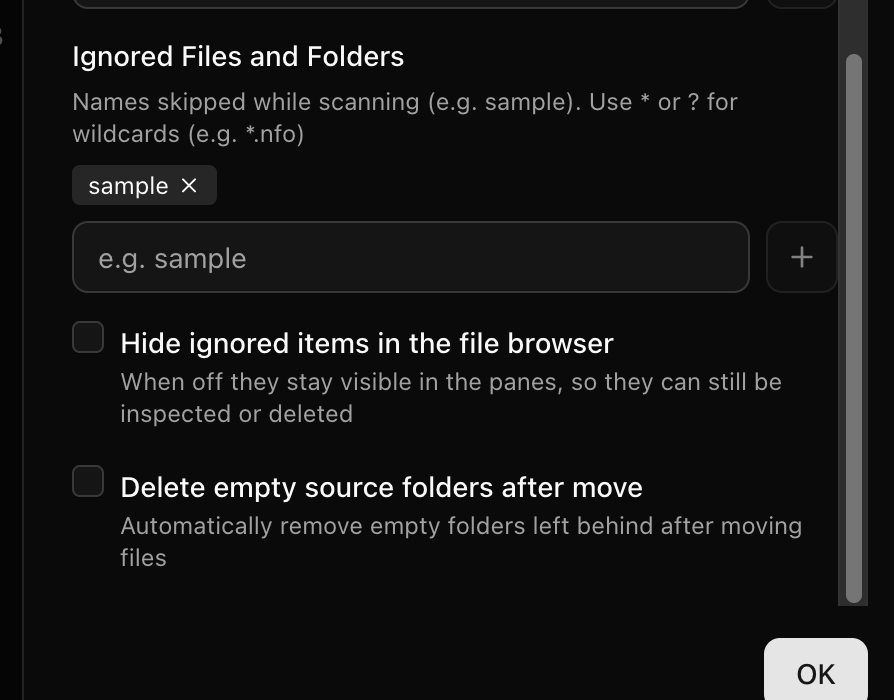
Hi DookiE I will add those in the next release :) Edit. Added in v0.0.34

-
Hi, someone has already tried this on the new internal boot ? The old "flash backup" will still backup the internal boot too ?
-
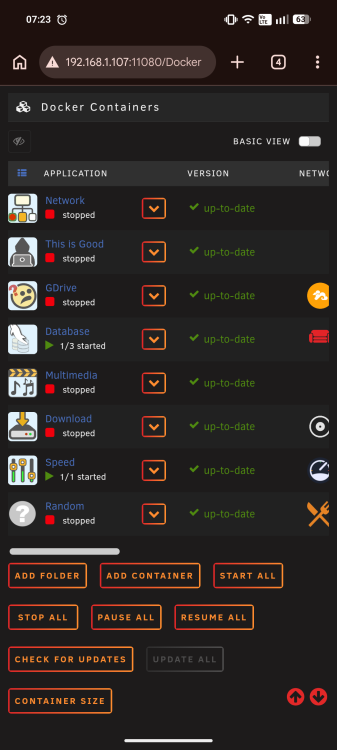
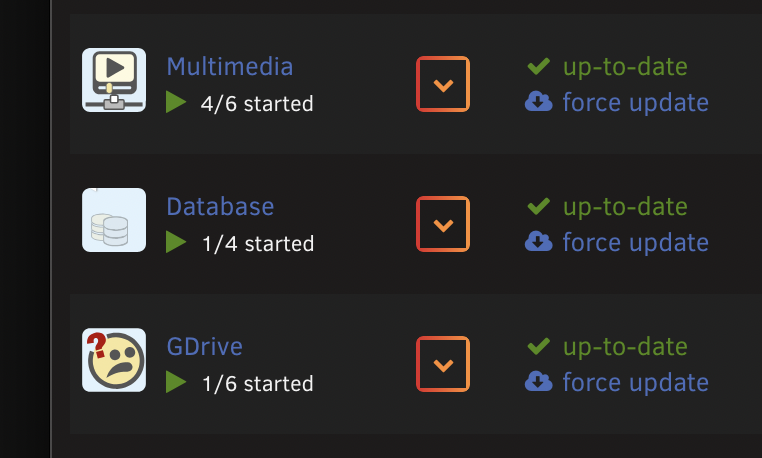
Is the a way to order the Folder once they are created? Like if i want to have "Database" at the bottom ?
-
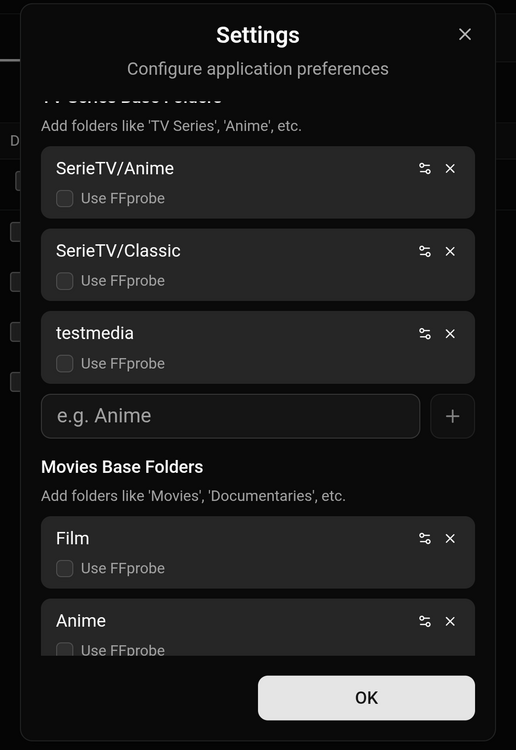
In the settings you can set default path for movies and tv series. You can have multiple path as you like in the image i have SerieTV/Anime and SerieTV/Classic already configured i can choose them in the rename process. It should move and rename .srt, .ass too, i will check this. For now there is no plan on adding new features since for me it has all the things i need and the other user that are using it are thinking the same. I am open to any suggestions to improve it :) It won't have any automatic feature, it is meant to be a "Mobile FileBot with the ability to copy?move", it is not meant to be a copy of *arr.
-
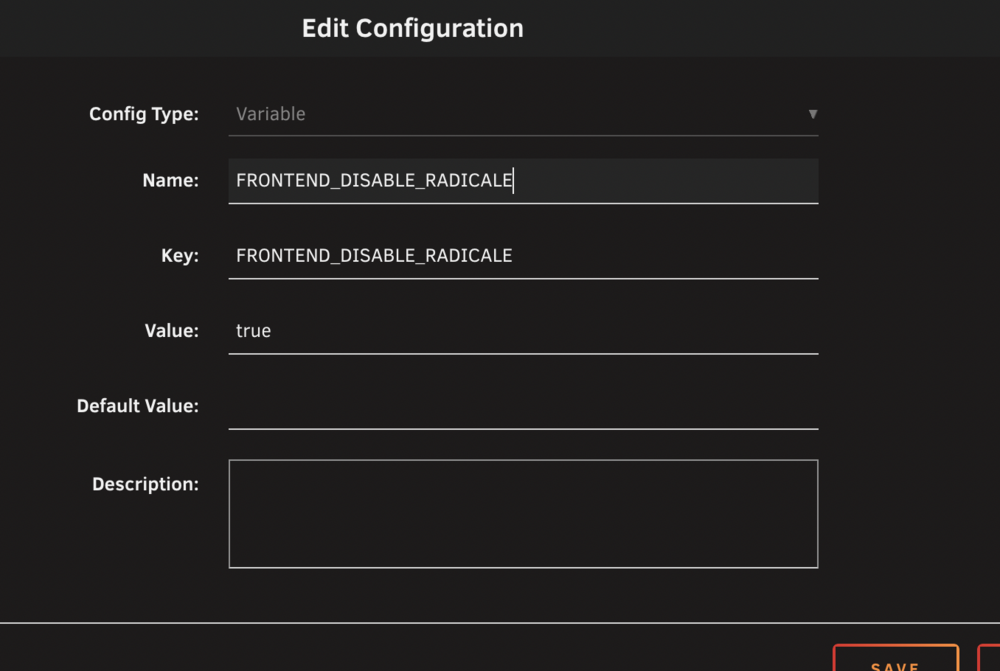
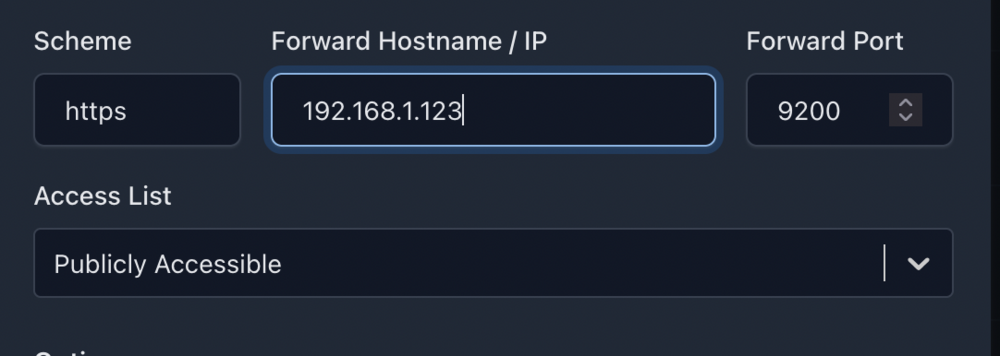
OpenCloud è una piattaforma di file self-hosted che consente di archiviare, organizzare e condividere file direttamente dal proprio server, con un'interfaccia web pulita che funziona bene per la gestione quotidiana di documenti e file multimediali. Offre account utente, gruppi e controllo dei permessi adeguati e semplifica la creazione di link di condivisione pubblici senza dover ricorrere a servizi di archiviazione di terze parti. È inoltre possibile estenderla con applicazioni web opzionali che compaiono nell'app switcher e, se in seguito si desidera una collaborazione completa sui documenti, è possibile integrare servizi come Collabora o OnlyOffice. Su Unraid in particolare, si adatta perfettamente a una configurazione che privilegia le prestazioni: mantiene la configurazione su SSD/cache per garantire la reattività, mentre archivia i file di grandi dimensioni sull'array per garantire la capacità. Creare cartelle e impostare i permessi (terminale Unraid)Aprite il terminale di Unraid e digitate un comando per volta: Creazione cartelle # Creare la cartella web app per installazione app aggiuntive (per OpenCloud “App Store” downloads che vanno installate a mano) # Cambiate i permessi a UID/GID 1000 # Cambiate i permessi della cartella a 751 (solo cartelle) Installate l app OpenCloud dal CA, va scelta quella di joly0 Nella configurazione dovete cambiare l' OpenCloud URL con il vostro dominio, l'admin password con una password a vostra scelta e aggiungere una nuova variabile FRONTEND_DISABLE_RADICALE impostandola a true Create il reverse proxyA seconda del servizio che usate create la regola di reverse proxy attenzione che il servizio è in https. Ad esempio con Nginx Primo login From Admin Settings, you can add users, groups, and manage spaces. Installazione “App Store” web apps (Draw.io, External Sites, etc.) OpenCloud’s App Store scarica un zip/archive, ma noi dobbiamo scaricarlo manualmente e metterlo nella cartella che abbiamo creato prima: Ora vediamo un esempio per Draw.io Create una cartella (example: Draw.io) Esempio di come deve essere (il nome dipende dall app che avete scaricato): Riavviate OpenCloud e la nuova app sarà presente nell'elenco app.
-
Si male che vada rimetti la starter dentro e riparti da dov'eri. Una volta modificato il config della chiavetta nuova ti basta metterla nel NAS.
-
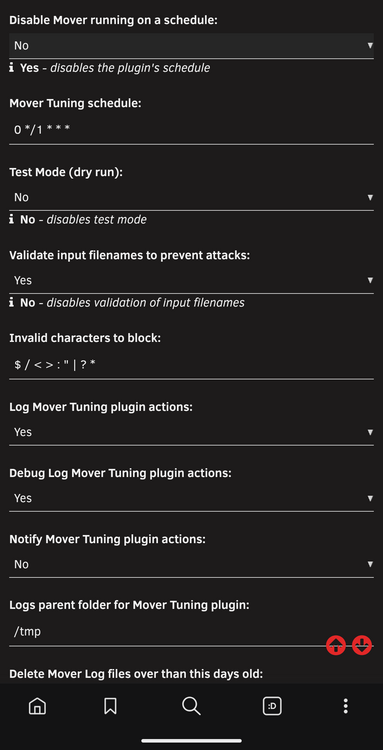
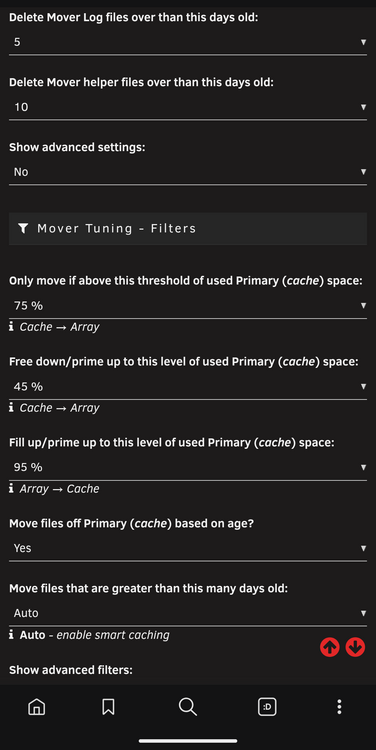
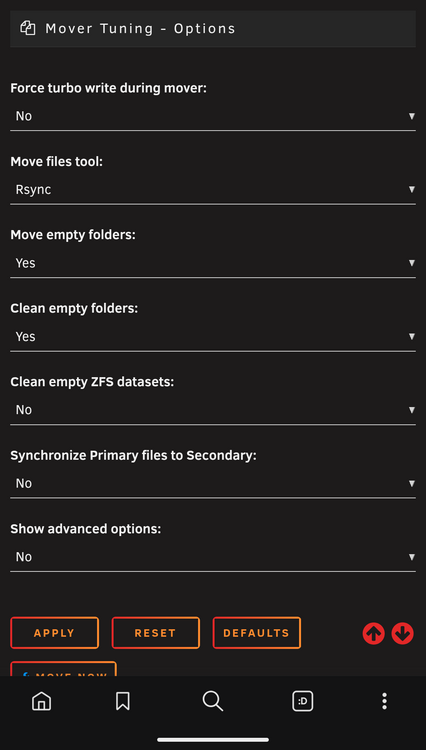
There were no bad settings, the problem was that i have 75% threshold and an ignore file. If your cache reach > 75% every x time ( 1 hours in my case ) the mover tries to empty it. This behavior is intended. The problem is that if this > 75% is made with file that are being ignored by the mover ( they are in the ignore list or they are being used ) the moving is getting triggered making your array drive spinning, but it wont move anything. This is getting an infinite loop until the cache reach a value <75%
-
It was him* My settings are this
-
The disks always spun up at the same time, which was the same time the mover was called up. To figure this out, I stopped any app that could access the files (*arr, plex, etc.) and watched the behavior. In the end, it was still doing it, so I also stopped the mover, and in the end, it was him. To solve this, I increased the mover thresholds.
-
Both does not show who is accessing the file but knowing what file is getting called can lead to that. If you have no file showing but disk still spinning you could be in the same situation as me. In my case it was ca.mover that was trying to move file from cache to the array but since those file was in an ignored list or being used it was not able to move it, but it was still spinning the disk







