SneakyBeakyLike
Members
-
Joined
-
Last visited
Everything posted by SneakyBeakyLike
-
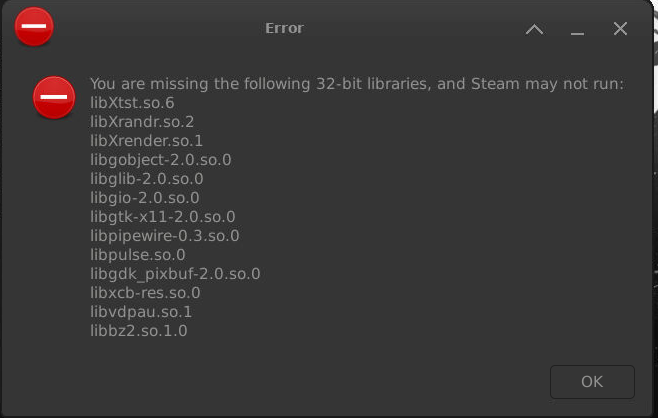
Steam-headless was working fine, then all of a sudden today I get this: Searching this issue, I found suggestions of several commands to run to install these libraries but I get some sort of permission denied error every time I try. The only change I made to my server was that I changed around the configuration of drives in my cache pool, but I know there wasn't some catastrophic damage to my appdata folder as all 20 other dockers I have installed work fine. The cache was completely 0.00B used of 2TB available when I swapped disks around. I tried a completely fresh install of steam-headless because my game library is on a separate share that I can just point to at any time, but I got the same error.
-
Update: The ability to access my server seems to go in and out. Still always works over wifi. But whether the LAN connection will work at this point seems up to random chance. It coincides with the Plex client on my PC being unable to reach the server as well.
-
Strict is a selectable option so that rules out the first paragraph there. I did some digging into the DNS rebinding issue previously and my router does not have a setting for it. A user in another forum post provided a way to test if DNS rebinding is enabled by pinging a non existent unraid.net page and observing which IP it resolves to and the results were as expected for DNS rebinding to not be enabled. I also don't get the warning message about it being enabled from unraid. Edit: this also wouldn't explain how the only variable between clients that I know of is the wired vs wireless connection.
-
Ok I will give that a try. That being said I have tried it without tailscale enabled (uninstalled the plugin) and same result. I haven't tried safe mode to disable all plugins though.
-
I started messing around with the unraid connect plugin to configure remote access, and to generate an API key for nzb360. That all seems to be functioning, but I can no longer access the webui from a wired LAN connection. It works fine over wifi on either my phone or laptop, and it's resolving to [hash].myunraid.net when I type just the local IP into a browser. However when I try on my PC which is connected to the router via ethernet, the connection times out every time. I've tried both the FQDN LAN and WAN links, tried multiple browsers, typing in various combinations of http:// and https:// (SSL is set to strict which is required for remote access). Remote access on connect.unraid.net works as tested by my phone on 5G. The server is connected to the LAN/router through a powerline adapter, which I originally thought was the problem, but I tried using a direct ethernet connection as well and that didn't help. Router is a netgear CAX30 and does not have DNS rebinding enabled. I tested with my ISP, Cloudflare, and Google's DNS servers and none changed the behavior. I am using the "address reservation" function of the router to lock the server's local IP at 192.168.1.10 because without that, any time the server was disconnected or offline it would get assigned a new, different IP on boot. Also the nzb360 unraid feature can't connect even though I've followed the guide and generated an API key for it. tower-diagnostics-20250917-1559.zip
-
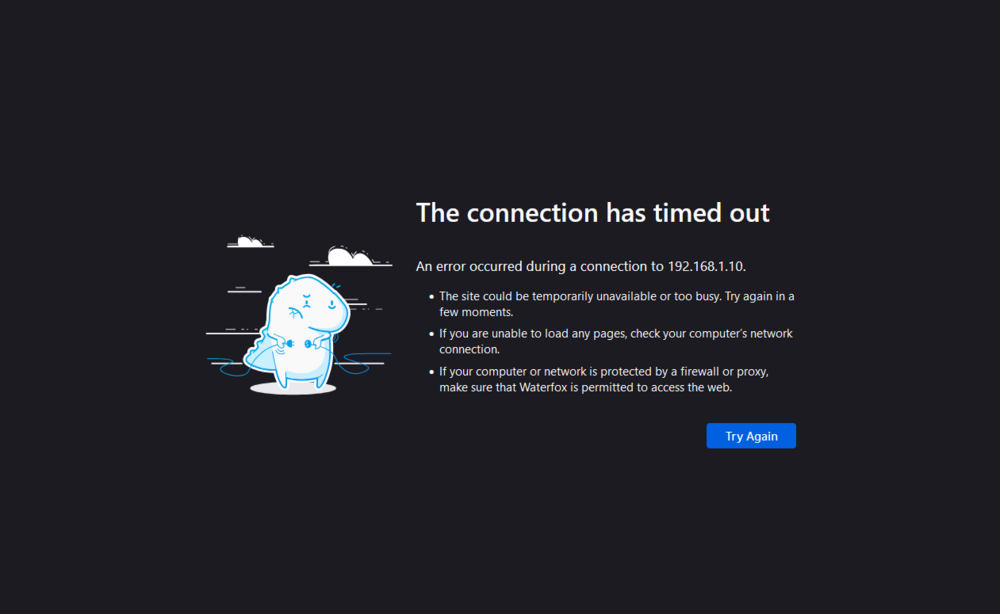
I have a strange issue that cropped up after a recent move to a new apartment. This apartment does not lend itself to having the unraid server connected via a direct ethernet connection to my router. I bought a set of powerline adapters and connected the server to one adapter and my router to the other (not ideal, I know, but it's better than nothing and the adapters seem to have no issue with the fact that it's an apartment building. They have AES encryption for security of the network). My server is assigned a static IP via my router settings of 192.168.1.10. I can access the unraid GUI with no issues via a wifi connection to my router, whether on my phone or my PC. However, when I connect my PC to my router via ethernet (they're in the same room), the connection times out. I am not able to access any docker container webguis either, yet they also work fine via a wifi connection. I have not set up a self signed certificate or anything, which sometimes results in the annoying "accept risk and continue" prompt but other than that I never had any issues in my last house. I used a MoCA network in my last house for a similar setup but this is my first time trying powerline. All attempts were done using firefox both on my phone and my PC.
-
Figured out from another post the issue was that I didn't have user shares enabled in the pool settings
-
Trying to get a share to use cache, I have the cache drive mounted and in a 1 disk pool named "Cache". When I go to the array share to try to get it to use the cache, the option to select "Cache" (the pool device) shows up under secondary storage but is greyed out and can't be selected. Docker/VMs are disabled, since that's what the FAQ says to do. Any and all guides I can find regarding how to set up a cache drive are for older versions of unraid that had the "cache:yes" options, etc.
-
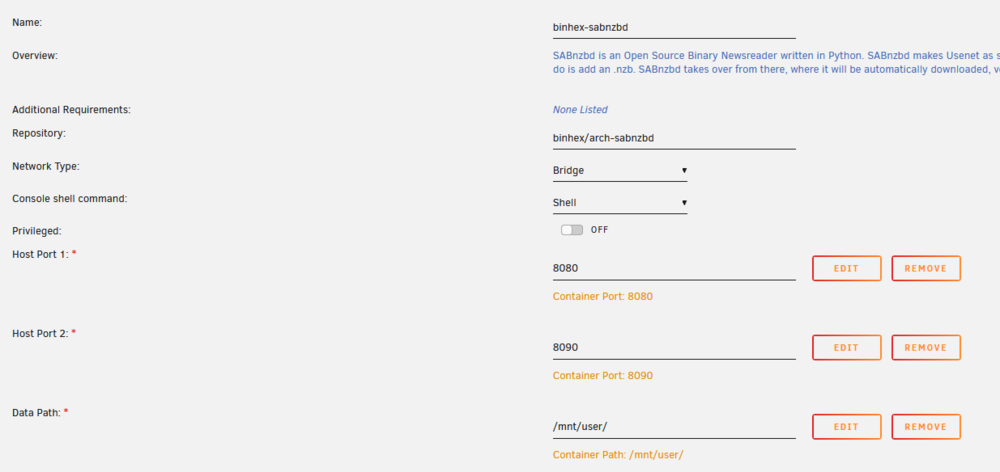
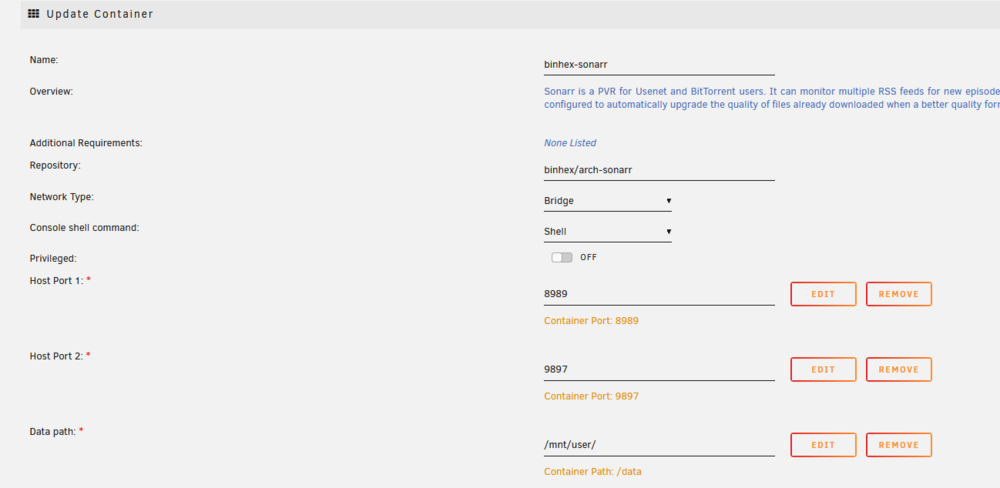
Just read the doc on disk shares. It sounds like I can just set up a disk share on the SSD, then moves from the disk share to the user share when sonarr performs mv would actually copy and delete instead of rename. A problem I can foresee is that sonarr requires read/write access to both of these locations and I'm not sure how to get around such a directory structure. SABnzbd could be installed on the SSD as that's the only disk it needs to access, but I have to pick somewhere to install sonarr.
-
By throttling I just mean sabnzbd download speeds were being crippled by write performance to the HDDs and unpack performance was very slow, both of which go much faster now (download speeds max out my 1g connection) and I've verified everything goes to the right disk by watching krusader during downloads/unpacks. By specifying a disk path, do you mean a different parameter than the default host path field provided by unraid on the install page? Would this involve creating a disk share? (I don't know disk shares work but I've seen the section on the shares screen)
-
Reconfiguring sonarr/radarr/sabnzbd so that all processing of nzbs occurs on an SSD, then sonarr/radarr grabs the completed files and adds them to a different share that is on 3 HDDs. I have it set up like this: 2 shares for nzb handling by SABnzbd, "incomplete" and "complete", under "included drives" I selected only the SSD (disk4). SABnzbd correctly downloads to and unpacks only on the SSD (disk speeds no longer throttling performance as they were when it split these operations across the SSD and one of the HDDs) 1 share for storage, called "data" with subfolders "movies" and "tv" - these are the "root folders" designated in radarr and sonarr. Share/folder structure looks like this: user -sabnzbd incomplete (share with disk4 as the only included drive) -sabnzbd complete (share with disk4 as the only included drive) -data (share with all drives except disk4 included) --movies --tv SABnzbd correctly receives instructions to download, downloads and unpacks all on disk4 as it should. Sonarr then sees the completed episode pop up in the complete folder, and proceeds to move the whole thing onto disk4. With krusader I can see that sonarr creates a data -> tv path on disk4 despite this path/directory not existing at the start of the process. I've tried every combination of include/exclude logic on the data share and nothing seems to work (even after restarting the array). I've tried setting the data share to fill-up since disk1 is one of the 12TB HDDs that I want things to end up on, that didn't work either. What am I doing wrong here?