Hafizuddin_Fauzai
Members
-
Joined
-
Last visited
-
Hi everyone, I’m looking for technical insight into a recent security breach on my Unraid server. I work as an IT technician, but I have limited experience with networking and cybersecurity. What happened: I had a Windows 10 VM running on Unraid to run BlueStacks. This morning, I found I was locked out of the Windows login (I didn't have a password set originally). I rolled back to a clean snapshot, but an hour later, I saw a hacker actively controlling the screen. They were logged into my Gmail and were trying to reset my Steam, Microsoft, Epic Games, and Bank accounts. Luckily, I have 2FA enabled. The technical mystery: I forced the VM to power off. To isolate it, I changed the Network Model from 'virtio-net' to 'rtl8139' in the Unraid settings. When I turned it back on, Windows showed the "No Internet" icon (likely missing drivers). However, even with "No Internet" in Windows, the hacker continued to move the mouse and control the screen in real-time. My Setup: Server: Unraid (Host) and Proxmox (running on a separate node). Router: Standard ISP Router (Skyworth GN630V). No OPNsense yet. Port Forwarding: I only have Port 51820 (WireGuard) and Port 32400 (Plex) enabled. Remote Tools: I had OSLink, UltraViewer installed and Remote Desktop enabled on the VM. VPNs: I use Tailscale and a self-hosted WireGuard VPN on Proxmox. My questions: Since the VM OS showed "No Internet" after the driver change, how did the hacker maintain control? Does this mean they were using the Unraid VNC console? Could this breach have "leaked" out and interrupted or compromised my WireGuard VPN or my Proxmox node? (Proxmox seems fine for now). How can I verify if my Unraid host/dashboard was actually accessed, or if the hacker was just "trapped" in that VM? I have since deleted the VM and vdisk and rotated all passwords. I want to understand the entry point before I start a new VM. Thanks for the help!
-
thank you, later i will try it and update to you again.
-
how to reset the settings? New Config at Tools?
-
still happen the problems if i upgrade to latest version and downgrade. VM and Diagnostics problems. So, if I want to clean install everything, does my data in array will delete also?
-
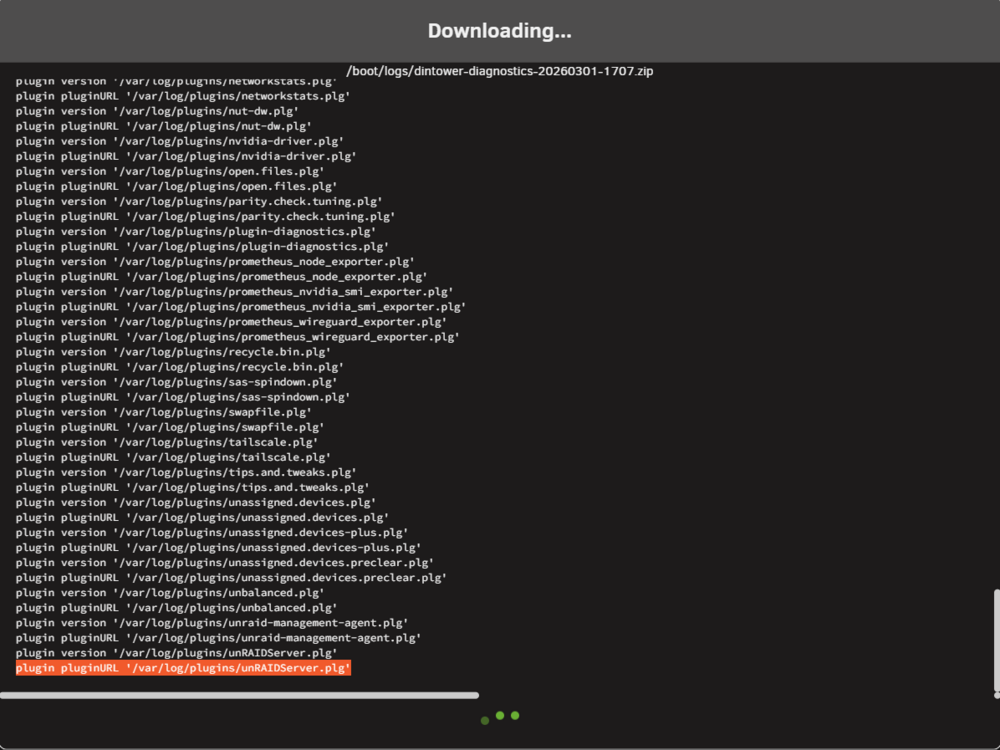
hi, i already change the flash drive. also same problem with the vm and the diagnostic is still stuck at plugin pluginURL '/var/log/plugins/unRAIDServer.plg' I start the diagnostic in the tools from 17:07 PM Malaysia time. right now it's 18:57 PM. still stuck at that. below is the screenshot.
-
hi, yesterday memtest pass with no error, after that. i try to check the flash drive and it's show no error on the flash drive. so everything went well until this morning, the error happened again. with the diagnostics problem also. so right now i want to try to change the flash drive.
-
right now i try to do some memtest. if got anything, i will report it back to you. thank you for your help.
-
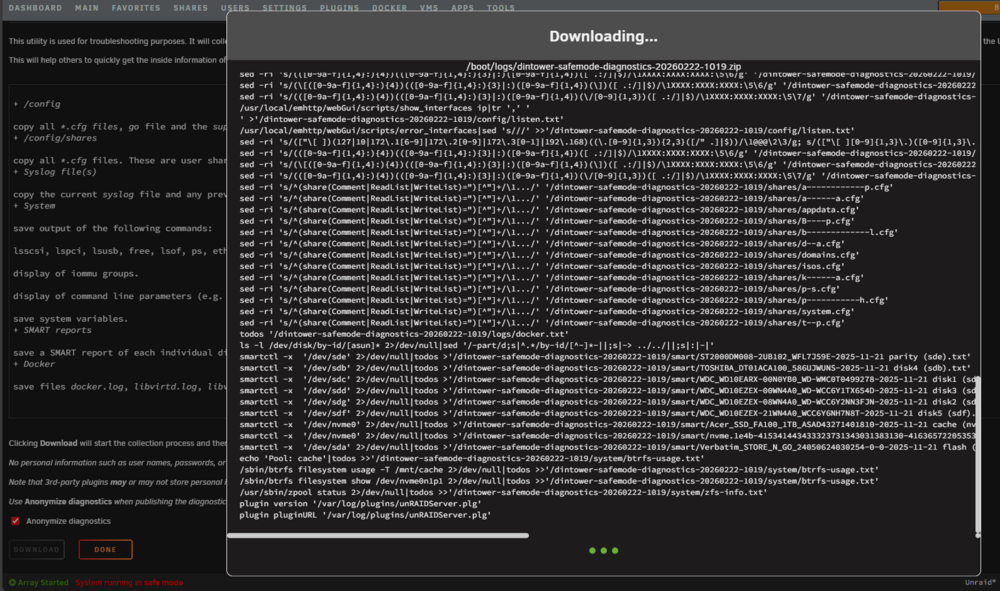
hi, if boot in safe mode, the VM can run yesterday. This morning, it happened again, cannot run and the diagnostic is stuck again after the VM cannot start. Below is diagnostic files is when I boot into safe mode, I can start the diagnostic. And the attached pictures is the diagnostic stuck on plugin pluginURL '/var/log/plugins/unRAIDServer.plg'. i want to uninstall the plugin, when i open the plugin tab, it's show no plugin installed. dintower-safemode-diagnostics-20260221-2355.zip
-
below is the diagnostics at the afternoon. after restart. dintower-diagnostics-20260221-1225.zip
-
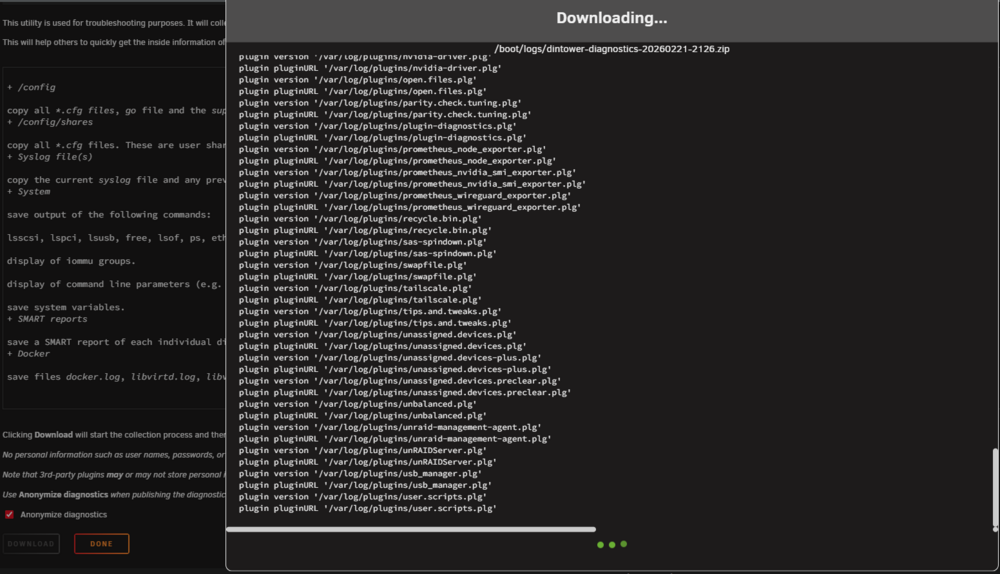
hi, the errors happened again on VM, this time the diagnostics happen to be stuck at the user.scripts.plg. i already uninstall that plugin. then it stuck again on another plugin. like unRAIDServer.plg.
-
done removed both of those. i don't try yet the memtest. after reboot, i can get the diagnostic right now, thank you. do you want the diagnostics file? right now i try start the VM, it can run and not show the problem yet.
-
this is my syslog. dintower-syslog-20260221-0340.zip
-
Filesystem Size Used Avail Use% Mounted on rootfs 16G 3.0G 13G 19% / i got this line.
-
does diagnostics take a long time to complete? i try to do it in webgui, 30 min still not completed yet. same with ssh also. then i try again, same thing problem also.
-
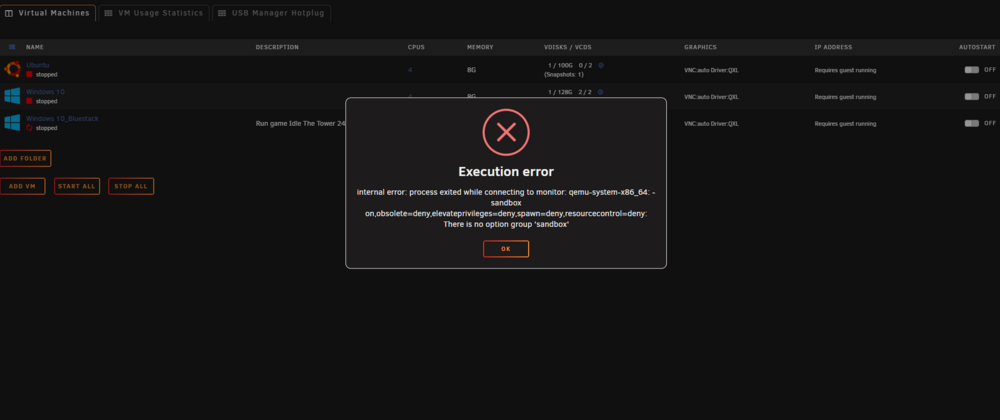
Good days and hi, I want to ask about this error. it's always happen to me. I don't know how to solve it. The error won't show up if I restart my Unraid Server and my VM can start successfully. If I turn off my VM, sometimes the error happens and sometimes it's not. It's not on Windows 10_Bluestack only, it happen to all of my VM when I want to run it. Thank you and sorry for my bad english.