





sam90
Members
-
Joined
-
Last visited
-
i have a mini pc n100 with intel gpu alder lake. steamos docker is recognizing my gpu steam-headless not. what could be the reason? /dev/dri ist on my device so it cant be this.
-
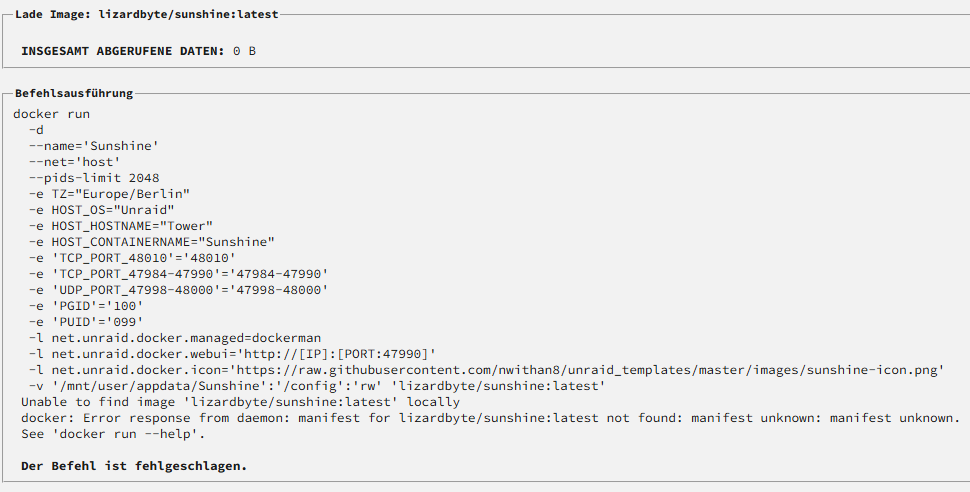
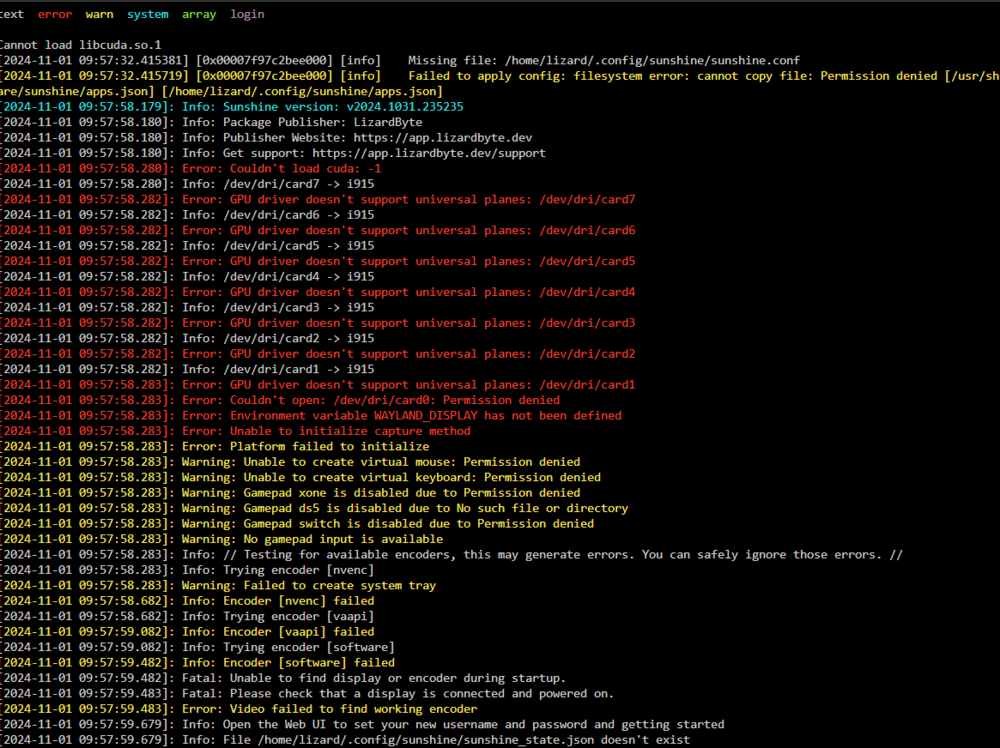
sorry for my late answer now. If im install lizardbyte/sunshine:latest thats the first then nothing will be downloaded. The other branches will be downloaded and info log says it is started, but if i go to the dockers its stopped. with this log: On Main latest branch it looks like this: There you can see latest not found Edit: Sorry i saw i need to give permissions for the folder of Sunshine to read/save. Then the docker is started. But now i have this:

-
Hey i was very happy to see your sunshine docker in unraid. I have problems with downloading and starting it. Default template is even not downloadable. Can you check it again? I can help if needed.

