MonadProxy
Members
-
Joined
-
Last visited
Everything posted by MonadProxy
-
Thanks to both of you for the explanations, So if I understand correctly, I can achieve that as long as all the drives are formatted to BTRFS but having different size drives in this case, how should I go about setting this up: I just move the data from the NVME, reformat it to BTRFS, move the data back, and then when I add the other 2x500gb drives to that pool I can set them to act as raid1 together even though they are of smaller size? Or would I need another equally sized drive to be able to do that?
-
I think that after some reading, there was a misunderstanding because I may have used the wrong terms: From what I understand, there is no such thing as parity calculation outside of the main array? If that is the case no problem but how can I have some sort of raid1/real-time mirrorring between the nvme and the 2 500gb ssds pooled together? Even better if I can achieve that by keeping the NVME as main drive so I won't need to move the appdata folders. Thanks again for any help, I just want to be sure of my decisions before proceeding.
-
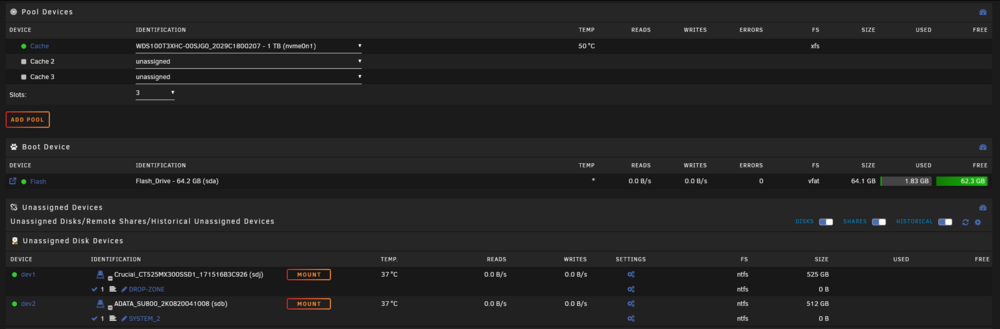
Hi folks, I have this question regarding my cache pool, I use that world maybe in a looser way then you do: I don't use it exactly that way because yes, I store all my application data for my containers and such but instead of having the other files such as new downloads and docs move automatically from the cache to the array I prefer to set them to cache only, then move them manually as I see fit. Now that being aside: That drive is a 1TB NVME, I have 2 other 525GB regular SSDs that I would like to add to the cache pool and use the NVME as parity for them since it has to be the biggest drive. My main question is then: What would be the best way to move the data on the 1TB NVME to a pool made with the 2 525GB SSDs in order to use the NVME as parity without disrupting anything? Or at least as little as possible? Thanks again for letting me know if possible.
-
Hi and first and foremost, thanks for your work. It would be very nice if that could be done a la binhex-qbitorrentvpn, I only really need a vpn for that and nicotine on my server. (In reference to one of your posts that I could not quote for some reason)
-
Just to confirm, it's been almost 6 days of up time now.
-
After changing the nvidia driver to production, I did not get the issue again and it's been 3 days. If it happens again I'll just post a new thread with a more detailed syslog. Thanks again.
-
Hi, It seems to be working so far with the nvidia driver uninstalled and without safe mode but let me wait it out a little further. That being said, does that mean that I will be just 'barred' from using the nvidia driver or wait for further updates if that ends up being the culprit? I don't have an old odd card, just an evga 2060 super that I wanted to use for transcoding in emby and stash as well as for some ffmpeg/staxrip jobs that I would prefer to move to the server. Isn't there a possibility for instance to switch to an older driver version to test out or is there a latest and a more stable build or something to that effect? If so, please let me know. If I understand I wouldn't need the driver if I want to use it in a VM? Ultimately though, I would prefer not to have to run some things through the overhead of a VM if possible, especially if they are available as containers. Thanks again for letting me know @JorgeB EDIT: I just realized I could change from latest to production and previous releases when it comes to the driver version so I am trying that out
-
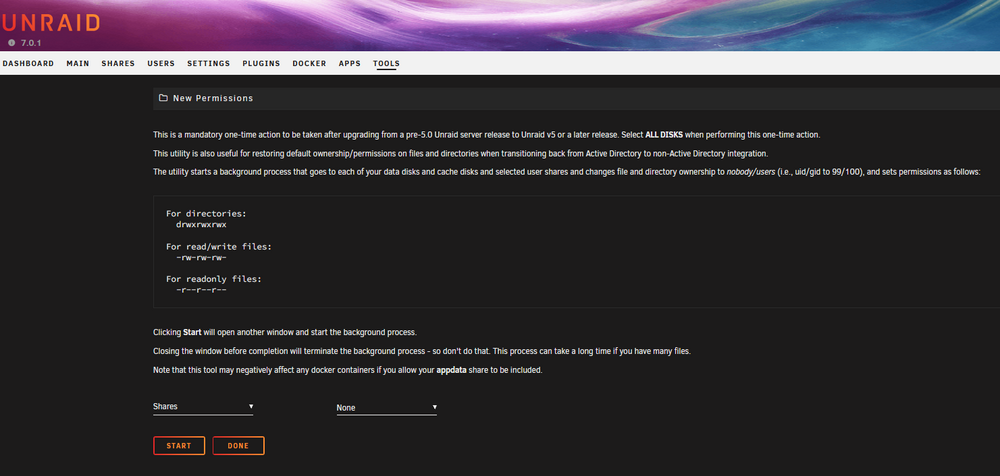
I had the same issue recently, running the new permissions tool on that share solved it for me, the only instances where it reverted to root is if I tried to reinstall the container that created the share for instance. In the same vein as you I also created a user that's not root in order to access the shares from windows.
-
I'm running in safe mode so the nvidia plugin should not be loaded, I will keep you updated on this.
-
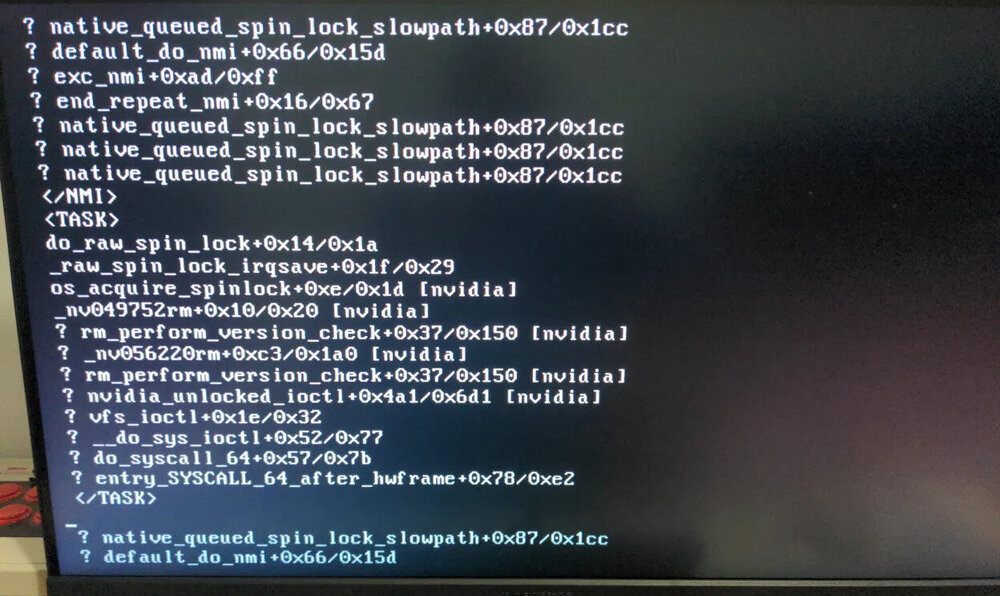
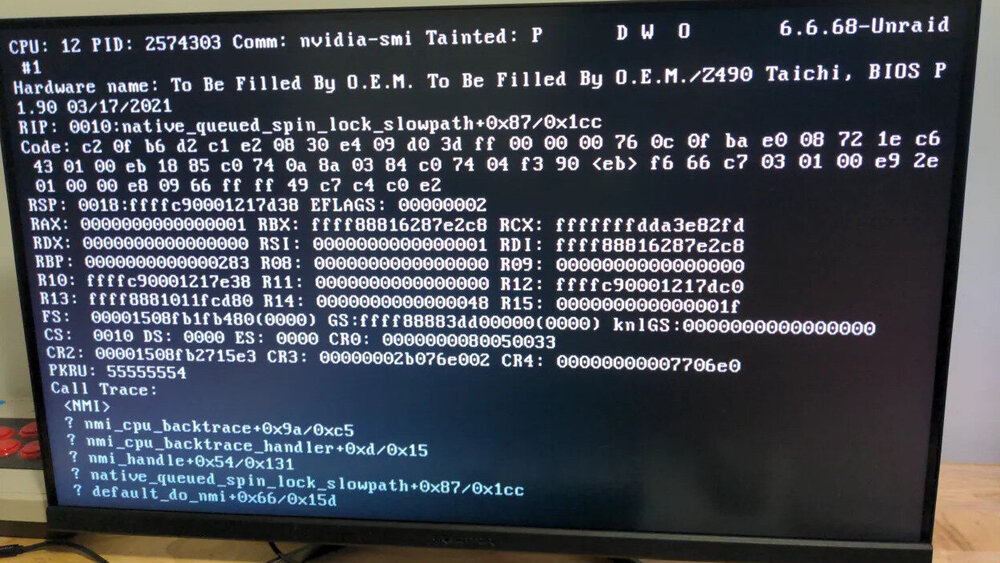
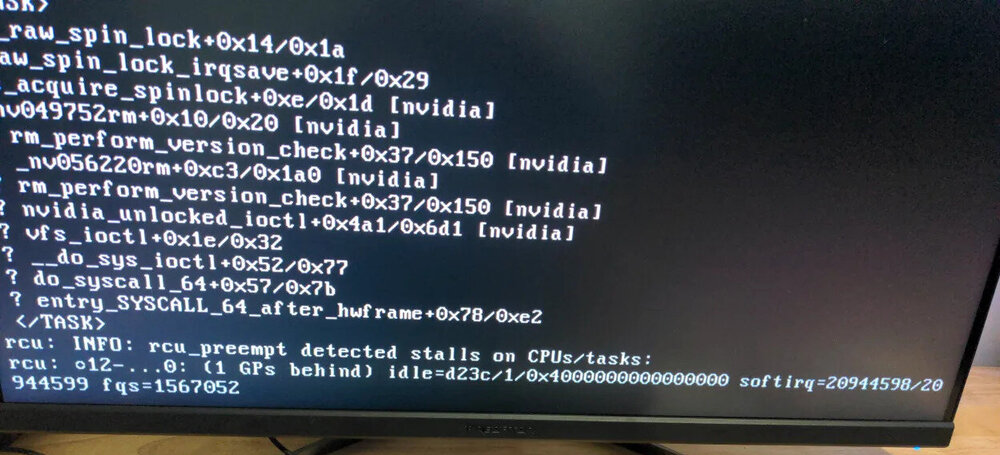
According to a knowledgeable person around me: seems like you have a random syscall that stalls because the nvidia driver attempts to do something and just gets stuck you should blacklist the module to test it out (and from what I see, looks like the console is in textmode already - not even framebuffer. so what is the driver even doing?)
-
In the meanwhile @JorgeB, I also wanted to add some pictures that I took while it was unresponsive maybe something relevant can be seen on there? Thanks again for your help.
-
I finished setting up the syslog server but to my surprise I only have 4 lines and it's been a few minutes... 10.0.0.246 Feb 27 10:25:52 Taichi daemon info ool www[55435] /usr/local/emhttp/plugins/dynamix/scripts/rsyslog_config 10.0.0.246 Feb 27 10:25:52 Taichi user notice rc.rsyslogd Restarting Syslog server daemon... 10.0.0.246 Feb 27 10:25:52 Taichi user notice rc.rsyslogd Stopping Syslog server daemon... 10.0.0.246 Feb 27 10:25:52 Taichi user notice rc.rsyslogd killall --ns 55444 rsyslogd I was expecting this to have more verbose? If it's normal then never mind.
-
Hi, are you sure you wanted to quote me and not a moderator?
-
Will do I am now running the parity check in safe mode and reading the guide to set up the syslog server. Thanks again.
-
I wanted to add that after posting this I updated to 7.0.1 in the hope that it helps and I will also run a memtest.
-
Hi folks, I just finished transferring all my data to Unraid and calculating parity, during that process that lasted more than a week, everything was working fine with the uptime. I suspect that after installing some docker containers this issue happened but it could be something else. Here is what I tried so far and did not work: -Change from macvlan to ipvlan: still becomes unresponsive but I got trace calls at least instead of a black screen, is it related who knows? What I will try now: -Safe mode and reboot with one container at a time. -Check bios settings regarding power management and CPU Do I really have to recheck parity every time this happens if I was not writing any files or doing anything special? All that being said, here is my diagnostics file if it can help you, help me pin point this down. Thanks again for any help. taichi-diagnostics-20250224-1658.zip
-
Alright I will keep that in mind, thanks for the tip.
-
I meant NVME as cache drive, my bad. Since parity would slow the drives a little I thought maybe then the network won't be the bottle neck anymore and the NVME drive could be put to use to maximize the speeds reached over the network.
-
Hi folks, so recently I moved from Stablebit to Unraid and whereas before all my drives would be connected to the motherboard of my main machine now they are connected to another one over the network. My question is the following: I assume that if my modem has a 2.5gbps port and the Ethernet port on the server is the same speed, that would be the bottleneck when transferring over the network? So the speed will be around 250 mb/s during these kind of file operations? In such cases there would be no point in using an NVME drive as cache if my Exos drives can already reach these speeds or almost? Except maybe for operations performed directly on the server, for instance downloading multiple Linux ISOs on qbittorrent at once and such there would be no benefit in the cases. Maybe if someone else have examples. When I say this I don't take into consideration the overhead of parity yet because I am still in the process of moving my files and I was advised to add the parity drive for calculation only at the end of the process to save some time. So maybe when parity will be active I could benefit from the use of an NVME drive? If I am not going to win a lot by using a high speed drive as cache I'd rather use it for games and such but if someone have ideas I am ready to hear. Also is there any other way to connect Unraid to a machine without using a network cable such as e-sata? Thanks again for any reply.