archieboy72
Members
-
Joined
-
Last visited
-
Thanks for this has resolved my fan issues massively, really appreciate it.
-
Hi sorry not sure whether to ask technical questions here or LMS forums?, I'm new to all this, for the last couple of mornings after waking I try to play the radio but nothing happens, I have to manually restart the container and it works fine all day then the next morning the same issue, it seems something is happening overnight, I've rebooted everything involved, Wiims, Routers, NAS but still happened again this morning?, here is the log, thanks.

-
Hi good news I'm back in, there was a hidden setting in Terramaster TOS that allows you to set a password without using special characters, so enabled that then reset password with no special characters and hey presto I'm back working again, thanks again for the help.
-
Hi, yes I saw this same reply above earlier so tried to change my password on my Terramaster NAS to exclude special characters but you need at least one, but the password was ok a few days ago, I changed it anyway but still no access. I really think its something to do with Windows, wish I had never updated now, I really need to access this NAS but everything I try fails.
-
Hi, Im having some issues connecting my Terramaster NAS via Unassigned Devices (it was working perfectly a few days ago?). I think it perhaps has something to do with Windows 24H2?, can anyone make any sense of these logs, have been Googling for hours getting nowhere, please help, thanks

-
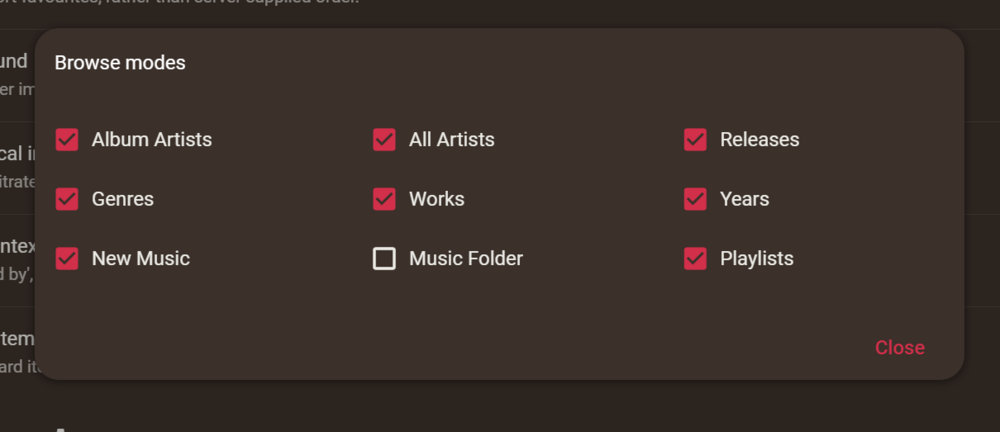
Hi, thanks for your reply, somehow I managed to delete the plug in 'additional browse modes', have reinstalled and everything perfect, thanks again.
-
Hi, thanks for adding this I'm a big fan of LMS on my Wiim devices, one thing I have noticed is missing is 'Random Releases' & 'Compilations' under Browse Modes?, have tried a few things to get them back but no luck so far, any ideas, thanks again.