





diehardunraid
Members
-
Joined
-
Last visited
Everything posted by diehardunraid
-
No, I couldnt get it to connect without the bond. I have to access with a windows computer and it's not running. I reset the bond but that didnt help I thing the speed got worse. Do you have any ideas whatelse i can look at until i get the windows machine up and running?
-
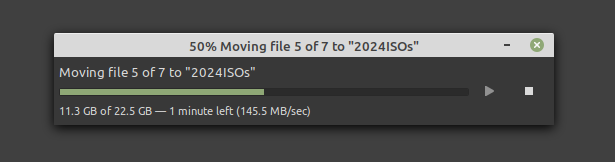
tested the speed to NVME on the unraid network and still think this is slow and should be much faster, what do you guys think about this speed sending to unraid , with bonded 10 gigs, NVME 2tb?
-
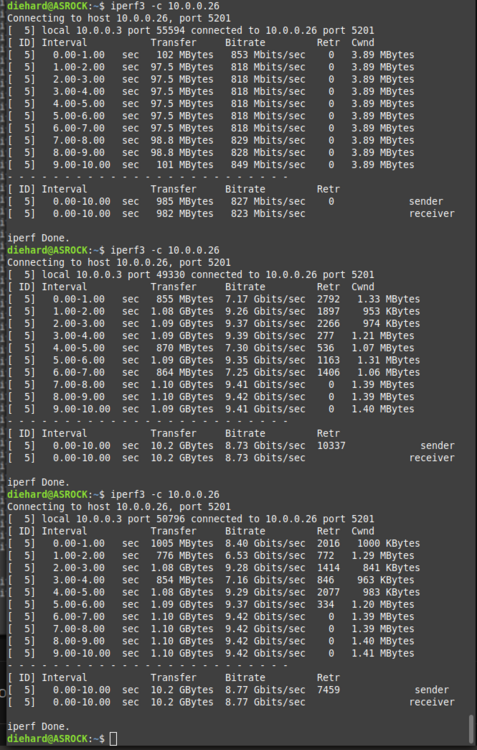
lol, I cant remember how that was done. I think I have to start the windows machine cause the sofware didnt work in linux. I bonded 2 10gig on the unraid server, so thats 20gigs right, but the other 2 linux boxed are not bonded. the 2nd linux has worst performance. I also did the test in reverse and it maxes out.
-
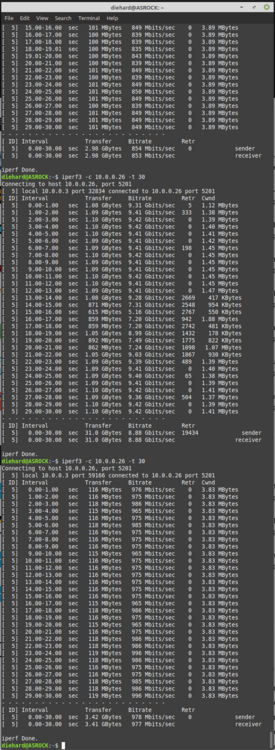
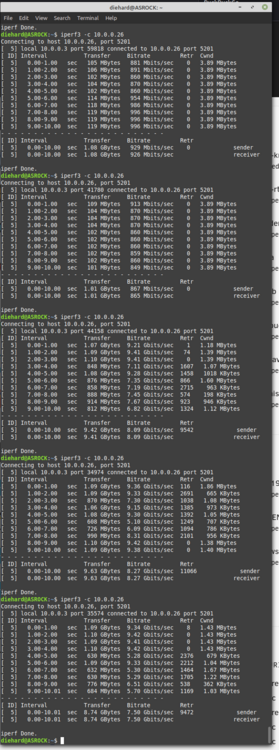
run the test 3 times and the first round was bad but the other 2 were good what can i do for the ones with the bad test speed? something must be ccauseing that.
-
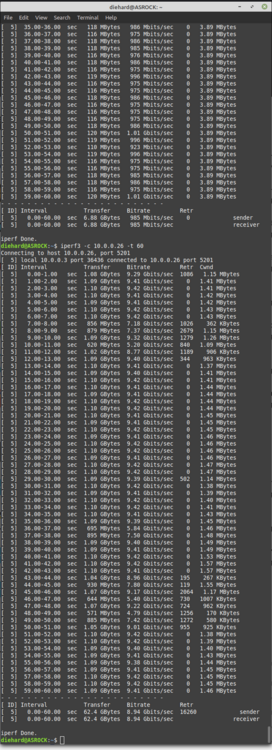
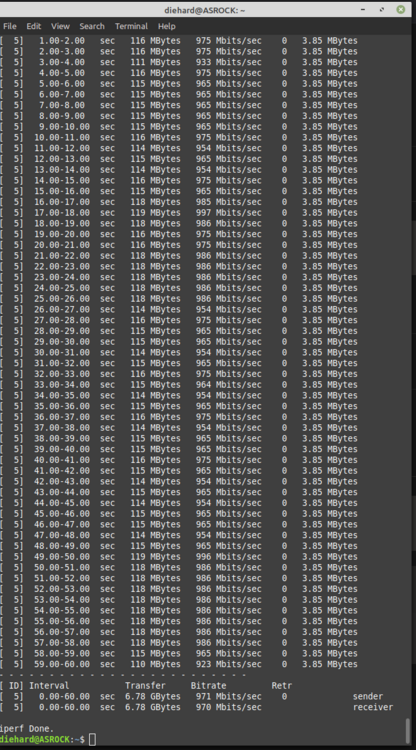
yeah I tested it again and 30 and 90 sec test fast but 60 secs slow. when it's slow what do i have to do to fix the speed?
-
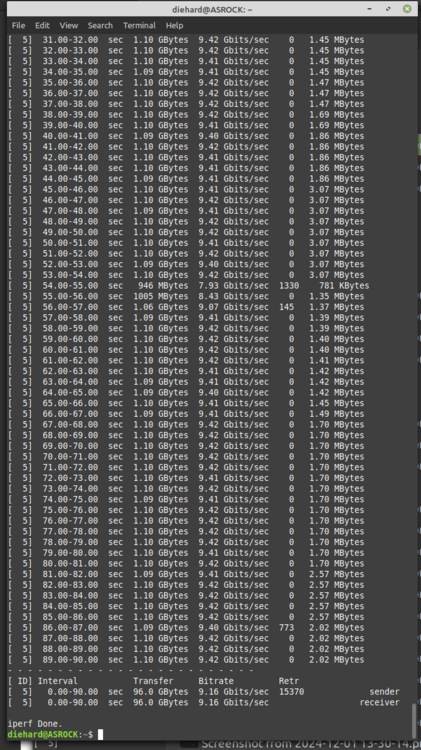
iperf3 -c 10.0.0.26 -t 30 iperf3 -c 10.0.0.26 -t 60 iperf3 -c 10.0.0.26 -t 90 I'm not sure why doing the test for different sec would give a much slower speed. So what it says the speed is slow what do i need to do to get it to run a full speed?
-
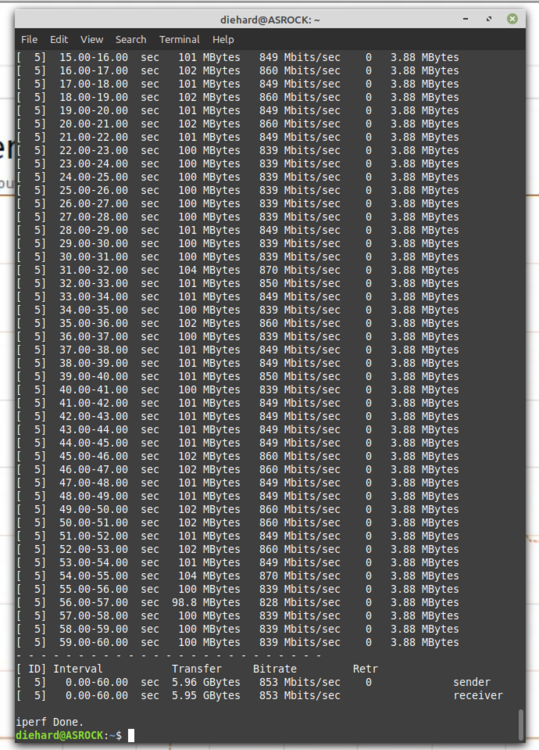
I ran two more test and when 60 sec is run it's slow and then i run a 90 sec and it's fast. Not sure why the 60 sec keep running slow
-
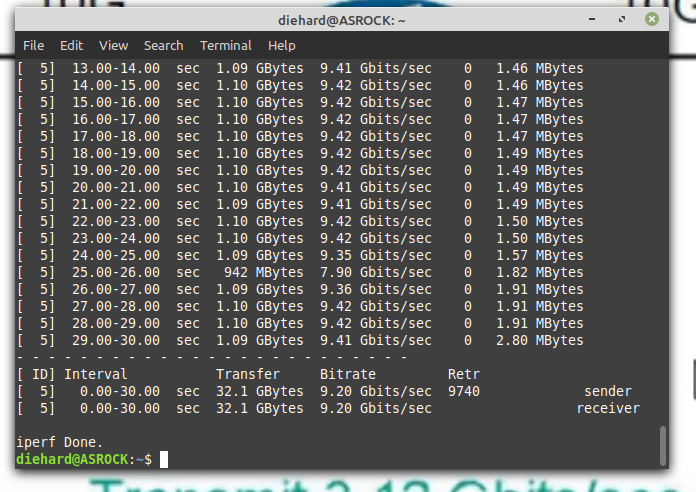
here is a longer test
-
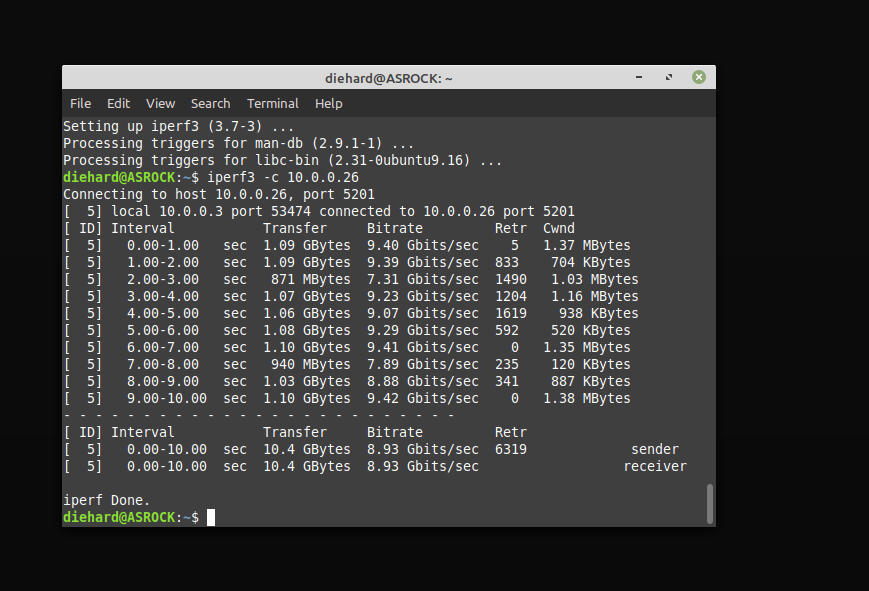
ok, I think I got the test run and it says that its running at top speed or am i missing something.
-
I have heard about that but dont know how to run those test. Is there s link I can read up on it?
-
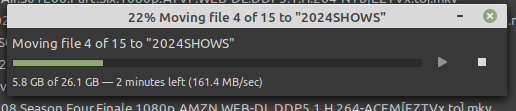
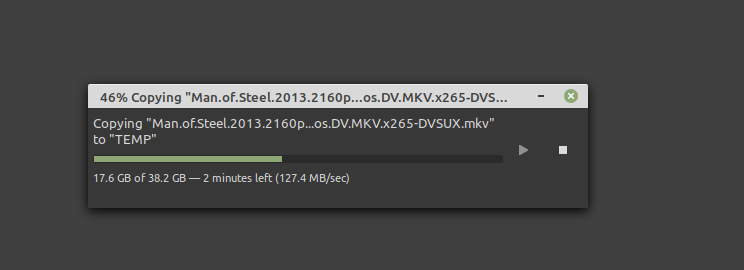
that option wasnt there when i created the zfs pool. I changed it when i saw the files going to the unraid arroy and not the zfs pool. I no longer want to use the unraid array but for just backup, I want to just use the zfs pool. I'm just having some problems with the network, hard drive speed and storage location. what is with the slow speed over my 10Gig network with 6 drives mirror. even went sending to nvme or zfs pool. what kind of speeds should i be getting. these are the speed i'm getting and i'm not sure why so slow?
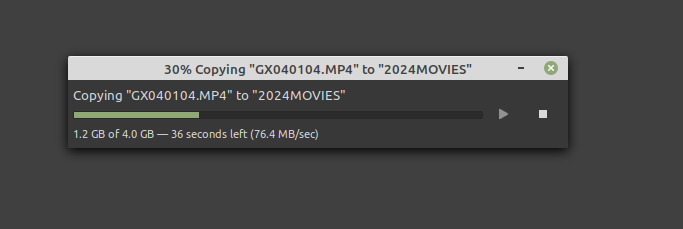
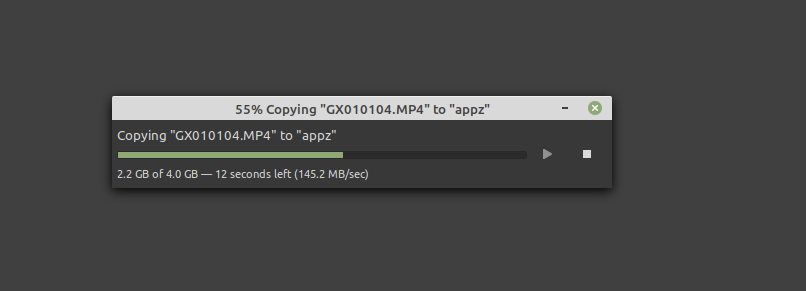
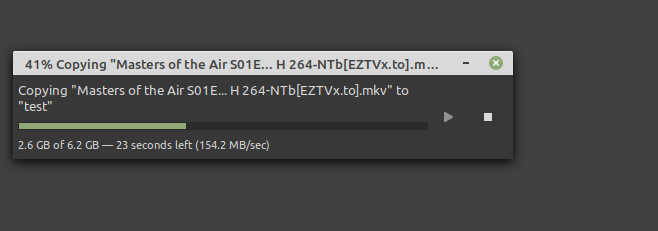
-
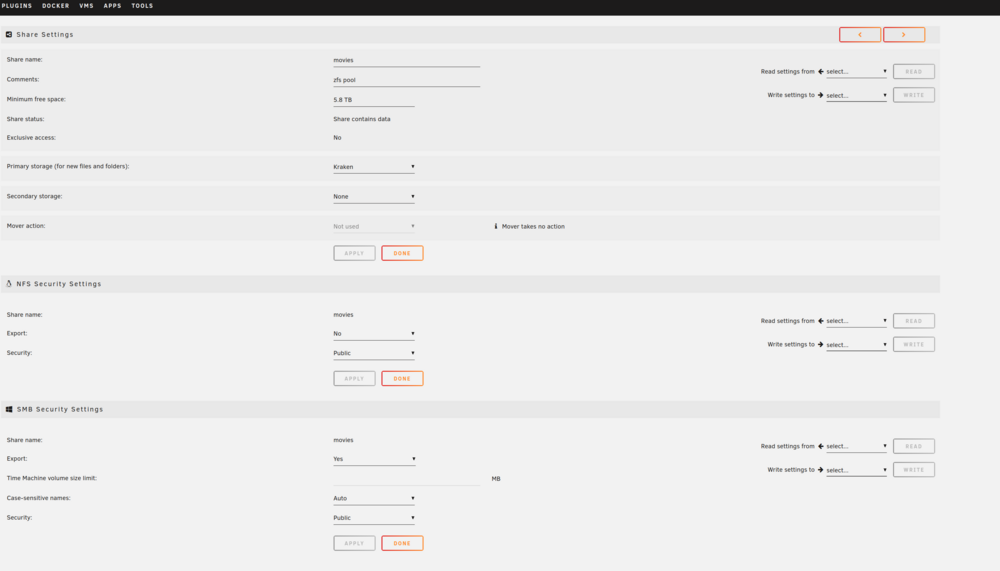
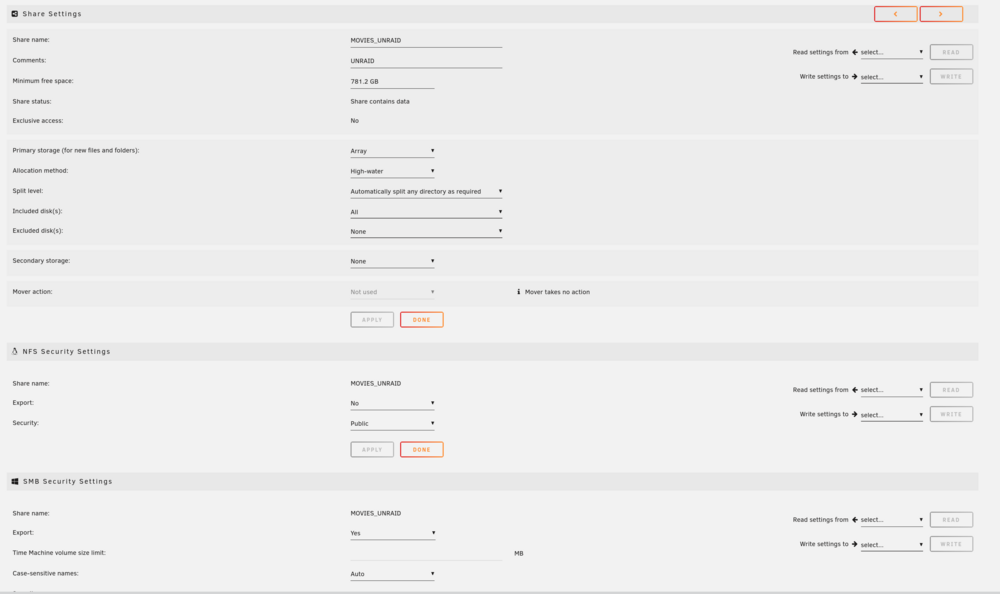
what are you looking for?
-
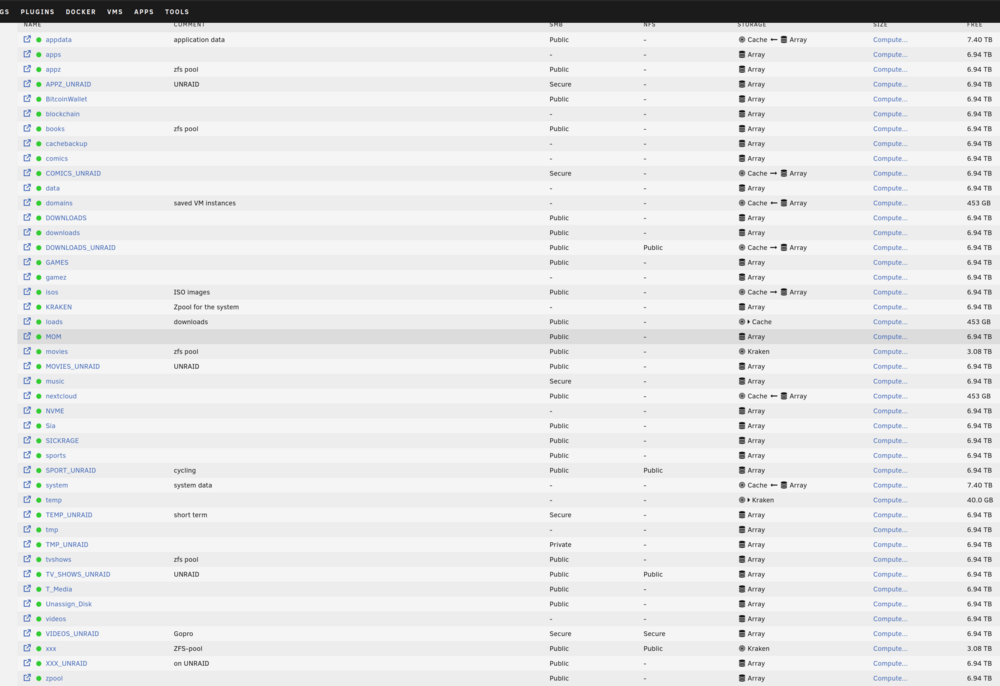
yeah it's movies not movie.
-
I was using the movie share but it look like it was putting it on the unraid array and not on the zfs pool with the same share name. plus some files are not showing up on the zfs pool share and i dont know why
-
not sure if he share are getting mixed up or what kraken-diagnostics-20241218-2343.zip
-
Hell, I notice that my zfs pool storage was not going down when i was moving large files onto it. 1TB of date. when i looked at the dir all the files i copied where there but the storage was the same. I cont to move data to it and I saw that the unraid array was being used by the write display under the pool. I am sending data over samba from linux file system zfs backup pool to my unraid with zfs. I looked under shar and i have 3 option now for shares, array which it was set to. cache and zfs-pool, i think by the name. I tried setting it to the zfs pool name in the option. but when sending small files or large files I get out of space error. 1) how can i send my files to the zfs pool, like i did before ? I would just browser the network and find the zfs pool folder and move the files, but doing it this way now send it to the unraid array but i'm seeing the file in the zfs pool folder So any help me would be great cause i'm confused about what's going on.


