Maximo101
Members
-
Joined
-
Last visited
Everything posted by Maximo101
-
@SBehnke yes I had the issue of the Nic not working. I had to use a wifi usb adapter, login to the plugin store and download the realtek r8125 drivers ans that then enabled the nic to work, so I would say download those drivers and have that plugin on your flash drive in the plugins folder. Everything else was fine. Recently I had issues adding a 5070ti gpu using a riser cable and the pcie 5 slot, it detected/ saw the gpu but wouldn't load properly, I switched the riser cable to the 2nd pcie 4 slot and it works fine. Mine idled at 60w, after adding the 5070ti gpu it idles at 70w, specs in my signature
-
Thanks Squid, i had done this (without stopping the docker) and wrecked my usb! i just did a restore and restored backup config, the docker issue was there and then i stopped docker, removed this line and docker is working. i am restoring my containers. But i had added that line a couple of weeks ago to make the new GPU work with ollama. i had a couple of reboots since then without any issue until this power surge yesterday. After reinstating my containers, everything seems to be working fine. i think i also have ollama using the gpu without this (as i had added a variable in ollama container) thanks
-
I had a power issue and my ups didnt switch in time with the surge. System rebooted and parity checked and was fine. All drives are healthy. But Docker failed to start. i deleted the docker image and reenabled and still not working. i restored a full usb backup and still not working. What can i do to fix the issue? (i have also purchased a new ups to avoid future issues). thanks rossiserver-diagnostics-20250524-1406.zip

-
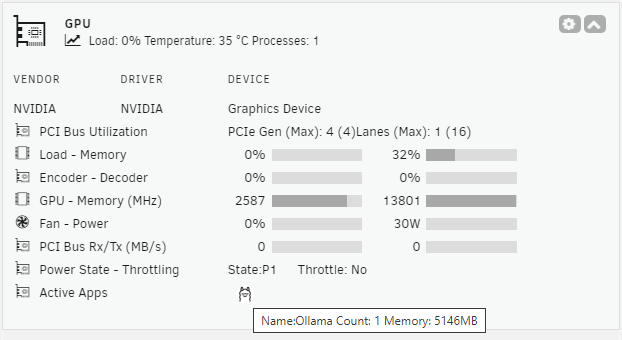
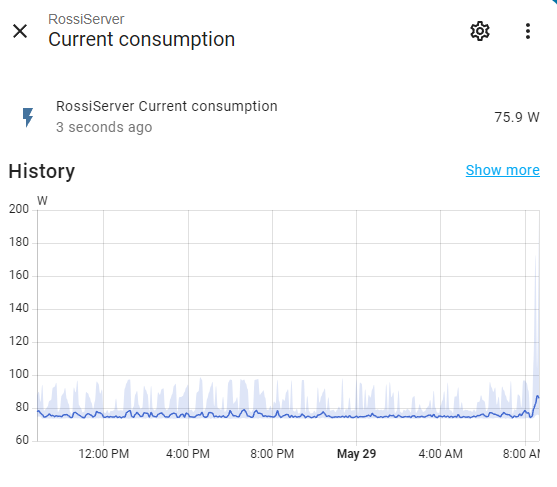
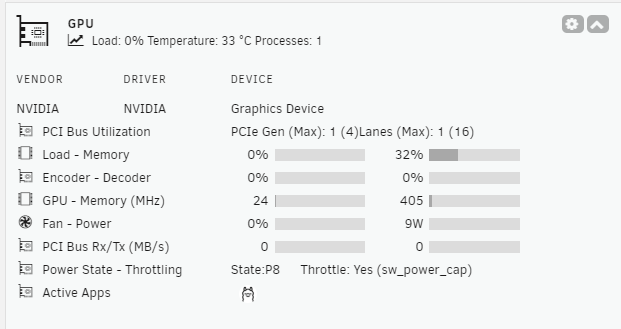
I am really happy with this plugin. I have a question about gpu power usage in general. Is the Fan Power (watts) the total draw of power from my gpu, or is there more power used over the fan? Using ollama / open web ui it shows 30w. when its idle its about 10w My Home Assistant shows the total energy use (from a tapo p110m plug that the server is connected to) shows about 75w before i added the gpu and replaced the 650w corsair psu with a 850w asus psu (to power the gpu) it idled at ~60watt.
-
Thanks Alt and ich, you guys are scholars and gentlemen. cheers
-
thank you very much. i wonder if its the pcie 1st slot itself. for now ill leave it but at some point ill want to put it back into the first slot to take advantage of pcie5 and not just pcie4. is pcie5 supported by unraid os 7.0.0 ?
-
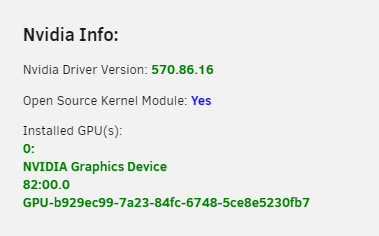
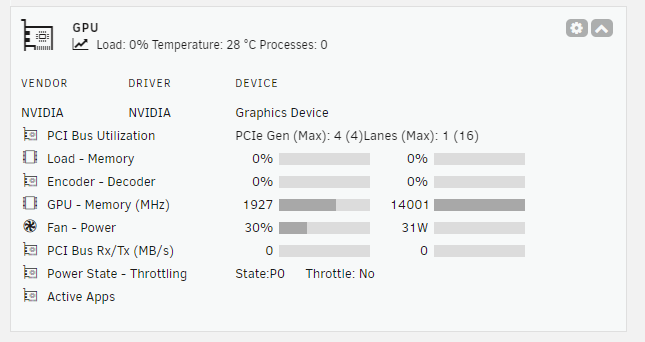
Hey guys, i hadnt had a chance all week to work on this until now, i unplugged the gpu (asus 5070 TI) from the pcie 1st (pcie 5) slot and plugged into the 2nd pcie (pcie 4) slot, re seated the power on both ends and raised the gpu vertical stand so the riser cable had less bend, and now in nvidia plugin its showing this So its that installed or not, it says 0 but now showing stuff, when previously it just said no Device. apologises if its obvious, ive used unraid for a year and a half but this is the first time installing a gpu into it Edit: in gpu statistic plugin, i can now select this, so i guess its installed? even if the nvidia plugin page says Installed GPU 0 ? rossiserver-diagnostics-20250524-1406.zip
-
i had a feeling the cheap pcie riser might be an issue when i bought it, but may need to look at a more premium one. yer i wanted to use this gpu for LLM's and AI models. i appreciate both your responses, ill have a bit of a look into what you both mention and research a little bit since im a noob when it comes to hardware
-
thanks, i can see a newer Bios from may (mine was from feb) so i might try updating that too and the Pci was set to x16, so i guess i set that to x8 to make it pcie 4 ?
-
I appreciate the response alturismo. BIOS rBar is active already. The PSU is new 850 watt, and its 8pin is firmly connected to the psu and gpu. GPU light is on. The gpu is too big for my cs380 case so i am using a PCIe 5 riser, i unplugged it from both ends and re seated it. It was a cheaper riser cable, but it is pcie5.... I dont want to use another pcie slot as that main one is the pcie5 one while the others are 4. New diagnositics attached, does it show the same issue still? Still not showing in nvida drivers plug page. rossiserver-diagnostics-20250519-1542.zip
-
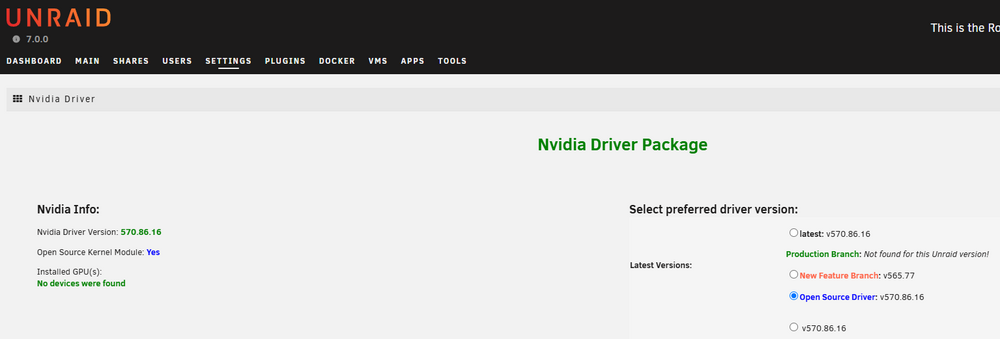
Thanks guys, i thought the latest was the open source one as the driver version matched. i re-downloaded the 'open source' driver, rebooted and still showing no GPU. Diagnostics attached. rossiserver-diagnostics-20250519-0847.zip.crdownload
-
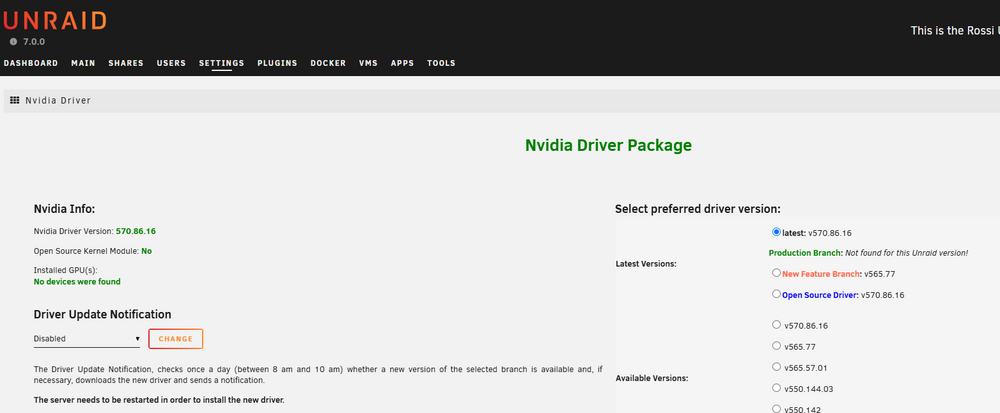
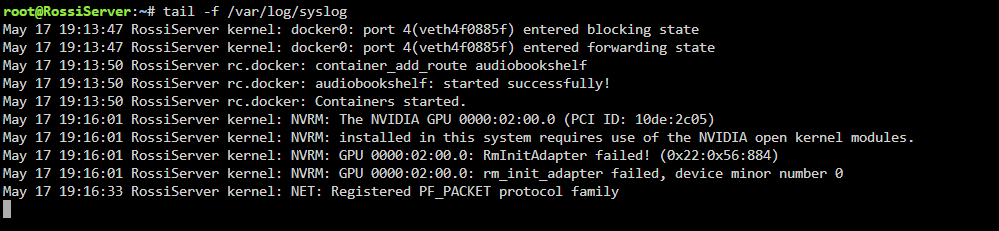
I just installed a ASUS TUF GeForce RTX 5070 Ti 16GB GDDR7 OC Edition GPU. and updated nvidia drivers, but its not being detected in the nvidia driver section, but with this prompt it shows its there just not initiated? Seems like the latest driver wont work with this GPU ?
-
Sorry for the delayed reply @StayThePath i didn't realize i wasn't following the topic. yes you can run on the cpu if you have enough normal RAM. I have been running Gemma 4B and Qwen2.5 5B perfectly with no gpu. I did also just buy a RTX 5070ti 16GB VRAM, so once i get a PCIe 5 riser cable ill install that and play around with bigger models locally.
-
ill try a pcie 5 extension cable and vertical gpu bracket sitting next to the server.
-
i just bought an Asus TUF GeForce RTX 5070 Ti 16GB GDDR7 OC Edition Graphics Card & Asus Prime 850W 80+ Gold PCIe Gen 5.0 ATX Fully Modular Power Supply, but the GPU doesnt fit in the CS380 case due to the hot swappable bays I think when i was originally thinking of adding the gpu i had a rtc 3060 in mind, but then allowed a higher budget for more future proofing. What are the recommended options for an external GPU holder/stand and extension cable to connect the gpu to my server which, can be next to it as long as its connected and safely seated. I keep the case open and on the floor in its secure location.
-
i had a similar issue when i upgraded my server hardware. i ended up going into my Plex account, removing the 'old plex server' and adding the new one to my pinned items. Maybe have a look at the side section and Pinned items, hopefully its something easy like that for you.
-
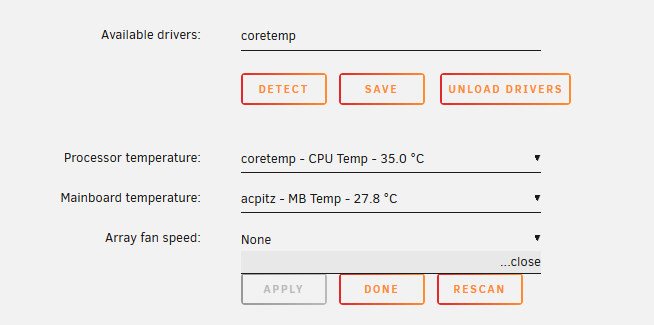
I just realized after changing the case my asus z890m wifi plus MB + intel core ultra 5 245K was in, that my dash doesnt show my fan speeds. I am using the Dynamix System Temperature plugin, and the temps are shown but the array fan speed is not. (it was showing on my previous MB+cpu) Is there a Bios setting to turn on, or a driver that is needed to make the fan speeds visible (and managed with Dynamix AutoFan Control ?)
-
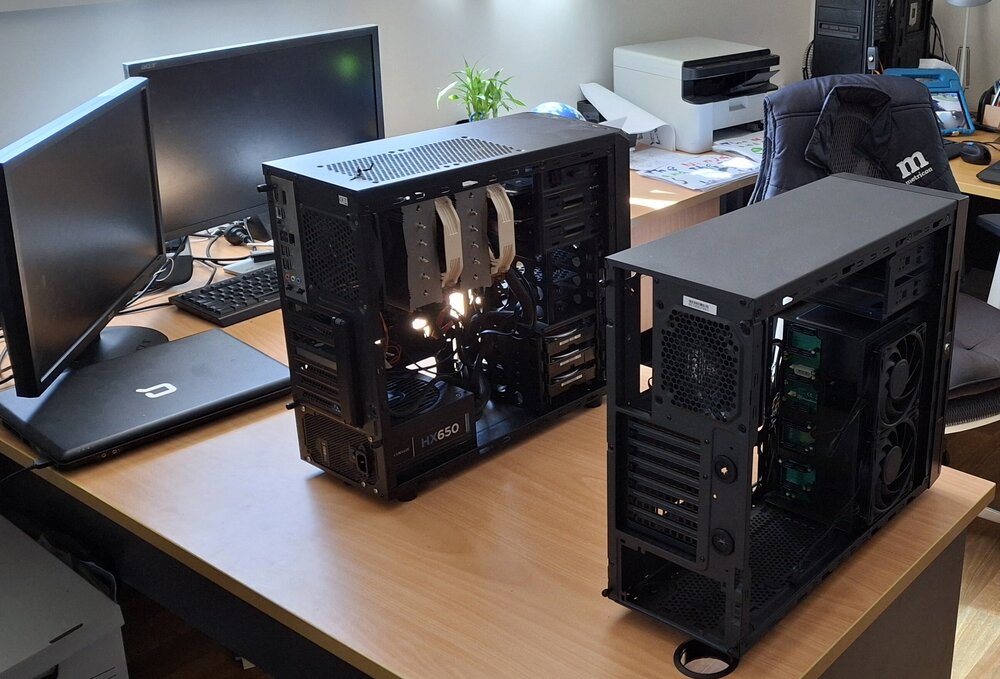
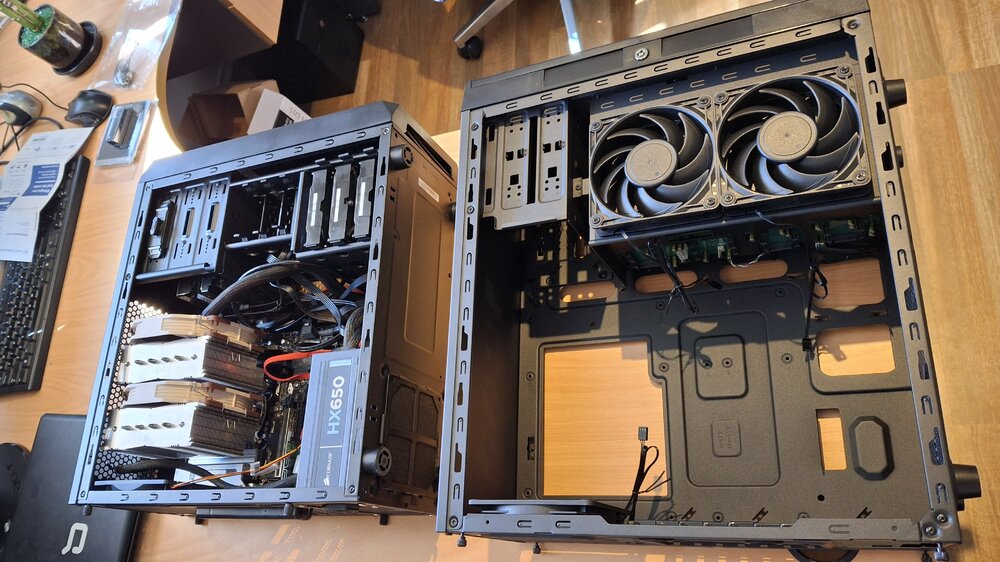
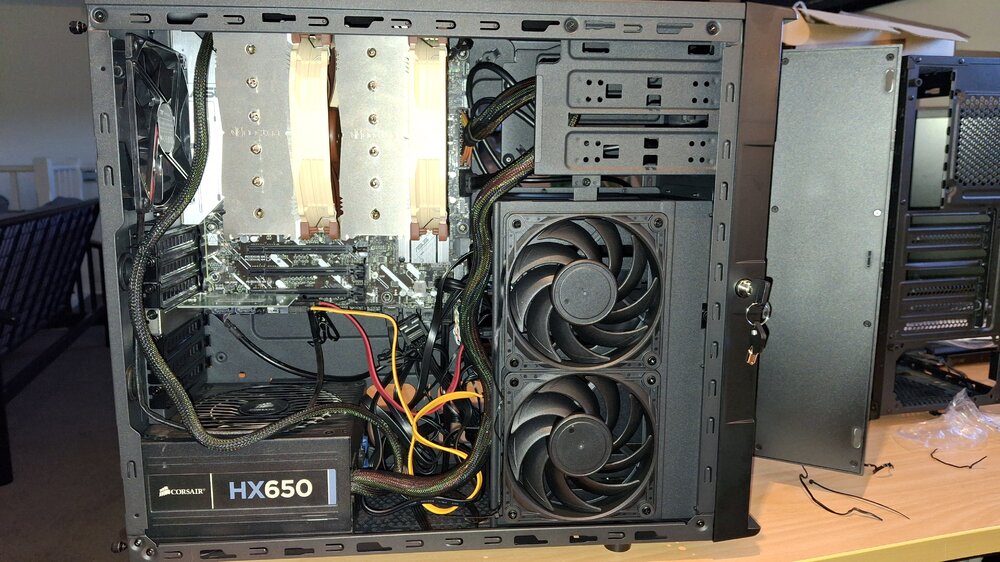
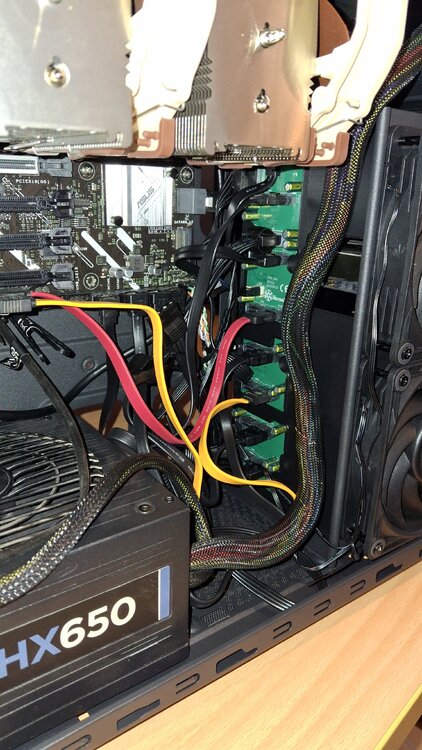
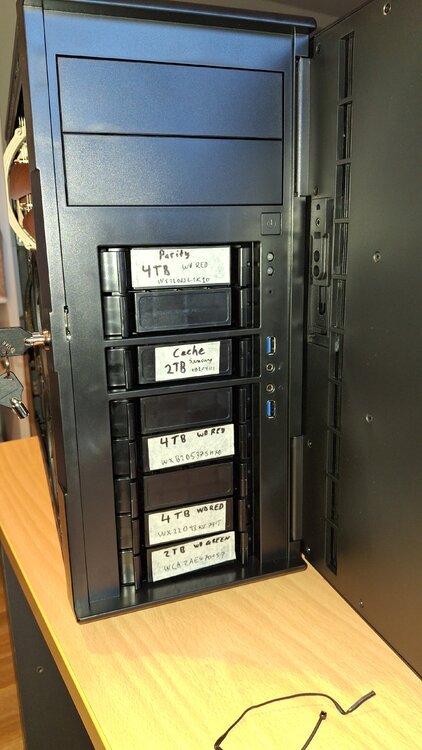
I finally found some time to change over from the old case Silverstone CS380 , was a little tight with the D15 cpu fan, but the MB had enough space to use the 2x sata facing the hdd enclosure section, with the other 4x sata all in the drives i am using. the crest pcie sata ill change to a HBA if i need more drives, for now i just left it plugged in to the spare hdd slots.
-
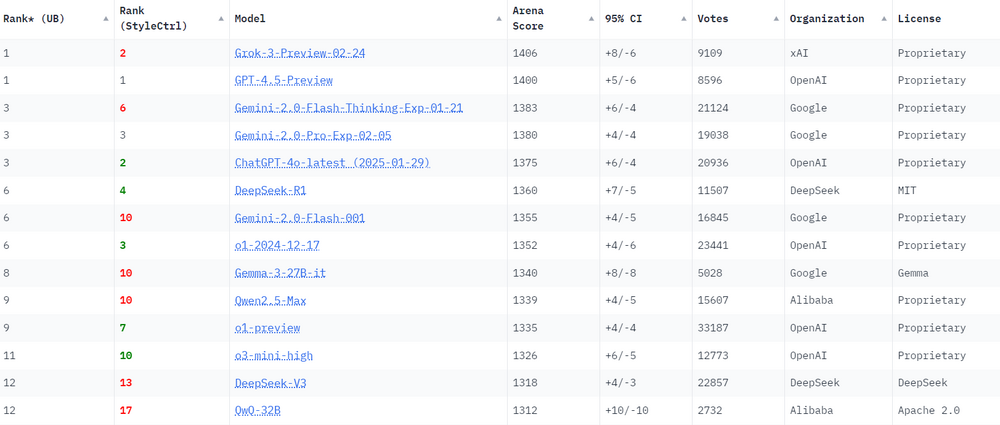
Chatbot Arena is an open platform for crowdsourced AI benchmarking, developed by researchers at UC Berkeley SkyLab and LMArena. With over 1,000,000 user votes, the platform ranks best LLM and AI chatbots using the Bradley-Terry model to generate live leaderboards. https://lmarena.ai/?leaderboard
-
Anyone else testing any AI models locally? I just installed the google free open source Gemma 3 (4B) on ollama and its really fast and uses less resources. There top end model is meant to be right up there in the benchmarks. Many other models are getting smaller and better like Qwen QwQ 32B which is meant to be comparable to Deepseek R1 671B and Open Ai 03mini. I am installing LiteLLM like suggested by NetworkChuck to control the models i run locally (and maybe add some cloud services using api)
-
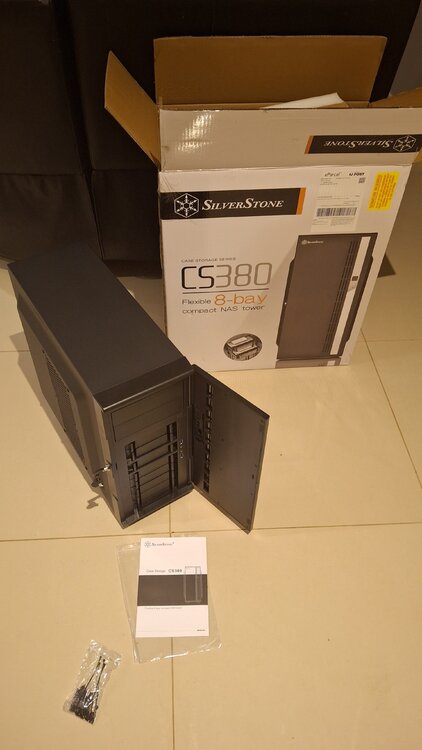
CS380 case arrived, I just need to find the time to swap my server components into it.
-
i have also been playing around with this, seems that running the same model without 'assist' on (i have no gpu) takes 3-6 seconds for a response, but when i turn on Assist, it can take 10-20 seconds to scan the exposed entities then figure out what to do with it. for now i am not going to do much with it in HA until i get a gpu in there. but without Assist on, it can still be used through HA (click the entity for the conversation) and it works faster then the same model in openwebui. I am not sure if thats just due to the way Home Assistant sets the token and initial prompt to have a simpler response.
-
I am also looking at the same sort of thing for my server. Nivida gpus are better then amd for AI processing. Without a gpu, only use the smaller models (llama3.2, dolphin-llama3 etc) From what i can tell, its all about the VRAM of the gpu. You at bare minimum want something with 8GB vram, but ideally 12GB vram. the higher the cuda cores and tensors the better too which will reduce time to process, but thats where prices go up from a rtx 3060 to very high prices for rtx 4070. https://www.sportskeeda.com/gaming-tech/best-graphics-cards-12-gb-vram
-
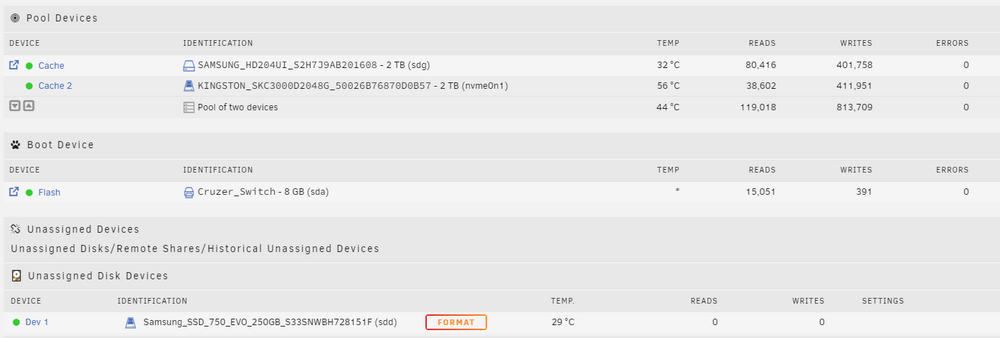
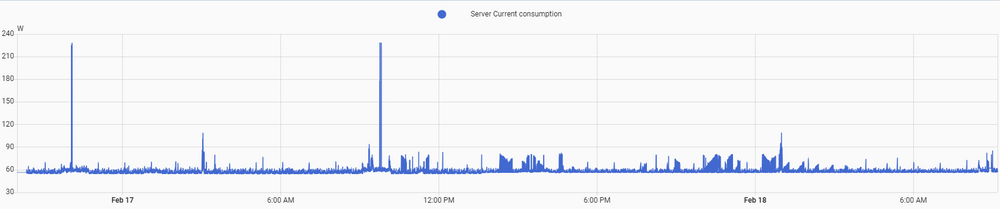
I recently upgraded my server from old hardware Motherboard: ASUSTeK Computer INC. V9-P7H55E | Processor: Intel® Core™ i7 CPU 870 @ 2.93GHz | GPU: Nvidia Geforce 430 GT | RAM: 16 GiB DDR | 2 case fans which used to idle at 80-90 watts, spike to 150 when running plex. These parts remain the same from old to new: PSU: Corsair HX650 | Parity: WD Red Plus 4TB | Storage: WD Red Plus 4TBx2, WD Green 2TBx2 | Cache Pool: Kingston m.2 2TB & Samsung HDD 2TB | UPS: Eaton 5E to my current (no GPU - Plex transcodes without issues) (only 1 case fan) MB: Asus Prime Z890M-PLUS WIFI-CSM | CPU: Intel CORE ULTRA 5 245K Arrow Lake-S 5.2GHz 14 Cores CPU Cooler: Noctua D15 | RAM: Corsair 64GB (2x32GB) Vengeance 6000MHz DDR5 RAM which now idles at 57-60 watts. (spikes to 85w or so when plex is playing, 220w when running ollama AI) this is running dockers for plex, sungather, home assistant, observer. Occasionally turn on ollama when required.
-
thank you JorgeB, all working perfect now!