





bloom_server
Members
-
Joined
-
Last visited
-
spent my day figuring this out.. Why doesn't the Library Name displayed on the Thumbnail? I tried switching diffrent themes already which have this library name on the thumbnail. ImgBBScreenshot-2025-05-24-151838 hosted at ImgBBImage Screenshot-2025-05-24-151838 in Bloom Stream's images album
-
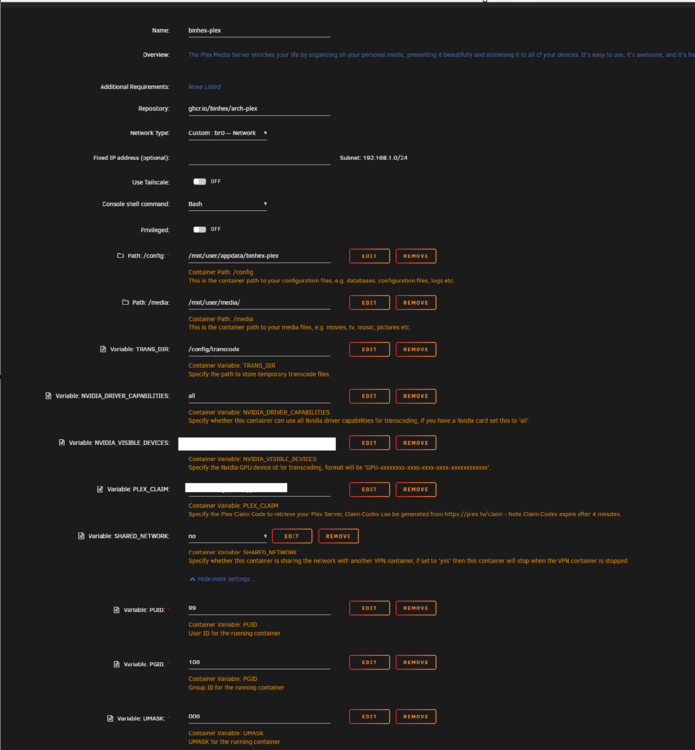
Here's my docker settings. I'm running it on br0 network.
-
Hi everyone, I installed plex-binhex on a new Unraid server. While running it, i encountered this error. I tried removing the image / delete its appdata to start from scratch. Still having the same issue. If someone can point me to the right direction, I would really appreciate it. Here's the error log Created by... ___. .__ .__ \_ |__ |__| ____ | |__ ____ ___ ___ | __ \| |/ \| | \_/ __ \\ \/ / | \_\ \ | | \ Y \ ___/ > < |___ /__|___| /___| /\___ >__/\_ \ \/ \/ \/ \/ \/ https://hub.docker.com/u/binhex/ 2025-03-02 08:16:47.647633 [info] Host is running unRAID 2025-03-02 08:16:47.668551 [info] System information: Linux CASA-74 6.6.78-Unraid #2 SMP PREEMPT_DYNAMIC Thu Feb 20 13:33:15 PST 2025 x86_64 GNU/Linux 2025-03-02 08:16:47.690272 [info] Image tags: BASE_RELEASE_TAG=2025012801,IMAGE_RELEASE_TAG=1.41.4.9463-1-01 2025-03-02 08:16:47.713785 [info] PUID defined as '99' 2025-03-02 08:16:47.750858 [info] PGID defined as '100' 2025-03-02 08:16:47.796039 [info] UMASK defined as '000' 2025-03-02 08:16:47.828006 [info] Setting permissions recursively on '/config'... 2025-03-02 08:16:47.859788 [info] Deleting files in /tmp (non recursive)... 2025-03-02 08:16:47.885935 [info] TRANS_DIR defined as '/config/transcode' 2025-03-02 08:16:47.951278 [info] SHARED_NETWORK defined as 'no' 2025-03-02 08:16:47.973699 [info] Starting Supervisor... 2025-03-02 08:16:48,156 INFO Included extra file "/etc/supervisor/conf.d/plexmediaserver.conf" during parsing 2025-03-02 08:16:48,156 INFO Set uid to user 0 succeeded 2025-03-02 08:16:48,161 INFO supervisord started with pid 7 2025-03-02 08:16:49,166 INFO spawned: 'plexmediaserver' with pid 67 2025-03-02 08:16:49,167 INFO reaped unknown pid 8 (exit status 0) 2025-03-02 08:16:50,168 INFO success: plexmediaserver entered RUNNING state, process has stayed up for > than 1 seconds (startsecs) 2025-03-02 08:16:51,231 DEBG 'plexmediaserver' stderr output: Error in command line:the argument for option '--serverUuid' should follow immediately after the equal sign Crash Uploader options: Minidump Upload options: --directory arg Directory to scan for crash reports --serverUuid arg UUID of the server that crashed --platform arg Platform string --platformVersion arg Platform version string --vendor arg Vendor string --device arg 2025-03-02 08:16:51,231 DEBG 'plexmediaserver' stderr output: Device string --model arg Device model string --allowRetries arg Whether we will allow retries Session Health options: --sessionStatus arg Seassion health status (exited, crashed, or abnormal) --sessionStart arg Session start timestamp in UTC or epoch time --sessionDuration arg Session duration in seconds Common options: --userId arg User that owns this product --version arg Version of the product --sentryUrl arg Sentry URL to upload to --sentryKey arg Sentry Key for the project 2025-03-02 08:17:05,913 DEBG 'plexmediaserver' stdout output: Critical: libusb_init failed
-
You're awesome, thank you kindly good sir.
-
Hey guys, is there a way to show a Date Added and Date Completed on Deluge? I'm seeding torrents for x amount of days and i'd like to see the info on the client. I'm seeding a couple of torrents so it would be too hard to determine which is old and recent. Thanks!
-
It did make things work! Thanks @binhex
-
@binhex i never got helped on my issue. Can you assist me please? Really appreciate it.
-
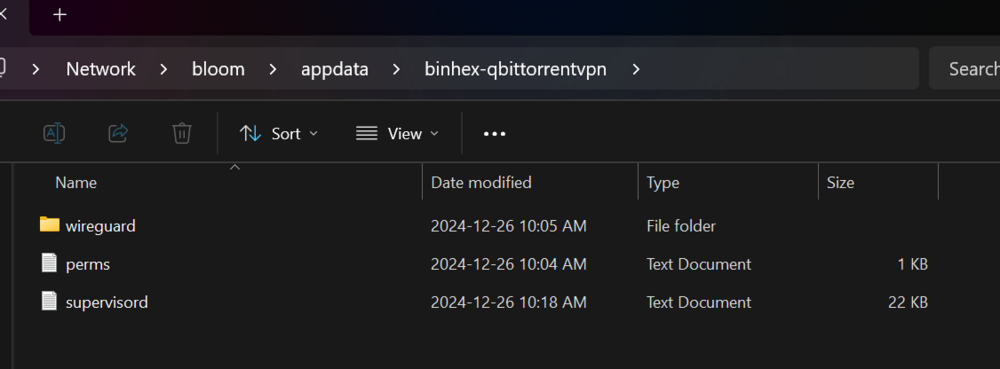
Hi Team, I'm having a hard time making QBittorrentvpn run. It was all good the past couple of weeks until last week when everything seemed to stopped. I deleted and reinstalled QBittorrentvpn and still nothing. IF I disable VPN in the qbittorrent docker, I can access it. Otherwise, it won't let me FYI - I've attached the logs for your reference. Step 1 - Command Line.txt supervisord - updated.txt


