





fushigi
Members
-
Joined
-
Last visited
-
Hi, I'm having the same problem as you with the new update. I wrote to technical support and this is what they replied: Hello for the kernel 6.18.x , please use this command to install the drivers(with the root permission) curl -sSf https://www.tbsdtv.com/download/document/linux/drv-tbs.sh | sh
-
I hope they solve it too. I am getting by with the ARC a380 for transcoding (plex , handbrake) and the ARC pro b50 for ollama and LXC.
-
Hello good, could you pass me the files? I want to try Intel arc pro b50 Thank you
-
Hello, good! I've been following the steps and I can't get it to work. Unraid 6.12.42-Unraid 7.2.0-beta.2 Intel arc pro b50


-
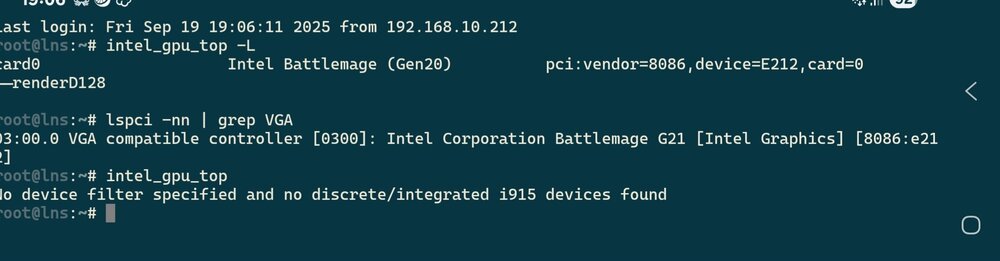
Hello, good! I have an Intel arc pro b50 Unraid OS 7.2-Beta.2 And it puts me: Intel_gpu_top No device filter specified and no discrete/integrated i915 devices found Intel_gpu_top -L card0 Intel Battlemage (Gen20) pci:vendor=8086,device=E212,card=0 └─renderD128 Any solution?


