steff_92
Members
-
Joined
-
Last visited
-
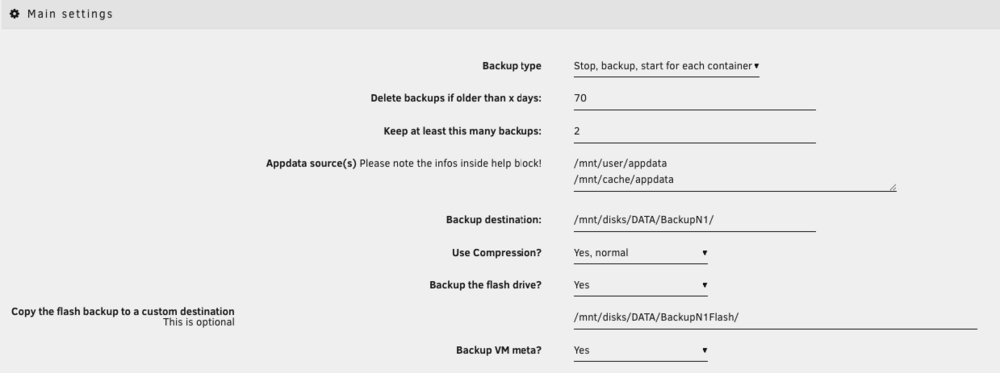
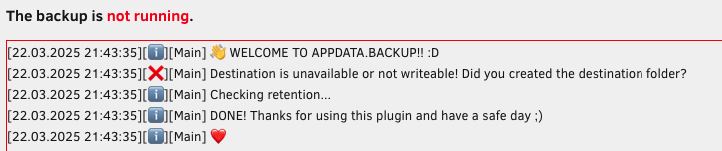
I found the solution. I have previous setup destination folder and save the configuration. When i try now to backup, a change the destination folder, but never click SAVE, instead i try direct manual backup. But the system reads from the saved configuration which is no longer available. I have noticed after few day strugling. So the answer is, after you change destination driver or some other setting, you must SSAVE IT, and then DO the manual backup.
-
Thanks for helping me, and resolving my missunderstandings.
-
Thats a new moment that i wasn't aware. If i use 3x1TB for DATA, and just 1x1TB for parity, i'm secured from one frive failure. If any drive of the 3 for DATA dies, the system can recover from the one from parity although those 3x1TB could be full used? And what if 2 drives are dead, does single parity can help? If i use 2x1TB for DATA, and 2x1TB for parity, i'm secured from two frive failure?
-
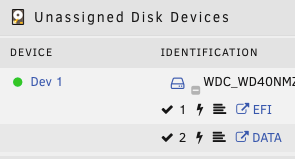
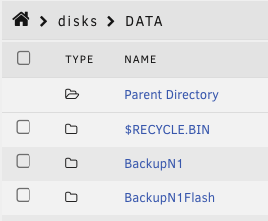
I'm trying to backup whole my Unraid conf on an external HDD attached to USB-C port. I mount it using Unassigned plugin, and made two folder for backup. When it started manually backup, it get an error for privilegies od something. I tried everything i know about changing write/read privilegies, changing owner on the folder, recreate them few times, but nothing solves it until now. Tnx for help.
-
I try this method and sucessfully removed the 2 devices. The parity disk were renewed from scratch. I want to use 2x1TB for DATA and 2x1TB for Parity in case of any one drive failure. Is it this scenario OK, still active question?
-
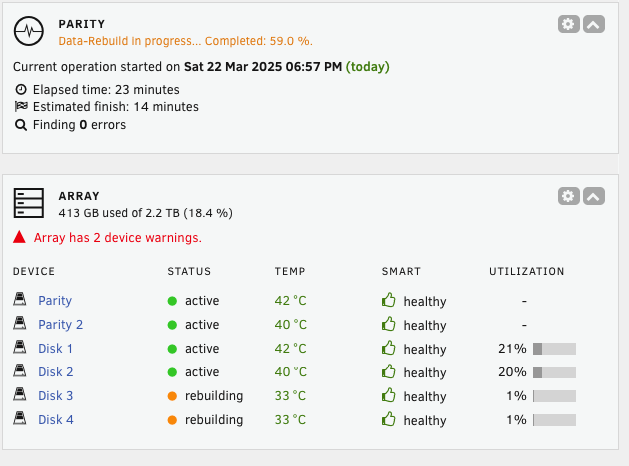
I fulfill this requirement. Have x2 parity by 1TB. For the trim i'm aware, and shutdown the auto schedule triming process. Now in the moment i have returned the x2 2.5" SSD which were removed before, and after start on the array it has started itself with Data Rebuild, but on those disks there was nothing. They were empty. I want to use 2x1TB for DATA and 2x1TB for Parity in case of any one drive failure. Is it this scenario OK?
-
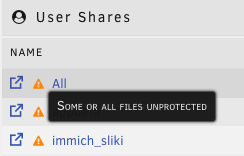
Hello everyone, I'm new in Unraid OS, and have installed it on NAS Link Station N1. As i read across the internet, i made this summary: (correct me if i'm wrong) 1. Unraid is not functionating like standard RAID (for me needed RAID 1). RAID made full copy of the data on both disks, and if one disk has malfunctionated, i can replace the disk, the controller copy the data itself, rebuild RAID, or just attach the fully functional disk on PC and access the data. Unraid write data on one disk, and on the other he made parity write of data, and if one disk has malfunctionated, when the bad disk is replaced, it rebuilds from parity disks. If i attach the parity disk to PC it will be unusable, and it does not have actual copy of the data on the parity disk. 2. I can use 1 parity disk and many data disk, just to be sure that the size od parity disk is not smaller of the sum on the data disks. For example, if it has 4x1TB data disks, the parity disk must be at least 4tb. Now to get on the real scenario. I have mount 4x1TB NVMe SSD, and 2x128GB SATA 2.5" SSD. Setup is made to use 2x1TB NVMe SSD for DATA, and 2x1TB NVMe SSD for Parity. 2x128GB SATA 2.5" SSD were also setup for DATA. I start the array, made all settings in Unraid for my needs, installed many docker containers, setup share folders and so on. Everything was just fine. No errors, no warnings, Parity check it sais it's OK. After a while i decide that the two SATA SSD are not necessary for me and choose to remove them. I made on this way, stopped the array, removed the SSD from Array, shutdown the system, removed physically the drives, start the system. When it started became the warning about shared folders "Some or ALL files are unprotected" which i don't know what it means. I made another Parity check, and everything is OK, but this warning stays. Also i noticed that the partition of the two removed disks, are still shown in the array list. Don't know also why. Can someone try to explain what is going on, and what is the solution to made this system to work without warnings. Thanks in advance.