





SlidingGeneral
Members
-
Joined
-
Last visited
-
Hey, The System was running for a long time in this configuration. I am debating if it could be that the power distribution is subpar. All HDDS are connected to the N100 Board and its SATA_PWR1 port, which in retrospective sounds a bit wonky. The Power-Adapter is a 200W Power Brick. How can I power the HDDs in a better way? It seems that I need to build some breakout cable myself? Is 200W even enough for 5 HDDs, 1 SSD, 1NVMe?
-
Hello, today I noticed that the parity check is running and is taking forever. The Speed was very low and I noticed some "funny" noises from one of the HDDs of the Array. The Errorlog tells me something like this in a cyclic way. Mar 15 12:38:18 curie kernel: ata1.00: exception Emask 0x10 SAct 0x700000 SErr 0x4090000 action 0xe frozen Mar 15 12:38:18 curie kernel: ata1.00: irq_stat 0x00400040, connection status changed Mar 15 12:38:18 curie kernel: ata1: SError: { PHYRdyChg 10B8B DevExch } Mar 15 12:38:18 curie kernel: ata1.00: failed command: READ FPDMA QUEUED Mar 15 12:38:18 curie kernel: ata1.00: cmd 60/40:a0:c0:e5:13/05:00:3f:00:00/40 tag 20 ncq dma 688128 in Mar 15 12:38:18 curie kernel: ata1.00: status: { DRDY } Mar 15 12:38:18 curie kernel: ata1.00: failed command: READ FPDMA QUEUED Mar 15 12:38:18 curie kernel: ata1.00: cmd 60/80:a8:00:eb:13/00:00:3f:00:00/40 tag 21 ncq dma 65536 in Mar 15 12:38:18 curie kernel: ata1.00: status: { DRDY } Mar 15 12:38:18 curie kernel: ata1.00: failed command: READ FPDMA QUEUED Mar 15 12:38:18 curie kernel: ata1.00: cmd 60/40:b0:80:e0:13/05:00:3f:00:00/40 tag 22 ncq dma 688128 in Mar 15 12:38:18 curie kernel: ata1.00: status: { DRDY } Mar 15 12:38:18 curie kernel: ata1: hard resetting link Mar 15 12:38:24 curie kernel: ata1: link is slow to respond, please be patient (ready=0) Mar 15 12:38:25 curie kernel: ata1: SATA link up 1.5 Gbps (SStatus 113 SControl 310) Mar 15 12:38:25 curie kernel: ata1.00: configured for UDMA/33 Mar 15 12:38:25 curie kernel: ata1: EH complete Mar 15 12:38:38 curie kernel: ata1: link is slow to respond, please be patient (ready=0) Mar 15 12:38:39 curie kernel: ata1: SATA link up 1.5 Gbps (SStatus 113 SControl 310) Mar 15 12:38:39 curie kernel: ata1.00: configured for UDMA/33I attached the Diagnostics for any help! I am not sure what's going on. I checked the cable connection of the Drive and replugged it. The Server was off for this purpose. Any help is appreciated! TIA! curie-diagnostics-20260315-1240.zip
-
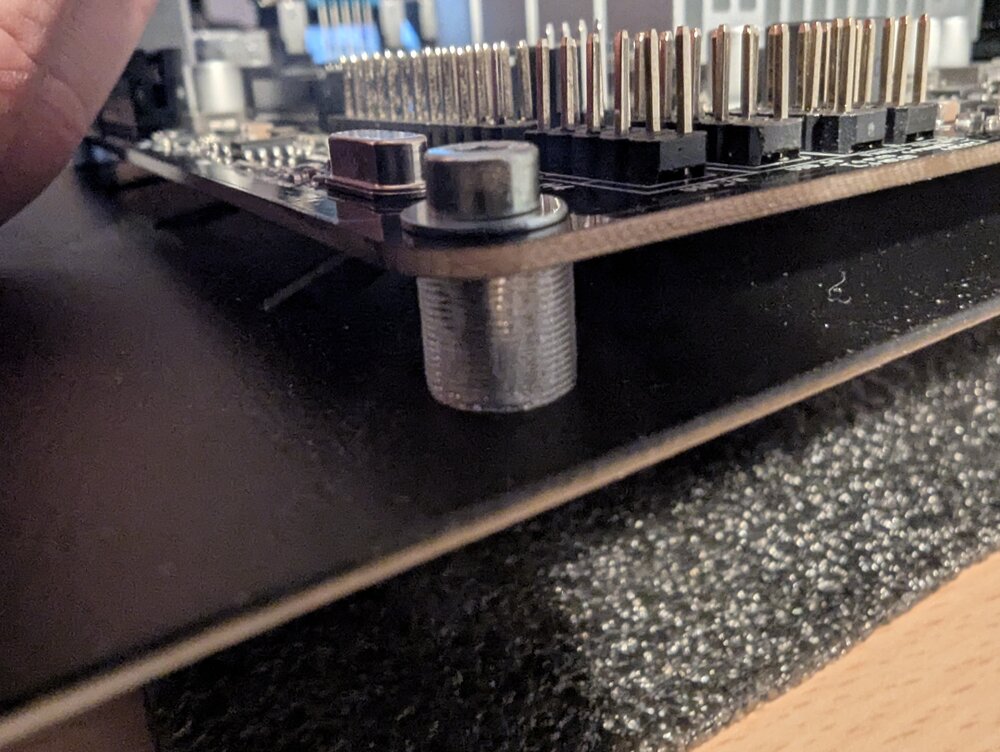
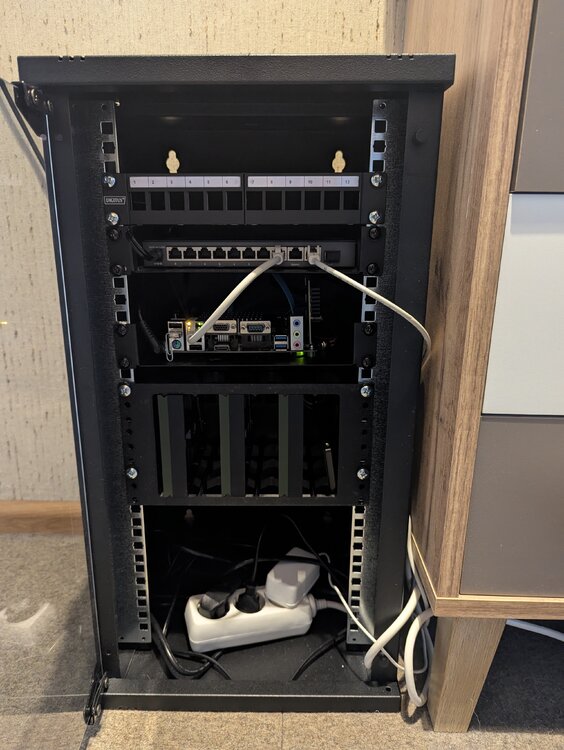
Hallo zusammen, ich möchte hier den aktuellen Zustand meines Unraid-Servers zeigen. Hardware ist nun folgende: ASRock N100DC-ITX 32 GB Kingston Fury DDR4 500 GB SSD Goodram PX600 6 Port ASM1166 PCI Expansion (GLOTRENDS von AMAZON) Ein paar verschiedene Seagate HDDs. 1x 4 TB IronWolf als Parity 1x 4 TB SkyHawk im Array 1x 2 TB SkyHawk im Array Mit etwas 3D-Druck und einem Einlegeboden fürs Mainboard habe ich dann alles mal ins Gehäuse verfrachtet und angeschlossen. Falls jemand so einen Cage für die HDDs aus dem Drucker möchte, kann ich damit gerne dienen. Einzig sollte man beim Bestellen an einen Powerbutton denken. Ich habe mir hier mit einem Taster und einer LED etwas zusammengelötet, das wäre aber einfacher mitbestellt gewesen. Nun laufen die ersten Tests und Installationen auf meinem neuen Server, bevor er dann an seinen Platz im Keller wandert. Ich behalte gerade die Temperaturen im Auge, es scheint aber für die HDDs so aktuell mit 40 Grad Celsius auch ohne Lüfter gut zu funktionieren. Falls ihr Fragen habt, gerne her damit! Euer Gen
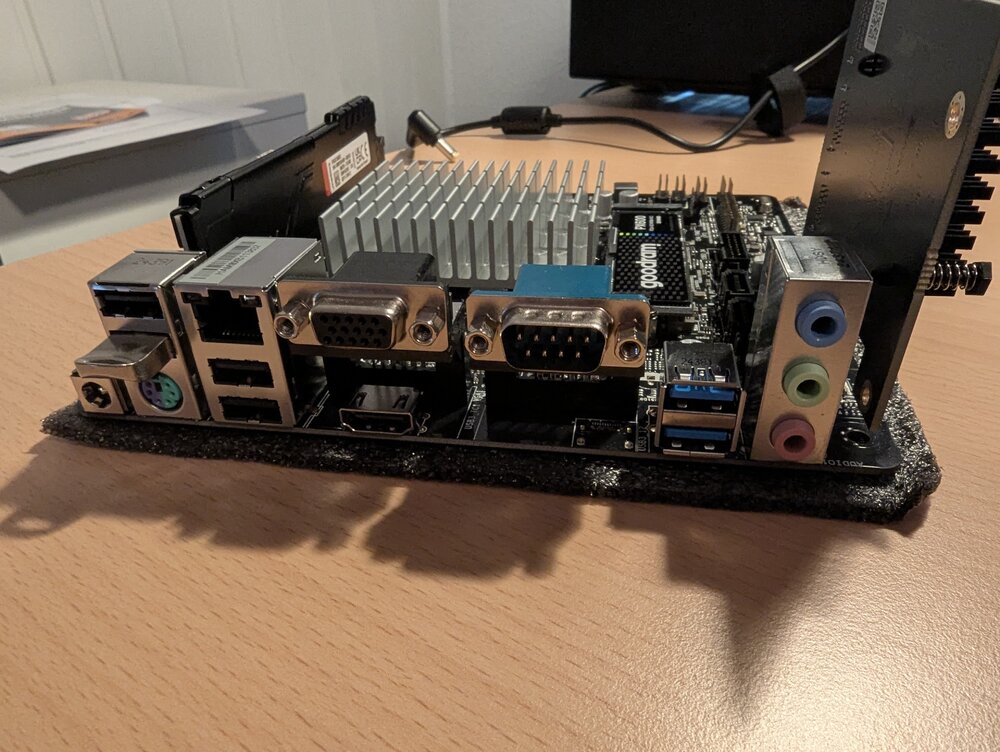
-
Hallo zusammen, Danke für eure Hilfe. Ich habe dann auf euch gehört und das AsRock N100DC-ITX bestellt. Wenn alles da und verbaut ist, werde ich auch mal einen Thread dazu erstellen.
-
Hallo zusammen, vielen Dank für deine Nachricht und die hilfreichen Hinweise! Den Build von mgutts habe ich gesehen und muss sagen, er sieht wirklich super aus. Ein N100 habe ich mir auch überlegt. Allerdings bin ich mit meinem aktuellen 4570T schon sehr an der Grenze und würde mir etwas Stärkeres wünschen. Die Leistung des N100 ist zwar preislich sehr attraktiv, aber ich bin mir nicht sicher, ob sie meinen Anforderungen gerecht wird. Vielleicht war das doch der richtige Hinweis, und ich sollte den N100 nochmal genauer in Betracht ziehen. Gibt es bei den N100 Boards etwas, das besonders heraussticht oder das ihr empfehlen könnt? Ich habe auch etwas über den N150 bei AliExpress gefunden. Hat jemand Erfahrungen mit diesem Modell oder kann etwas dazu sagen? N150 Aliexpress Vielen Dank im Voraus für eure Hilfe! Viele Grüße, Gen
-
Hallo zusammen, ich bin neu im Unraid-Forum und plane, mir einen Unraid-Server zusammenzustellen. Ich hoffe, ihr könnt mir bei der Auswahl der Komponenten helfen und mir sagen, ob meine bisherige Auswahl sinnvoll ist. Meine Anforderungen sind: 1-2 Streams mit Plex Einige Docker-Container wie Home-Assistant, Paperless, *arrs, Frigate Maximal 4 HDDs + 1 Cache SSD Folgende Komponenten habe ich bisher ausgewählt: CPU: Intel Core i3-14100 RAM: ADATA DIMM 32 GB DDR5-5600 Mainboard (mini-ITX): Biostar B760NHE SSD: SAMSUNG 990 PRO 1 TB Netzteil: be quiet! SFX-L Power 500W HDDs: Diese schaffe ich aber nicht neu an. Ich plane, den Server in ein 10-Zoll-Rack einzubauen, wobei ich Einlegeböden und 3D-gedruckte Halterungen verwenden werde. Daher ist ein mini-ITX Board gesetzt. Mein Ziel ist es, einen Server mit geringem Energieverbrauch zu bauen, der dennoch genügend Leistung bietet. Ich habe gelesen, dass man mit Unraid-Plugins wie „Dynamic Power Management“ und „Frequency Scaling“ die Energieeffizienz maximieren kann. Habt ihr Erfahrungen mit diesen Komponenten oder Empfehlungen für Alternativen? Gibt es etwas, worauf ich besonders achten sollte? Vielen Dank im Voraus für eure Hilfe! Viele Grüße, Gen


