strider2112
Members
-
Joined
-
Last visited
-
Did you ever get this resolved? I'm having the same issue and I'm wondering if the plugin just doesn't work. The developer replied to you and said that the share.cfg file missing is a bigger problem. But, I'm on a fresh install of 7.0.1 and I don't have a share.cfg file.
-
@ich777 got an update to this. It's still throwing the same errors. I did the following: Removed plex (linuxserver) and deleted the .../appdata/plex/ folder Updated video driver to v570 (current version branch) Restarted PC and checked to make sure the driver installed correctly Installed the official plex container (followed the guide in post 2 of this thread) Still got the same errors. I looked through the BIOS settings, not much for PCIe settings, just Enable or Disable power control. It was disabled, I tried enabling it. However, I had noticed that when using lspci, there is an integrated GPU (AMD ES1000) on the motherboard. Is it possible that somehow Plex is trying to use this GPU? If so, I'm not sure how to check or how to stop it. I have attached updated Diagnostics file. nas-1-diagnostics-20250323-1305.zip
-
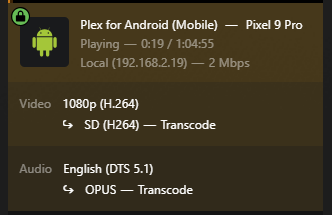
Thank you for your support and efforts @ich777! I'm going to try the things you suggested below. I might uninstall the plex, remove all the data, update the driver, then restart, then install the official app and see if that order of things helps anything. I've left comments on your comments and suggestions below. I'll report back once everything is up and running. Thanks again! Your dedication to this is inspiring. It was never working previously. I've been using Plex on Ubuntu for years. Got a free GTX1060 and decided I'd give it a try and see if I could get it working. Had similar issues in Ubuntu and I decided to wipe everything and start over (I also had other issues, but Ubuntu hadn't been updated since 16.04, so I figured that was the majority of the problem). Thank you! I am new to UnRAID / Docker, I have removed the switch. OK, the only reason I moved to it is because people have said it worked for this. I am going to go back to the official container, I actually would prefer that. There are no spaces in the UUID or any of the other variables. I'll take a look in the BIOS again. It might not be possible then with my hardware... You may or may not have noticed in the Diagnostics file. My Motherboard is a very old server hardware from 2000, it's got DDR2 ECC memory max 8GB, AMD Opteron 1356. I've had this server for almost 15 years now and got it for free lol. Yesterday, while at my wits end, I started to concede that it might just not be possible on this hardware but figured I'd reach out here. Though, I'm actually surprised, the Operton 1356 can actually raw dog 1080P transcodes w/o hardware support. In the example above it was plex running transcode from Google Pixel 9 Pro.
-
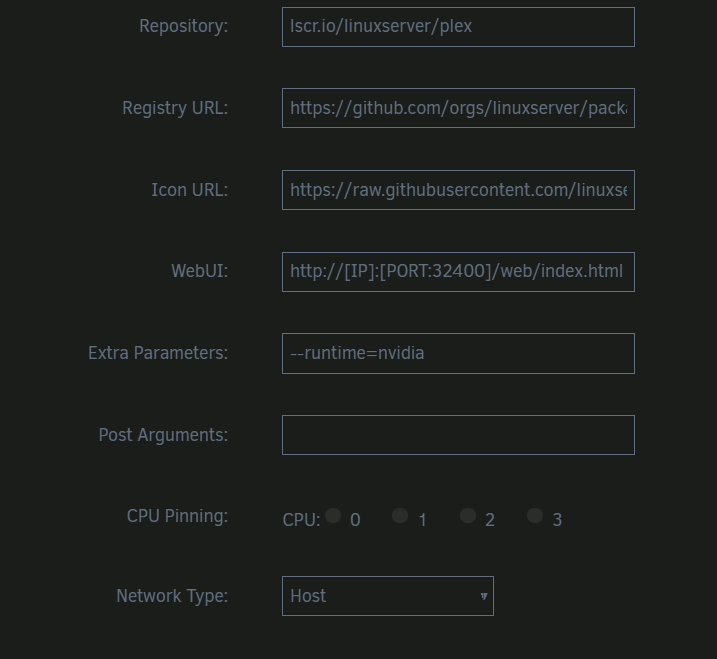
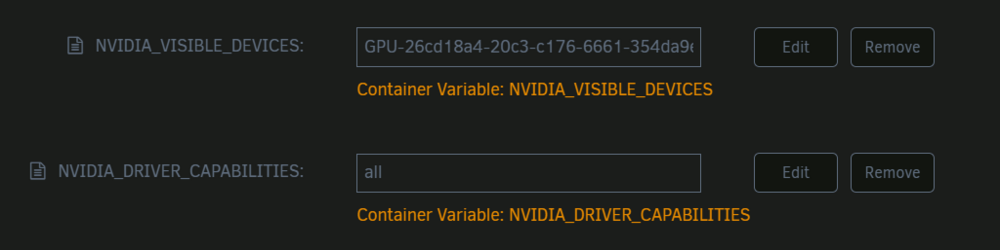
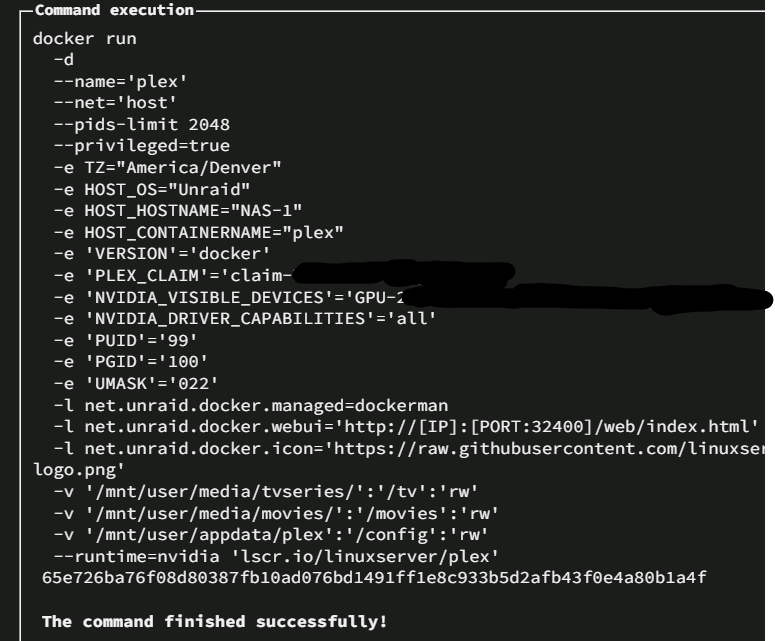
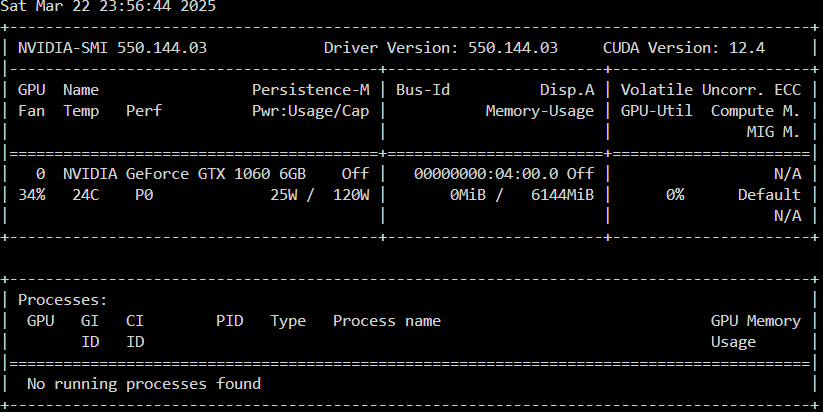
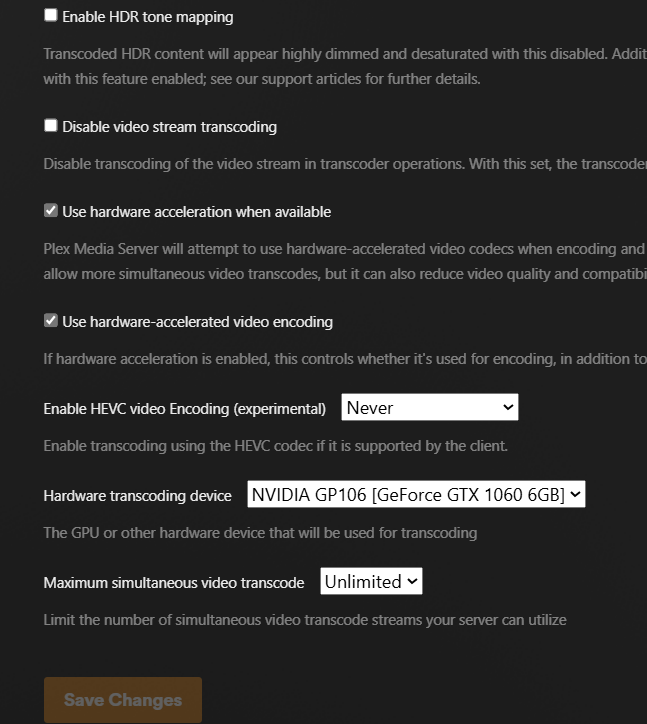
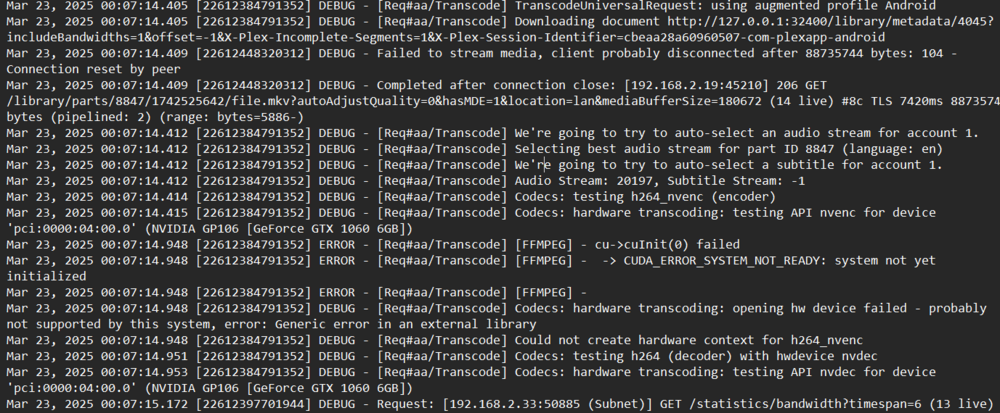
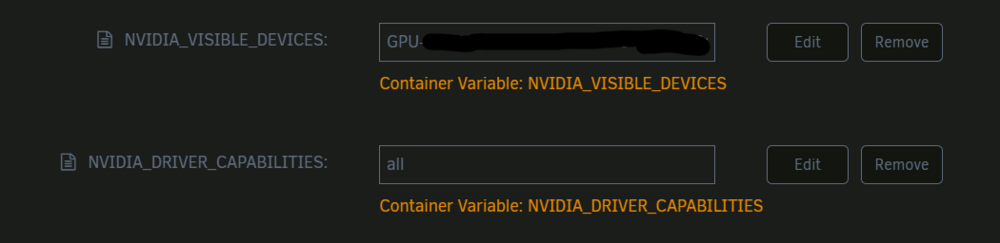
I am looking for help here. I have been trying to get Plex to transcode for a couple weeks now. I have Unraid 7.0.1 with the linuxserver Plex docker. I do have plexpass. I installed this plugin and have tried every driver available on the list. My card is GTX1060 (6 GB) and am currently on driver 550. I am getting FFMPEG CUDA errors (see below) indicating that "system not yet initialized" and "Codecs: hardware transcoding: opening hw device failed". If anyone can come up with anything else I could try, I'm kind of at my wits end with this. Thanks in advance! Plex config: Here is nvidia-smi: And Plex settings: Whenever I try to use Plex to Transcode, I just get "transcode" (no "hw"), the nvidia-smi shows zero activity, and I get a whole bunch of "FFMPEG" errors indicating that Cuda isn't started or is otherwise unavailable when I view plex logs. Plex Dashboard: Plex error log: ERROR - [Req#aa/Transcode] [FFMPEG] - cu->cuInit(0) failed ERROR - [Req#aa/Transcode] [FFMPEG] - -> CUDA_ERROR_SYSTEM_NOT_READY: system not yet initialized ERROR - [Req#aa/Transcode] [FFMPEG] - DEBUG - [Req#aa/Transcode] Codecs: hardware transcoding: opening hw device failed - probably not supported by this system, error: Generic error in an external library DEBUG - [Req#aa/Transcode] Could not create hardware context for h264_nvenc DEBUG - [Req#aa/Transcode] Codecs: testing h264 (decoder) with hwdevice nvdec nas-1-diagnostics-20250323-0045.zip