jayryuki
Members
-
Joined
-
Last visited
-
I currently have a 250gb m.2 SSD in XFS format as a cache. I have a new 1tb m.2 SSD that I have plugged into the server in a separate pcie slot. I've tried manually copying the SSD over then assigning the new SSD as cache but Unraid is still looking for the old SSD preventing me from starting the array. I also followed the instructions in the FAQ to upgrade my SSD but it seems that the mover isn't doing anything and maybe I just don't fully understand what I need to do.
-
Thank you so much, I must have missed the post about that. Thank you very much, it is working now!
-
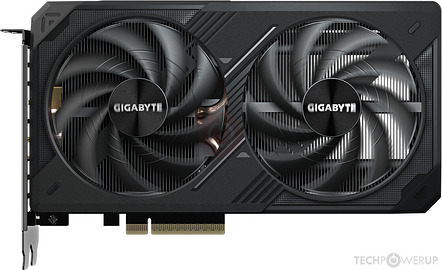
Hi, I recently got the Gigabyte 5060ti Windforce OC. I am able to boot into my unraid system and am able to get video output from the card. However, my nvidia drivers is showing me: "NVIDIA-SMI has failed because it couldn't communicate with the NVIDIA driver. Make sure that the latest NVIDIA driver is installed and running." I'm running a Ryzen 7 3700x with a B450 Tomahawk Max Mobo. I'm not sure if the half PCIE slot from the 5060ti has anything to do with it or maybe I'm setting something in my bios wrong. I've attached how the GPU looks like for reference: I searched around and it says to put it to PCIE gen 4, but my mobo doesn't have that option only up to gen 3. I also saw a reddit post to put it in gen 2 but that didn't work either.