Buildern
Members
-
Joined
-
Last visited
Everything posted by Buildern
-
I am planning on getting a couple Supermicro Sata SuperDOM's and transition to internal boot, we'll see if that helps
-
Awesome, that fixed my OOB issues extremely appreciated!! I have included a new diagnostics file, after pinning Nginx to 2/3's of CP0, now if we can solve the slow WEB-UI that would be great. Thank you thevault-diagnostics-20260923-1554.zip
-
so I have since updates the containers and they no longer have the same ID so here is a new set of diagnostics. I extracted it and tried to read the files but all of the txt files looked blank. thevault-diagnostics-20260901-1012.zip
-
forgive me for the very slow response. I will try this, i have rebooted many times (obviously if the issue isn't remedied the issue will come back) the issue is that i always have about 411Gb of ram free. i presume these are specific containers?
-
forgive me for the very slow response. I got this server in a trade from my brother, he had the same issue, different USB, different key, different install method. the WEB UI is slow from the moment it is boot from a fresh install
-
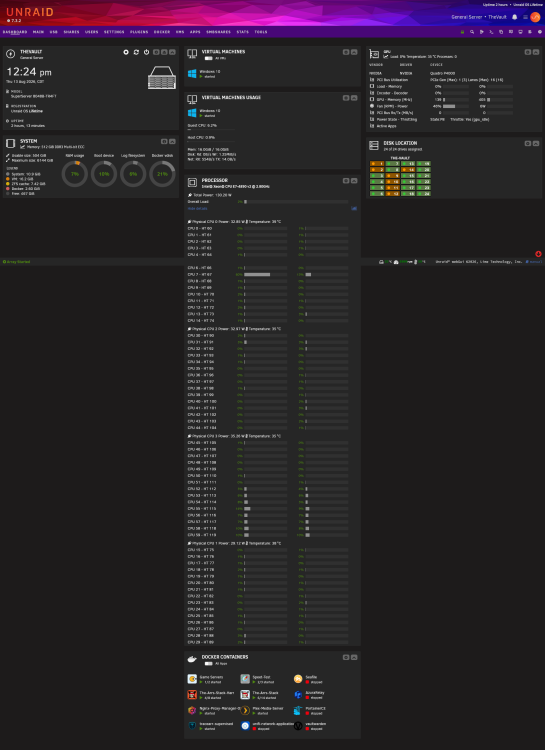
hello, just want to thank anyone that helps, first time posting, have been lurking and using other posts to help solve other issues i have had. The issues i am having is from the fresh install the webui has been slow and lethargic, takes 5-15 seconds to change pages etc, and i have noticed that i have the OUT OF MEMORY error in the "fix common problems" app. so far I have tried isolating all of the CPU 1-3 cores and leaving just CPU 0 for the OS by pinning docker apps to CPUs 1-3, everything ended up running on CPU 0 but the webui seemed a little more responsive. I don't think the slow webui is caused by anything i have done the webui has been slow since the first boot, before I installed anything. I do beleive Unraid tends to run slow on this machine, assuming its just the 4 CPU architecture so i have a supermicro SuperServer 8048B-TR4FT with the Super X10QBi motherboard. Config: CPU: 4XIntel® Xeon® CPU E7-4890 v2 RAM: 512 GiB DDR3 Multi-bit ECC any help with either issue is greatly appreciated thevault-diagnostics-20260813-1320.zip