Skip to content
View in the app

A better way to browse. Learn more.

Unraid

A full-screen app on your home screen with push notifications, badges and more.

To install this app on iOS and iPadOS
  1. Tap the Share icon in Safari
  2. Scroll the menu and tap Add to Home Screen.
  3. Tap Add in the top-right corner.
To install this app on Android
  1. Tap the 3-dot menu (⋮) in the top-right corner of the browser.
  2. Tap Add to Home screen or Install app.
  3. Confirm by tapping Install.

GimliGo

Members
  • Joined

  • Last visited

  1. Thanks for the great answers, they are really helpful! I will keep a sharp eye on the amount of reallocated sectors when they keep increasing.
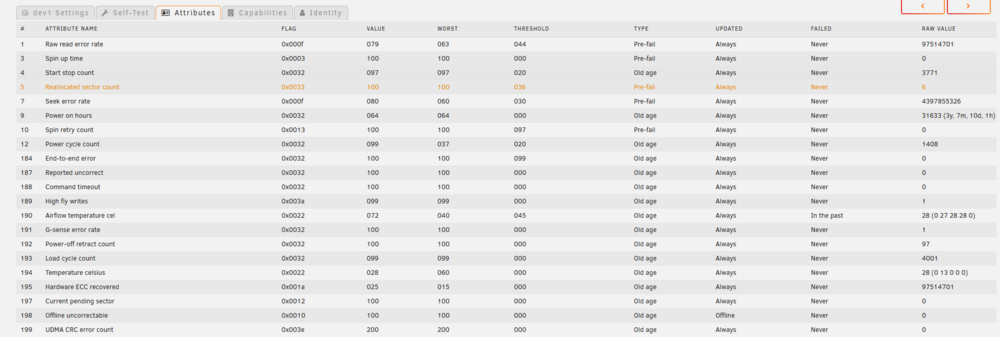
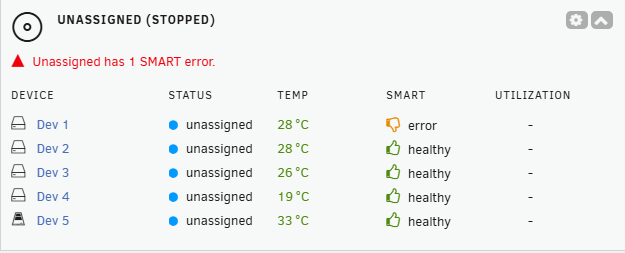
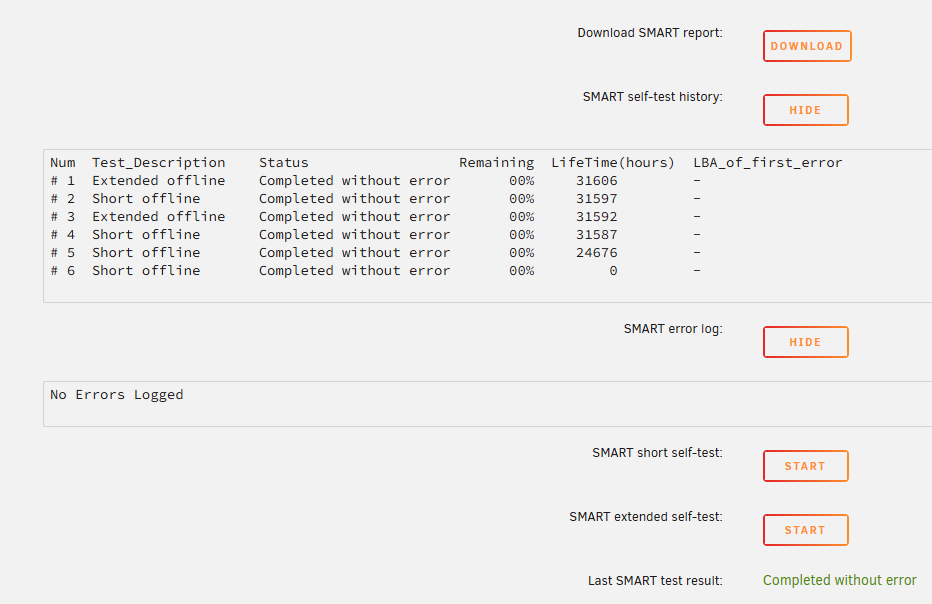
  2. I'm new to Unraid and got a problem when I got the server going. In the dashboard I have an error on a SSD "Unassigned has 1 SMART error." But when I go to the SSD and check the Self-test the result is "Completed without error". I fined one yellow line in the Attributes but I'm unsure what it means Does anyone know, do I have to relplace the SSD with a new one or is it safe to use it?
Account

Navigation

Search

Search

Configure browser push notifications

Chrome (Android)
  1. Tap the lock icon next to the address bar.
  2. Tap Permissions → Notifications.
  3. Adjust your preference.
Chrome (Desktop)
  1. Click the padlock icon in the address bar.
  2. Select Site settings.
  3. Find Notifications and adjust your preference.