





KennethO
Members
-
Joined
-
Last visited
-
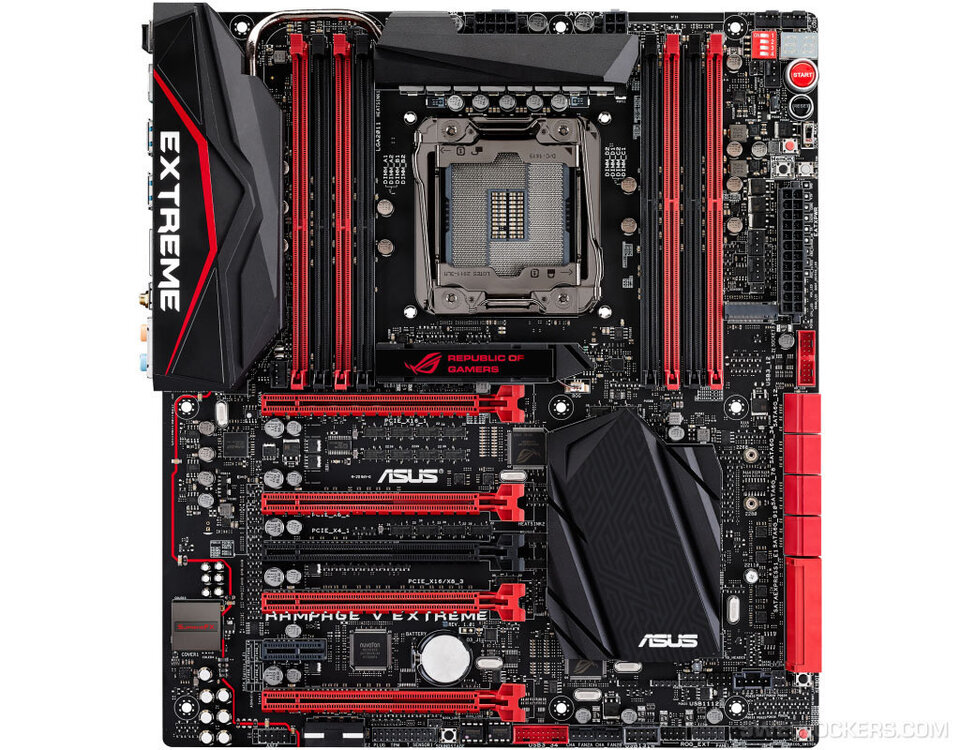
Heres the specs. Its my old rig re-purposed. Been used for 5yrs+. MB picture included to visualize. The 5060 has to be in slot 4 for the space ideally to not block other slots. Wanted the a380 in slot 1. And the LSI can be slot 2 or 3. Intel says the 5930k has 40 pci lanes so it shouldn't be near maxed out. The MB can do 8x in all 4 slots per the manual (4way sli). No m.2 drives installed so its not using the x4 lanes. Its fine with the old a$$ k420, but when I pull it out and swap the ark card it starts having issues. Issues: LSI drops out, all 8 HDDs attached to it don't register, MB connected HDs are unaffected. Black screen on bios load up until unraid is fully loaded. Almost like a driver needs to load. Does it need compatibility mode on/off or turn off fast boot? Something to ensure its loaded before starting post? X99 Rampage V Extream 5930k (not OC'd) 64 gigs Dominator DDR4 (stock, no xmp) 1st pcie x16 - Nvidia K420 (gpu for bios, 5930k has no igpu) 3rd pcie x8 - LSI 9211-8i (flashed for HBA) 4th pcie x8 - 5060ti Thanks.
-
Hello. Wondering if anyone had this issue also. I'm having problems when trying to add an Ark A380 gpu to the system. When installed it causes my LSI 9211-8i to post a failure and not load the hard drives attached to it. Says disabled by user or something. And 1/2 the time I boot when trial and error testing the screen wouldn't even show until Unraid itself was fully loaded up. Like its unable to load the hardware until the driver loads or something. Couldn't see bios, LSI screen or anything. Google said try to disable CSM, Compatability Service Mode in bios. But I dont want to start tweeking things if its something more simple. Maybe I need to disable quick boot to ensure it loads the gpu before continuing? Thanks, Kenny.
