





PresidentMcPooden
Members
-
Joined
-
Last visited
-
Ok, this is strange. I tried something on a whim. I shut the machine down unplugged it moved the USB stick to a different port started the machine and it came up. I don't know what was going on but it seems to have resolved itself. I would love to have information as to the why but at least it is up.
-
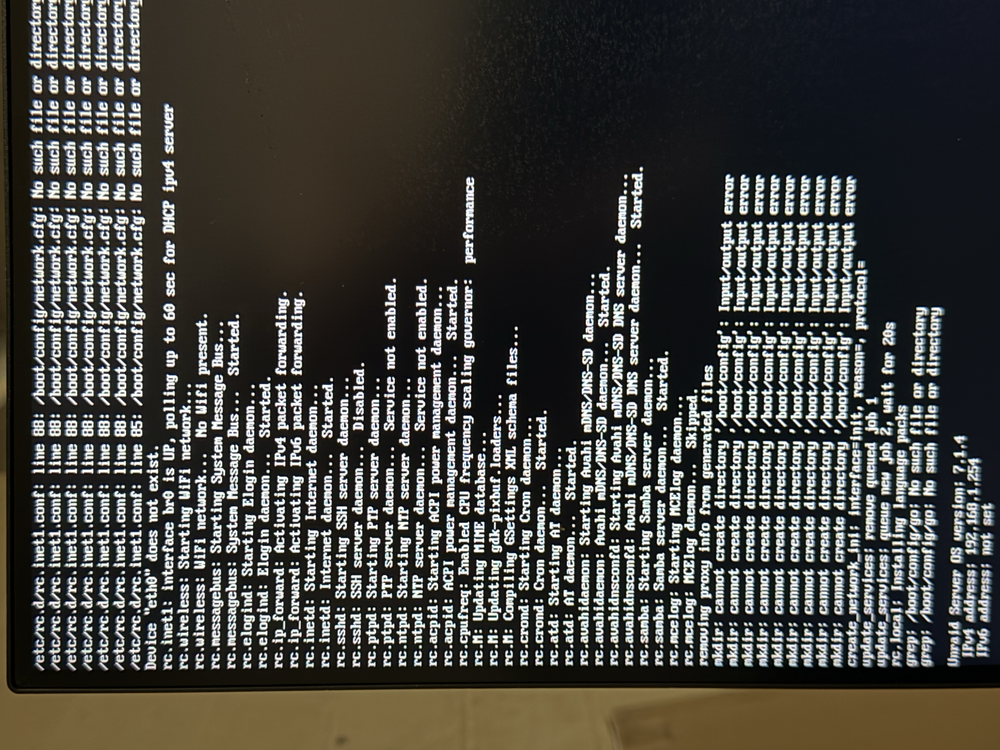
Alright. Now I need help. I removed the other drivers, like I asked about, and now the host is unreachable. I checked my router connections and both the NIC and the onboard NIC are getting an IP. I did see some errors when the server loaded Sorry for the sideways pic. it isn't like that in the original. I am at the command line so the system does boot but the GUI isn't accessible though the server has an IP. I tried to reboot the machine into GUI mode. I let it run and got the "cannot create directory" error. I left it run and now it is sitting at a black screen with a flashing cursor top left. I was going to try this rm /boot/config/network.cfg rm /boot/config/network-rules.cfg the the /boot dir is. empty.
-
Wow... was it really that easy? Crikey... I am used to doing things the hard way. Let me check that out. Thanks so much! should I uninstall 8169?
-
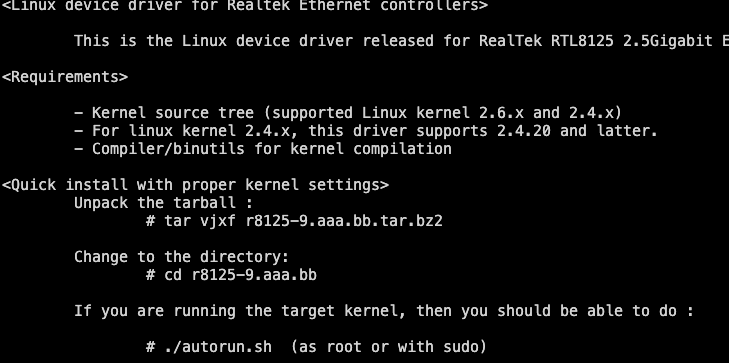
Hopefully, this is right place. It is a hardware issue but more on the driver side. I just got a faster NIC. it is a tp-link TX201. I got it b/c it said Linux compatible... sadly, I think I should have gotten an Intel NIC but here I am. I have it installed in the system. It is being picked up cool. The next bit would be to see if the drivers are loaded so, no drivers. cool. the NIC came with a CD. I copied the tarball over and unpacked it, catted the README when I run the autorun.sh, I get this There is a Realtek driver installed but it is the wrong one Do I have to install make to get this done? What would the communities' suggestion be? MGF




-
Final update. I did change the password to a longer, easier one to type i.e.: blah1-somthing2-horse3-battery4-staple (obviously i just made that up) and I was able to log in so length wasnt the issue. It was me not being able to see the characters for a complete password so while it was a challenge from a usability perspective, it isn't really a problem Thank you, @trurl
-
I certainly didn't hack it as that isn't how I roll :). That does explain why I couldn't log in with them. I did try an experiment that did work. I changed the root account to an easier password and I was able to log in. That leads me to think that I either fat fingered the password numerous times or there is a bug that is not taking the full password in the console. I expect it is the former. I use Proton Pass to generate my passwords and the one that I had is not easy. Would be nice if there was a "show password" like other places in the Web UI so that I could confirm it is right. That is the problem with using a password manage. if you don't have it installed, it is painful. I can try with the original password once more and see if I get it right. Thank you for the reply.
-
I tried creating a new account named "console" with an easier password for testing and now when I enter "console" as the user, it pauses for a moment the prompts for the user again
-
Man do I feel like i have a lot to learn but am totally happy with my experience so far. I have my server next to me with some spare monitors. I would like to be able to log in via console but it doens't accept either my root password or one of my local account. I can log into the webgui with all the accounts but not on the console. is there a setting to allow console access? I check the accounts and it didn't have anything that looks like that. process to repeat: start server in GUI mode enter either root or a user account enter corresponding password what happen for me is that once I enter the password, it changes back to user name. I did search here to see if the question was asked and there didn't seem to be anything for this type of issue.


