PandaSharp
Members
-
Joined
-
Last visited
Everything posted by PandaSharp
-
Hi @fajkovic.sasa I did a real run and I can confirm that it worked indeed! 🥳 Going to ask a small tweak, if it's possible: is there any way to have a less verbose log? would be amazing to have a new line something like every 5% increase or every 30/60 sec... but I don't know if depends on your or on rsync code, thanks!
-
Hi @fajkovic.sasa just tried a quick dry run and it worked, I'll test a full sync as soon I'll get a chance... I'll try to let you know, but if you don't hear back from me, it means all good :) Thanks a lot for your work!
-
HI @fajkovic.sasa Thanks a lot for your work, I'll give it a try on Wednesday and let you know how it goes, I'll be really happy to replace lucky backup with your lighter and integrated plugin :)
-
Hi @fajkovic.sasa Thanks a lot for your quick and detailed reply, I'm a bit swamped for the next several days, but I'll give it a shot as soon I'll have a change ... and I forgot to mention that I tried also /Download/rsync_dir instead of /rsync_bkp but still no luck, it must have been because of the mix up of protocols, I'll dig and debug everything from command line with a dry run, thanks!
-
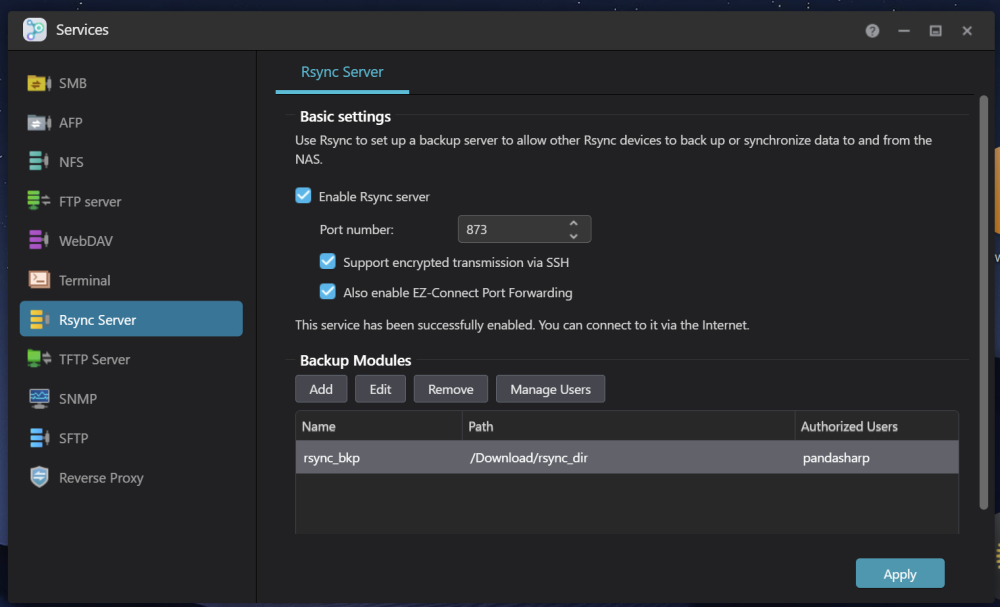
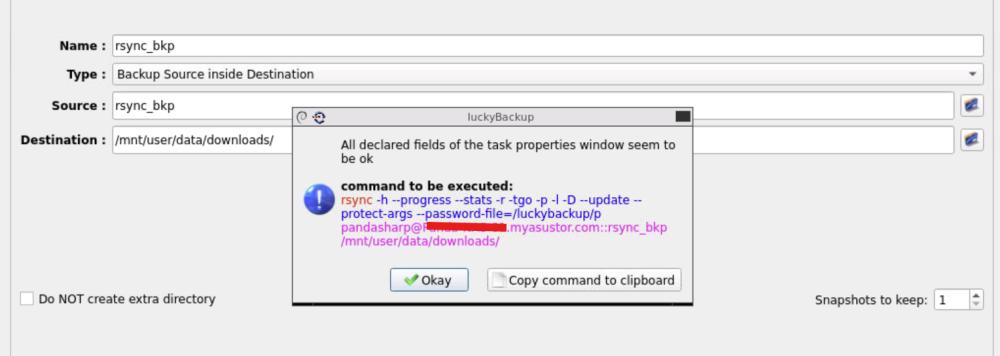
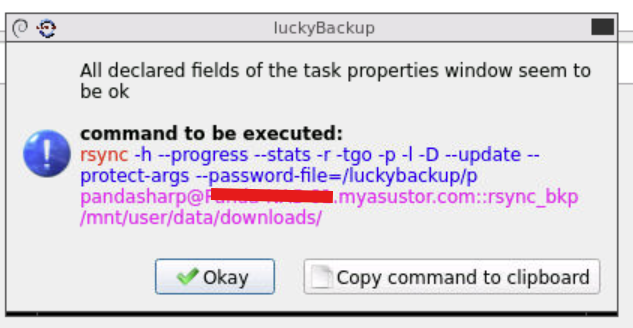
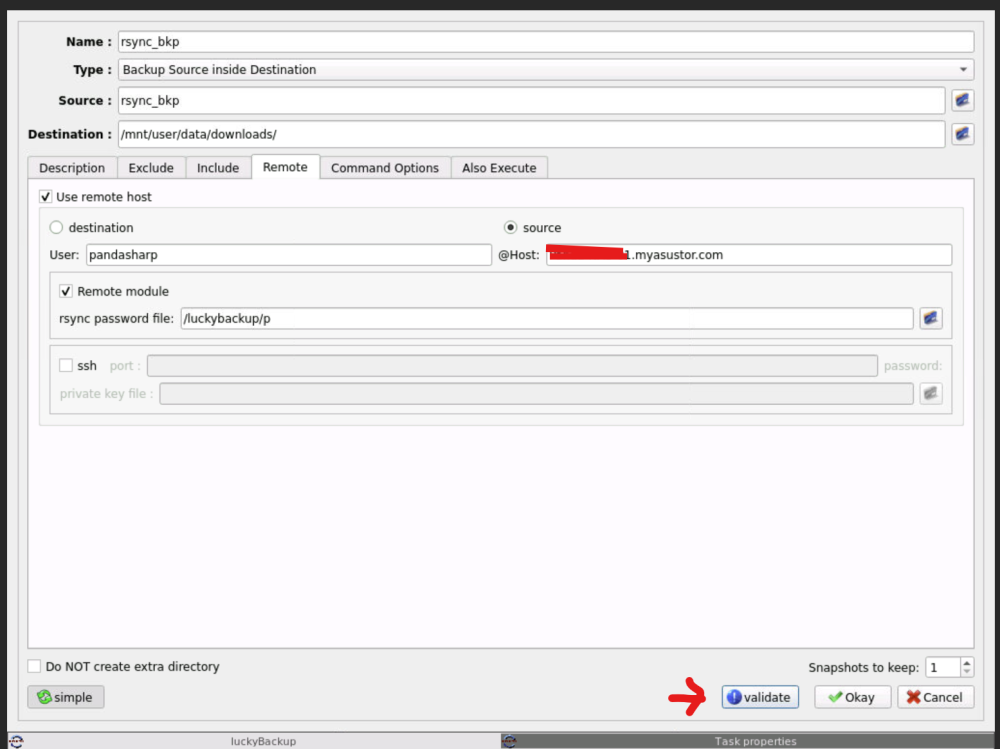
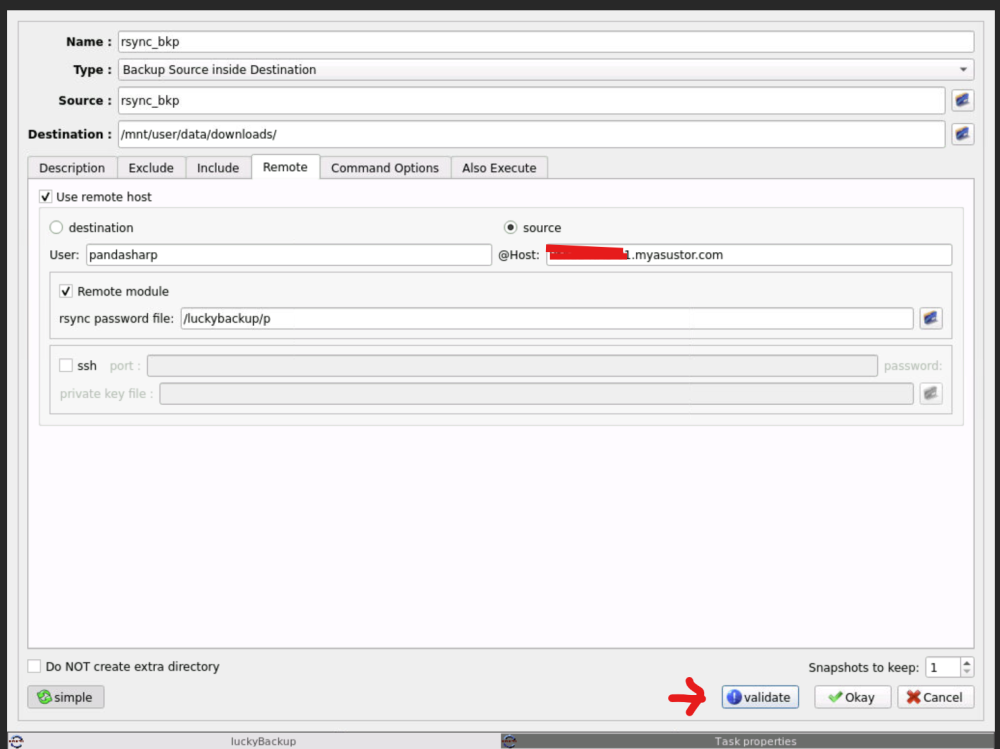
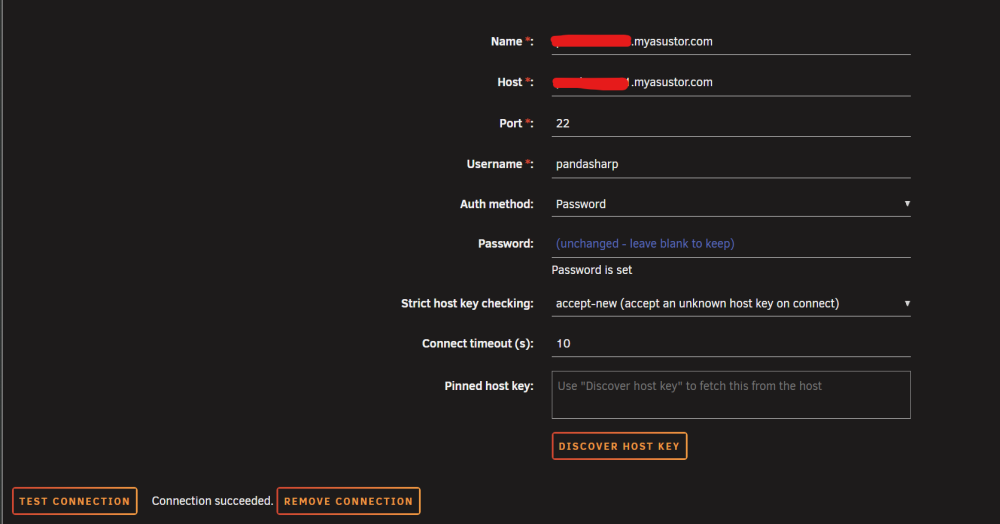
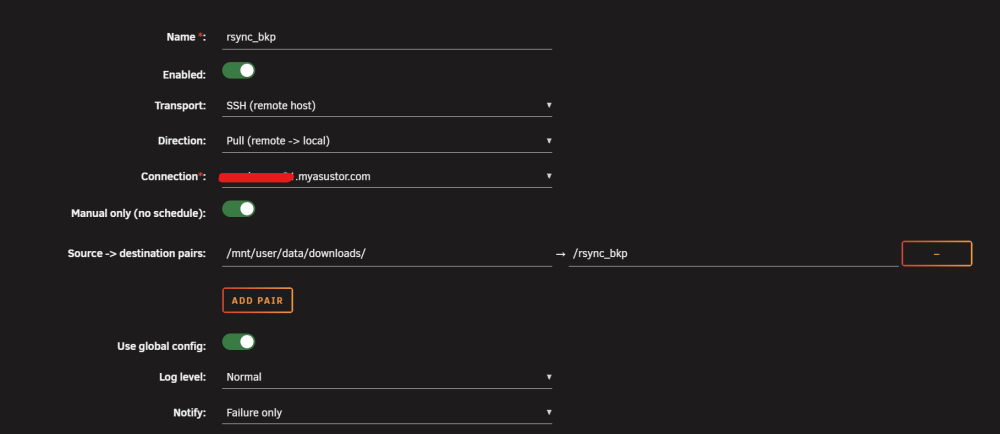
Hi @fajkovic.sasa Thank you so much for your plugin, I was really looking forward for something lighter to replace "luckyBackup", unfortunately I'm struggling to make it work, I'll write my progress so far, and please let me know if you prefer to move this conversation to GitHub. This is my current Asustor rsync configuration with a simple password (SSH is enabled on port 22) From command line I just login trough ssh ssh xxx.myasustor.com and run rsync --archive –v --progress [email protected]::rsync_bkp /home/pandasharp/Downloads/ This is my current working LuckyBackup configuration on Unraid If I try a dry run I get ===================================== execution of task : rsync_bkp, starting Source : rsync_bkp Destination : /mnt/user/data/downloads/ receiving incremental file list ./ file1... ...file20 Number of files: 20 (reg: 17, dir: 3) Number of created files: 19 (reg: 17, dir: 2) Number of deleted files: 0 Number of regular files transferred: 17 Total file size: 13.36G bytes Total transferred file size: 13.36G bytes Literal data: 0 bytes Matched data: 0 bytes File list size: 911 File list generation time: 0.001 seconds File list transfer time: 0.000 seconds Total bytes sent: 86 Total bytes received: 988 sent 86 bytes received 988 bytes 716.00 bytes/sec total size is 13.36G speedup is 12,441,692.74 (DRY RUN) execution of task : rsync_bkp, finished ===================================== and this is How I'm trying to configure your plugin, connection wokrs job configuration dry run log [2026-09-02T16:10:22+02:00] Run started for job "rsync_bkp" (j-rsync-bkp) [DRY-RUN] [manual]. [2026-09-02T16:10:22+02:00] Timestamps in timezone: Europe/Berlin. [2026-09-02T16:10:22+02:00] Pair #1: [email protected]:/rsync_bkp -> /mnt/user/data/downloads/ Warning: Permanently added 'xxxx.myasustor.com' (ECDSA) to the list of known hosts. 2026/09/02 16:10:23 [360712] receiving file list receiving incremental file list rsync: [sender] link_stat "/rsync_bkp" failed: No such file or directory (2) 2026/09/02 16:10:23 [360712] Number of files: 0 2026/09/02 16:10:23 [360712] Number of created files: 0 2026/09/02 16:10:23 [360712] Number of deleted files: 0 2026/09/02 16:10:23 [360712] Number of regular files transferred: 0 2026/09/02 16:10:23 [360712] Total file size: 0 bytes 2026/09/02 16:10:23 [360712] Total transferred file size: 0 bytes 2026/09/02 16:10:23 [360712] Literal data: 0 bytes Number of files: 0 2026/09/02 16:10:23 [360712] Matched data: 0 bytes 2026/09/02 16:10:23 [360712] File list size: 8 2026/09/02 16:10:23 [360712] Total bytes sent: 8 2026/09/02 16:10:23 [360712] Total bytes received: 8 2026/09/02 16:10:23 [360712] sent 8 bytes received 8 bytes 10.67 bytes/sec Number of created files: 0 Number of deleted files: 0 Number of regular files transferred: 0 Total file size: 0 bytes Total transferred file size: 0 bytes Literal data: 0 bytes Matched data: 0 bytes 2026/09/02 16:10:23 [360712] total size is 0 speedup is 0.00 (DRY RUN) File list size: 8 Total bytes sent: 8 Total bytes received: 8 sent 8 bytes received 8 bytes 10.67 bytes/sec total size is 0 speedup is 0.00 (DRY RUN) 2026/09/02 16:10:23 [360712] rsync error: some files/attrs were not transferred (see previous errors) (code 23) at main.c(1876) [Receiver=3.4.4] 2026/09/02 16:10:23 [360712] rsync: [Receiver] write error: Broken pipe (32) rsync error: some files/attrs were not transferred (see previous errors) (code 23) at main.c(1876) [Receiver=3.4.4] rsync: [Receiver] write error: Broken pipe (32) [2026-09-02T16:10:23+02:00] Pair #1 rsync exited with code 23 (PARTIAL). [2026-09-02T16:10:23+02:00] Run finished: state=PARTIAL exitCode=23. I suspect the issue could be here [email protected]:/rsync_bkp -> /mnt/user/data/downloads/ rsync: [sender] link_stat "/rsync_bkp" failed: No such file or directory (2) your plugin really want a folder that starts with / , but I just use a module the rsync --archive –v --progress [email protected]::rsync_bkp /home/pandasharp/Downloads/ Usage: rsync [OPTION]... SRC [SRC]... DEST or rsync [OPTION]... SRC [SRC]... [USER@]HOST:DEST or rsync [OPTION]... SRC [SRC]... [USER@]HOST::DEST or rsync [OPTION]... SRC [SRC]... rsync://[USER@]HOST[:PORT]/DEST or rsync [OPTION]... [USER@]HOST:SRC [DEST] or rsync [OPTION]... [USER@]HOST::SRC [DEST] or rsync [OPTION]... rsync://[USER@]HOST[:PORT]/SRC [DEST] The ':' usages connect via remote shell, while '::' & 'rsync://' usages connect to an rsync daemon, and require SRC or DEST to start with a module name. I'm not an rsync expert, any help is appreciated, looking forward to hearing from you, thanks!