




Skip to content
View in the app

A better way to browse. Learn more.

Unraid

A full-screen app on your home screen with push notifications, badges and more.

To install this app on iOS and iPadOS
  1. Tap the Share icon in Safari
  2. Scroll the menu and tap Add to Home Screen.
  3. Tap Add in the top-right corner.
To install this app on Android
  1. Tap the 3-dot menu (⋮) in the top-right corner of the browser.
  2. Tap Add to Home screen or Install app.
  3. Confirm by tapping Install.

LehmannAD

Members
  • Joined

  • Last visited

Everything posted by LehmannAD

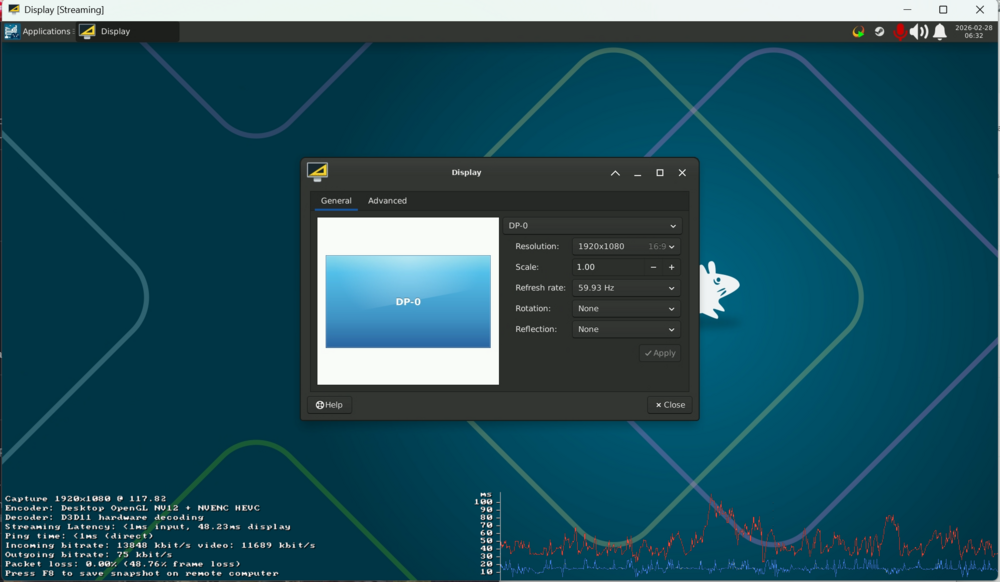
  1. Hello, i was hoping for a little help. i cant get steam headless container to have a different refresh rate then 60hz. i bought a hdmi dummy plug and now i can see higher resolutions but cant change the refresh rate. any help would be greatly appreciated.
  2. Hello all, I'm having an issue where i cant login or use shares on windows 11. i can access the site via my Iphone and Ipad but not windows. does anyone have any ideas whats going on? BTW i installed NVIDIA drivers before reboot and removed the card from GPU pass through for my VM. NVM i fixed it by clearing all the data from my browser.

Account

Navigation

Search

Search

Configure browser push notifications

Chrome (Android)
  1. Tap the lock icon next to the address bar.
  2. Tap Permissions → Notifications.
  3. Adjust your preference.
Chrome (Desktop)
  1. Click the padlock icon in the address bar.
  2. Select Site settings.
  3. Find Notifications and adjust your preference.