The_Marsh
Members
-
Joined
-
Last visited
Everything posted by The_Marsh
-
Thanks for the tip, I'll have a look into this. Unfortunately all out of warranty . It's OK though, I think this is an important lesson I have learnt - don't touch what isn't broken! I thought I had used a corsair power cable as it was the only spare one I had so would make sense it was for the empty slot in the PSU but potentially you are right. I can't be sure so I've quarantines my unknown cables in the event I have to reuse this power supply for any reason.
-
Thanks for the tip, I've now replaced the PSU with something better on the tier list. I've tried the drives again and no dice, so I've now accepted that these are gone. I don't think the cost of data recovery is worth it for these files, there was nothing critical on there as far as I can remember. I guess time to write off my losses and start again. From here I just need to go Tools => New Config, is that correct?
-
Yes, I have pulled power and data cables from functioning HDDs and put them into those four. I was using power splitters, but have just tested without them and still the same unfortunately. I also tested the four drives in the below docking station connected to a Windows PC with nothing showing up in Disk Management. Simplecom SD322 Dual Bay USB 3.0 Aluminium Docking Statio...Designed for direct insertion of two 2.5 inch or 3.5 inch SATA HDD/SSD USB 3.0 SuperSpeed Interface, transfer rates up to 5Gbps Backwards-Compatible with USB 2.0, transfer rates up to 480Mbps Solid
-
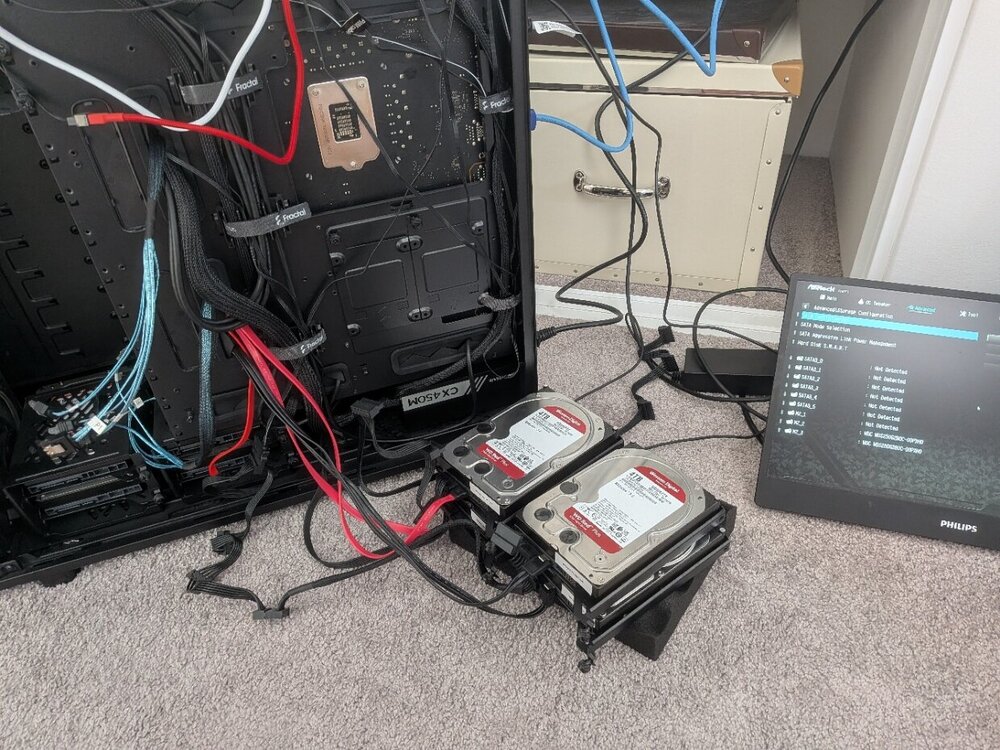
BIOS is not picking up the HDDs. I pulled out the power & data cables to all HDDs in the case and just connected up the four non-working HDDs and booted up, picture shows the BIOS not reading them. I connected these to data cables going directly to the motherboard, not to the HBA. Guess this means the drives are cooked? Crazy for four to go all at the same time. Is there much opportunity for data recovery, I don't know anything about this sort of thing. Also attached a fresh diagnostics download with the below setup. tower-diagnostics-20260410-1036.zip
-
Apologies, please see the diagnostics zip file attached. tower-diagnostics-20260409-1908.zip
-
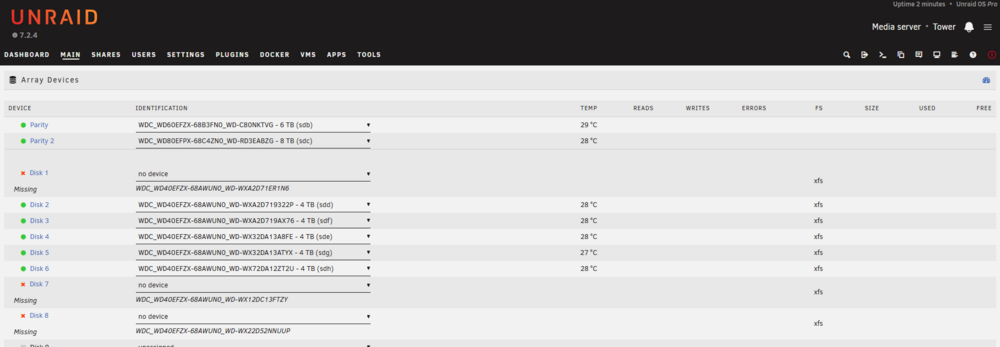
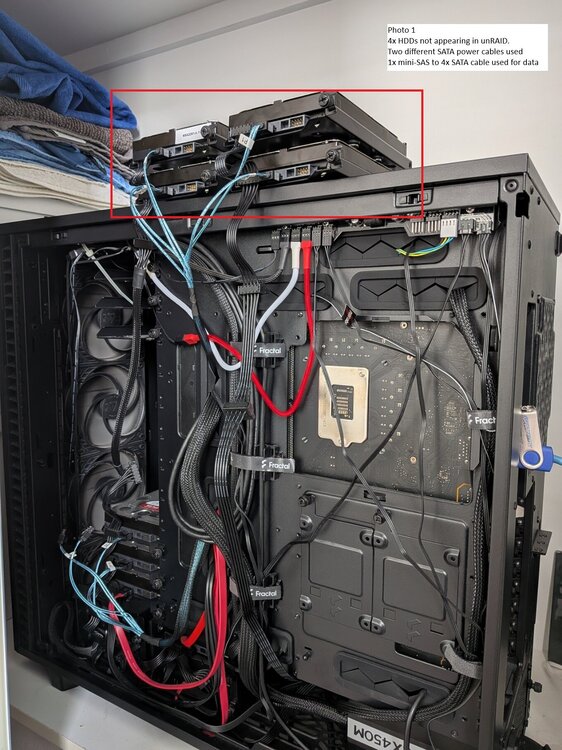
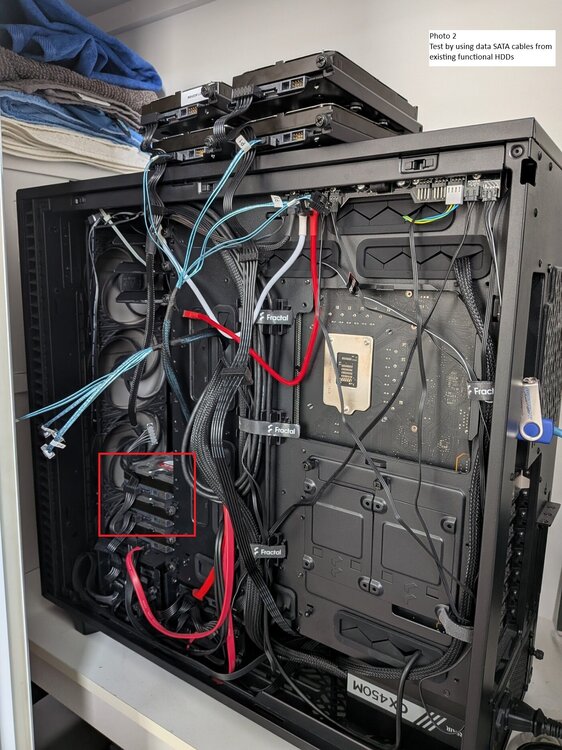
Hi, Hoping someone might be able to assist whether I have accidentally killed 4 drives all at once somehow. Today I unplugged and removed several drives (the ones in question) from my server case in order to rearrange the cabling and position of them, to allow for the installation of a few additional drives. Of these drives, three were part of the array and one was an unassigned drive. I have attached a snippet from the unRAID GUI of the missing drives. After booting up the server and seeing the missing drives I tried some basic troubleshooting to work out if it was a cable issue or drive issue. I tried: Running the HDDs via two separate SATA power cables to check if this was the issue. One of the SATA cables was connected to some unaffected drives in the raid. Upon booting up none of the four drives were found, however the SATA cable daisy chaining off the other HDDs were functioning fine. To me this indicates the power cable is not the issue. See "Server Photo 1". In case the data cable or HBA (LSI 9211-8i) was the issue I moved two data cables from existing HDDs to two of the four HDDs that were not functioning. Upon starting up the old HDDs were no longer found in the raid (as expected) but the two HDDs I had connected were not picked up. This indicates to me it is not the data cable. See "Server Photo 2" Ruling out the power cable and the data cable to me it looks like four drives have died, unless there is a configuration issue in unRAID causing this. All HDDs are WD Red Plus. If anyone has any suggestions on how I can confirm whether the four drives are fully dead that would be much appreciated, and also any idea of if there is a way to attempt to recover data from the disks? Please note my understanding of unRAID & Linux is quite limited, so I don't really know how to troubleshoot within the OS itself - apart from setting this server up I've only ever dealt with Windows. Thanks!