Sephibro
Members
-
Joined
-
Last visited
-
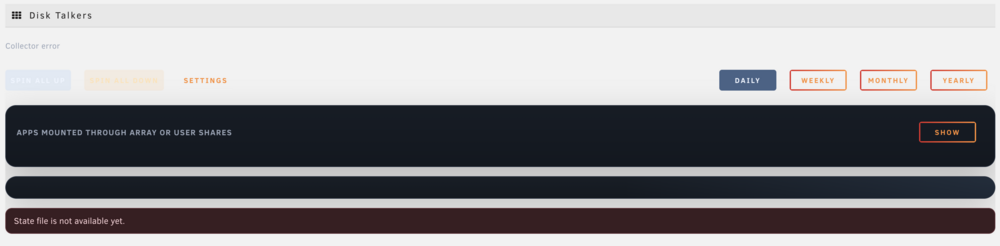
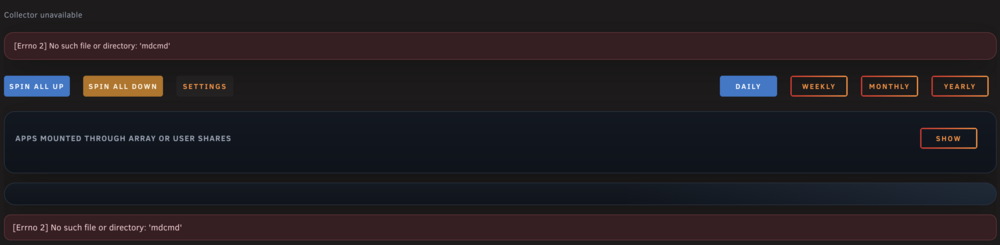
I have one issue to report: A week ago, my server got stuck and I had to hard reset it When it turned back on, Disk Talkers looked like this I uninstalled and re-installed Disk Talkers, and it fixed the problem Today I did a normal reboot from the Unraid GUI and when it turned on, I had again the same issue as shown in the picture above
-
Content wise that's perfect. (minor) For compatibility: in light theme, both the table and the text are the same white color. Thank you!
-
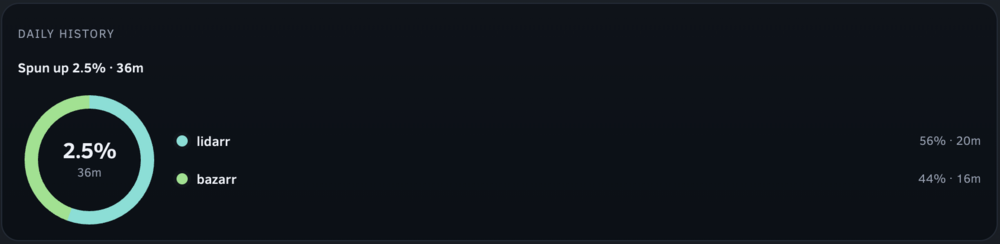
I would have one request: right now the Daily History panel actually shows daily statistics. If possible, I would like to have history information, something like a table that shows spin-up time | spin-up duration | service that caused the spin-up | file(s) accessed at the time of spin-up
-
Perfect! Thanks again for your effort
-
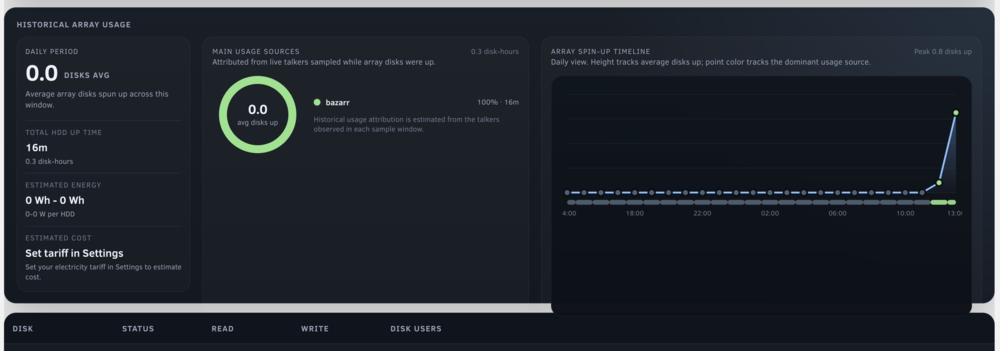
Another issue: the Main Usage Sources and Array Spin-Up Timeline panels seem to be higher than the parent - it is noticeable also in the screenshot you attached to your first post
-
Great, this is exactly what i was looking for! Just a couple things to report from right after installing: I have the unraid light theme, it's hard to read the SPIN ALL UP and SPIN ALL DOWN buttons text The page shows a Collector error message at the very top - did I miss something during installation?