





peterpeter
Members
-
Joined
-
Last visited
Everything posted by peterpeter
-
I can absolutely see how it happened - I interrupted the rebuild to the larger 1.5TB disk and that probably left xfs in a confused state. I'll use UFS Explorer to transfer the data to another disk and reformat the 250GB one.
-
I just looked at the screenshot again - it seems like the disk is 232.89GB and the partition is 232.9? If I have to rebuild into another disk, I'm ready with a replacement drive (it's an SSD and I know that's not perfect but im working with what I have)
-
4GB DDR3 🥲
-
I rebuilt disk2 to another disk, here's the diagnostics: jankserver-diagnostics-20260829-0015.zipThat means it might take another few days until I get a replacement drive. I'll update you guys again when I rebuild disk2 to another disk.Yes that is expected.Whoops, sorry! jankserver-diagnostics-20260827-1633.zipAlright I did that: jankserver-diagnostics-20260827-1503.zipjankserver-diagnostics-20260827-0036.zip Edit: I haven't done anything yet - the docs say that I can click the fix button but im not doing anything unless instructed by you guys
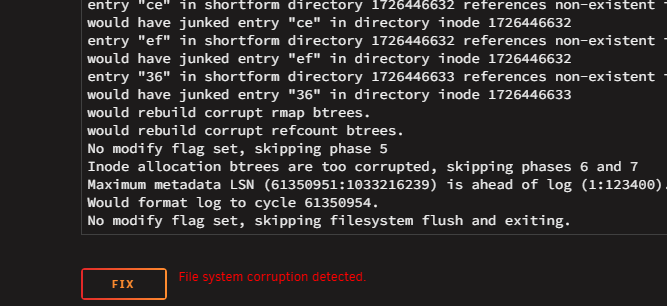 oh i completely misread the docs... thanks for correcting me, I'll run a proper filesystem check nowIt is a check, it just looks like a rebuild.
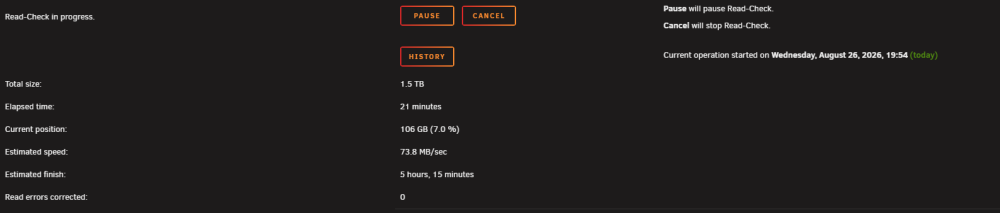 It's checking, hope to report with good news soon-ish
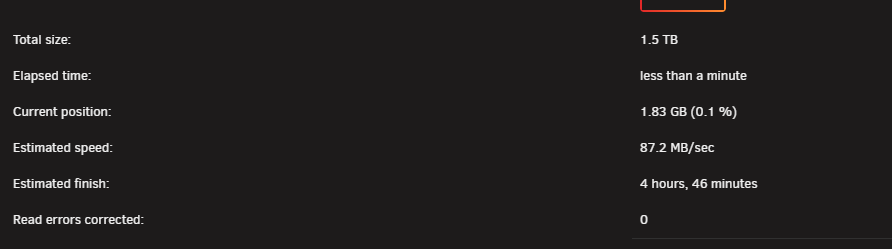 Did it, stopped the array after I did the diagnostics jankserver-diagnostics-20260826-1852.zipAlright, i'll do exactly that.I tried running the test on disk2 again, it seems like it finishes without errors but I think that the drive is so far gone that it can't even initialize a SMART test. vivaldi_aCA1w790Fx.mp4The diagnostics after doing SMART tests on both drives: jankserver-diagnostics-20260826-1523.zipI did a short smart test on disk2 before and it was spitting out read errors. During the rebuild it was making weird noises (not quite clicking but close enough) and it was incredibly slow. I'll do an extended SMART test on both drives and post diagnostics. Also I gotta say that I am extremely thankful for the work you (and the other magicians in the forum) do for the community. <3I connected the failing drive back to the system and made everything the way it was. I can try starting the array to hopefully save the data but I won't do anything for now. jankserver-diagnostics-20260826-1357.zipOriginal Config before failure: Same Parity drive, disk1 is the same, disk2 is the failed drive, disk3 is the old drive I was going to upgrade. What happened: I upgraded disk3 to a bigger drive and while the rebuild for the new drive was going - disk2 failed. I still have the old disk3 which all the data on it intact. What I'm trying to do: Replace disk2 with the drive I was going to upgrade disk3 with; return the old unupgraded disk3 to its old slot. Unraid throws an error about there being too many wrong disks.The failed disk was disk2, the one I was going to upgrade was disk3. jankserver-diagnostics-20260826-1253.zipWouldn't that automatically wipe the party and make me lose all of the data on the failed drive?I was upgrading a 250GB drive I had in my array with a 1.5TB one when one of the other disks failed during the rebuild. I tried putting the old 250GB drive back in since it still has everything on it but unraid sees that the drive is smaller than the one I was replacing it with and refuses to start the array. This sounds like it could be fixed since the data on the 250GB drive hasn't been touched at all and only one drive failed. The old 250GB drive in its old slot, the drive I was going replace it with is going in the dead drive's position (yes it's bigger than the old one) And Unraid complaining about there being too many wrong disks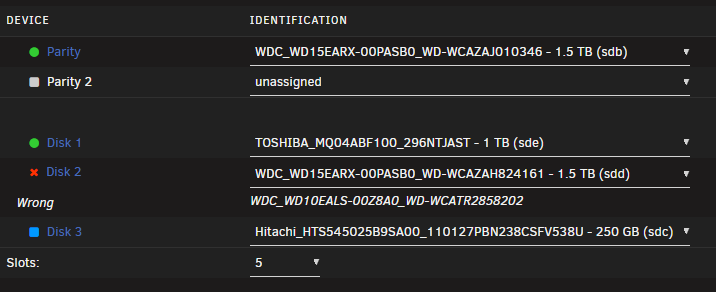
 I'll do new config with the 250gig drive, thank you!I had a 1TB drive fail - no big deal since it was empty, however the only replacement drive I have on hand is a 250GB one. Is it safe to use New Config and rebuild the array from parity or do I need to shrink the array first?



